Sync Invoices to QuickBooks, Xero & Google Drive

Sync Invoices to QuickBooks, Xero & Google Drive

Author
The TallyScan Team
5 min read
#Product Update#Google Drive#OneDrive#Xero#QuickBooks#Invoice Automation#AI Invoice Extraction

We've been busy. Over the past few weeks, we've shipped a wave of improvements designed to reduce manual data entry and make TallyScan faster, smarter, and more connected than ever. If you're looking to automate your bookkeeping workflow, here's a look at everything that's new.

New Integration: Microsoft OneDrive

By popular demand, we've added support for Microsoft OneDrive. Many of our users rely on the Microsoft 365 ecosystem, and you can now automatically sync your processed invoices directly to your OneDrive storage.

  • Custom Organization: Choose how your files are organized—by date, by vendor, or a combination of both.
  • Automatic Backup: Just like our Google Drive integration, TallyScan will automatically upload your original PDFs and images as soon as they are processed.
  • Seamless Setup: Connect your Microsoft account in seconds via Settings → Integrations.

New Integration: Google Drive

Your invoices and receipts now have a home beyond TallyScan. With the new Google Drive integration, every processed document can be automatically backed up to a dedicated folder in your Drive account.
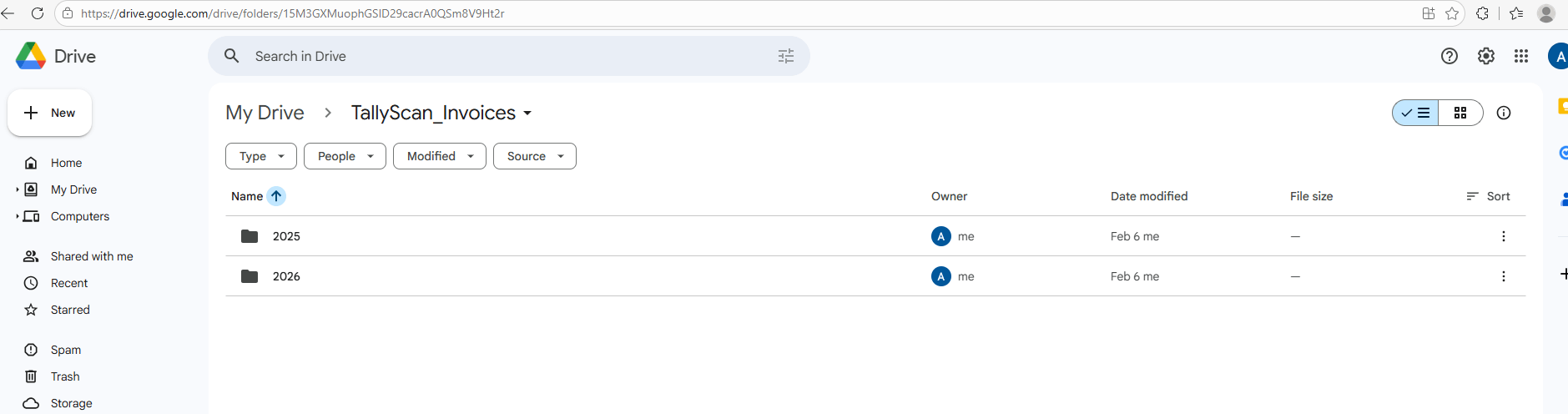
  • Automatic Uploads: Once connected, TallyScan pushes your original files (PDFs, images) straight to Google Drive — no manual steps required.
  • Organized by Default: Files are neatly stored in a TallyScan-managed folder, so your Drive stays tidy.
  • Peace of Mind: Your original documents remain safely in your own Google Drive for long-term storage and compliance.

TallyScan Automated Invoice Sync to Google Drive

Head to Settings → Integrations to connect your Google account in one click.

New Integration: Xero (Beta)

For teams that run their accounting on Xero, we now offer direct Accounts Payable automation. When an invoice is processed, TallyScan can automatically create a corresponding Bill in your Xero organization.
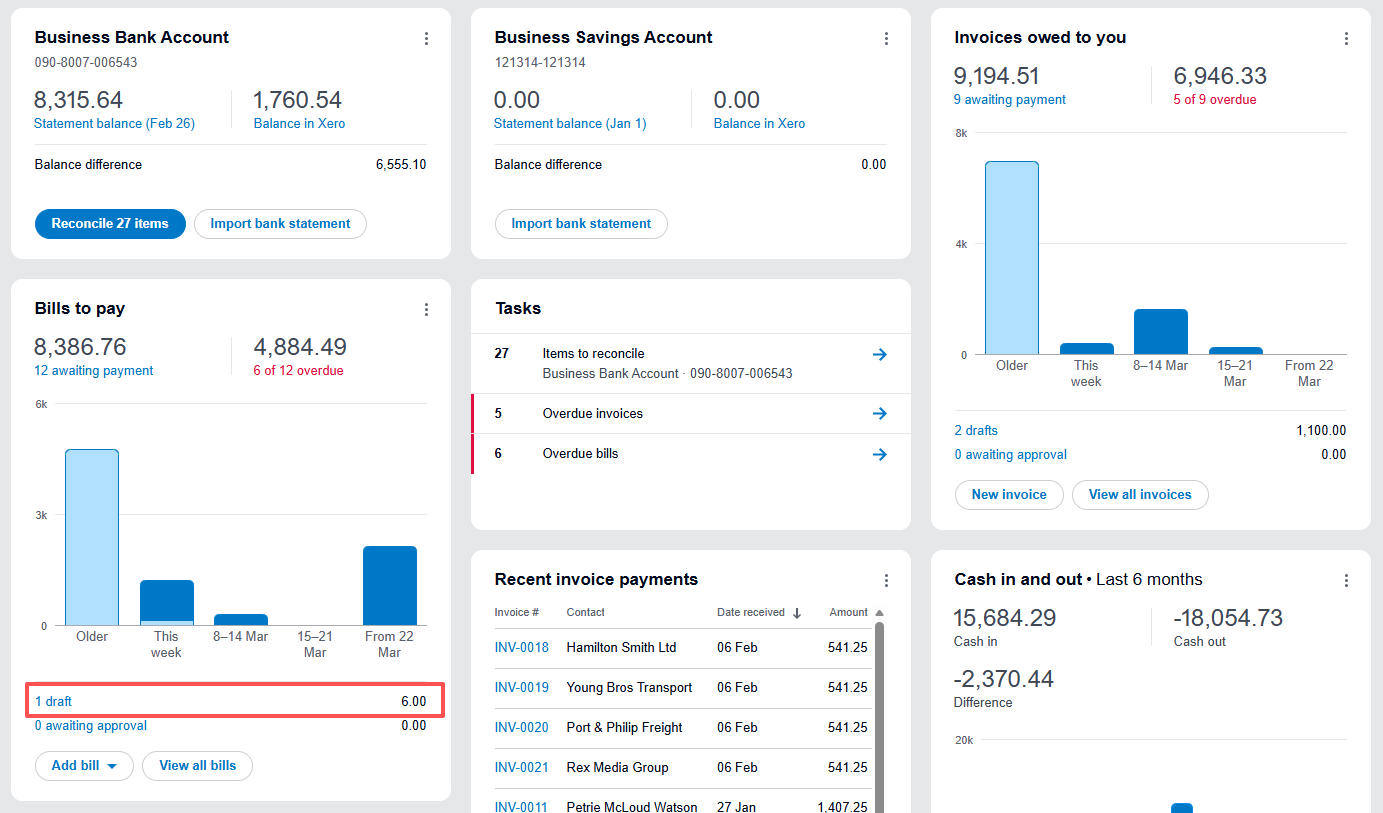
TallyScan Sync Invoices to Xero Bills to Pay

  • Vendor Matching: TallyScan finds or creates the correct contact in Xero based on the extracted vendor name.
  • Line-Item Detail: Individual line items from your invoice are mapped to bill lines, preserving the granularity of every transaction.
  • Attachment Sync: The original PDF or image is attached directly to the Xero bill for easy reference during audits.
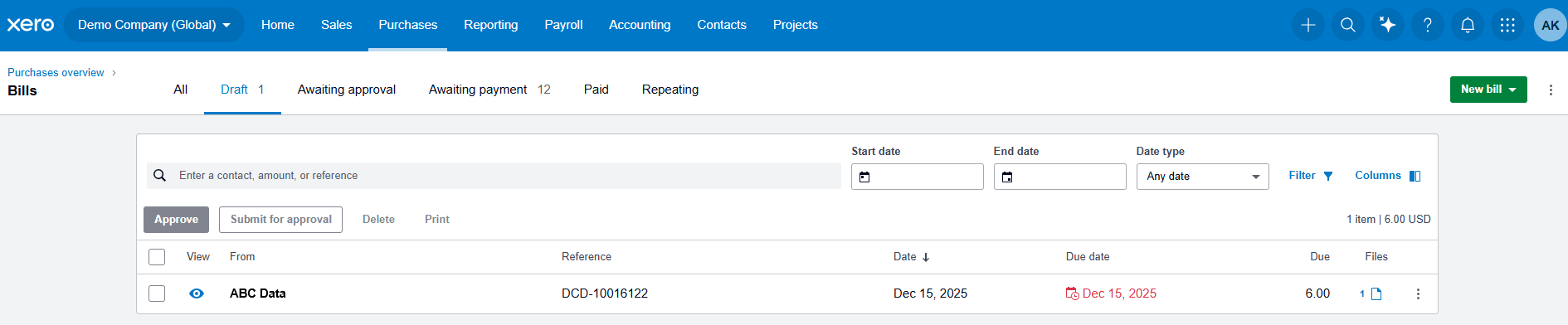
  • Safety First (Draft Sync): To ensure accuracy, all synced bills are sent to Xero as Drafts. You can review and approve them in your "Bills to Pay" section, giving you total control over your official books.

TallyScan Reviewing Draft Bills in Xero Dashboard

Beta Notice: Xero integration is currently in beta. We're actively testing and refining the sync logic. If you encounter any issues, please reach out — your feedback helps us improve.

New Integration: QuickBooks Online (Beta)

If QuickBooks Online is your accounting backbone, you'll love this one. TallyScan can now push processed invoices directly into QuickBooks as Bills (Accounts Payable).
  • Secure OAuth Connection: Securely link your QuickBooks company with a standard OAuth flow — no credentials stored on our side beyond encrypted tokens.
  • Smart Vendor Management: TallyScan queries your existing vendors first. If a match is found, it updates the record. If not, it creates a new vendor automatically.
  • Full Bill Details: Dates, line items, currency, PO numbers, and document numbers are all mapped to the correct QuickBooks fields.
  • Attachment Upload: The source document is uploaded and linked to the bill, keeping everything in one place.
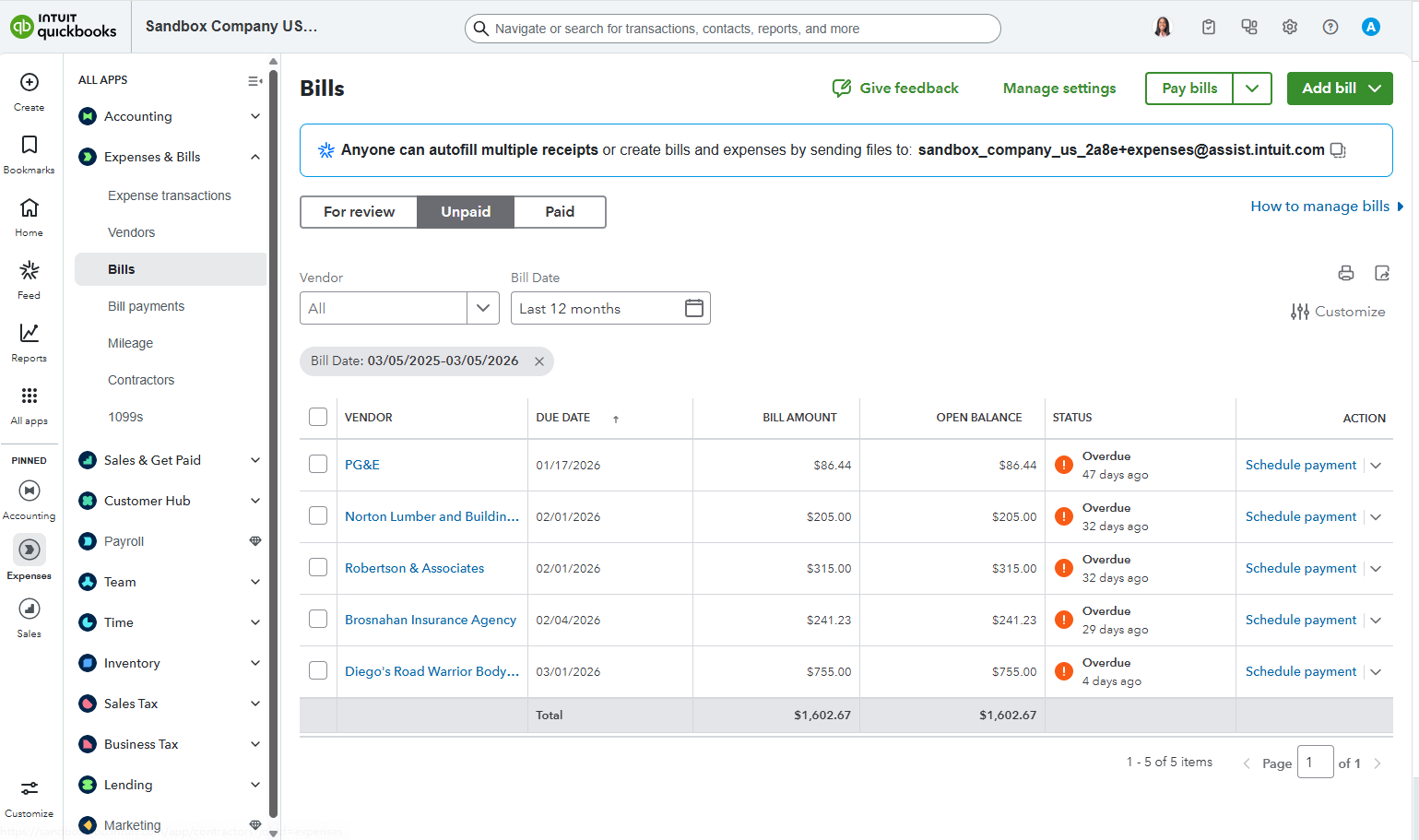
  • Manual Review: Synced invoices appear in your QuickBooks dashboard under Expenses → Bills → Unpaid. This allows you to perform a final audit before marking them for payment.

TallyScan Syncing Invoices to QuickBooks Online Expenses Bills

Beta Notice: QuickBooks integration is currently in beta and undergoing Intuit's app review process. We'd love early adopters to try it out and share feedback.

🚀 Smarter AI Processing

Under the hood, we've made significant improvements to how TallyScan handles AI invoice extraction:

  • Richer Data Extraction: We now extract more fields than ever — including tax IDs with type labels, payment methods, payment status, and detailed vendor addresses.
  • Higher Accuracy: Our AI engine has been fine-tuned with improved prompts, resulting in better accuracy for edge-case invoices and non-standard layouts.
  • Graceful Credit Handling: If you run out of processing credits, TallyScan still saves your files. Once you top up, you can trigger extraction with a single click.
  • Real-Time Status Tracking: Invoice processing status now updates live. You'll see clear indicators for "Processing," "Completed," and "Error" states.

A Refreshed Dashboard Experience

We've given the entire dashboard a visual overhaul focused on clarity and usability:

  • Redesigned Invoice List: Cleaner layout with sync status badges, better error message display, and improved sorting.
  • Mobile-Friendly: The invoice list and dashboard now adapt beautifully to smaller screens.
  • Low Credit Alert: A gentle reminder appears on your dashboard when credits are running low.
  • Polished Dialogs: Delete confirmations, upload dialogs, and settings screens have all been refined for a more consistent feel.

Subscription Plans

TallyScan now supports recurring subscriptions. Choose a plan that fits your volume, and enjoy uninterrupted processing month after month. Visit our Pricing Page to explore options.

📦 Improved Exports

When you export your data, you now get more fields in your CSV, Excel, and Google Sheets exports — including vendor addresses, tax IDs, payment information, and sync statuses.


New to TallyScan?

If you're just joining us, be sure to read our Introduction to TallyScan AI to learn how we use AI to revolutionize your bookkeeping.

Get Started for Free — Your first 10 invoices are on us!