Guide
Why Your Invoice Approval Process Is Costing You More Than You Think?
Design a faster invoice approval workflow: define roles, set smart thresholds, automate routing, track KPIs, and cut processing costs by up to 75%.

TallyScan Team
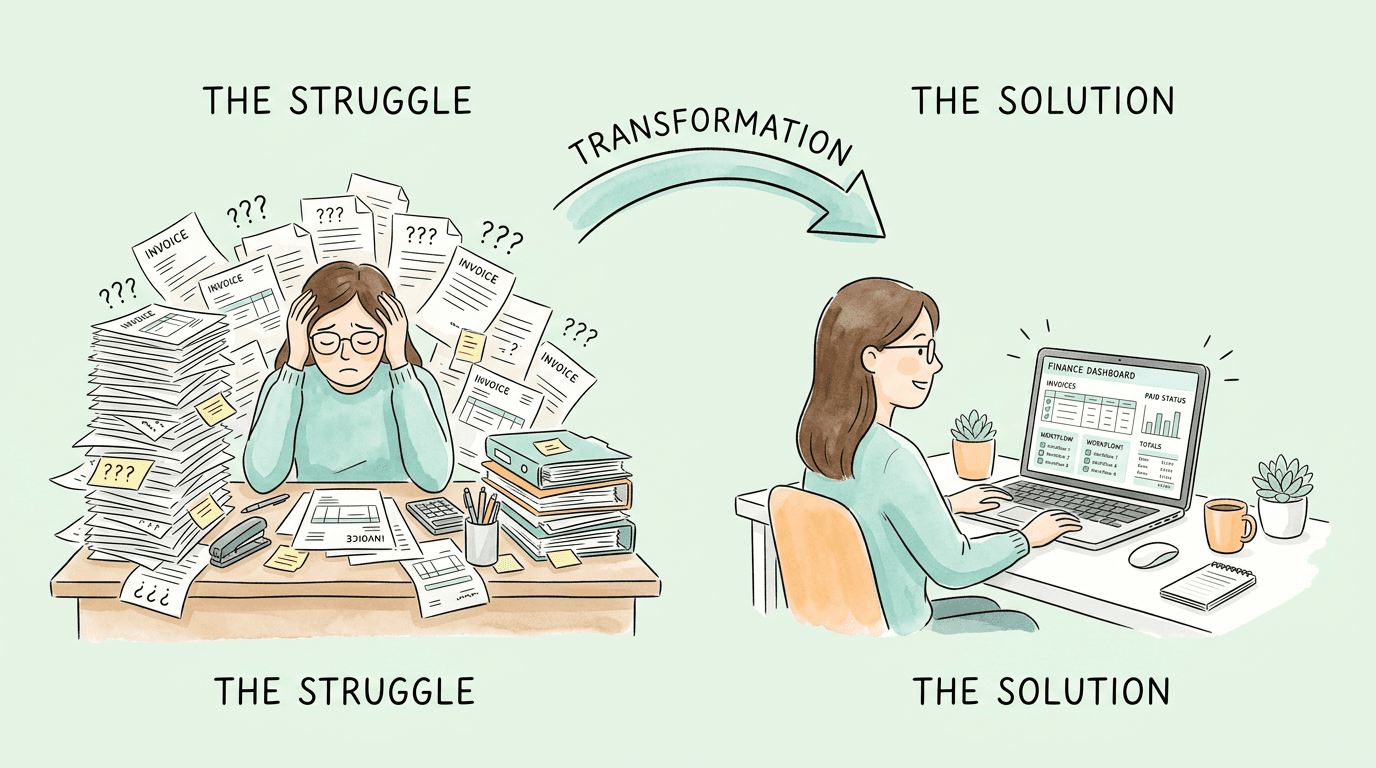
Your AP team is competent. They are just being asked to do the wrong things every day. When a skilled finance professional spends three hours keying invoice data into a spreadsheet, that is not a productivity problem. It is a process problem. And process problems compound quietly, right up until month-end close turns into a four-day fire drill.
This guide walks through the specific places where manual AP workflows break down, the seven highest-impact changes to make first, how three-way matching prevents fraud before it starts, and how to measure whether any of it is working.
Most businesses know their accounts payable process has problems. Fewer realize how expensive those problems actually are.
According to the Institute of Finance and Management (IOFM), processing a single invoice manually costs between $10 and $15 when you account for labor, error correction, and approval time. Automate the same volume, and the cost per invoice drops to $2 to $4. At 500 invoices per month, that difference is $4,000 to $6,500 per month in pure processing cost before anyone has extracted a single insight from the data.
The visible costs (overtime, late fees) are easy to quantify. The hidden costs are the ones that usually convince leadership to act:
| Metric | Manual AP Process | Automated AP Process |
|---|---|---|
| Cost per invoice | $10-$15 | $2-$4 |
| Processing time | 3-7 days average | Same day to 24 hours |
| Error rate | 3-5% of transactions | Under 0.5% |
| Early payment discount capture | Often missed | Routinely captured |
| Audit trail quality | Reconstructed manually | Timestamped, always current |
| Duplicate detection | Reactive, after payment | Automatic, before payment |
The gap between those two columns is where the business case for improvement lives.
Before fixing anything, you need to know exactly where the friction is. This sounds obvious. But most AP improvement projects fail because they address symptoms (slow approvals, data entry errors) rather than root causes (no centralized intake, no PO policy, approval routes built around one person's inbox).
The exercise is simple. Pick five recent invoices, including at least two that caused problems, and trace exactly what happened to each one from the moment it arrived to the moment it was paid.
At each stage, record:
Most teams doing this exercise for the first time are surprised by two things. First, the number of manual handoffs a single invoice requires. Second, how much time is spent waiting, not working.
Pro Tip: Do this mapping with your AP team, not just management. The people processing invoices every day know exactly where the friction is. Involving them in the diagnosis means they are already invested in the solution.
Once you have traced a representative sample, the same patterns appear regardless of company size or industry:
1. Uncontrolled invoice intake. Invoices arrive through too many channels: one person's email, a shared mailbox, the front desk, a supplier portal. Without a single monitored entry point, invoices get missed, duplicated, or delayed before anyone has even looked at them.
2. Approval chains built around individuals. When approval requires a specific person who is traveling, the entire process stops. Single points of failure in approval routing are one of the most common causes of late payments and strained vendor relationships.
3. No PO requirement for significant purchases. Invoices without a matching purchase order cannot be validated automatically. Every one requires manual investigation. Requiring POs above a clear dollar threshold eliminates most of these exceptions before they arrive.
4. Exception handling in email. When an invoice has a problem, the resolution process typically becomes a chain of reply-all emails with no clear owner and no deadline. The invoice disappears into an inbox and reappears at month-end.
Mapping your current process shows which of these is costing you the most. That is where you start.
Not all AP improvements produce equal returns. These seven changes, roughly in order of impact-to-effort ratio, are where teams consistently see the clearest results.
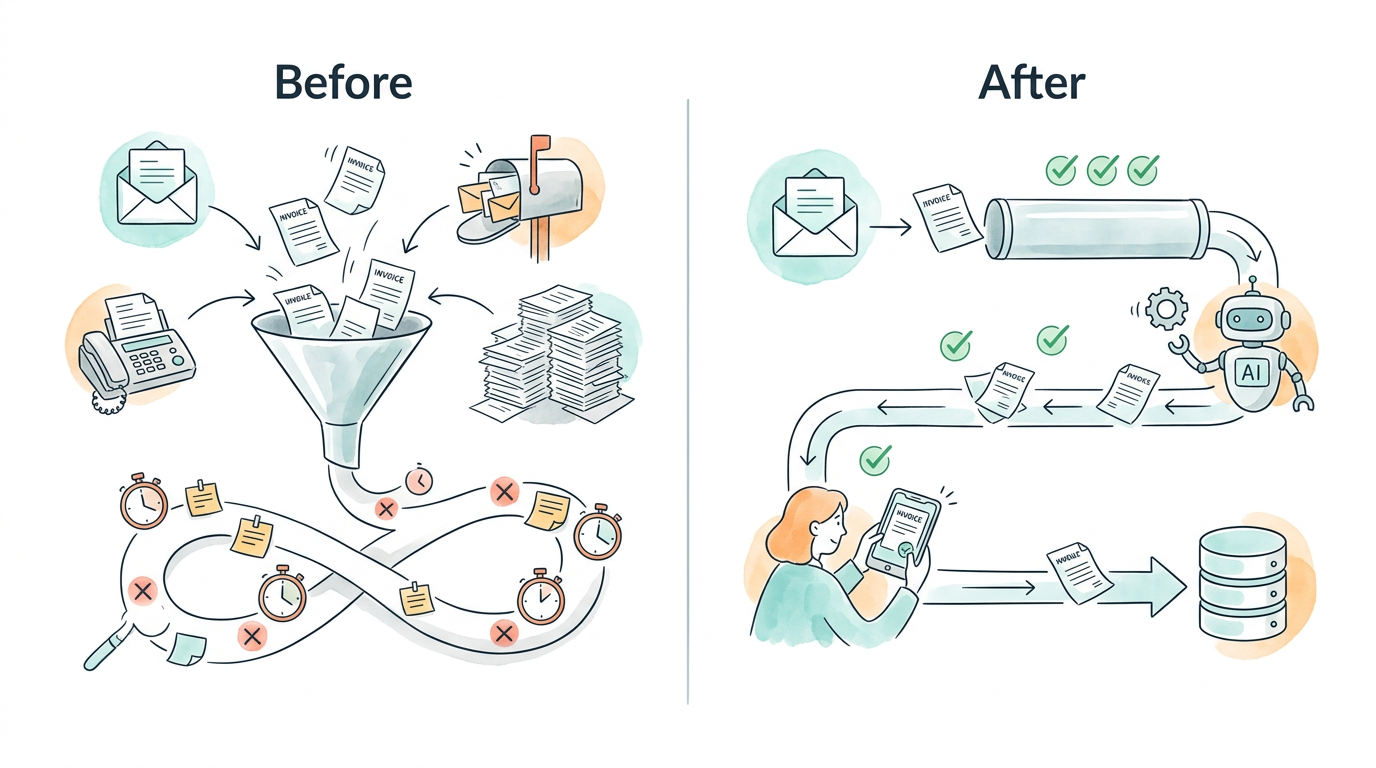
Pick one channel and route everything through it. For most businesses, this means a dedicated AP email address that feeds directly into your AP software. For larger operations, a vendor portal where suppliers submit invoices directly is better still. The goal: every invoice enters through the same door, and nothing arrives in a personal inbox.
This single change reduces missed invoices dramatically and gives you accurate data on your invoice volume and cycle times, which you need to measure everything else.
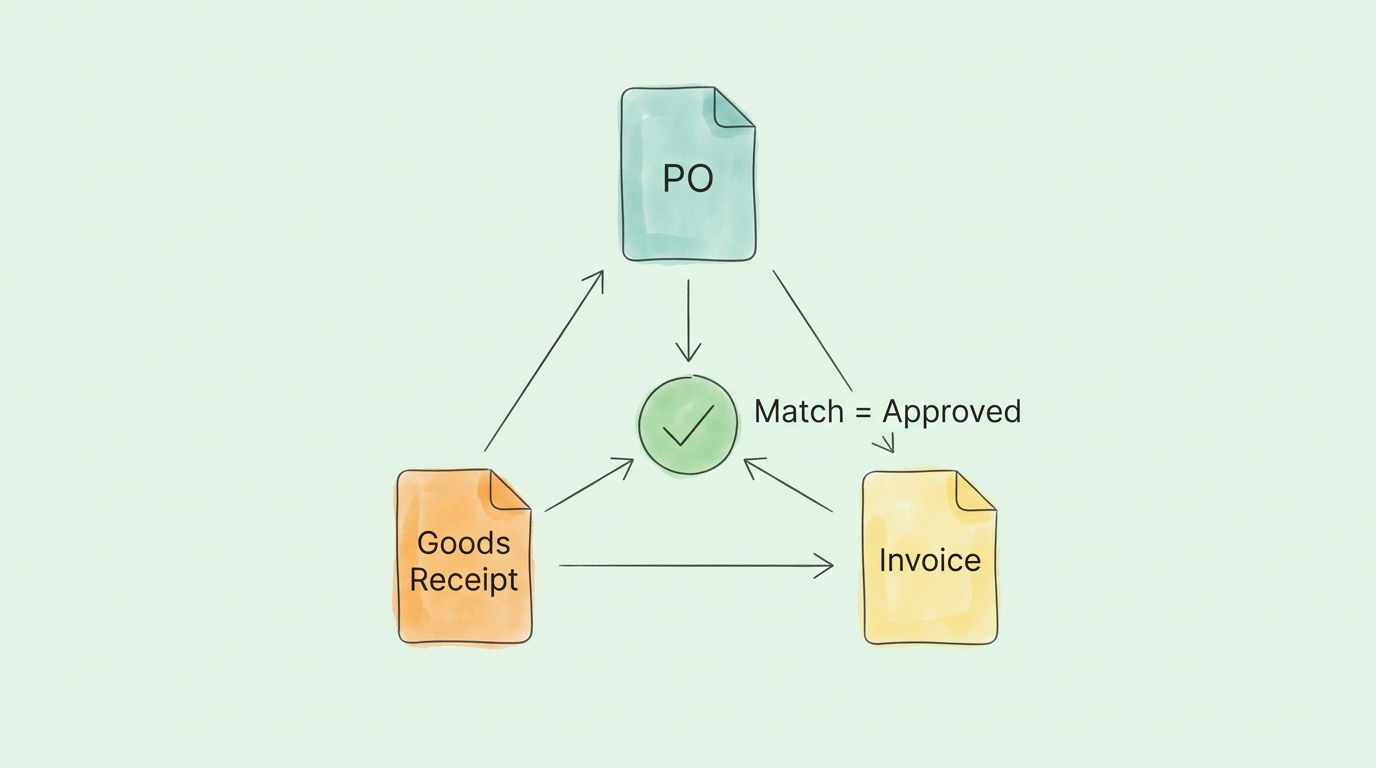
Three-way matching compares an invoice against two documents before payment is approved: the original purchase order and the goods receipt confirming delivery. Payment only moves forward when all three agree within a configured tolerance.
This is the most effective internal control in AP. It catches overpayments, duplicates, and fraudulent submissions automatically, before money leaves the account. Research from BILL's AP team shows that organizations with consistent three-way matching catch up to 85% of potential duplicate and fraudulent payments without any manual review.
Assigning invoices to the correct general ledger account is repetitive and error-prone when done manually. AI-powered AP tools learn your coding patterns from day one. When they see a charge from a vendor you have paid before, they apply the same GL code automatically and flag anything unfamiliar for a quick human confirmation.
This eliminates the manual coding step for the majority of invoices and produces cleaner data for financial reporting and tax preparation. For a walkthrough of how this works end to end, see our guide to invoice process automation.
Every approval rule needs a primary approver and a designated backup. Configure your AP system to escalate automatically after a set window (24 or 48 hours is typical) if the primary has not acted. Approval requests should work from a mobile device so the process never stops because someone is away from their desk.
A well-designed invoice approval process should not depend on anyone being in a specific location or checking a specific inbox.
Define what happens to a problem invoice before one arrives. For PO mismatches, it routes to the person who created the PO. For missing information, it goes back to the vendor with a templated request. For disputed amounts, it goes on hold and routes to the relevant department manager.
Configure these rules in your AP system so they trigger automatically. The goal is to remove exception handling from email threads entirely.
Duplicate vendor records, outdated bank details, and inconsistent naming conventions cause errors at every stage. Assign one person ownership of the vendor master. Establish a new-vendor onboarding process that verifies banking details through a second channel (a phone call to a number already on file) before the first payment is made. Audit the file at minimum once a year.
This is unglamorous work. But it prevents the category of problems (wrong bank account, duplicate vendors, fraudulent submissions) that are the most expensive to fix after the fact.
You cannot manage what you cannot measure. These four metrics give a complete picture of AP health and are worth reviewing monthly:
For a detailed breakdown of how these metrics connect to broader AP performance, see our guide to improving accounts payable efficiency.
Three-way matching does not just catch honest mistakes. It is one of the most effective defenses against the specific fraud patterns that target AP functions.
The Association of Certified Fraud Examiners' Report to the Nations identifies billing fraud as the most common form of occupational fraud, with a median loss of $100,000 per incident. The most common vectors in AP include:
Three-way matching catches the first two automatically, because no PO or goods receipt means no automated payment. Business email compromise requires a separate bank detail verification protocol. Overbilling is caught when the PO and invoice amounts are compared directly.
| Fraud Type | How Three-Way Matching Catches It | Additional Control Needed |
|---|---|---|
| Ghost vendor | No matching PO exists | Regular vendor master audit |
| Duplicate invoice | Same PO already matched and closed | Automated duplicate detection |
| Business email compromise | Bank detail change triggers manual hold | Second-channel verification policy |
| Overbilling | Invoice amount exceeds PO within tolerance | Configurable tolerance thresholds |
The practical takeaway: three-way matching is not optional for any AP process handling more than a few dozen invoices per month. Below that threshold it can still be done manually. But the risk-to-effort ratio tips quickly as volume grows.
The AP automation market is crowded and vendor claims are often exaggerated. Here is a framework that cuts through the noise.
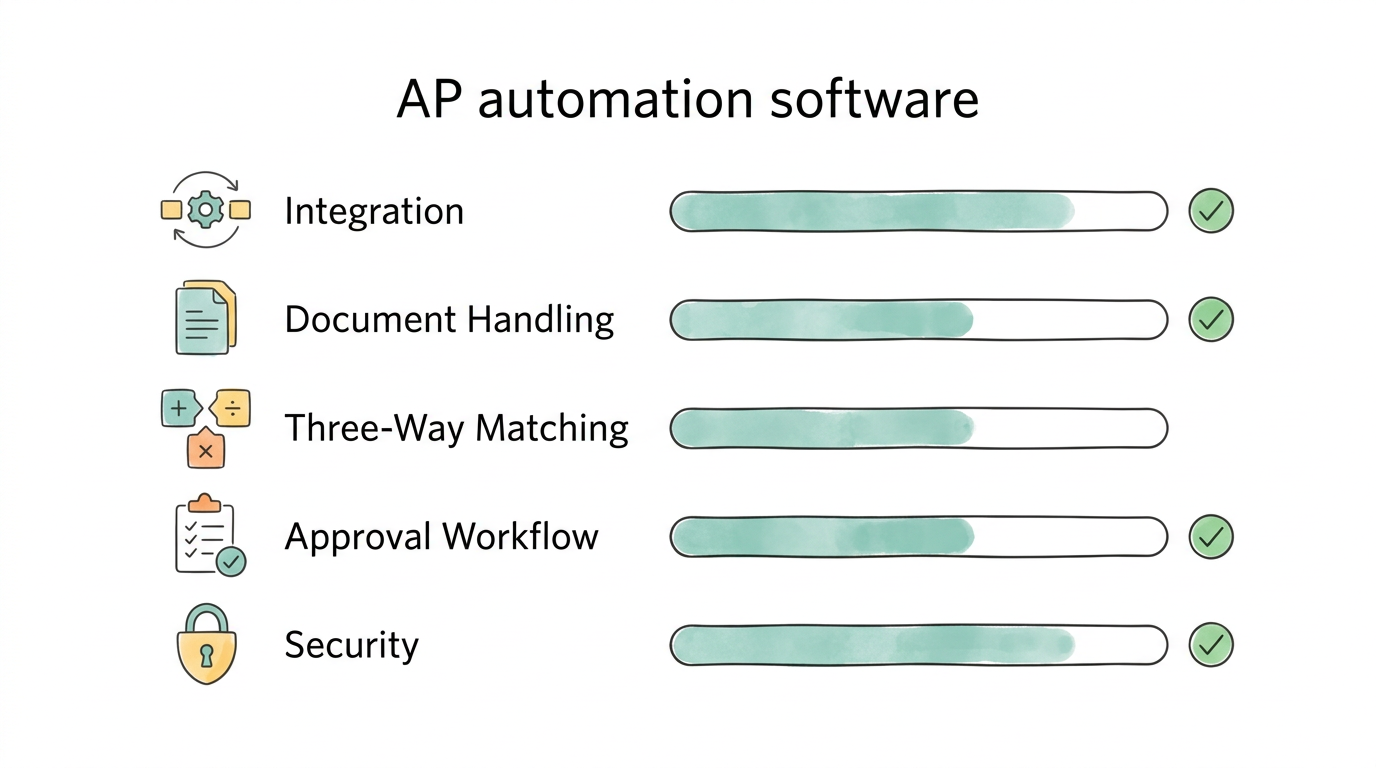
Non-negotiable criteria:
| Evaluation Area | What to Ask | Red Flag | Green Flag |
|---|---|---|---|
| Accounting Integration | Which systems are natively supported? | Requires middleware or custom development | Native connector to your stack |
| Document Handling | Can it process PDFs, images, and emails? | Template-based, layout-dependent | Layout-agnostic AI extraction |
| Three-Way Matching | Is matching automated end to end? | Only available as a manual step | Automatic with configurable tolerance |
| Approval Workflow | Can you build multi-step conditional routes? | Fixed, non-customizable | Custom rules by amount, vendor, department |
| Setup Time | From sign-up to first processed invoice? | Weeks of setup required | Minutes to first result |
| Security | Where is data hosted and processed? | Shared public model | Private, encrypted, SOC 2 compliant |
For a detailed guide to what to look for in document processing specifically, see our guide to invoice capture software. For the full ROI case, our article on accounts payable automation benefits breaks down the numbers.
Pro Tip: Ask every vendor: "How long until we process our first real invoice after signing up?" That answer reveals more about actual usability than any feature comparison chart. Anything longer than a day for a standard cloud setup is a warning sign.
Before deciding where to invest, this diagnostic gives you a quick read on where your process stands today.
| Process Area | Signs You Have a Problem | Priority |
|---|---|---|
| Invoice Intake | Invoices arrive via personal inboxes, paper, fax, multiple channels with no single point | High |
| Data Entry | Someone manually keys invoice fields into accounting software | High |
| Three-Way Matching | No PO requirement for significant purchases; matching done in spreadsheets | High |
| Approval Routing | Approvals tracked by email; no automatic escalation for delays | Medium-High |
| Exception Handling | Problem invoices resolved via email threads with no defined owner | Medium |
| Vendor Master | Multiple records for the same vendor; no verification process for new bank details | Medium |
| KPI Tracking | No regular reporting on cost per invoice, cycle time, or DPO | Medium |
| Fraud Controls | No duplicate detection; no second-channel verification for bank detail changes | High |
Score one point for each row where you recognize the problem. If you scored 5 or higher, automation is not a nice-to-have. It is overdue.
AP automation eliminates the manual steps that create the most delay and error: document receipt, data extraction, GL coding, and approval routing. Instead of a clerk spending 8-15 minutes per invoice, an AI system handles extraction in under 30 seconds, routes the invoice to the right approver automatically, and flags discrepancies before payment. The result is a cycle time reduction from several days to hours, and a cost-per-invoice drop from $10-$15 to under $4.
Three-way matching is a control that verifies three documents before approving payment: the purchase order (what was agreed), the goods receipt (what was actually delivered), and the vendor invoice (what is being billed). All three must agree within a configured tolerance before payment is released. It is the most effective automated defense against duplicate invoices, overbilling, and ghost vendor fraud, and it requires no manual review for invoices that match cleanly.
For small to mid-sized businesses using cloud-based tools, most implementations take days to a few weeks. The core steps are: connect your accounting software, configure approval workflows, set up your vendor list, and test with a batch of real invoices. Enterprise deployments with complex ERP integrations or multi-entity configurations can take longer. The key question to ask any vendor: "When can we process our first real invoice after connecting?"
The four metrics that matter most: cost per invoice processed (target under $4 with automation), invoice cycle time (target under 5 days for standard invoices), Days Payable Outstanding (optimize for cash flow while staying within agreed terms), and early payment discount capture rate (target 70% or higher). Track these monthly and compare against your baseline before any changes. Improvement should be visible within the first 60 days.
The most effective combination: require purchase orders for all purchases above a defined threshold, implement three-way matching to block invoices without corresponding POs and goods receipts, configure automated duplicate detection, and establish a policy requiring phone verification (to a number already on file, not one provided in the email) for any request to update vendor banking details. These four controls together block the majority of common AP fraud patterns.
Configure your AP system to route exceptions automatically based on the type of problem. PO mismatches go to the person who created the PO. Missing information triggers an automated vendor request. Disputed amounts go on hold and route to the relevant department manager. The objective is to remove exceptions from email threads entirely. Every exception type should have a defined owner and a clear resolution path configured in the system before the first problem invoice arrives.
Accounts payable (AP) tracks money your business owes to suppliers for goods and services already received but not yet paid. Accounts receivable (AR) tracks money owed to your business by customers for goods or services delivered but not yet collected. AP is a liability on your balance sheet; AR is an asset. Both affect cash flow directly, which is why AP cycle time optimization is also a cash flow management strategy.
Overhauling the entire AP process at once is the approach most likely to stall. Pick the single area from the self-assessment where you scored highest. Fix that. Measure it before and after.
For most teams, that starting point is centralized invoice intake combined with automated data extraction. Those two changes eliminate the most manual work, catch the most errors early, and make every other improvement easier to build on.
TallyScan connects to your existing email and accounting software, extracts invoice data automatically, and routes approvals without manual setup. Most users process their first invoice within minutes of connecting their account.
Start your free trial and see how much of your current AP process disappears on day one.
Related reading: Accounts Payable Automation Benefits | Invoice Approval Process | Invoice Process Automation | Improve Accounts Payable Efficiency
Design a faster invoice approval workflow: define roles, set smart thresholds, automate routing, track KPIs, and cut processing costs by up to 75%.
How invoice process automation works, real ROI calculations, a 6-point tool selection framework, 5 implementation phases, pitfalls to avoid, and 8 FAQs.
Five types of invoice scanning software, an honest comparison of 10 tools, and a framework to choose the right one based on your volume and workflow needs.