Guide
Improve Accounts Payable Process: Where to Start and What to Measure
Manual AP costs $10-$15 per invoice. This guide maps where your process breaks down, the seven fixes with the best ROI, and the KPIs to track real improvement.

TallyScan Team
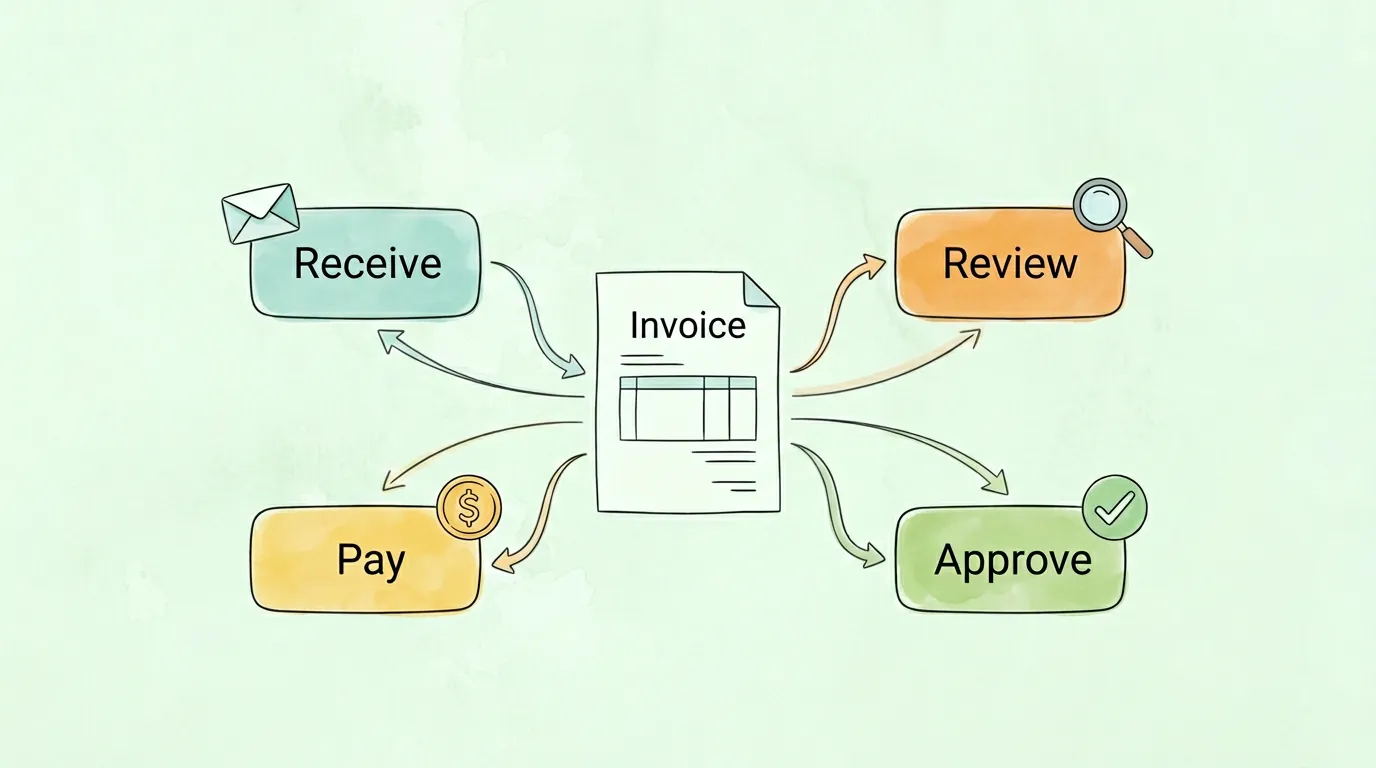
That stack of invoices piling up in someone's inbox is not just an inconvenience. It is a slow leak in your company's financial health. A broken invoice approval process delays payments, strains vendor relationships, kills early-pay discounts, and creates compliance risk that only surfaces during audits, when it is already too late to fix. This guide gives you a definitive, step-by-step framework to design, automate, and continuously improve your invoice approval workflow in 2026, whether you process 50 invoices a month or 50,000.
An invoice approval process is the structured sequence of steps an organization follows to receive, verify, route, approve, and pay supplier invoices. It defines who reviews each invoice, what criteria must be met before payment is authorized, and how exceptions are handled when something does not match. According to accounts payable (Wikipedia), AP encompasses all short-term obligations to suppliers, and the approval process is the control layer that prevents errors, fraud, and unauthorized spend before money leaves the business.
A well-designed approval process covers six key functions:
Most finance leaders underestimate what a sluggish, manual invoice approval system is actually costing them. The damage is rarely visible in a single line item on the P&L, but it compounds quietly, month after month.
Many vendors offer 2/10 net 30 terms, meaning a 2% discount if payment arrives within 10 days. A slow approval workflow makes capturing these discounts nearly impossible. According to research from Ardent Partners, best-in-class AP teams capture early payment discounts at rates more than three times higher than average teams, and approval cycle time is the primary differentiator. For a company spending $5 million annually on supplier invoices, even a 1% improvement in discount capture adds $50,000 straight to the bottom line.
Beyond discounts, late payments trigger penalty fees. Some vendors charge 1.5% per month on overdue balances. A single overdue $20,000 invoice costs $300 in the first month, and that figure multiplies across a portfolio of vendors.
Your suppliers are business partners, not just service providers. Consistent late payment signals disorganization and financial instability, which can lead to concrete business consequences:
Pro Tip: Track your on-time payment rate by vendor. A rate below 90% is a signal your approval workflow has structural bottlenecks worth addressing before they cost you a key supplier relationship.
Even with modern technology widely available, research shows that 60% of invoices are still processed manually, according to data cited by the Institute of Finance & Management (IOFM). The cost difference is significant and measurable:
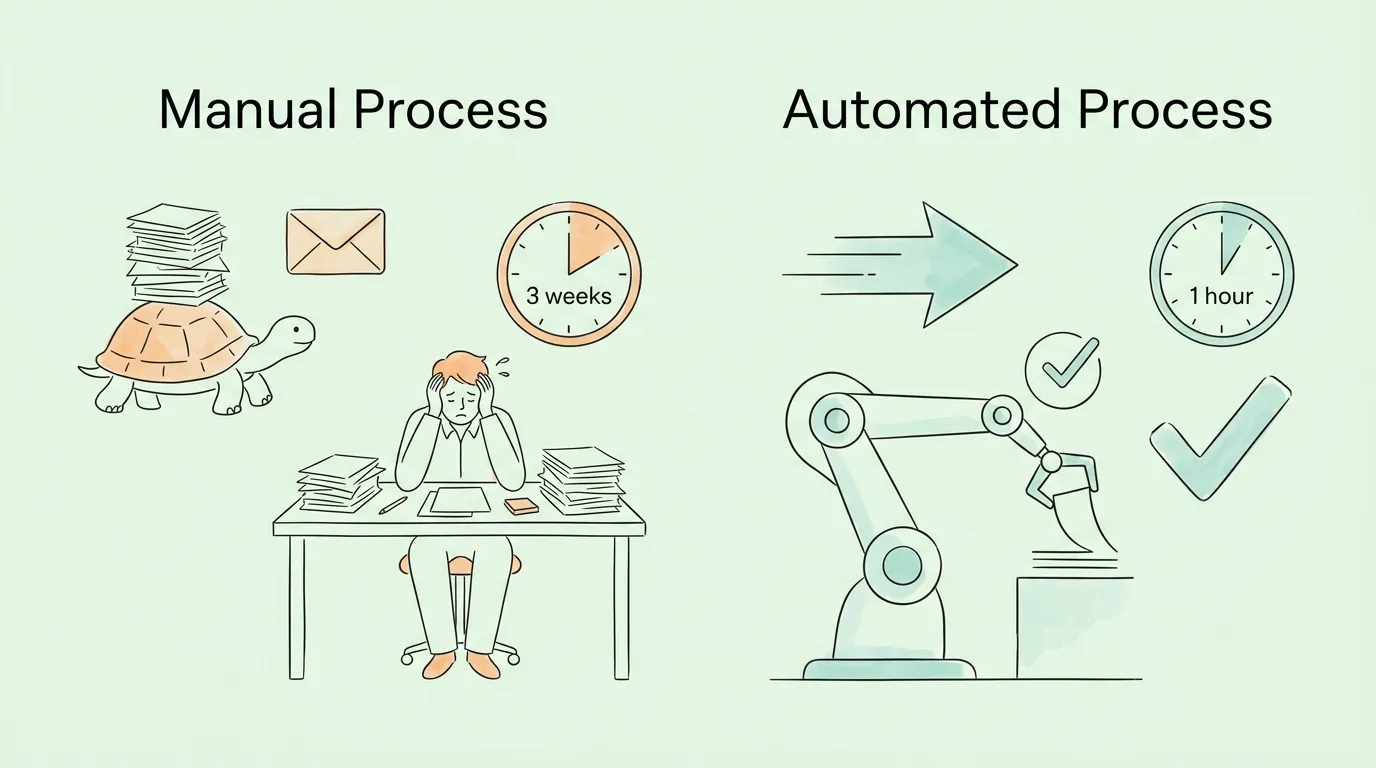
| Metric | Manual Process | Automated Process | Savings |
|---|---|---|---|
| Cost per Invoice | $12 to $15 | $2 to $4 | Up to 75% |
| Processing Cycle Time | 12 to 21 days | 1 to 4 hours | Up to 90% |
| Error Rate | 3 to 5% | Under 0.5% | ~90% reduction |
| Early Payment Discount Capture | Under 30% | Over 85% | 3x improvement |
| Staff Time on Approvals | 60% admin tasks | Under 20% admin tasks | 2x productivity |
| Audit Trail Quality | Incomplete, email-based | Complete, timestamped | Audit-ready |
These numbers are not hypothetical. Companies that have fully automated their invoice approval workflow consistently report processing cost reductions of 70-75% and cycle time improvements of 75-80%. The return on investment is typically realized within six to twelve months of implementation.
Building a better invoice approval process is not about deploying a generic template. It is about designing a system that fits your company's organizational structure, spending patterns, and risk tolerance. Before automating anything, you need a clear blueprint: a logical path every invoice follows from receipt to payment.
Ambiguity is the primary cause of approval delays. When people are unsure who owns what, invoices get passed around or ignored. Every person in the approval chain must have a clearly documented role.
| Role | Core Responsibility | When They Engage |
|---|---|---|
| AP Clerk | Receives, codes, and validates invoice accuracy against POs | On every invoice, immediately upon receipt |
| Requestor / Budget Owner | Confirms goods or services were delivered as agreed | Before financial approval, especially for project-based spend |
| Department Manager | Approves invoices within their department budget | For invoices within their spending authority |
| Finance Controller | Enforces GL coding standards and compliance policy | For high-value or complex invoices requiring accounting review |
| CFO / VP Finance | Final approval authority for major expenditures | For invoices exceeding defined thresholds |
A clear RACI (Responsible, Accountable, Consulted, Informed) matrix for each invoice tier eliminates the "who should approve this?" question permanently.
Not every invoice deserves the same scrutiny. A $75 office supplies invoice should not require CFO sign-off. Tiered approval thresholds balance financial control with operational speed.
Here is a practical multi-level approval matrix used by mid-size companies:
| Invoice Amount | Approval Required | Rationale |
|---|---|---|
| Under $500 | Auto-approved (PO match required) | Eliminates bottlenecks on routine, low-risk purchases |
| $501 to $5,000 | Department Manager | Keeps budget owners accountable for their own spend |
| $5,001 to $20,000 | Department Manager + Division Director | Two-layer review for more significant commitments |
| $20,001 to $100,000 | Manager + Director + Controller | High-value oversight with accounting validation |
| Over $100,000 | Manager + Director + Controller + CFO | Maximum scrutiny for major financial commitments |
Review these thresholds at least twice a year. As your company grows, thresholds that once made sense can become bottlenecks. If one manager is consistently the approval slowdown on routine purchases, their threshold may simply be set too low.
Once roles and thresholds are defined, you need routing rules that direct each invoice automatically to the right approver. Routing logic typically combines:
Document every routing rule explicitly. Undocumented, informal authority is one of the most common causes of audit findings in AP processes, as noted in SOX 404 compliance reviews.
Exceptions are inevitable. Prices change, quantities are disputed, and invoices arrive without PO references. A strong invoice approval process treats exceptions as a structured subprocess, not a free-for-all.
When an invoice is rejected, the approver should be required to select a specific reason:
Each reason code should trigger a defined escalation path, automatically routing the invoice back to the right person (vendor, requestor, or AP) with the full context attached. This replaces vague email chains with structured, trackable resolution. For a deeper look at processing best practices, see our guide on invoice processing best practices.
Understanding the theory is one thing. Here is what an optimized, AI-powered invoice approval process looks like at each stage on a typical business day.
Step 1 - Centralized Invoice Receipt: All invoices, regardless of format (PDF, XML, paper scan, email body), flow into a single dedicated inbox or vendor portal. No more invoices disappearing in personal email accounts or sitting on desks.
Step 2 - AI-Powered Data Capture: The moment an invoice is received, OCR technology extracts every key field: vendor name, invoice number, invoice date, due date, line items, amounts, and tax details. Modern AI-driven OCR achieves over 97% accuracy and handles unstructured layouts that traditional template-based systems fail on.
Step 3 - Two-Way and Three-Way PO Matching: The system automatically cross-references the invoice against the purchase order (two-way match) and, where applicable, the goods receipt (three-way match). Variances within a configured tolerance (typically 1-3%) are flagged but may auto-approve; larger discrepancies route to exception handling.
Step 4 - Automated GL Coding: Machine learning models analyze historical coding patterns and suggest the correct general ledger accounts, cost centers, and project codes. As the system processes more invoices, accuracy improves. Best-in-class platforms achieve 90%+ auto-coding accuracy within 60 days.
Step 5 - Intelligent Routing and Approval: Based on the routing rules you designed, the invoice is automatically sent to the right approver with full context. Approvers receive a notification via email or a workplace messaging platform (Slack, Teams), can review the invoice, and approve in one click, from any device. If no action is taken within the SLA window, the system escalates automatically.
Step 6 - ERP Posting and Payment Release: Once fully approved, invoice data syncs directly to your accounting system (QuickBooks, Xero, NetSuite, SAP, etc.) with all coding intact. The invoice enters the payment queue with the correct due date, and payment is scheduled to optimize for early-pay discount capture.
Step 7 - Audit Trail and Reconciliation: Every action, every timestamp, every approval and rejection is permanently recorded. This creates a clean, searchable audit trail that satisfies internal controls, SOX compliance requirements, and external audit requests without any manual documentation effort.
Pro Tip: The biggest time savings in step 5 come from mobile approvals. Managers who can approve an invoice in 30 seconds from their phone while waiting for a meeting eliminate the "batch and delay" behavior that creates end-of-month closing pressure.
For a deeper dive into automation capabilities, read our full guide on invoice approval automation.
The shift from manual to automated invoice approval is not incremental; it is structural. Automation does not just do the same things faster. It eliminates entire categories of manual work.
AI-powered Optical Character Recognition reads and extracts data from any invoice format in seconds. Unlike legacy OCR that relied on fixed templates and broke whenever a vendor changed their layout, modern AI OCR understands document context. It can parse a handwritten note on a PDF, extract line items from a non-standard layout, and identify payment terms buried in footnotes.
The practical impact: a process that once took an AP clerk 8-10 minutes per invoice is reduced to seconds, and the error rate drops from 3-5% to under 0.5%.
As your system processes invoices over time, machine learning builds a model of "normal" for your business: normal amounts from each vendor, normal billing frequencies, normal GL code distributions. When an invoice deviates significantly from that baseline, the system flags it for human review. Examples of what gets caught:
This kind of anomaly detection is impossible to replicate manually at scale, but it runs automatically, 24/7, in an automated system.
A well-configured routing engine sends each invoice to the right approver with zero manual intervention. It factors in dollar amount, spend category, department, and vendor type simultaneously. When approvers do not respond within the SLA window, the system escalates automatically, either to a backup approver or a supervisor, ensuring no invoice ever simply "waits" because the primary approver is traveling.
Finance teams that require approvers to log into an ERP system to approve a single invoice create friction that delays the entire process. Modern invoice approval systems send push notifications to mobile devices. Approvers can review, comment, and approve or reject in under 60 seconds from anywhere in the world, eliminating the approval backlog that typically builds up during business travel or high-volume periods.
For more on the broader benefits of AP automation, see accounts payable automation benefits.
Use this scorecard to diagnose where your current process needs the most improvement. Score each area from 1 (poor) to 5 (excellent), then prioritize the lowest-scoring areas first.
| Process Area | Signs of a Score of 1-2 | Signs of a Score of 4-5 | Your Score | Priority |
|---|---|---|---|---|
| Invoice Receipt | Multiple entry points, invoices get lost | Single centralized inbox, all formats accepted | __ / 5 | |
| Data Capture | Manual keying, high error rate | AI OCR, 95%+ accuracy, no manual entry | __ / 5 | |
| Approval Thresholds | Undocumented or one-size-fits-all | Clear tiered matrix, documented and enforced | __ / 5 | |
| Routing | Manual, email-based, ad hoc | Automated by rules, zero manual routing | __ / 5 | |
| Approver Availability | Invoices wait when people are OOO | Auto-escalation and backup approvers configured | __ / 5 | |
| Exception Handling | Informal, untracked, email chains | Defined codes, automated routing, tracked to resolution | __ / 5 | |
| Audit Trail | Incomplete, reconstructed manually | Complete timestamped record, instantly searchable | __ / 5 | |
| ERP Integration | Manual re-entry after approval | Approved data syncs automatically, zero re-entry | __ / 5 | |
| KPI Tracking | No regular measurement | Dashboard with cycle time, cost, discount capture | __ / 5 | |
| Vendor Data Management | Outdated master file, no regular cleanup | Regular audits, new vendor verification process | __ / 5 |
Scoring: 40-50 points indicates a mature, optimized process. 25-39 indicates room for meaningful improvement. Below 25 suggests manual processes dominate and automation would deliver significant ROI quickly.
Implementing a fully automated invoice approval process is achievable in under two months for most mid-size organizations. Here is a realistic roadmap:
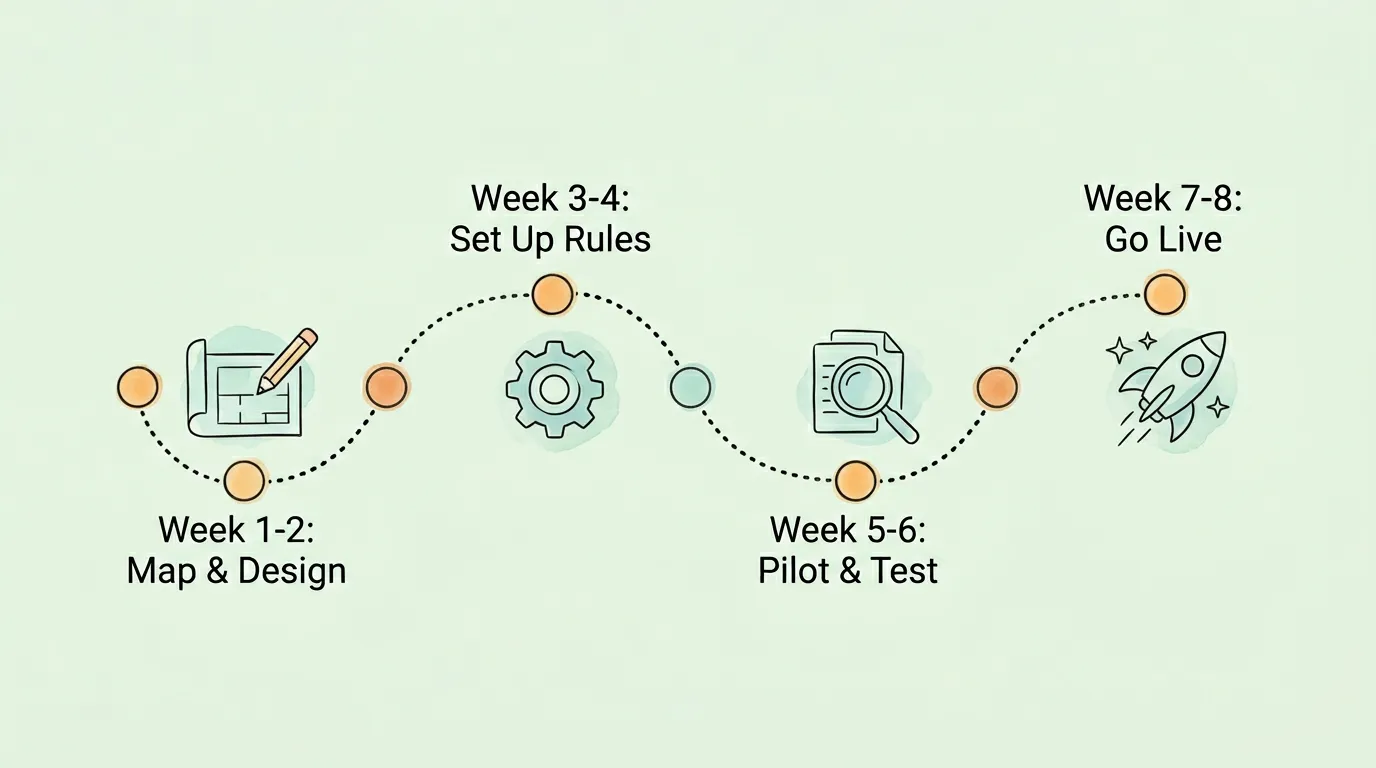
Phase 1 - Map and Design (Weeks 1-2) Document the current process end to end. Map every handoff, identify all approval roles, and capture existing threshold rules. Conduct stakeholder interviews with AP staff, department managers, and the CFO to surface pain points and undocumented workarounds. Deliver: a current-state process map and a future-state workflow blueprint.
Phase 2 - Configure Rules and Roles (Weeks 3-4) Set up the approval matrix in your chosen platform. Define routing rules, approval thresholds, escalation paths, and exception codes. Configure ERP integration and GL mapping. Set up the centralized invoice inbox and connect all vendor email accounts. Deliver: a fully configured system ready for testing.
Phase 3 - Pilot and Validate (Weeks 5-6) Run a parallel pilot with a subset of invoices (typically 10-15% of monthly volume from a single department). Compare the automated results against the manual process. Tune routing rules and coding suggestions based on real-world outputs. Train AP staff and key approvers. Deliver: validated configuration, trained team, documented SOPs.
Phase 4 - Go Live and Monitor (Weeks 7-8) Cut over to the automated process for all invoices. Monitor KPIs daily in the first two weeks. Run a retrospective at the 60-day mark to identify any remaining friction points. Establish a quarterly review cadence for ongoing optimization. Deliver: live automated process with baseline KPIs established.
For guidance on improving your broader AP function, see our article on how to improve accounts payable efficiency.
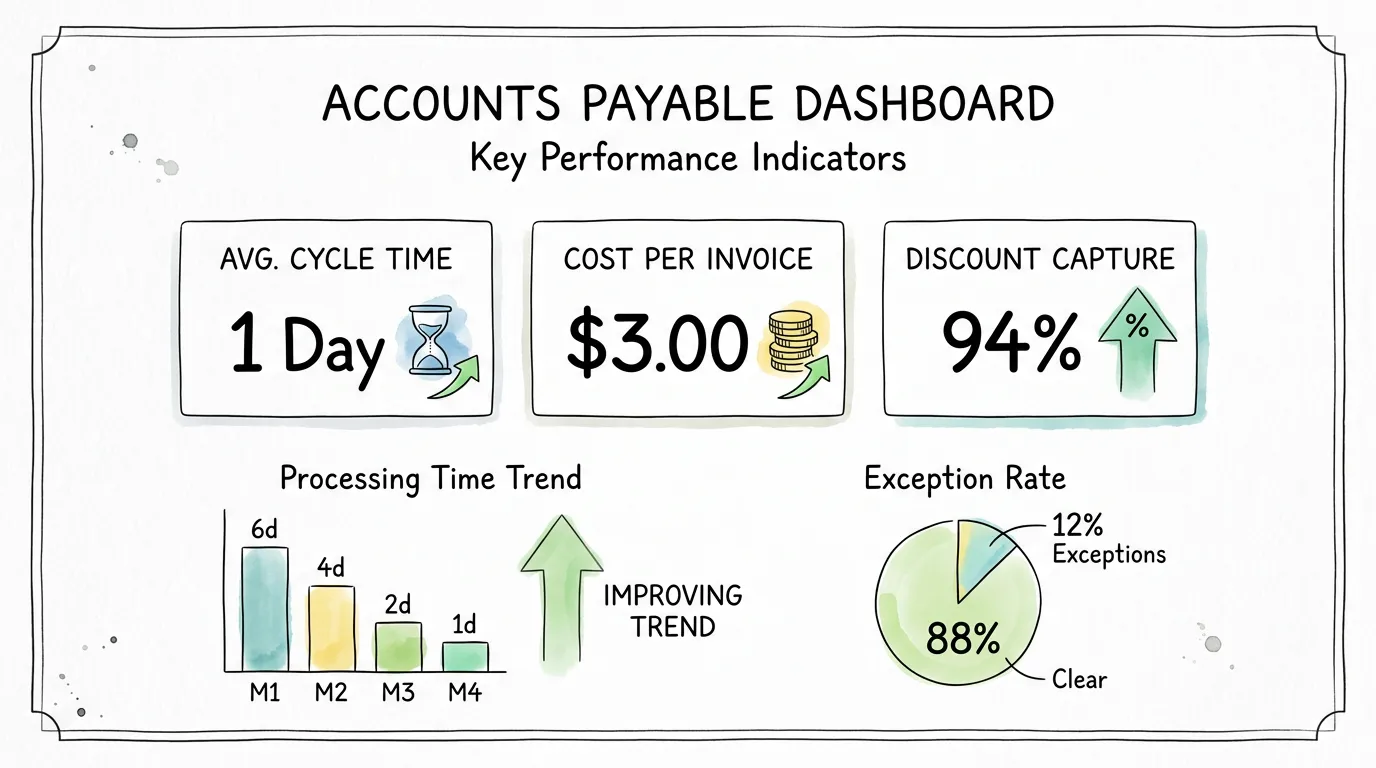
You cannot improve what you do not measure. These six KPIs give you a complete picture of your invoice approval process performance and flag problems before they compound.
| KPI | How to Calculate | Benchmark (Best-in-Class) | What a High Number Signals |
|---|---|---|---|
| Average Invoice Approval Cycle Time | Days from receipt to final approval | Under 2 days | Routing bottlenecks, approver availability issues |
| Cost per Invoice Processed | Total AP cost / total invoices processed | Under $3.00 | Manual processes, over-staffed AP function |
| Early Payment Discount Capture Rate | Discounts captured / discounts available | Over 85% | Approval cycles too slow, missing discount windows |
| Invoice Exception Rate | Invoices requiring manual review / total invoices | Under 10% | Data quality issues, vendor master problems, PO mismatches |
| Touchless Processing Rate | Invoices approved without human intervention / total | Over 70% | Low automation maturity, too many manual routing rules |
| Duplicate Invoice Rate | Duplicate invoices caught / total invoices | Under 0.1% | Weak validation, missing deduplication controls |
Review these metrics monthly as a team. A rising exception rate, for example, is often an early signal that your vendor master file has data quality issues or that a supplier changed their invoice format.
Even well-intentioned AP teams fall into these traps. Recognizing them is the first step to fixing them.
Mistake 1: Using email as an approval system. Email has no SLA enforcement, no automatic escalation, no central visibility, and no audit trail. Approvers treat invoice emails like any other message: they get to it when they get to it. This is structurally incompatible with a fast, reliable payment process.
Mistake 2: One-size-fits-all approval rules. Routing every invoice through the same multi-level approval chain creates unnecessary bottlenecks for low-value, low-risk purchases. Tiered thresholds are not optional for a high-performing process; they are essential.
Mistake 3: Neglecting the vendor master file. Outdated vendor banking details are one of the most common vectors for payment fraud and misdirected payments. A vendor master file that is not regularly reviewed and cleaned is a liability.
Mistake 4: No backup approver configuration. Every primary approver will eventually be unavailable: vacation, travel, or role change. Without a documented backup approver for every role, invoices simply wait. Configure delegation and escalation rules before they are needed, not after.
Mistake 5: Setting and forgetting automation rules. Your business changes. New departments are added, spending patterns shift, and staff change roles. Approval rules that are not reviewed at least twice a year become misaligned with reality, creating bottlenecks or gaps in control.
Mistake 6: Skipping the self-assessment before purchasing software. Automation amplifies your existing process, for better or worse. If your routing rules are unclear or your vendor master is a mess, automation will make those problems faster, not fix them. Map and clean up your current process first.
For related strategies, see our full guide on invoice management best practices.
The invoice approval process is the workflow a company uses to review, validate, and authorize payment for supplier invoices before funds are disbursed. It matters because it is the primary control layer preventing payment errors, duplicate payments, fraud, and unauthorized spend. Without a structured process, companies consistently overpay, miss early-payment discounts, and face audit risk from incomplete documentation.
Best-in-class AP teams complete the full invoice approval cycle in under two business days. Manual, email-based processes typically take 12 to 21 days. For automated, high-volume AP operations with well-configured routing rules, routine invoices can be fully approved in under one hour. The single biggest factor in approval speed is whether the process relies on email or a purpose-built workflow automation system.
Two-way matching compares the invoice to the purchase order, confirming that vendor, amounts, and quantities align. Three-way matching adds a third document, the goods receipt or delivery confirmation, verifying that items were actually received before payment is approved. Three-way matching is standard practice for physical goods purchases and significantly reduces the risk of paying for goods that were never delivered. For services, two-way matching combined with manager confirmation is typically sufficient.
The principle is "as few as necessary, as many as required." For most businesses, a tiered approach works best: low-value routine invoices need one approver (or none, if matched to an approved PO); mid-range invoices need two; and high-value or strategic expenditures need three or more. Adding approvers for every invoice creates bottlenecks that hurt speed without adding meaningful control.
A rejected invoice should follow a structured exception path, not end up in an email thread. The approver should select a specific rejection reason (incorrect price, duplicate, goods not received, etc.) and add a comment. The system should automatically route the invoice back to the appropriate party (AP clerk, requestor, or vendor) with the full context attached. Every action should be timestamped and recorded for the audit trail. Resolution timelines should be defined in your policy (typically 5-10 business days).
A touchless invoice process is one where an invoice moves from receipt to payment authorization with zero human intervention: AI extracts the data, the system performs PO matching, routing rules direct it to the appropriate approver or auto-approve it, and it posts to the ERP automatically. Achieving 70%+ touchless rates requires three things: clean vendor master data, well-configured PO matching tolerances, and clearly defined auto-approval rules for low-value, recurring invoices from trusted vendors. Most organizations reach 50-60% touchless rates within 90 days of implementing a modern AP automation platform.
Modern invoice approval platforms integrate with QuickBooks, Xero, NetSuite, and other accounting systems via API or direct connector. Once an invoice is approved, the data, including vendor, amounts, GL coding, and payment terms, syncs automatically to create a bill in the accounting system, ready for payment. This eliminates manual re-entry, prevents coding errors, and ensures the general ledger reflects real-time AP status. For a detailed walkthrough of accounting software integration, see our guide on accounting software integration.
A modern invoice approval process is not just an accounts payable workflow. It is a competitive advantage. Companies with fast, accurate, automated approval cycles capture more early-pay discounts, maintain stronger vendor relationships, close their books faster, and operate with significantly lower AP costs per invoice.
The path to getting there is clear: map your current process, define roles and thresholds, automate routing and data capture with AI, track the right KPIs, and review your rules regularly as your business grows.
TallyScan extracts invoice data from any format in seconds, feeds it into your approval workflow automatically, and syncs approved invoices directly to QuickBooks, Xero, and your other accounting tools. No manual data entry. No lost invoices. No missed discount windows.
Start your free trial and process your first invoice in under two minutes.
Related reading: Invoice Processing Automation | Automate Accounts Payable | Accounts Payable Tracking
Manual AP costs $10-$15 per invoice. This guide maps where your process breaks down, the seven fixes with the best ROI, and the KPIs to track real improvement.
How invoice process automation works, real ROI calculations, a 6-point tool selection framework, 5 implementation phases, pitfalls to avoid, and 8 FAQs.
Learn what electronic invoicing is, how it works, the difference from PDF invoices, global compliance mandates by country, e-invoicing formats, and how to implement it for your business.