AI
Invoice Process Automation for Smarter Payments
How invoice process automation works, real ROI calculations, a 6-point tool selection framework, 5 implementation phases, pitfalls to avoid, and 8 FAQs.

TallyScan Team
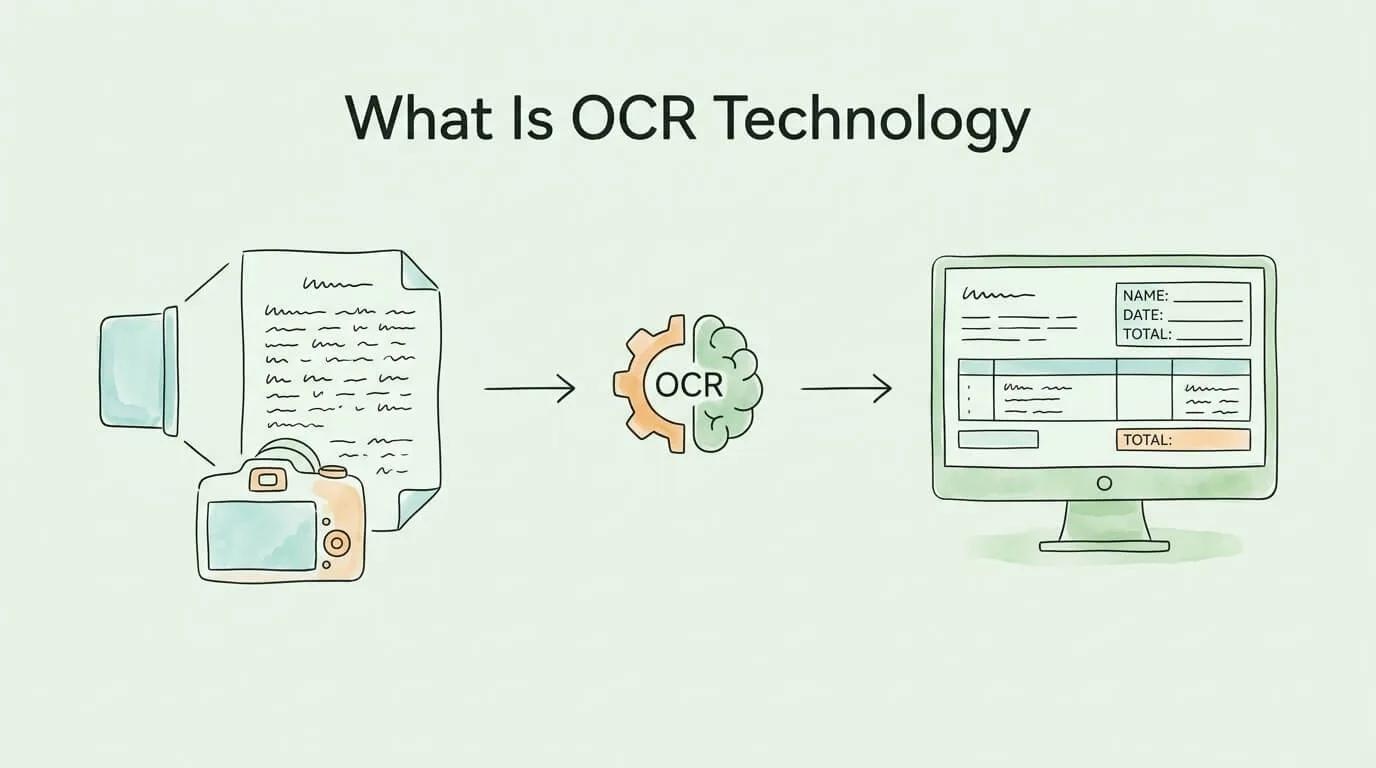
There is a document sitting in your inbox right now that your accounting software cannot read. It might be a scanned invoice as a PDF attachment, a photo of a receipt, or a supplier statement exported as an image. The information is right there on the screen. But as far as your computer is concerned, it is a picture, not data. Nobody can copy from it, search it, or pipe its contents automatically into a spreadsheet.
Optical Character Recognition (OCR) technology exists to solve exactly this problem. It is the process by which software looks at an image containing text, identifies each character, and converts the whole thing into real, editable, searchable, machine-readable text.
That description sounds simple. The technology behind it took over a century to build into the AI-powered systems that exist today, and the gap between basic OCR and modern AI-driven document processing is enormous in terms of accuracy, speed, and what becomes possible downstream. This guide covers all of it: how OCR works, how accurate it actually is, what the different types of OCR can and cannot do, and how to evaluate whether an OCR solution is right for your workflow.
OCR (Optical Character Recognition) is a technology that converts images of text, whether scanned documents, photographs, or PDF files rendered as images, into editable and machine-readable text data.
Without OCR, a scanned invoice is functionally identical to a photograph of a beach. Your computer can display it, but it cannot read it, index it, or extract specific values from it. With OCR, that same invoice becomes structured data: vendor name, invoice number, line items, amounts, due date, all available for software to process automatically.
The distinction matters enormously for business operations. Manual data entry from paper documents or image files is slow (typically 3 to 10 minutes per invoice depending on complexity), expensive ($9 to $15 per invoice in total processing cost), and error-prone (human data entry errors occur at a rate of roughly 1% per keystroke, meaning a 400-character invoice has a near-certainty of containing at least one error). OCR eliminates the human-in-the-loop at the transcription stage, replacing it with automated character recognition that modern AI systems can perform at 95 to 99% accuracy on well-formatted printed text.
OCR is not a recent invention. Its history spans more than 100 years and reflects the broader evolution of computing itself.
1914: Emanuel Goldberg patents a machine capable of reading characters and converting them into telegraph code, arguably the first functional optical character recognition system.
1950s–1960s: IBM and other companies develop the first commercial OCR systems for bank check processing and mail sorting. These systems are highly constrained: they work only with specific standardized typefaces (OCR-A, OCR-B) designed specifically to be machine-readable. Flexibility is minimal.
1970s–1980s: Ray Kurzweil develops omni-font OCR capable of reading virtually any printed typeface, a significant leap. Flatbed scanners make document digitization accessible to businesses outside large institutions.
1990s–2000s: OCR software becomes commercially available for personal computers. Tesseract, an open-source OCR engine originally developed at HP and later maintained by Google, becomes a widely-used foundation for document processing applications. Accuracy on clean documents improves significantly but handwriting and degraded documents remain difficult.
2010s–present: Deep learning transforms OCR. Convolutional Neural Networks (CNNs) and Recurrent Neural Networks (RNNs), trained on millions of labeled document images, achieve recognition accuracy that matches or exceeds human performance on printed text. AI-powered systems can now handle distorted, low-resolution, multilingual, and partially handwritten documents with high reliability.
The global OCR market reflects this evolution. Valued at approximately $13.95 billion in 2024, it is projected to reach $20 billion by 2026 and potentially $50 billion by 2034, driven by enterprise automation demand, regulatory compliance requirements, and the expansion of AI-native document processing platforms.
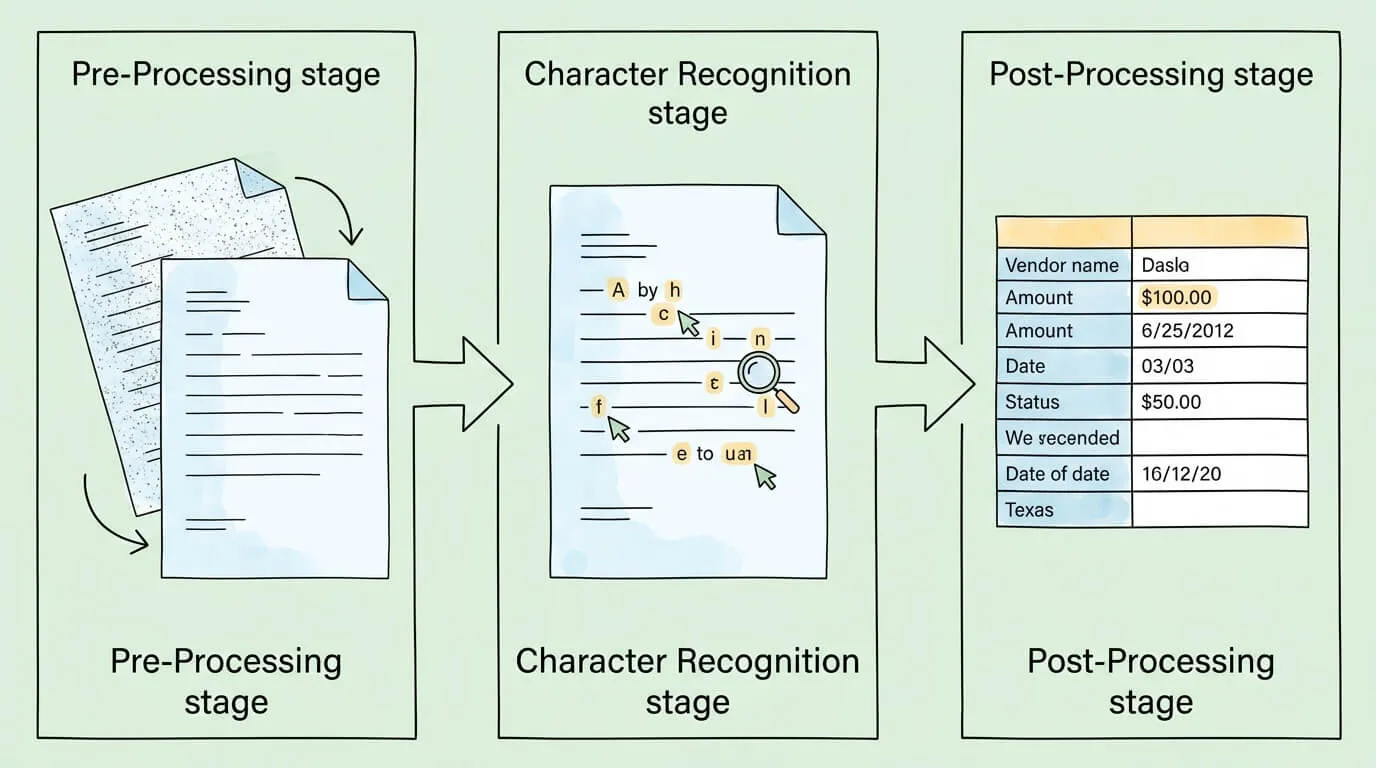
Modern OCR software follows a structured pipeline regardless of the underlying technology. Understanding each stage helps explain both the capabilities and the limitations of different OCR systems.
Before any character recognition occurs, the software must prepare the image. Raw scans and photographs are rarely ideal: they may be slightly rotated, unevenly lit, low resolution, or contain background noise that interferes with character detection.
Pre-processing typically includes:
The quality of this pre-processing stage is a primary determinant of final accuracy. A well-prepared image from a clear scan will consistently outperform a poorly lit photograph regardless of how sophisticated the recognition engine is.
With a clean image ready, the software identifies each character. Historically, this used two different techniques:
Pattern matching (legacy approach): The software maintains a library of character images and attempts to match each detected shape against known templates. This works well for fonts that are in the library and fails on unfamiliar typefaces, handwriting, or degraded characters.
Feature extraction / feature detection (modern approach): Rather than matching the whole character as an image, the software identifies geometric features: strokes, curves, endpoints, intersections, loops. An "A" is recognized not because it matches a stored template of an "A" but because it has a specific combination of diagonal strokes, an intersection, and a crossbar. This approach generalizes to unfamiliar fonts and handles variation in print quality much better.
Deep learning / neural network approach (current state of the art): Convolutional Neural Networks trained on millions of document images learn to recognize characters from combinations of low-level features automatically discovered during training. These models handle fonts, sizes, orientations, and quality levels that traditional feature extraction would struggle with. They also learn context: the same character shape is interpreted differently depending on its position within the document and the surrounding characters.
Raw character recognition produces a stream of identified characters. Post-processing converts this into usable output:
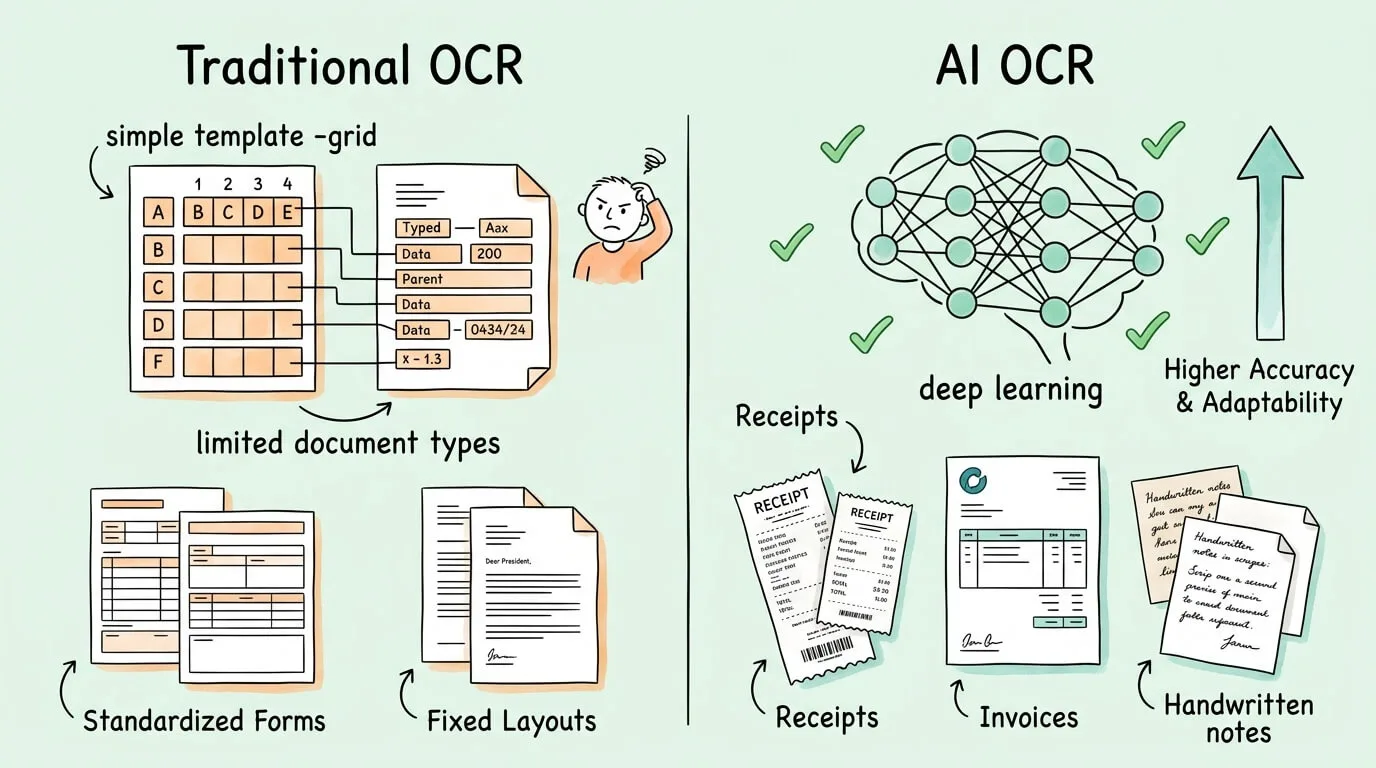
The OCR industry broadly divides into two generations of technology with meaningfully different performance characteristics.
| Traditional / Rule-Based OCR | AI / Machine Learning OCR | |
|---|---|---|
| Recognition method | Template matching, fixed rules | Neural networks trained on large datasets |
| Accuracy (clean printed text) | 85–92% | 95–99%+ |
| Accuracy (degraded/complex docs) | 60–80% | 85–95% |
| Handwriting support | Limited or none | Yes (ICR), accuracy varies |
| New document layouts | Requires manual template setup | Learns without new templates |
| Multilingual support | Limited (requires language packs) | Strong (trained on multilingual data) |
| Table and structure recognition | Poor | Good to excellent |
| Improvement over time | Does not improve | Improves with additional training data |
| Setup for new document types | High effort (template configuration) | Low effort (few-shot or zero-shot) |
The accuracy gap is significant in practice. An 85% character accuracy rate means roughly 1 in 7 characters is wrong. On a 100-character invoice field (not unusual for a line item description), that means around 15 errors per field. An AI system at 99% character accuracy produces approximately 1 error per field, which can typically be caught by post-processing validation.
For financial document processing, where accuracy directly affects payment amounts and accounting records, this difference is not academic. It is the difference between a process that requires significant manual review and one that can run with minimal human intervention.
OCR is often discussed interchangeably with IDP (Intelligent Document Processing), but they are distinct, with OCR being a component of IDP rather than the same thing.
OCR: Converts image pixels into characters and text. It produces raw text output from an image.
IDP (Intelligent Document Processing): A broader capability that combines OCR with natural language processing (NLP), machine learning classification, and data validation to not only read documents but understand their meaning and extract structured data from them. The Association for Intelligent Information Management (AIIM) publishes research on IDP adoption and best practices.
The practical difference: OCR running on an invoice will produce a string of text. IDP will identify which part of that text is the vendor name, which is the invoice number, which items are line items, what the tax amount is, and map all of these to a structured data schema that can be ingested by accounting or ERP software.
Modern document automation platforms (including TallyScan) are IDP systems that use OCR as their recognition layer. When businesses talk about "using OCR for invoice processing," they usually mean an IDP system in which OCR is a critical but not the only component.
Accuracy benchmarks in OCR marketing materials are often misleading because the metric used and the conditions under which it is measured are rarely disclosed. Here is what you actually need to know.
Character Error Rate (CER): The percentage of individual characters incorrectly recognized. Industry-leading systems achieve CER below 1% on clean printed text (meaning 99%+ character accuracy). CER below 2% is generally considered acceptable for business document processing.
Word Error Rate (WER): The percentage of words with at least one incorrect character. WER is a stricter metric than CER because a single character error affects the entire word. A 99% CER might correspond to a WER of 5–10% depending on word length distribution.
Exact Match Rate (EMR) / Field-Level Accuracy: For structured document extraction, EMR measures the percentage of specific fields (e.g., invoice total, invoice number) extracted with 100% accuracy. This is the most practically relevant metric for business applications. Top systems achieve EMR above 95% for key structured fields on high-quality documents; field-level accuracy drops significantly for complex or degraded documents.
| Factor | Impact on Accuracy |
|---|---|
| Scan resolution | 300 DPI recommended minimum; below 200 DPI degrades accuracy significantly |
| Image clarity | Blurry, shadowed, or high-contrast photos reduce accuracy by 5–20% |
| Font type | Standard fonts (Arial, Times) perform best; stylized or decorative fonts reduce accuracy |
| Document condition | Creases, stains, water damage, and faded ink all reduce accuracy |
| Language and script | Latin character languages perform best; CJK, Arabic, and other scripts require specialized models |
| Handwriting | Printed text: high accuracy. Neat block printing: moderate accuracy. Cursive: significantly lower accuracy |
| Table structure | Complex multi-column tables with merged cells reduce extraction accuracy |
The highest-performing enterprise OCR deployments achieve effective accuracy rates above 99.9% not by improving the raw recognition engine alone but by combining it with:
The core capability of OCR, converting image-based text into machine-readable data, is foundational to a wide range of business automation scenarios.
The most impactful application for most businesses. OCR-based invoice processing eliminates manual data entry from the AP workflow, reducing per-invoice processing costs from $9–15 to $2–3, cutting processing time from 14+ days to 2–3 days, and reducing data entry error rates from ~22% to below 1%.
Modern AP automation platforms combine OCR with three-way matching (comparing extracted invoice data against purchase orders and goods receipts), approval routing, and accounting system integration to create a fully automated invoice-to-pay process. See our guides on invoice capture software and invoice data capture software for a deeper look at how OCR fits into the full AP workflow.
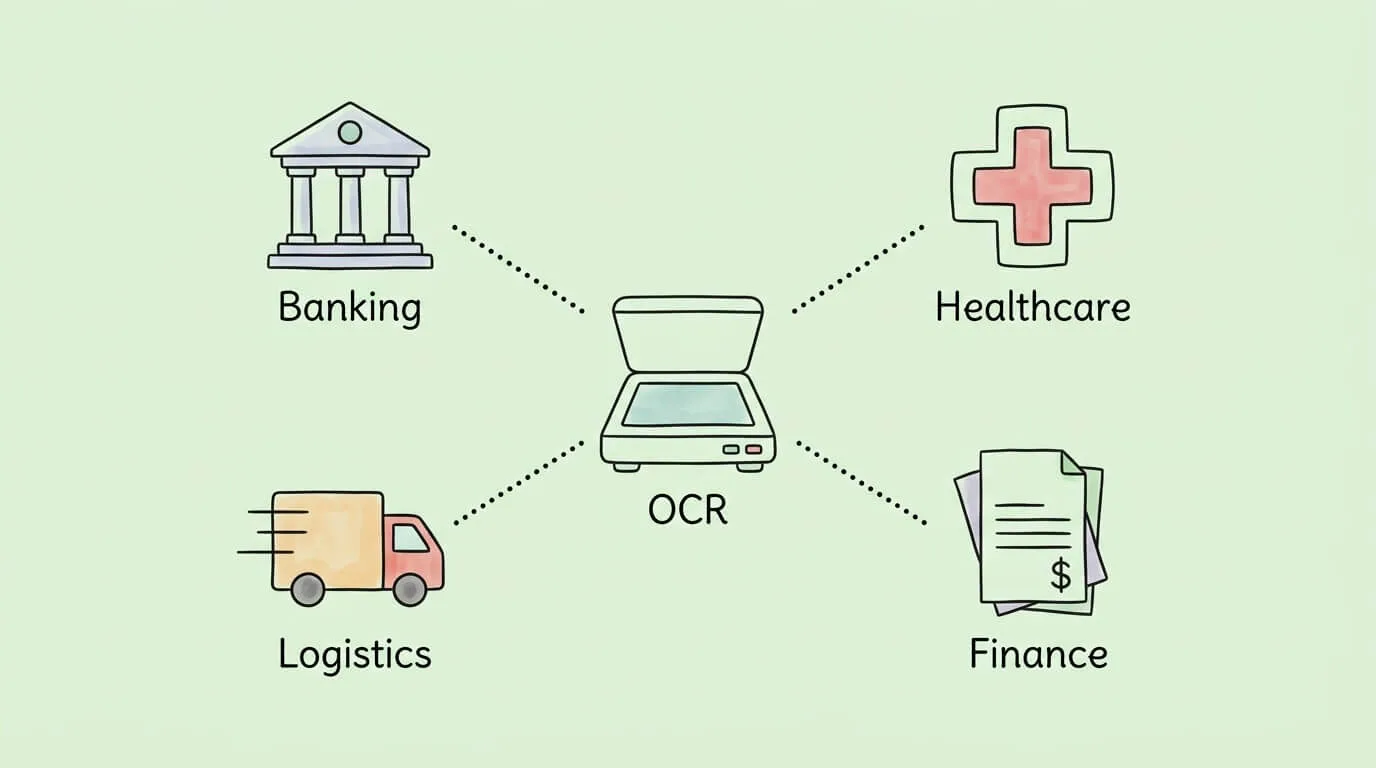
Mobile check deposit, a feature used by hundreds of millions of people, is powered by OCR. When you photograph a check, OCR reads the routing number, account number, and dollar amount. Banks also use OCR for KYC (Know Your Customer) processes: scanning and verifying identity documents at account opening.
Patient intake forms, insurance cards, lab results, and physician notes are all document types where OCR-based processing reduces manual data entry into electronic health records. In clinical studies, OCR-based data entry has demonstrated 96.9% data accuracy and 98.5% completeness, with 43.9% reduction in data entry time. Healthcare is the fastest-growing OCR market segment, projected at 19.45% CAGR.
Law firms and legal departments use OCR to make discovery documents, contracts, and case archives fully searchable. Converting millions of pages of paper records into searchable digital text reduces legal research time dramatically.
Bills of lading, customs forms, packing slips, and delivery confirmations are all document types with high processing volumes and significant cost of manual handling. OCR enables automated capture and routing of these documents, reducing port and warehouse processing delays.
Expense management systems use OCR to process receipts from employees. Return processing systems use OCR to verify receipt details. Loyalty program sign-ups use OCR to capture customer information from physical forms or ID documents.
| Industry | Primary OCR Use Case | Key Benefit |
|---|---|---|
| Finance / AP | Invoice and receipt data extraction | 70–80% reduction in processing cost |
| Banking | Check processing, KYC verification | Enables mobile banking features |
| Healthcare | Patient records, insurance cards, lab results | 43.9% time reduction; 96.9% accuracy in clinical settings |
| Legal | Contract search, discovery processing | Decades of records made instantly searchable |
| Logistics | Bills of lading, customs forms | Reduced clearance delays |
| Retail | Receipt processing, loyalty forms | Faster checkout and expense management |
The OCR market ranges from free open-source libraries to enterprise-grade AI platforms. The right choice depends on your document types, volume, accuracy requirements, and integration needs.
Tesseract (maintained by Google) is the most widely used open-source OCR engine. It performs well on clean, printed text in Latin character languages. Limitations: requires developer implementation, limited out-of-the-box support for structured data extraction, and accuracy on complex or degraded documents is below commercial AI systems. Best for: developers building custom document processing pipelines on straightforward document types.
Services including Google Cloud Vision, Amazon Textract, Microsoft Azure Document Intelligence, and ABBYY Cloud OCR offer OCR as an API. Textract and Azure Form Recognizer specifically include structured data extraction for forms and tables, not just raw text recognition. These services provide commercial-grade accuracy, scale on demand, and require no infrastructure management. Best for: businesses that need OCR integrated into custom applications.
Platforms like TallyScan combine OCR with IDP, workflow automation, approval routing, and accounting software integration in a single product. Rather than building a document processing pipeline from OCR APIs, you get a complete AP automation workflow. Best for: businesses that want to automate invoice and receipt processing without custom development, and that need the full workflow (capture, extract, validate, approve, post) not just the recognition step.
When comparing OCR solutions, test against your actual documents (not vendor-provided demo documents) and evaluate:
OCR (Optical Character Recognition) is software that reads images of text and converts them into actual text data that a computer can process. If you take a photo of a document or receive a scanned PDF, your computer treats it as an image. OCR analyzes that image, recognizes each character, and produces editable, searchable text from it. This is the technology that enables invoice automation, mobile check deposit, document search, and countless other applications that depend on making image-based documents machine-readable.
Modern AI-powered OCR achieves 95 to 99% character accuracy on clean, well-formatted printed text under good conditions. Traditional rule-based OCR systems typically achieve 85 to 92%. For structured document extraction (where you need specific fields like invoice totals or vendor names extracted correctly), field-level accuracy (Exact Match Rate) is typically 90 to 97% for top commercial systems on high-quality documents. Accuracy drops for degraded images, unusual fonts, complex table structures, and handwriting. Enterprise deployments can achieve 99.9% effective accuracy by combining AI OCR with confidence scoring, cross-field validation, and targeted human review.
Traditional OCR uses rule-based pattern matching: it compares detected character shapes against a library of known templates. This works well for standard fonts but fails on unusual typefaces, degraded documents, or layouts it hasn't seen before. AI OCR uses neural networks trained on millions of document images to recognize characters from learned features rather than fixed templates. AI OCR generalizes much better to new fonts and document conditions, handles structural complexity like tables, and improves over time with more data. The accuracy gap between traditional and AI OCR on real-world business documents is typically 7 to 15 percentage points.
Yes, though with lower accuracy than printed text. Handwriting recognition is technically called ICR (Intelligent Character Recognition) and is available in modern AI OCR systems. Accuracy on handwriting varies significantly: neat, consistent block printing is recognized at 85 to 95% accuracy on good-quality images; connected cursive handwriting is significantly harder and typically achieves 70 to 85% accuracy. Most enterprise document processing workflows that include handwriting use confidence thresholds to route lower-confidence handwritten fields to human review.
Reputable commercial OCR and IDP platforms are built with enterprise security standards: data encryption in transit (TLS) and at rest (AES-256), access controls, audit logs, and compliance certifications (SOC 2, GDPR, HIPAA as applicable). As with any cloud service that processes financial documents, evaluate the provider's security certifications, data residency options, data retention policies, and subprocessor relationships. Open-source OCR libraries run in your own infrastructure, giving you full control over data but requiring you to manage security yourself.
OCR is the specific technology that converts image pixels into characters and text. IDP (Intelligent Document Processing) is a broader system that combines OCR with natural language processing, machine learning classification, validation rules, and workflow automation to extract structured data from documents and route it to downstream systems. In practical terms: OCR reads text from an image; IDP uses that text (plus contextual AI) to identify what the text means, extract specific fields, validate the results, and send structured data to your accounting system. Most modern document automation platforms are IDP systems that use OCR as their reading layer.
This is a key practical challenge. Traditional OCR with fixed templates requires a separate template for each vendor's invoice layout, which is impractical when you receive invoices from hundreds of vendors. Modern AI-based IDP systems use layout-agnostic extraction: they identify fields like "invoice number" or "total amount due" based on contextual understanding of the document rather than position coordinates. Top-tier systems handle new vendor layouts without manual template configuration, though accuracy may be slightly higher on frequently-seen layouts than on rare ones.
Industry benchmarks consistently show that OCR-based invoice automation reduces per-invoice processing costs from $9–15 (manual) to $2–3 (automated), a reduction of 70 to 80%. Processing time typically drops from 14+ days (manual) to 2–3 days. Error rates fall from approximately 22% (manual data entry) to below 1%. For a business processing 200 invoices per month at $12 average manual cost, automating with OCR saves approximately $24,000 per year in direct processing costs, excluding the value of faster payment cycles and improved cash flow visibility.
If you process invoices, receipts, or other financial documents and are still relying on manual data entry, the gap between your current process and what AI-powered OCR makes possible is measurable in hours per week and thousands of dollars per year.
TallyScan uses AI-powered OCR and intelligent document processing to extract data from invoices and receipts from any source, including email, scanned PDFs, and photos of paper receipts, and syncs the structured data directly to your accounting software. No templates to configure, no manual re-keying, and no lost receipts at tax time.
Ready to see what automated document processing looks like for your workflow? Start your free trial of TallyScan today.
How invoice process automation works, real ROI calculations, a 6-point tool selection framework, 5 implementation phases, pitfalls to avoid, and 8 FAQs.
A no-hype guide to accounting AI with 6 real use cases, verified ROI data, key limitations, a software selection framework, and practical FAQs.
Learn how receipt scanning OCR extracts expense data automatically, what accuracy to expect, which features matter, and how to cut processing time by 80%.