Electronic Document Management Systems: What They Are, Why They Matter, and How to Choose the Right One
The TallyScan Team
19 min read
#electronic document management systems#EDMS#document management software#paperless office#workflow automation#cloud document management#EDMS for small business#document version control
You know that sinking feeling when a client calls asking for a contract you signed two years ago, and you spend the next 45 minutes digging through old email threads, shared drives, and someone's personal desktop folder, only to find three different versions and no idea which one is current? Or when an auditor requests documentation and you're suddenly scrambling across filing cabinets and archived boxes?
This is the hidden cost of a business that has outgrown its file management. And it's more common than you think.
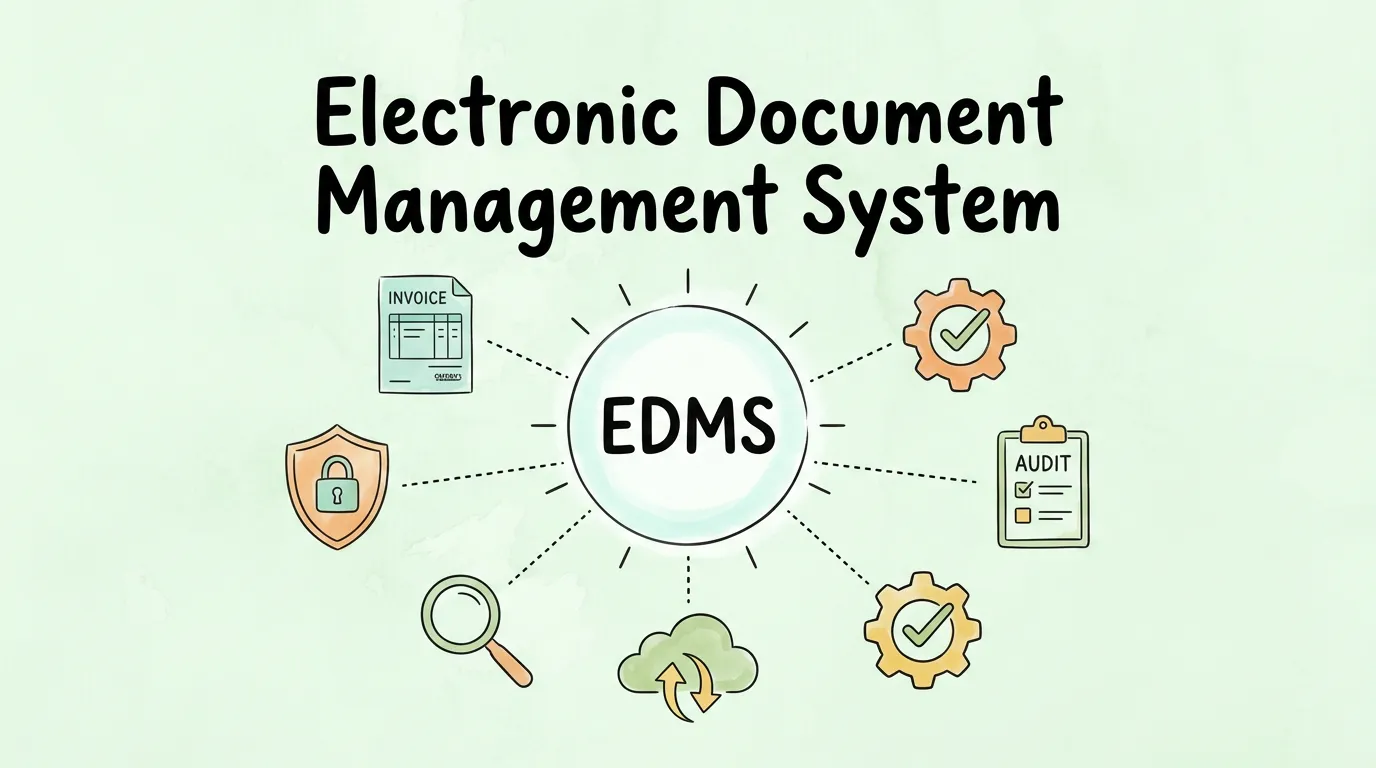
An electronic document management system (EDMS) fixes this. It's the central hub where every document your business touches—invoices, contracts, HR files, compliance records—is stored, tracked, version-controlled, and instantly searchable. This guide breaks down exactly how it works, what to look for, and how to implement one without disrupting your team.
What Is an Electronic Document Management System (EDMS)?
An electronic document management system is software designed to capture, store, organize, and manage the full lifecycle of your business documents—from creation and collaboration through to archiving or secure deletion. It is not a digital filing cabinet. It is a system with built-in intelligence: version control, access permissions, audit trails, automated workflows, and full-text search across every document it holds.
The distinction matters. A shared drive like Google Drive or Dropbox stores files. An EDMS manages them according to your business rules.
According to MarketsandMarkets research, the global document management market was valued at approximately $7.68 billion in 2024 and is projected to reach $18.17 billion by 2030. This growth is driven by compliance pressure, remote work adoption, and the sheer volume of digital data businesses now generate daily.
EDMS vs. Cloud Storage vs. File Server: What's the Difference?
Feature
Cloud Storage (Drive/Dropbox)
On-Premise File Server
Electronic Document Management System (EDMS)
Primary Purpose
File sharing and backup
Centralized local storage
Full document lifecycle management
Version Control
Basic or none
None
Automatic, with full history
Workflow Automation
None
None
Built-in (approvals, routing, notifications)
Audit Trail
Limited
None
Complete and tamper-proof
Full-Text Search (OCR)
Filenames only
Filenames only
Entire document content
Access Controls
Folder-level
Basic permissions
Role-based, granular per document
Compliance Tools
None
None
Built-in retention policies + compliance reports
The right mental model: cloud storage holds your files. An EDMS governs them.
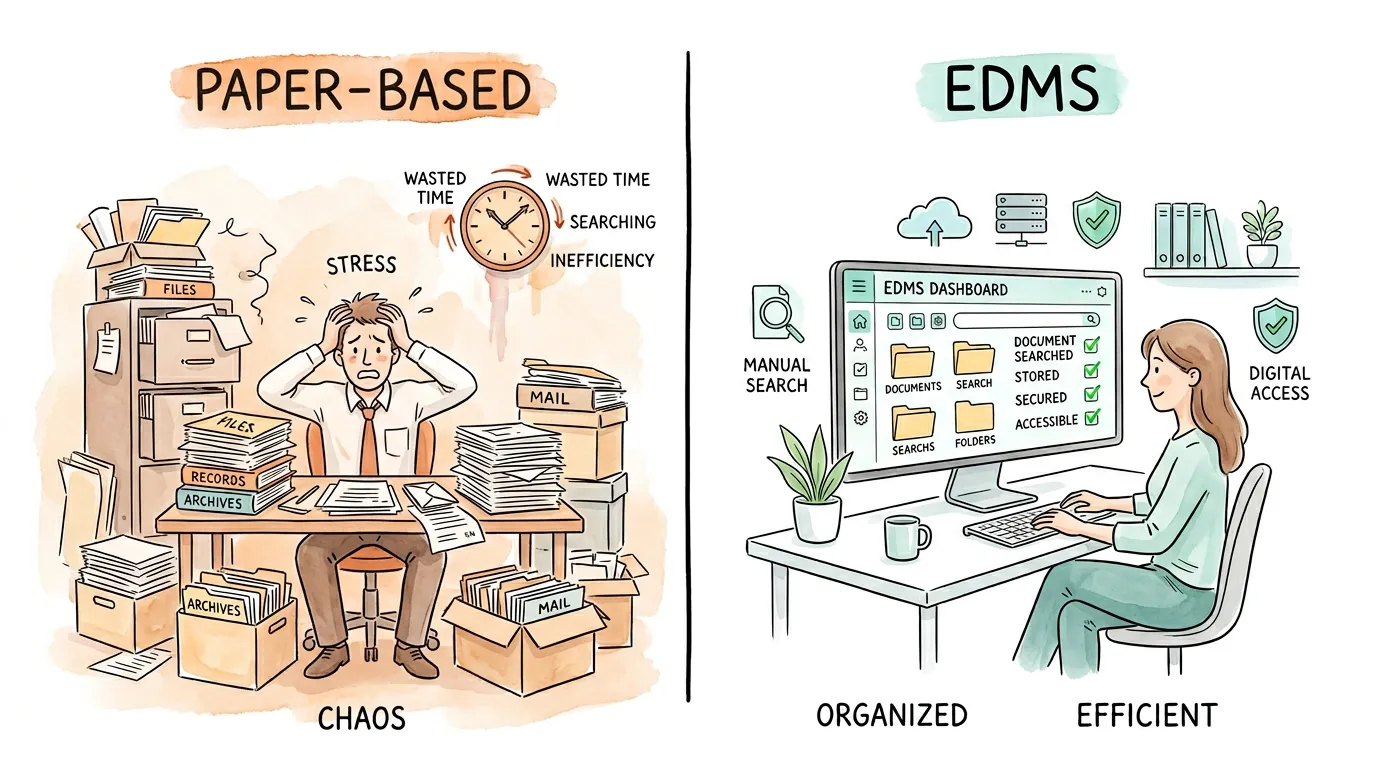
Why Is Paper-Based Document Management Holding Your Business Back?
The case for going digital isn't just about convenience—it's a fundamental shift in how securely and efficiently your business operates.
The average employee spends 1.8 hours per day searching for information, according to McKinsey. An EDMS with OCR-powered full-text search eliminates most of that waste overnight.
What Are the Different Types of Document Management Systems?
"Document management system" is an umbrella term. Under it are tools built for very different problems. Understanding the landscape helps you avoid buying the wrong one.
Type
Primary Purpose
Best For
Content Management System (CMS)
Publishing and editing frequently-updated content (wikis, help docs, marketing pages)
Marketing teams, internal knowledge bases
Enterprise Content Management (ECM)
Organizing document sprawl at the organization level with shared taxonomies and governance
Large enterprises with cross-department document chaos
Document Imaging System
Digitizing paper files via scanning and OCR
Businesses with large paper archives to convert
Records Management System (RMS)
Managing finalized, legally-important records with strict retention and legal hold rules
Legal, regulated industries, government
Workflow Management System
Automating the routing and approval steps around documents
Accounts payable, HR onboarding, contract review
Quality Management System (QMS)
Enforcing strict version control on SOPs, policies, and work instructions
Capturing legally-significant emails as managed records
Legal, financial services, compliance-heavy teams
HR Document Management System
Managing employee records with privacy controls and lifecycle tracking
HR departments at any company size
Most businesses searching for an "EDMS" actually need a combination: a core document repository (ECM or EDMS) plus workflow automation and, for regulated teams, a records management layer on top. Buying a standalone tool from one category and expecting it to cover all three is the most common (and most costly) EDMS mistake.
What Core Features Should Every EDMS Have?
Not all document management systems are equal. These are the features that separate a genuine EDMS from a rebranded file storage tool.
1. Document Capture and OCR Ingestion
A strong EDMS doesn't just store files you manually upload. It can capture documents from multiple sources—email inboxes, scanner feeds, web portals, or direct integrations—and use Optical Character Recognition (OCR) to convert scanned images and PDFs into fully searchable, indexed text. This is the technology that powers invoice scanning software and makes every document findable in seconds regardless of its original format.
2. Version Control and Document History
Every time a document is edited and saved, the EDMS creates a new version rather than overwriting the original. The complete revision history is preserved, timestamped, and attributed to the specific user who made the change. You can roll back to any prior version in seconds. No more final_REAL_v3.docx.
3. Role-Based Access Controls
Granular permissions let you define exactly what each user or user group can do with each document:
View only (read)
Edit (read + write)
Approve (sign off on content)
Administer (full control including deletion)
An HR manager can see employee records that a sales rep cannot. A client-facing team member can access proposals but not internal pricing models.
4. Automated Workflow Routing
This is where an EDMS delivers serious operational leverage. You can define rules that automatically route documents to the right people at the right time. An invoice arrives → the system routes it to the appropriate manager for approval → upon approval, it routes to finance for payment → the completed record is filed and archived. Nobody has to manually forward anything. This is the backbone of efficient invoice approval process automation and accounts payable automation best practices.
5. Full-Text Search and Metadata Tagging
OCR unlocks search inside documents—not just by filename. You can search for any word, phrase, date, vendor name, or contract clause across your entire document library. Combine this with custom metadata tags (document type, department, project code, client name) and you have a genuinely powerful retrieval engine.
6. Immutable Audit Trails
Every action on every document is logged: who viewed it, who edited it, who approved it, and when. This log cannot be altered. For industries subject to GDPR, HIPAA, SOX, or ISO 27001, this is not a "nice to have"—it is a compliance requirement.
What Are the Real Business Benefits of Adopting an EDMS?
Dramatic Time and Cost Savings
Beyond the productivity gains from faster search, the financial impact compounds:
Eliminate physical storage costs: Filing cabinets, off-site storage units, paper, ink, and shredding services all disappear from your budget.
Reduce rework costs: Version confusion and duplicate work are eliminated when everyone accesses a single source of truth.
Speed up financial close: Finance teams using EDMS-integrated accounting workflow management consistently report shorter month-end close cycles.
Built-In Compliance and Audit Readiness
Regulatory audits are stressful when you're scrambling to reconstruct document histories manually. An EDMS makes this effortless. Retention policies automatically archive or delete documents after a defined period (aligned to your legal requirements), and audit reports can be generated on demand in minutes rather than days. This is central to any audit readiness checklist.
Secure Remote Access and Business Continuity
Cloud-based EDMS platforms give every authorized team member access to every document from any device, anywhere. If your office is inaccessible tomorrow (flooding, power failure, a public health event), your business doesn't stop. Your documents are safe, accessible, and up to date.
Stronger Collaboration Without Version Chaos
When your team collaborates on a proposal, contract, or policy, everyone works on the same document. The EDMS enforces check-in/check-out rules so only one person edits at a time (or manages simultaneous edits with conflict resolution), and the version history captures every contribution. This is a particularly high-value feature for accounting document management teams managing multi-reviewer workflows.
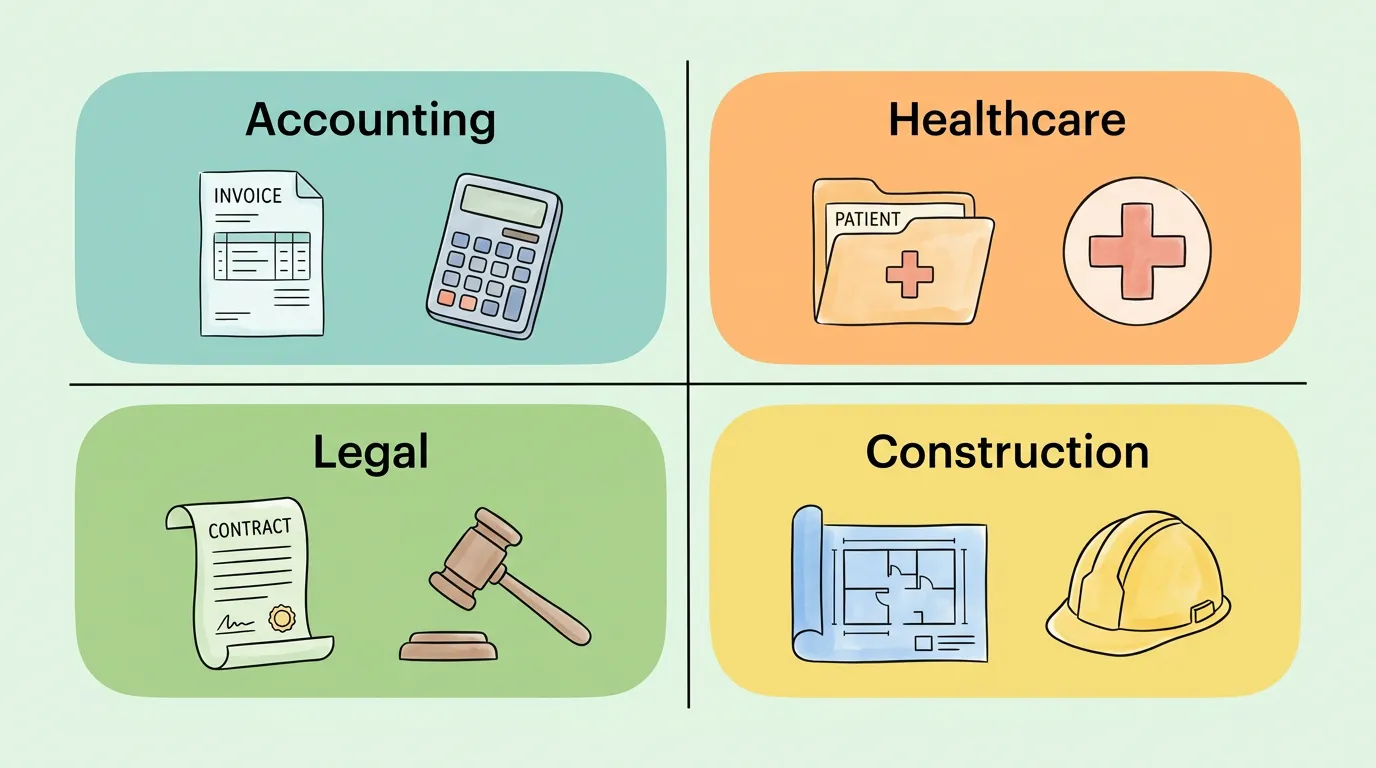
Which Industries Benefit Most from Electronic Document Management?
Accounting and Finance
Accounts payable teams use EDMS to automate the entire invoice lifecycle—from capture to approval to payment—while maintaining a complete audit trail. Automating accounts payable workflows through an EDMS can reduce invoice processing time by 60–80% compared to manual handling.
Healthcare
HIPAA compliance requires strict control over patient records. An EDMS with role-based access, encryption, and tamper-proof audit trails is the industry-standard solution for managing electronic health records (EHRs), consent forms, and billing documentation.
Legal
Law firms manage thousands of case files, contracts, and correspondence. An EDMS provides client-matter folder structures, deadline tracking, and version control that ensures the signed version of a contract is always unambiguous.
Construction and Engineering
Blueprint management, change orders, and site inspection reports involve multiple versions reviewed by multiple parties. An EDMS with version control and mobile access keeps project documentation clean and current, even across distributed job sites.
Should You Choose On-Premise, Cloud-Based, or Hybrid EDMS?
Choosing where your system lives is one of the most consequential decisions in your selection process.
On-Premise
Cloud-Based (SaaS)
Hybrid
Upfront Cost
High (servers + licenses)
Low (monthly subscription)
Medium
IT Overhead
High (your team manages all)
Minimal (vendor manages)
Moderate
Scalability
Slow (buy more hardware)
Instant (adjust subscription)
Flexible
Remote Access
Limited to office network
Full access from anywhere
Configurable
Data Control
Maximum (you own all infrastructure)
Shared responsibility
Split by data type
Best For
Regulated enterprises, government
SMBs and fast-growing teams
Large enterprises with compliance mandates
For most small and mid-sized businesses: A cloud-based EDMS is the clear choice. Low upfront cost, no IT burden, instant scalability, and remote access by default. The vendor's security certifications (ISO 27001, SOC 2) typically exceed what an SMB could maintain independently.
How Do You Choose the Right EDMS for Your Business?
Before evaluating any software, answer these questions honestly about your business today:
Volume
How many documents does your team create, receive, or process per week?
How many are currently unmanaged (email attachments, desktop files)?
Workflow Complexity
Do documents need multi-step approvals before they're finalized?
Are there regulatory retention requirements you must meet?
Security Requirements
What's the most sensitive category of document you manage?
Do you operate in a regulated industry (healthcare, finance, legal)?
Integration Needs
Does your EDMS need to connect to your accounting software (QuickBooks, Xero)?
What about your CRM, HR system, or email platform?
Team Size and Access Model
How many users need access?
Are they in one location or distributed globally?
Your answers will define your "must-have" list and prevent you from buying a $50,000 enterprise system when you need a $200/month SaaS tool—or vice versa.
Questions to Ask Every Vendor
What integrations do you support? Push for specifics—does it natively connect to your accounting software integration stack?
What security certifications do you hold? Look for ISO 27001 and SOC 2 Type II.
How does your OCR handle handwritten documents and non-standard invoice formats? Especially important for teams processing diverse supplier documents.
What does migration support look like? Will they help you import your existing files, or is that your problem?
What are the contract terms? Month-to-month vs. annual lock-in, and what does offboarding look like if you leave?
How Do You Implement an EDMS Without Disrupting Your Team?
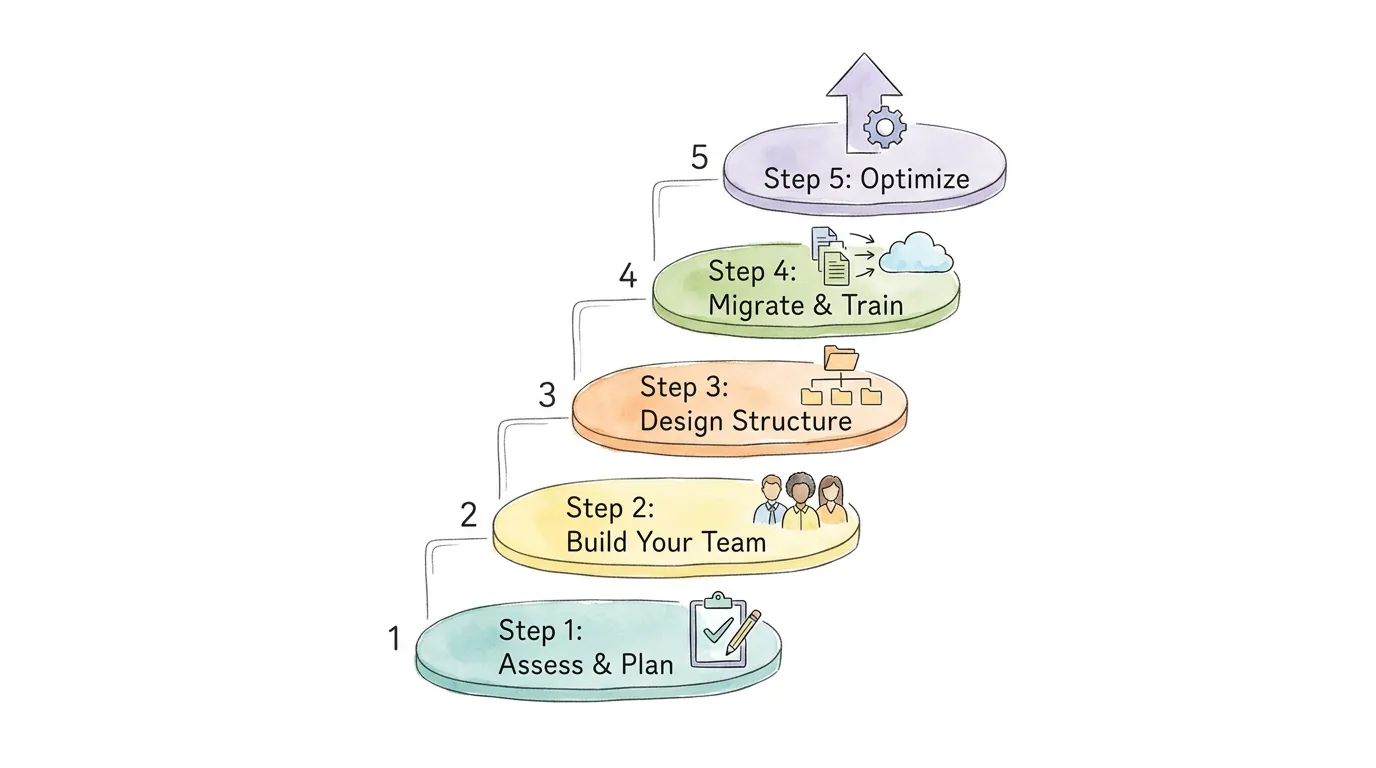
Step 1: Assess and Plan (Weeks 1–2)
Map your current document pain points. Identify every location where documents live today (email, shared drives, physical files, personal desktops). Define your goals: What does success look like in 90 days? This clarity prevents scope creep and keeps your implementation focused.
Step 2: Build Your Implementation Team (Week 2–3)
Assign a Project Lead who owns the rollout and vendor relationship. Recruit Department Champions from Finance, HR, Legal, or Operations—whoever your heaviest document users are. Include an IT Specialist if your deployment is on-premise or requires deep integrations. Cross-functional buy-in at this stage is the single biggest predictor of adoption success.
Step 3: Design Your Document Architecture (Weeks 3–5)
Resist the temptation to replicate your existing messy folder structure. This is your blank-slate opportunity. Work with department champions to design a logical taxonomy: folder hierarchy, file naming conventions, metadata schema, and retention policies. Set user roles and permissions before migrating a single document.
Step 4: Migrate and Train (Weeks 5–10)
Use a "day-forward" approach: start by routing all new, incoming documents through the EDMS immediately. Then migrate your most active, critical historical files in batches. Use this process to audit and declutter—only migrate what you still need. Hold department-specific training sessions focused on real workflows, not theoretical feature demos. Show the finance team how to run an invoice approval workflow. Show HR how to manage onboarding documents.
Step 5: Optimize and Expand (Ongoing)
Track adoption metrics in the first 30–60 days: document retrieval times, workflow completion rates, and support tickets. Identify bottlenecks and refine. Then expand—connect the EDMS to your accounting platform, automate more workflows, and use reporting dashboards to surface operational insights you never had before.
How Do You Get Your Team to Actually Use the EDMS?
The biggest reason EDMS projects fail is not technical. It is people. A system that is hard to use—or whose value is not clearly communicated—will be quietly bypassed in favor of old habits within weeks.
Start with your most overworked team, not your most cooperative one. Power users who feel genuine pain from the current mess will push the hardest on the system, surface real problems faster, and become your most convincing advocates when the rollout expands.
A few adoption principles that work:
Make it easier than the alternative. If finding a document in the EDMS takes more steps than searching Gmail, people will keep searching Gmail. Eliminate friction first, then add features.
Train on real workflows, not demo scripts. Show the finance team the invoice approval flow. Show HR how to store offer letters. Generic "here is how search works" sessions don't stick.
Celebrate early wins publicly. When a team member finds a two-year-old contract in 10 seconds, make that story visible. Momentum builds faster on concrete wins than on promises.
Track adoption metrics honestly. Measure weekly: How many documents were saved to the EDMS versus emailed as attachments? How many workflows completed without manual intervention? Numbers create accountability and show leadership that the investment is working.
Pro Tip: Identify one high-frequency, painful process—invoice approvals, contract sign-off, or HR onboarding packets—and automate it completely in the first 30 days. A single visible win does more for adoption than months of general training.
Frequently Asked Questions
What is the difference between a DMS and an EDMS?
A Document Management System (DMS) is the broad category. An Electronic Document Management System (EDMS) specifically refers to systems that manage digital documents throughout their full lifecycle, including capture, indexing, workflow routing, audit trails, and compliance management. In practice, the terms are often used interchangeably, though EDMS typically implies a more capable, compliance-oriented feature set.
How much does an EDMS cost?
Pricing varies widely. Cloud-based SaaS EDMS platforms typically start at $15–$50 per user per month for small teams, scaling to $100–$300+ per user per month for enterprise-grade systems with advanced compliance and integration features. On-premise deployments involve a larger upfront investment—often $10,000–$100,000+—plus ongoing IT and maintenance costs. Many vendors offer free trials or a free tier for very small teams.
Is an EDMS secure enough for confidential documents?
Yes—a modern EDMS is substantially more secure than paper filing or a standard shared network drive. Enterprise-grade EDMS platforms offer end-to-end encryption (both in transit and at rest), role-based access controls, multi-factor authentication, and immutable audit logs. When evaluating vendors, look specifically for ISO 27001 and SOC 2 Type II certifications as evidence that their security practices have been independently audited.
What is the best EDMS for small businesses?
The "best" depends on your use case, but cloud-based solutions like M-Files, DocuWare, Laserfiche, and Microsoft SharePoint are widely used across small to mid-sized businesses. For accounting-focused teams, platforms that integrate directly with invoice scanning software and accounting tools via API tend to deliver the fastest ROI, since document capture and processing are already the highest-volume workflows.
How long does EDMS implementation take?
For a small business (under 50 users) with a cloud-based solution, a basic go-live—where new documents are flowing through the system—can be achieved in 2–4 weeks. Full historical migration and workflow optimization typically take 2–6 months, depending on document volume and the complexity of your existing file structure.
How does an EDMS help with GDPR or HIPAA compliance?
Both regulations require you to control who accesses sensitive personal data, when they access it, and to be able to prove this history on demand. An EDMS enforces access controls automatically, logs every document touchpoint in an immutable audit trail, and allows you to set automated retention/deletion policies aligned to your legal obligations. This makes compliance a built-in operational process rather than a reactive scramble.
Can an EDMS integrate with QuickBooks or Xero?
Most enterprise EDMS platforms offer native integrations or API connectors to major accounting platforms. This allows invoices captured and processed through the EDMS to flow directly into your accounting software without manual data entry—a core feature of automated invoice processing workflows.
What happens to my documents if I leave the EDMS vendor?
Always ask about data portability before you sign. Reputable vendors provide document export in standard formats (PDF, TIFF, with accompanying metadata in XML or CSV). Avoid vendors who cannot give you a clear answer on this—it is a significant vendor lock-in risk.
Can an EDMS reduce email overload?
Yes, significantly. A large portion of business email exists because documents need to be shared, reviewed, or approved—and there is no better place to do it. Once an EDMS handles routing, approvals, and notifications automatically, the volume of "please find attached," "can you approve this?" and "which version is final?" emails drops sharply. Start by moving contract approvals and invoice sign-offs into the EDMS first; these are typically the highest-frequency document-driven email chains in any business.
Which EDMS features should you implement first?
Get version control and full-text search working immediately—these deliver visible value from day one and build user trust in the system. Once the team reliably saves and finds files without help, layer in workflow automation for your most repetitive approval processes. Integrations with email and accounting tools come after the foundation is solid. Enabling every feature at once overwhelms new users and kills adoption. Build capability as genuine need emerges.
How do you calculate the ROI of an EDMS?
Start by quantifying the current waste. Estimate how many hours per week your team spends searching for documents, correcting version errors, manually routing approvals, or preparing for audits. Multiply by your average hourly labor cost. Then add physical storage costs (filing cabinets, off-site archiving, shredding services). A well-implemented cloud EDMS typically pays for itself within 12–18 months purely from recovered labor time. Compliance risk reduction and audit cost savings are an additional financial benefit that is harder to quantify but often more significant in regulated industries.
Document chaos doesn't fix itself. But fixing it rarely requires a massive project: it usually starts with one workflow that causes daily friction, and expands from there once people see what life looks like without the mess. If your highest-volume documents are invoices and financial records, that's your starting point. Learn how TallyScan automates invoice data extraction and feeds accurate, structured data into your document management and accounting systems from day one.