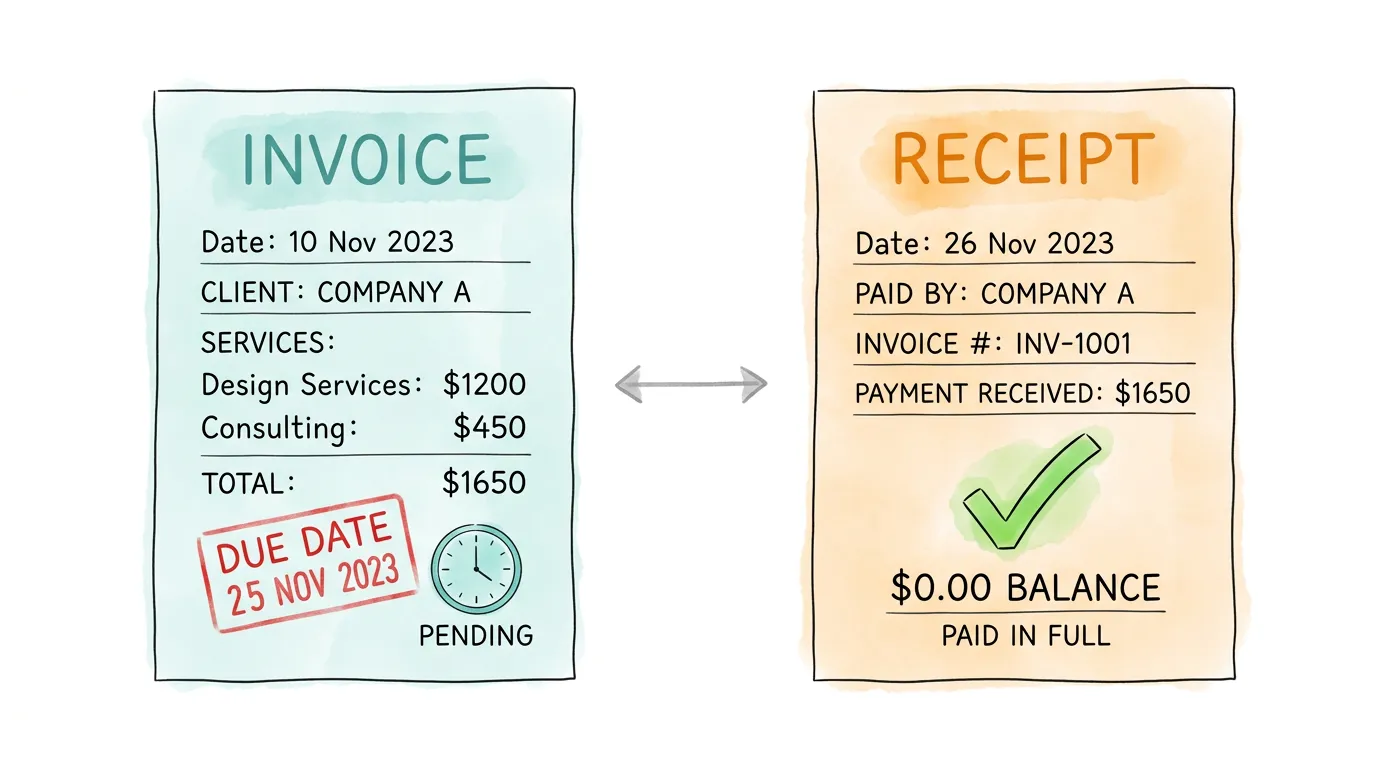
Most business owners have sent both invoices and receipts without thinking twice about which one is which. Then tax season arrives, an auditor asks a question, or a client disputes a payment, and suddenly the distinction matters enormously. Getting these two documents confused is one of the most common bookkeeping mistakes small businesses make, and it is also one of the easiest to fix once you understand the underlying logic.
Here is the short version: an invoice asks for money that has not yet been paid. A receipt confirms money that has already been received. One opens a financial obligation; the other closes it. Everything else flows from that single distinction.
Below, you'll find what each document must contain, when to use each one, what the tax and legal implications are, and how to handle both efficiently as your business grows.
What Is the Quickest Way to Tell an Invoice from a Receipt?
Before diving into the details, here is a quick reference table covering the core distinctions:
| Attribute |
Invoice |
Receipt |
| Purpose |
Request payment for goods or services |
Confirm that payment was received |
| Timing |
Issued before payment |
Issued after payment |
| Accounting role |
Creates an Accounts Receivable entry |
Records revenue and closes receivable |
| Who needs it most |
The seller, to track money owed |
The buyer, as proof of purchase |
| Key contents |
Itemized services, due date, payment terms |
Amount paid, date, payment method, zero balance |
| Legal weight |
Legally binding payment request |
Proof of a completed transaction |
Key Takeaway: An invoice creates a financial obligation. A receipt proves that obligation was fulfilled. Neither document can do the other's job.
What Is an Invoice?
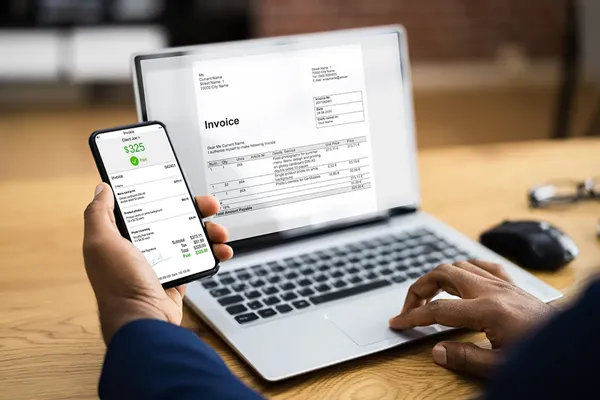
An invoice is a formal request for payment. You send it to a client or customer before they pay, outlining exactly what you delivered and what they owe in return. Think of it as a legally recognized paper trail that establishes the terms of the deal.
For service businesses, freelancers, and B2B companies, the invoice is typically the most important document in the payment cycle. According to Wikipedia's overview of invoicing, an invoice is a commercial document issued by a seller to a buyer relating to a sale transaction, indicating the products, quantities, and agreed prices for products or services provided. It also serves as the anchor for your accounts receivable ledger, which is the running record of money customers owe your business.
What a Valid Invoice Must Include?
A weak or incomplete invoice creates real problems: delayed payments, disputes, and potential issues if you ever face an audit. A properly structured invoice should always include:
- A unique invoice number for tracking and reference
- Your business name, address, and contact details
- The client's name and billing address
- Invoice date and payment due date
- An itemized list of products or services delivered, including quantities and unit prices
- The subtotal, any applicable taxes, and the total amount due
- Payment terms (for example, Net 30, Net 15, or Due on Receipt)
- Accepted payment methods (bank transfer, credit card, check, etc.)
The more specific you are on the invoice, the less room there is for disagreement later. A vague line item like "consulting services, $2,000" invites questions. A clear breakdown like "Brand strategy sessions (8 hours at $250/hr) = $2,000" does not.
Pro Tip: Always assign invoice numbers sequentially and never reuse them. Your accounting software should handle this automatically, but if you are working from spreadsheets, a simple format like INV-2026-001 keeps things clean and auditable.
Invoice Payment Terms Explained
Payment terms tell your client when the money is due. The most common options are:
- Due on Receipt: Payment expected immediately upon receiving the invoice
- Net 15 / Net 30 / Net 60: Payment due within 15, 30, or 60 days of the invoice date
- 2/10 Net 30: A 2% early payment discount if paid within 10 days, otherwise full amount due in 30 days
Your choice of payment terms directly affects your cash flow. If you consistently offer Net 60 when your suppliers expect Net 30, you are creating a gap that quietly drains your working capital. This is one of the core topics covered in our guide to improving accounts payable efficiency.
What Is a Receipt?
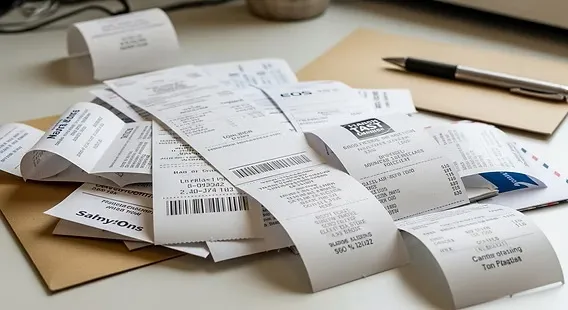
A receipt is issued after payment has been made. Its only job is to confirm that a specific transaction is complete. For your business, it closes the accounts receivable loop. For your customer, it is their proof of purchase for returns, warranty claims, expense reimbursements, or tax deductions.
Unlike an invoice, a receipt does not contain payment terms or a due date, because there is nothing left to pay. The outstanding balance should always be zero.
What a Valid Receipt Must Include?
A receipt does not need to be elaborate, but it must contain the right information to be useful:
- Your business name and contact information
- The date payment was received
- A description of what was paid for (can mirror the original invoice)
- The total amount paid
- The payment method used (cash, card, bank transfer, etc.)
- The invoice number it corresponds to (strongly recommended for reconciliation)
- A confirmation that the balance is $0.00
That last point matters more than it sounds. A receipt that does not explicitly show a zero balance can still look like an open invoice to someone reviewing your books months later. Clarity now saves confusion later.
How Do Invoices and Receipts Work Together in Your Accounting?
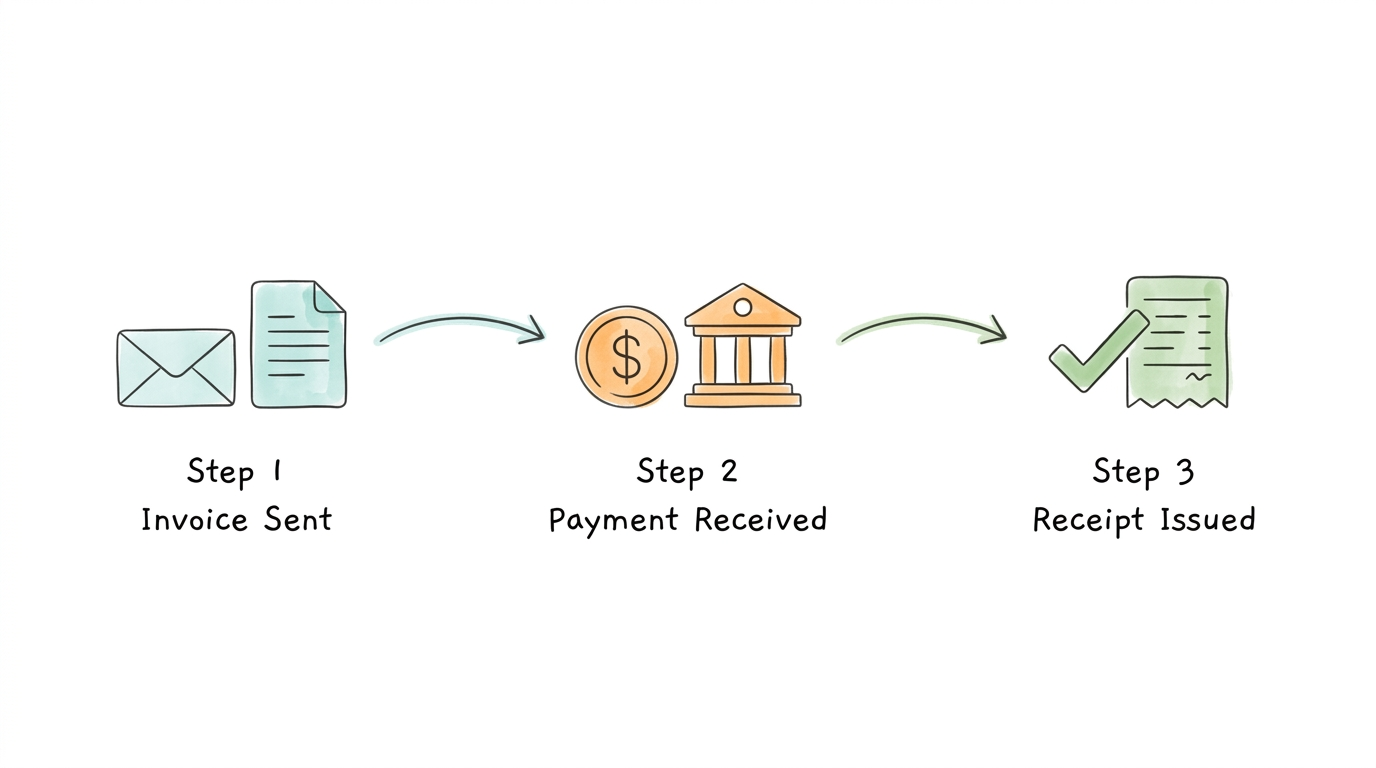
The simplest way to understand the relationship is to think of an invoice and a receipt as two ends of the same transaction.
The invoice starts the conversation: "Here is what I delivered, here is what you owe, here is when I need it." The receipt ends it: "Payment confirmed. We are square." If you are missing either document, your financial records have a hole in them.
From an Accounting Perspective
In double-entry bookkeeping, the two documents live on opposite sides of the transaction:
- When you send an invoice, you record a debit to Accounts Receivable and a credit to Revenue. The money is expected but not yet in hand.
- When you receive payment and issue a receipt, you record a debit to Cash (or your bank account) and a credit to Accounts Receivable, closing the entry.
This is how accountants track the full lifecycle of a sale. If your books only have one of these two steps, you will see either phantom revenue (income you recorded but never actually received) or unmatched cash (money sitting in your account with no clear source). Both create headaches at audit time.
From a Legal Perspective
An invoice is a legally binding document. The IRS recommends keeping all business invoices for at least three to seven years, depending on the nature of the transaction, because they serve as primary evidence of what was sold, at what price, and under what terms. In a dispute, your invoice is Exhibit A.
A receipt carries different legal weight. It is proof that a specific payment was made, which is exactly what a buyer needs to claim a business expense deduction or process a return. From the seller's side, issuing a receipt also reduces the likelihood of a chargeback dispute, because the buyer has already acknowledged receiving the goods or services.
When to Use an Invoice vs. a Receipt?
The timing rule is straightforward, but there are a few nuances worth knowing.
Scenario 1: B2B Service Business (Use Invoice First, Then Receipt)
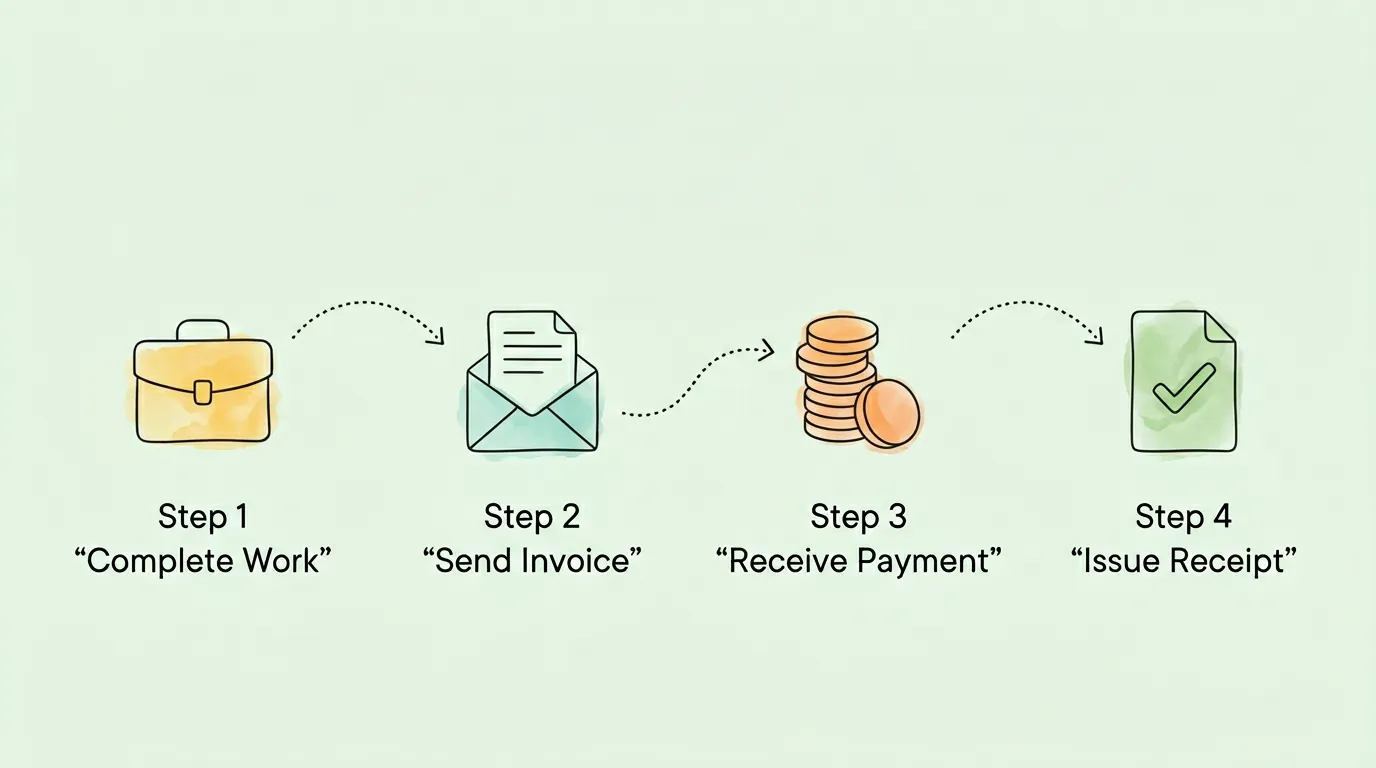
If you run a consulting firm, marketing agency, law practice, or any other service business that bills after delivery, the flow is:
- Complete the work or reach a milestone
- Send an invoice with clear payment terms
- Receive payment
- Issue a receipt confirming payment
Many B2B businesses skip step 4, assuming a bank confirmation is enough. It is not. Your client may need a formal receipt for their own expense reporting. Sending one promptly is a professional habit that strengthens client relationships and keeps your own records clean.
Scenario 2: Retail or E-Commerce (Receipt Only)
When a customer pays at the point of sale, whether in a physical store or an online checkout, the payment and the transaction happen simultaneously. There is no waiting period, so there is no need for an invoice. The process is simply:
- Customer selects a product and pays
- You immediately issue a receipt
This receipt serves as both proof of purchase and the trigger for your sales revenue entry. For e-commerce businesses handling large transaction volumes, automating this process is worth investing in. Our invoice scanning software guide covers how modern tools handle document management at scale.
Scenario 3: A Client Pays a Partial Amount
This is where many business owners get confused. If a client pays 50% upfront and 50% on delivery, you should:
- Issue an invoice for the full amount
- Issue a partial receipt when the first payment arrives, noting the amount paid and the outstanding balance
- Issue a final receipt when the remaining balance is settled, showing a zero balance
Keeping these records separate protects you legally and makes reconciliation far easier. For a detailed walkthrough of matching payments to invoices, see our guide on invoice reconciliation.
Which Documents Do You Actually Need to Keep for Tax Purposes?
Tax compliance is where the invoice vs. receipt distinction becomes genuinely high-stakes.
For Sellers (Tracking Revenue)
Your invoices document what you expected to earn. Your receipts document what you actually earned. Both are required for accurate revenue reporting. A mismatch between the two, such as invoices with no corresponding receipts, is a red flag in an audit and may suggest unrecorded income or uncollected receivables.
According to AICPA guidance on small business financial management, maintaining complete invoice and receipt records is a foundational requirement for accurate tax filing and audit defense.
For Buyers (Claiming Deductions)
If you are claiming a business expense deduction, the IRS generally wants to see a receipt, not just an invoice. An invoice proves you agreed to pay something. A receipt proves you actually paid it. For expense claims, the receipt is the document that matters.
This is particularly relevant for business travel, equipment purchases, and contractor payments. Our small business accounting tips guide goes deeper on which documents to retain and for how long.
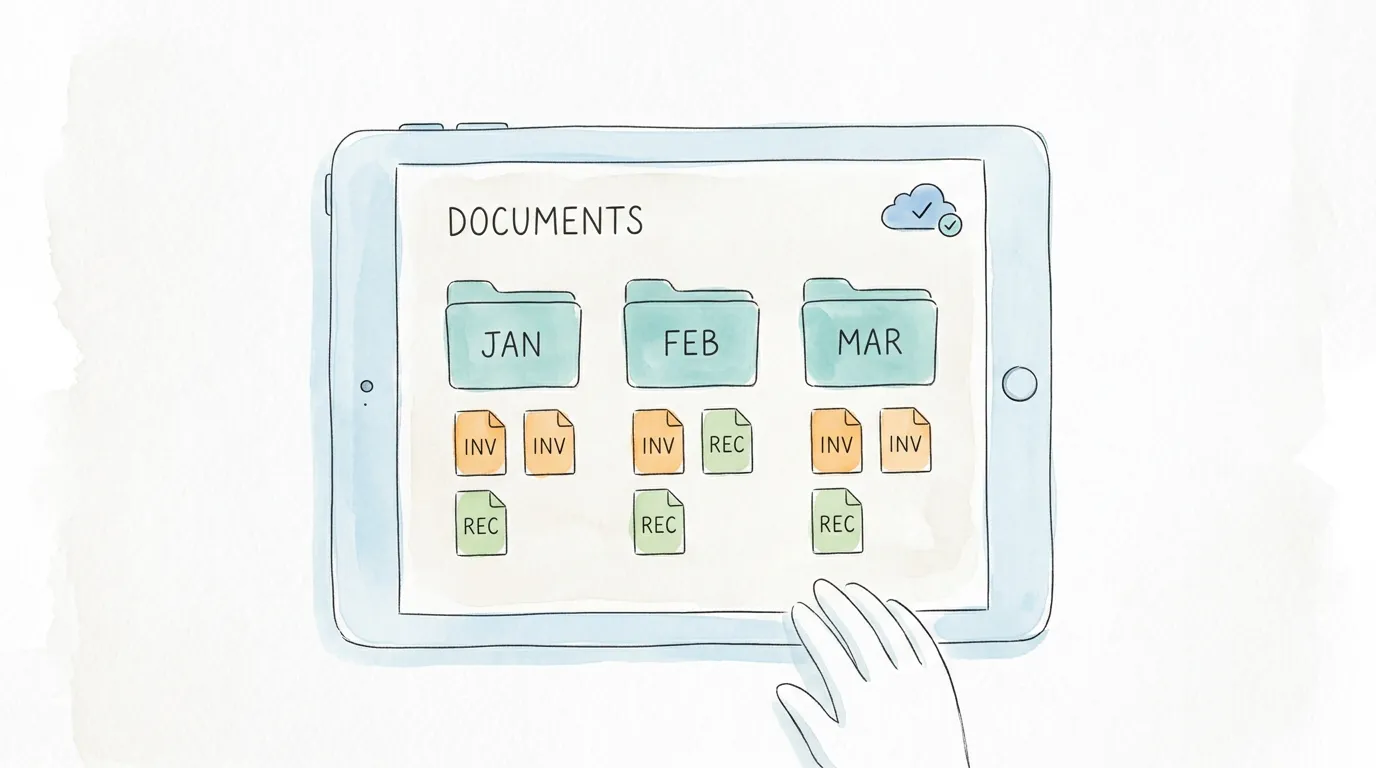
Pro Tip: Digitize all receipts immediately when you receive them. Paper receipts fade, get lost, and create chaos at year-end. A folder structure organized by month and vendor, or better yet, an automated scanning tool, makes tax prep dramatically simpler. See our guide on how to organize receipts for taxes for a practical system you can implement today.
What Are the Most Common Invoice and Receipt Mistakes That Cost Businesses Money?
Most bookkeeping errors in this area fall into one of five categories:
- Sending a receipt instead of an invoice. This tells the client the bill is already paid when it is not. The client files it, ignores it, and you never get paid.
- Stamping "Paid" on an invoice and calling it a receipt. While occasionally acceptable in very small transactions, this creates ambiguity. A separate receipt is always cleaner.
- Not issuing receipts at all. Common in service businesses. It leaves clients without proof of payment and your books without a closed-loop record.
- Using gross revenue instead of net revenue. If you issued a refund, the receipt for the original sale does not tell the full story. Your records must also reflect any credit notes or refunds issued.
- Losing paper receipts. The average paper receipt fades within 18 months. If you are storing physical copies and expecting them to be legible three years later during an audit, you are taking an unnecessary risk.
The fix for most of these is automation. Bookkeeping AI tools can now capture, categorize, and match invoices and receipts automatically, removing the manual steps where errors creep in.
How Digital Tools Are Changing Invoice and Receipt Management?
The shift from paper to digital has made invoice and receipt management faster and more reliable for businesses of every size. Instead of chasing down paper trails or manually entering data, modern tools handle the entire document lifecycle automatically.
Key capabilities to look for in a digital invoicing and receipt solution:
- Automatic receipt capture from email and online portals
- Matching receipts to open invoices without manual intervention
- Export to accounting software like QuickBooks, Xero, or Sage
- Cloud storage with search so any document is retrievable in seconds
- Audit trail tracking showing who approved what and when
According to Grand View Research, the global e-invoicing market is projected to reach over $36 billion by 2032, reflecting how central digital document management has become to business operations. This is not just a large-enterprise trend. Small businesses that automate their invoice and receipt workflows report fewer payment disputes, faster close cycles, and significantly less time spent on manual data entry.
For a broader look at what automation can do across your finance function, our guide to accounting automation software covers the leading tools and how to evaluate them.
Frequently Asked Questions
What is the main difference between an invoice and a receipt?
An invoice is sent before payment and requests money owed. A receipt is issued after payment and confirms the transaction is complete. Invoices create an accounts receivable entry in your books; receipts close it. The two documents are complementary but are never interchangeable.
Can a paid invoice serve as a receipt?
Technically, a paid invoice stamped or marked "Paid" does communicate that payment was received. However, issuing a formal separate receipt is the cleaner and more professional approach. It provides unambiguous documentation for both parties and simplifies reconciliation if the transaction is ever reviewed later.
Do I need both an invoice and a receipt for tax purposes?
Yes, and the distinction matters. As a seller, your invoices document expected income and your receipts confirm actual income received. As a buyer, invoices show what you agreed to pay, but receipts are what you need to substantiate expense deductions. Keep both, organized by vendor and date.
What should I do if a client claims they never received an invoice?
Send a duplicate immediately, marking it clearly as "Duplicate of Invoice #[number] originally sent on [date]." If you use accounting software with delivery tracking, you can often show exactly when the invoice was opened. This is one reason digital invoicing beats email attachments: the delivery confirmation is built in.
How long should I keep invoices and receipts?
The IRS generally recommends keeping business records for at least three years from the date you file the related tax return. For certain situations (understated income, property records, employment taxes), the retention period extends to six or seven years. When in doubt, keep more rather than less. Our audit readiness checklist includes a full document retention guide.
Is a digital receipt as valid as a paper one?
Yes. The IRS explicitly accepts digital records, including scanned images of paper receipts and electronically issued receipts, as valid documentation. The key requirement is that the digital record is legible and that the metadata (date, amount, vendor) is intact. Many businesses now go fully paperless for receipts without any issues during audits.
What happens if I issue a receipt before receiving payment?
This is a significant error. Issuing a receipt before payment has cleared creates a false record that the transaction is complete. If the payment subsequently fails (a bounced check, a declined card, a reversed transfer), you have documentation saying you were paid when you were not. Always confirm cleared funds before issuing a receipt.
The distinction between invoice and receipt seems minor until the moment it isn't: a disputed payment, a tax audit, a client who swears they already paid. Getting this right costs you nothing. Getting it wrong costs you time you don't have and credibility you can't afford to lose. If matching these documents manually is eating into your week, learn how TallyScan automates invoice and receipt data extraction so your books stay current without the manual effort.