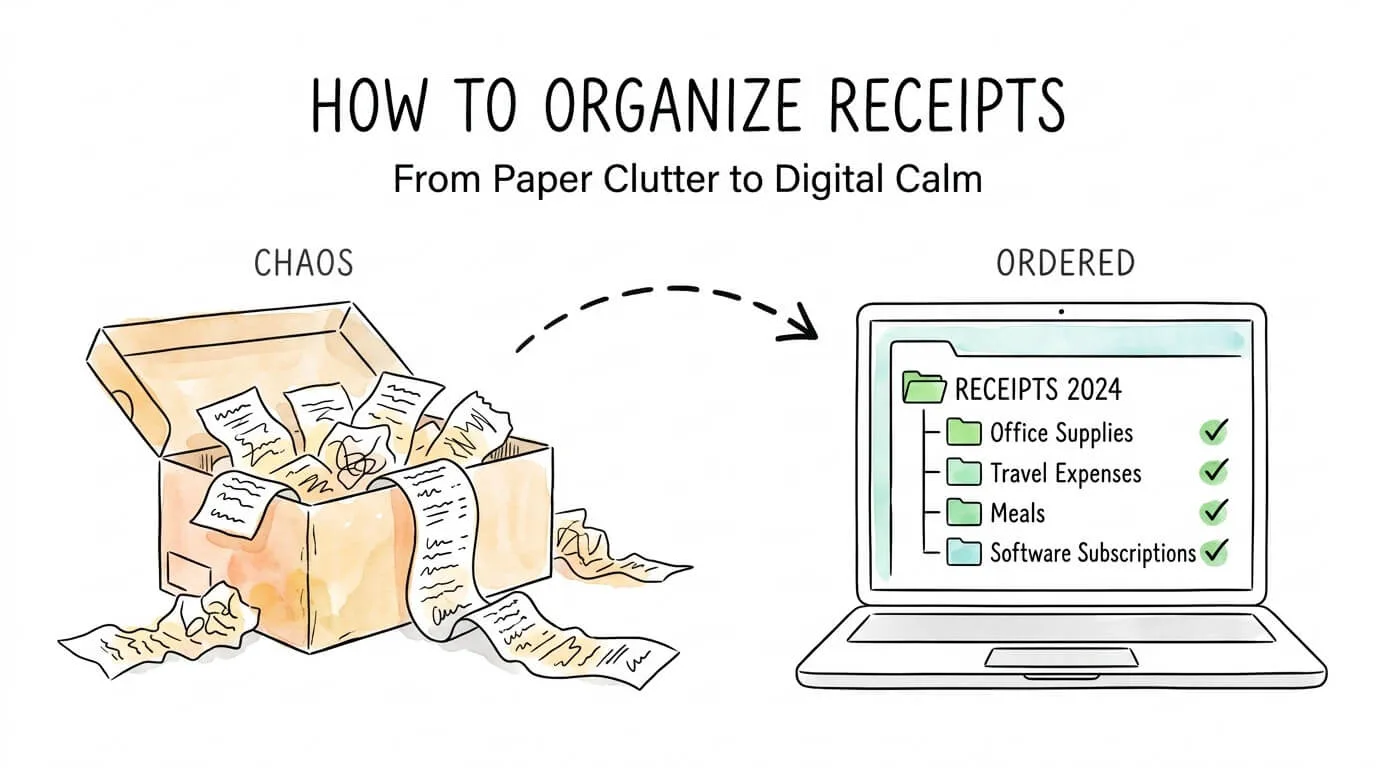
At some point, every business owner faces the same moment of dread: tax season arrives, an auditor requests documentation, or an expense report is due, and the receipts are nowhere to be found. They are scattered across email inboxes, crumpled in coat pockets, buried under stacks of paper, and saved in three different apps that never sync.
Knowing how to organize receipts for taxes is one of the most critical small business finance skills, yet most people either skip it entirely or build a system that collapses under the pressure of real life. The IRS expects you to substantiate every deduction you claim. Without organized records, valid deductions disappear and audit exposure climbs.
This guide gives you a complete, step-by-step system for organizing receipts for taxes, expense tracking, and audit defense, whether you process 20 receipts a month or 2,000. You will find the exact IRS requirements, retention periods by receipt category, a tax-aligned expense taxonomy, and an honest comparison of manual, digital, and AI-automated approaches.
Why Receipt Organization Is a Business Necessity, Not a Nice-to-Have
The stakes for poor receipt management are higher than most business owners realize.
According to IRS recordkeeping guidelines, you must be able to substantiate every deduction on your tax return with documentation. "Substantiation" means more than just remembering the expense: you need a record of the amount, date, location, business purpose, and the relationship to the recipient. Missing records do not just mean losing a deduction; they can result in penalties, interest, and in serious cases, fraud findings.
The numbers quantify the broader problem:
- 60% of small business owners report spending too much time on manual expense handling
- Manual data entry consumes up to 9 hours per week per person in small finance teams
- Manual expense reporting has a 22% error rate, compared to less than 1% for automated OCR systems
- Businesses using automated receipt organization complete tax filings up to 40% faster
- The receipt and expense management software market is growing at 13.9% annually, driven by businesses moving away from manual processes
The cost of non-compliance with expense documentation requirements averages over $14 million annually for companies that face audits without adequate records. For small businesses, the equivalent exposure is proportional: missing documentation for $50,000 in claimed deductions can trigger a full audit and eliminate the deductions entirely.
Pro Tip: The IRS accepts digital copies of receipts as legally valid documentation, provided they are legible and include all required fields. You do not need to keep paper originals once a high-quality digital scan exists.
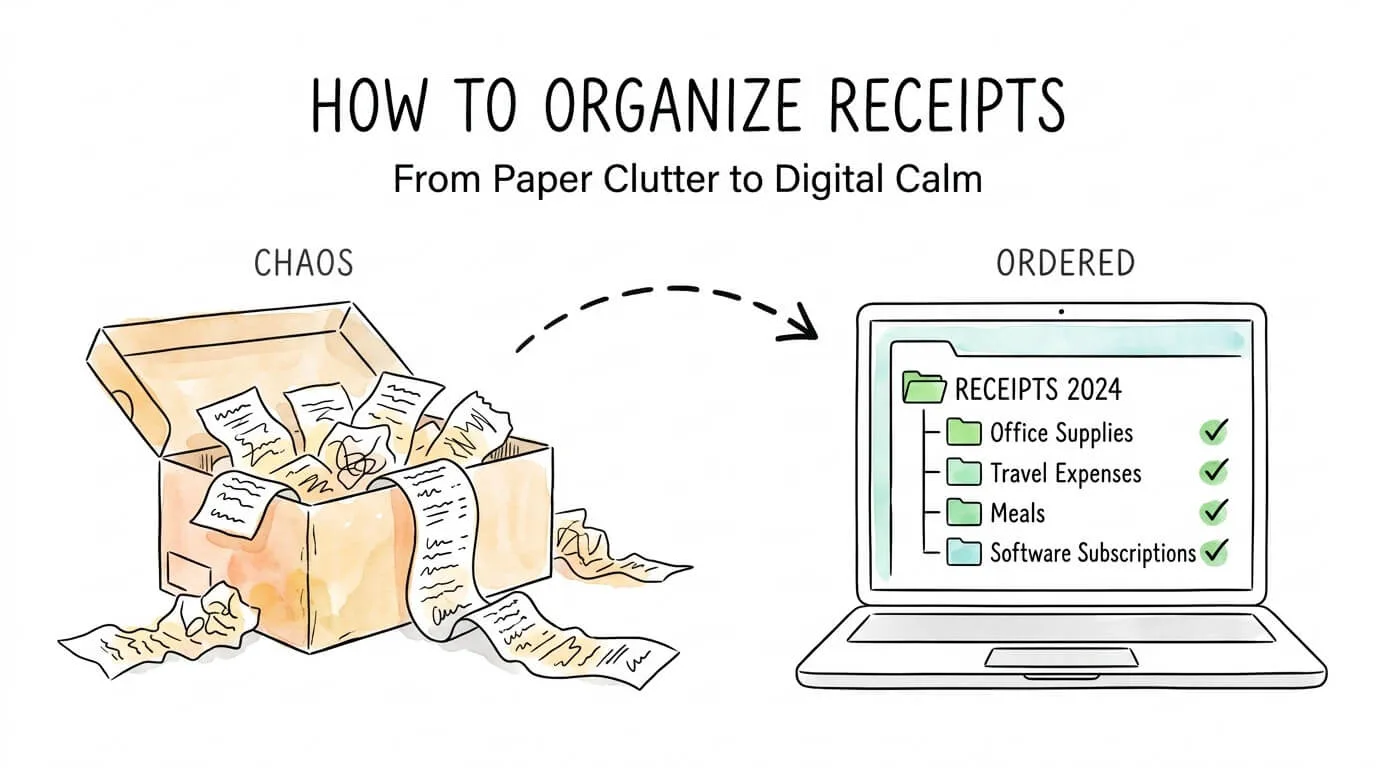
IRS Receipt Requirements: What You Actually Need to Keep
Before building your organization system, you need to know what a "valid" receipt actually requires. Many business owners keep receipts but store incomplete records that will not hold up under scrutiny.
According to IRS Publication 463 and recordkeeping guidelines, a valid business receipt must document five elements:
| Required Field |
What It Means |
Example |
| Amount |
The exact amount of the expense |
$47.50 |
| Date |
The date the expense was incurred |
March 14, 2026 |
| Place / Description |
Where the purchase occurred and what was bought |
Adobe Coffee, 2 client coffees |
| Business Purpose |
Why this was a business expense |
Strategy meeting with Sarah Chen re: Q2 proposal |
| Business Relationship |
Who was present (for meals/entertainment) |
Sarah Chen, TechCorp Ltd., prospective client |
The $75 Rule: The IRS generally does not require a formal receipt for business expenses under $75, except for lodging. However, you still must record all five fields above in a contemporaneous log (expense diary, app, or spreadsheet). "No receipt needed" does not mean "no documentation needed."
What counts as a valid receipt:
- Original paper receipts
- High-quality digital scans or photos (must be legible)
- Email confirmations for online purchases
- Bank and credit card statements (for amounts only; they do not capture business purpose)
- Vendor invoices with payment confirmation
What does not count alone:
- Credit card statements by themselves (they prove payment, not business purpose)
- Bank statements alone
- Memory or verbal descriptions without a contemporaneous written record
How Long to Keep Receipts: IRS Retention Guide by Category
This question generates enormous search volume because the answer is more nuanced than "seven years." The correct retention period depends on what the receipt documents. The official source is IRS Publication 583: Starting a Business and Keeping Records.
| Receipt / Record Type |
IRS Retention Requirement |
Why |
| Standard business expenses |
3 years from filing date |
Standard audit statute of limitations |
| Employment tax records |
4 years from due date or payment |
IRS payroll audit window |
| Business assets (equipment, property) |
Life of asset + 3 years after disposal |
Capital gains and depreciation records |
| Bad debts or worthless securities |
7 years |
Extended IRS investigation window |
| Records for returns where fraud suspected |
Indefinitely |
No statute of limitations on fraud |
| Vehicle mileage logs |
3 years from filing date |
Schedule C deduction support |
| Home office expenses |
3 years + life of home if owned |
Property basis calculations |
| Warranty / major purchase receipts |
Life of product + 1 year |
Consumer protection and insurance claims |
Practical rule: When in doubt, keep it for seven years. Storage is cheap. Reconstruction during an audit is expensive and stressful.
Pro Tip: Create a "permanent records" folder for receipts related to major assets (real estate, vehicles, equipment). These records may be needed decades later to calculate capital gains when you sell the asset.
Choose Your System: 3 Methods Compared
The right receipt organization method depends on your monthly transaction volume and how much time you want to invest in the process. Here is an honest comparison.
| Method |
Best For |
Monthly Volume |
Time Investment |
Cost |
Tax-Ready? |
| Manual (paper-based) |
Sole traders, minimal transactions |
< 30 receipts |
High (ongoing) |
Near zero |
Partial |
| Digital scanning + cloud |
Freelancers, small teams |
30–200 receipts |
Medium |
Low ($0–$15/mo) |
Yes |
| AI-powered automation |
Small-to-mid businesses |
200+ receipts |
Very low |
Medium ($20–$100/mo) |
Yes, fully |
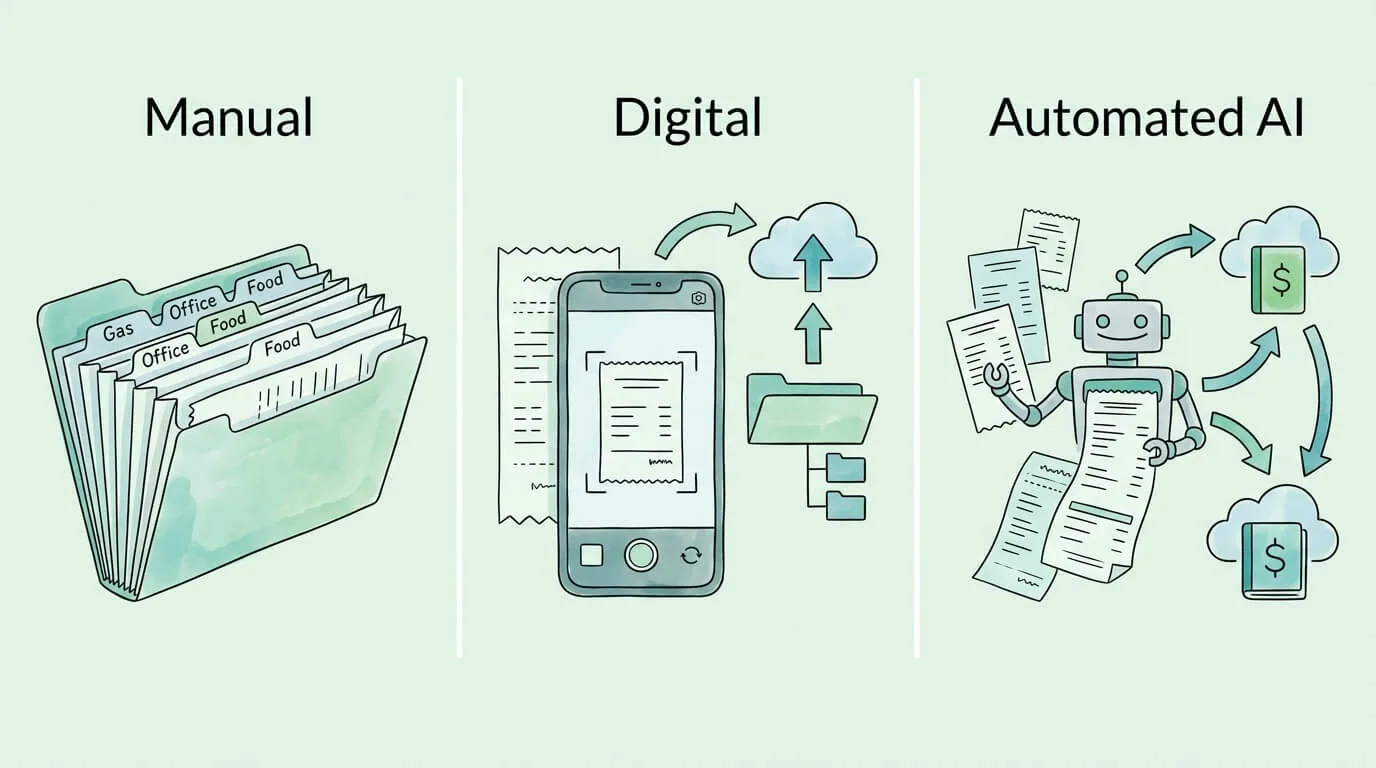
The decision point is simple: if you are spending more than 30 minutes per week on receipts, automation will pay for itself within the first month. At 9 hours per week of manual processing, the math is obvious.
Method 1: Build a Manual Physical System That Actually Works
Manual organization is not a fallback for technophobes. It is the right choice for businesses with very few monthly transactions and the discipline to maintain a consistent weekly routine. It also builds the foundational habits that make digital and automated systems more effective.
Step 1: Create a single collection point. Every paper receipt goes into one designated spot the moment you receive it, whether that is a tray on your desk, an accordion folder, or a designated inbox. The rule is absolute: no exceptions, no "I will deal with it later." This single habit eliminates 80% of lost receipts.
Step 2: Process weekly, not monthly. Set a 15-minute weekly appointment (Friday afternoon works well) to process everything in your collection point. At this session: write the business purpose on the back of the receipt if it is not obvious, file it into your categorized folder system, and log it in your expense register.
Step 3: Set up a categorized folder structure. Use an accordion folder or labeled hanging files organized by:
- By year first (never mix tax years)
- Then by category within each year
A solid business category structure:
- Office supplies
- Travel and transportation
- Meals and entertainment (client)
- Utilities and communications
- Professional services (accountant, lawyer, contractor)
- Equipment and software
- Marketing and advertising
- Miscellaneous (small items under $25)
Step 4: Annotate immediately. Write the business purpose on the receipt the day you receive it. A receipt for "Restaurant ABC – $47.50" means nothing in three years. "Client lunch – John Smith, Acme Corp, contract negotiation" is fully substantiated documentation.
Pro Tip: Keep a small index card or sticky note in your collection tray. When you drop in a receipt without a clear business purpose written on it, immediately write a quick note on the index card. This 10-second habit saves hours of reconstruction later.
Method 2: Go Digital with Scanning and Cloud Storage
Going digital gives you search capability, backup redundancy, and the ability to share documentation instantly with your accountant, all without requiring a monthly SaaS subscription.
Step 1: Choose a scanning tool. Your phone camera is good enough if the lighting is adequate. For higher volume, dedicated apps like Adobe Scan or Microsoft Lens produce cleaner, more consistent results. The goal is a clear, legible PDF or JPEG of the complete receipt, including the merchant name, date, amount, and any itemized details.
Step 2: Apply a consistent file naming convention. This is the step most people skip, and it is what makes a digital system actually searchable years later.
Recommended format: YYYY-MM-DD_Vendor_Amount_Category.pdf
Examples:
2026-03-14_AdobeCoffee_47.50_Meals.pdf2026-03-20_Delta_412.00_Travel.pdf2026-04-01_AmazonOffice_189.99_Equipment.pdf
Step 3: Mirror your folder structure in the cloud. Use Google Drive, Dropbox, or OneDrive with the same category structure as the manual method. Your main folder: /Receipts/ then subfolders: /Receipts/2026/Meals/, /Receipts/2026/Travel/, etc.
Step 4: Back up to a second location. Your primary cloud storage and one additional backup location (a different cloud service or an external hard drive). The IRS accepts digital records but expects them to be retrievable. "My hard drive crashed" is not a valid response to an audit request.
Step 5: Add business purpose in the file name or metadata. The file name 2026-03-14_AdobeCoffee_47.50_Meals.pdf tells you what and when. Add a brief note in the file's comment/description field for the business purpose: "Strategy meeting with S. Chen, TechCorp."
For a comprehensive guide to managing financial documents digitally, see our accounting document management software guide. If you regularly shop at Walmart for business supplies, our guide on what is the tax number on your Walmart receipt explains how to read and use those receipts for deductions.
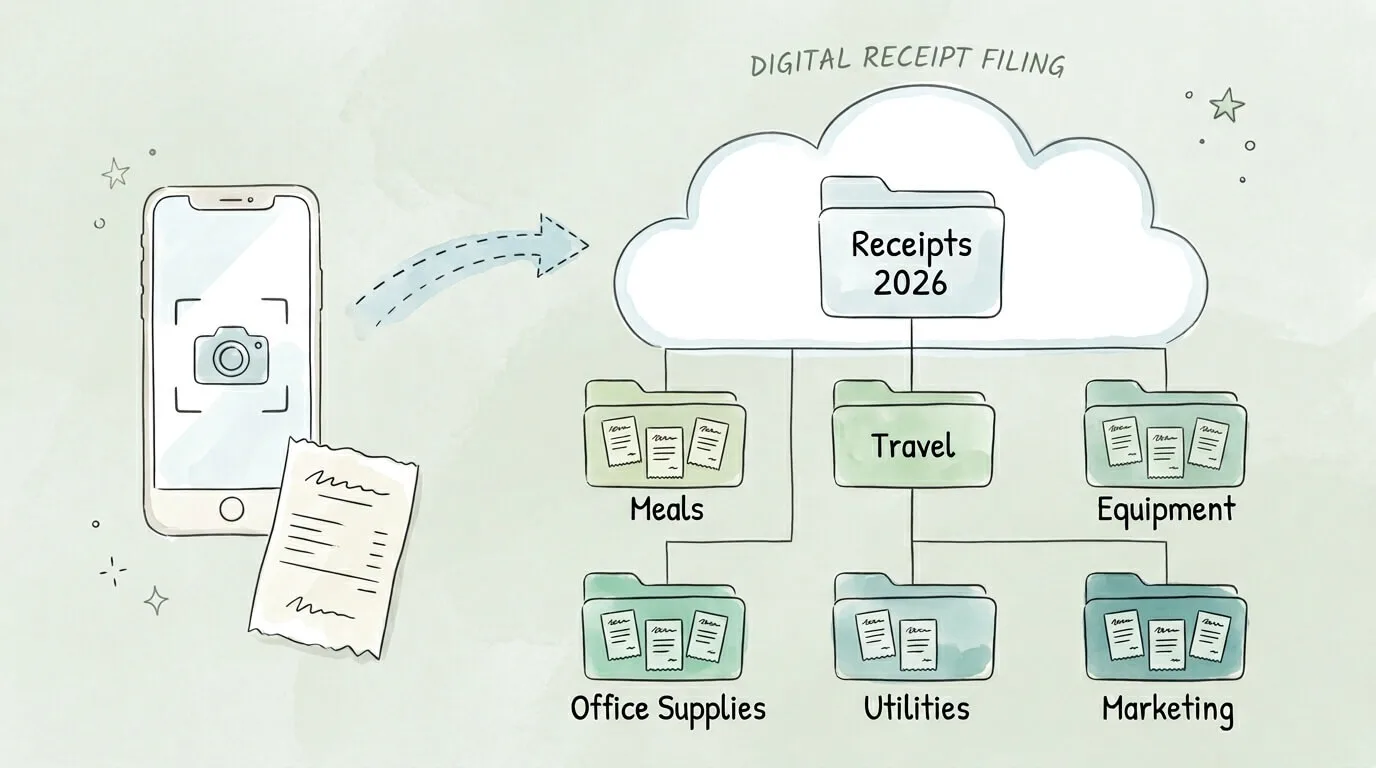
Method 3: Automate with AI-Powered Receipt Extraction
Automation is the right choice for any business processing more than 50 receipts per month. At that volume, the time savings are immediate and the ROI is clear within weeks.
How AI receipt automation works:
- Capture: You photograph the receipt, forward an email receipt, or submit through a vendor portal. The system ingests it regardless of format.
- Extract: OCR combined with machine learning reads every field: merchant name, date, amount, tax, line items, and payment method. Modern systems achieve 95–99% accuracy with confidence scoring on uncertain fields.
- Categorize: The system applies your expense categories automatically based on merchant type, keywords, and learned patterns from your history.
- Sync: Extracted data pushes directly to your accounting software (QuickBooks, Xero, or others) with no manual re-entry.
- Archive: The original receipt image is stored in a searchable, tamper-evident digital archive.
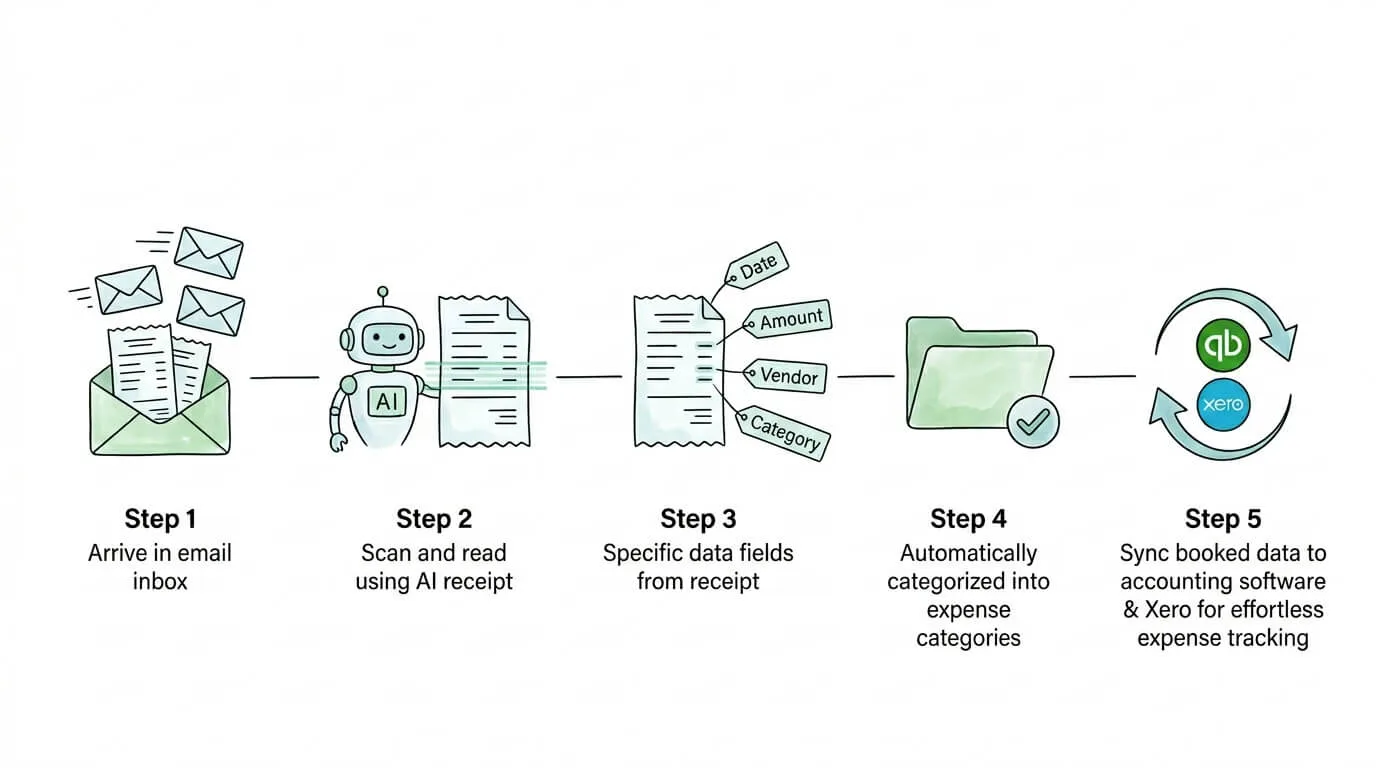
What used to take 23 minutes per expense report (manual processing) is reduced to under 2 minutes with automation.
Platforms like TallyScan connect directly to your email inbox and capture receipts automatically as they arrive, extracting all required fields and syncing to your accounting software. For a detailed look at the technology, see our guide on AI invoice and receipt extraction.
Email receipts specifically: Most of your highest-value receipts (software subscriptions, online purchases, travel bookings) land directly in your inbox. Automated tools can monitor a designated email address and process these receipts without any manual action. This closes the most common gap in receipt management: the digital receipts that never make it into any system because they live only in email.
For a comparison of the best tools in this category, see our receipt scanning software guide.
Business Receipt Categories for Tax Deductions
One of the most practical things you can do to prepare for tax filing is align your receipt categories with IRS Schedule C categories from day one. This eliminates the annual reclassification exercise and makes your expense records immediately usable.
| IRS Schedule C Category |
Common Receipts to Collect |
Notes |
| Advertising |
Social media ads, print materials, website costs |
Digital ad invoices from Google/Meta |
| Car and truck expenses |
Fuel, maintenance, insurance (if business vehicle) |
Mileage log required for standard mileage method |
| Commissions and fees |
Contractor payments, platform fees |
1099 required for contractors over $600 |
| Contract labor |
Freelancer invoices, agency fees |
Keep signed contracts as backup |
| Depreciation |
Equipment over $2,500, vehicles |
Form 4562 required; keep purchase receipts permanently |
| Insurance |
Business liability, professional indemnity |
Annual policy documents |
| Legal and professional |
Accountant fees, lawyer fees, consultants |
Itemized invoices from professionals |
| Meals (business, 50% deductible) |
Client lunches, team meetings |
Must document attendees and business purpose |
| Office expense |
Supplies, printer ink, postage |
Even small purchases; they add up |
| Rent or lease |
Office rent, equipment leases |
Monthly statements or annual lease agreements |
| Travel |
Flights, hotels, car rental (business trips) |
Must be primarily for business; document itinerary |
| Utilities |
Phone (business portion), internet |
Keep bills; estimate business-use percentage |
Pro Tip: Keep business and personal expenses strictly separated. Use a dedicated business credit card or bank account for all business expenses. This single habit eliminates the most common audit trigger: commingled personal and business expenses that cannot be cleanly documented.
Receipt Organization Self-Assessment
Score your current receipt system to identify where to focus first.
| Area |
Strong (3 pts) |
Needs Work (1 pt) |
Broken (0 pts) |
Score |
| Collection point |
Every receipt goes to one place immediately |
Most receipts captured; some slip through |
Receipts scattered across pockets, email, desk |
— |
| Digital backup |
All receipts scanned and backed up to cloud |
Paper files exist; not digitized |
Paper only; no digital backup |
— |
| Business purpose |
Documented on every receipt at time of receipt |
Sometimes noted; often missing |
Never annotated |
— |
| Category system |
Consistent IRS-aligned categories applied |
Rough categories; inconsistently applied |
No categorization |
— |
| Retention compliance |
Records kept per IRS retention schedule |
Keep "everything"; no clear retention policy |
Regularly discard receipts |
— |
| Tax-year separation |
Records cleanly separated by tax year |
Mixed years in same folders |
No year-based organization |
— |
| Email receipts |
Automatically captured and categorized |
Manually forwarded occasionally |
Lost in inbox |
— |
| Accounting sync |
Receipts sync automatically to accounting software |
Manual entry into accounting software |
Receipts never reach accounting system |
— |
Score Guide: 20–24 = Ready for audit. 12–19 = Moderate risk; focus on broken areas. Below 12 = High risk; start with collection point and digital backup today.
Frequently Asked Questions
How long do I need to keep receipts for taxes?
For most standard business expenses, the IRS requires you to keep records for 3 years from the date you filed the return claiming the deduction. For employment taxes, keep records for 4 years. For records related to property or assets, keep them for the life of the asset plus 3 years after disposal. If you underreported income by more than 25%, the statute of limitations extends to 6 years. When in doubt, retain records for 7 years. The IRS accepts digital records as valid documentation.
Does the IRS accept digital receipts and photos?
Yes. The IRS accepts digital images, scans, and electronic receipts as valid documentation, provided they are legible and capture all required information: amount, date, place, business purpose, and business relationship. You do not need to retain original paper receipts once a high-quality digital copy exists. The key requirement is that digital records must be accessible and retrievable if the IRS requests them.
What is the best way to organize receipts for a small business?
For small businesses processing under 50 receipts per month, a digital scanning system with consistent cloud storage folders and file naming conventions is usually the best balance of cost and effectiveness. For businesses processing more than 50 receipts per month, AI-powered automation that captures receipts from email and photographs and syncs to accounting software delivers the highest ROI. The most important first step for any volume is establishing a single intake channel where all receipts go immediately upon receipt.
What information must a receipt include for a tax deduction?
A valid receipt for a tax deduction must document five elements: the amount of the expense, the date it was incurred, the place or description of what was purchased, the business purpose of the expense, and (for meals and entertainment) the name and business relationship of any attendees. For expenses under $75 (except lodging), the IRS does not require a formal receipt but still requires a contemporaneous written record of all five elements.
How do I organize email receipts automatically?
The most effective method is to use a receipt management tool that monitors a designated email address (such as receipts@yourcompany.com) and automatically processes any receipt or invoice that arrives there. You configure all your vendors, subscription services, and e-commerce platforms to send receipts to that address. The tool extracts the data, categorizes it, and syncs it to your accounting software without any manual action. If you are not ready for a full automation tool, create a dedicated email folder with auto-filter rules that route emails containing "receipt," "invoice," or "order confirmation" to a single folder for weekly batch processing.
Should I keep receipts for purchases under $75?
While the IRS does not require a formal receipt for expenses under $75 (except lodging), you still must maintain contemporaneous documentation of the five required fields: amount, date, place, business purpose, and business relationship. A written note in an expense log, a note in your phone, or a brief calendar entry is sufficient. The $75 threshold applies to the receipt requirement, not the documentation requirement. In practice, scanning or photographing all receipts regardless of amount is far easier than maintaining a separate log for small purchases.
What receipts should I never throw away?
Keep these receipts permanently or for the life of the asset: receipts for real property purchases and improvements (needed to calculate capital gains when you sell), receipts for major equipment and vehicles (needed for depreciation calculations and capital gains), records of business formation expenses, and any receipts related to a year in which you reported a net operating loss (the loss can carry forward for years, so the substantiation must remain available). For everything else, the 7-year rule provides a safe buffer above the standard 3-year audit window.
From Shoebox to System: Your Next Steps
Receipt organization is not a technology problem. It is a habits and systems problem. The businesses with the cleanest records are not necessarily using the most sophisticated software. They have established a consistent intake point, applied a clear category structure, and built a weekly review habit that prevents pile-up.
Start with your self-assessment score above. If you scored below 12, the two highest-impact changes are:
- Set up a single email address (
receipts@) and route all digital receipts there today.
- Photograph every paper receipt the moment you receive it and file it to a dated cloud folder.
These two changes eliminate the most common failure modes: digital receipts lost in email and paper receipts that disappear before they are recorded.
If you are ready to automate the process entirely, TallyScan captures receipts and invoices directly from your inbox. For a deeper look at the technology behind receipt recognition, see our guide on what is OCR technology., extracts all required fields with AI, and syncs them to your accounting software automatically. Combined with automated bookkeeping workflows, it creates a fully audit-ready financial record with no manual data entry.
Ready to build a receipt system that survives tax season, audits, and rapid business growth? Start your free trial of TallyScan today.