#what is the tax number on your walmart receipt#walmart receipt tax#walmart receipt explained#receipt sales tax#expense tracking#walmart receipt codes
You're staring at a Walmart receipt trying to find the "tax number" and suddenly there are three lines that could be it, plus a string of codes next to each item that look like they were written in a different language. You're not alone. This is one of the most Googled questions about shopping receipts.
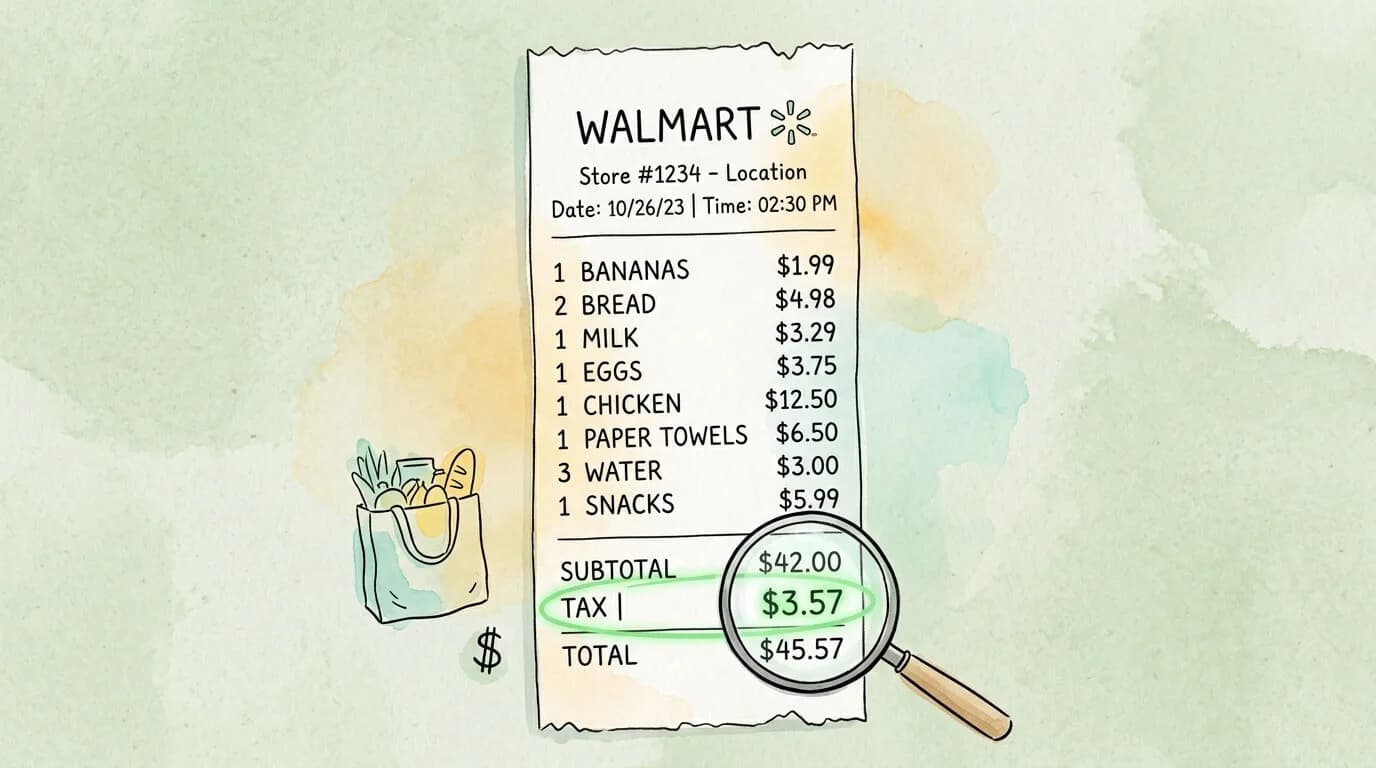
Here's the answer upfront: the tax number on your Walmart receipt is the sales tax amount, the dollar figure you paid in state and local taxes on your purchase. It is not Walmart's corporate tax ID, not a transaction code, and not anything you need to register or track. It is simply the tax charged on your eligible items, collected by Walmart on behalf of your state and local government.
But that answer only scratches the surface. If you're a freelancer, small business owner, or anyone who buys supplies at Walmart and wants to claim them as a business expense, the tax line on your receipt carries real financial significance. This guide decodes every number, code, and abbreviation on a Walmart receipt, explains exactly what the tax line means for business deductions, and tells you what the IRS actually requires when you use those receipts for taxes.
The Tax Number Is the Sales Tax, Not a Tax ID
When people search for "the tax number on a Walmart receipt," they are usually looking for one of two things: the dollar amount of sales tax they paid, or Walmart's official tax identification number.
To be clear on both:
The tax dollar amount is printed near the bottom of every Walmart receipt, labeled as "TAX" or "SALES TAX," positioned between the subtotal and your total payment. This is the number most people are looking for.
Walmart's corporate tax ID (Employer Identification Number or EIN) is 46-0509955. It is not printed on your retail receipt. You would only need this if you are a vendor, supplier, or dealing with Walmart at a business-to-business level.
For the vast majority of shoppers and small business owners, the "tax number" that matters is the sales tax dollar amount on the receipt. Everything below explains that number in full detail.
Every Number on a Walmart Receipt, Decoded
Walmart receipts pack a lot of information into a small space. Here is a complete reference for every field you are likely to encounter.
Transaction and Store Identifiers
Code
Full Name
What It Means
S#
Store Number
Identifies the specific Walmart location where you shopped
TC#
Transaction Code Number
A unique ID for your specific purchase; used for returns, price checks, and Walmart's internal tracking
TE#
Terminal Number
The cash register or self-checkout kiosk that processed your transaction
OP#
Operator Number
The cashier's employee ID number
Date / Time
Transaction Timestamp
The exact date and time your purchase was processed
The TC# is particularly useful. It is encoded in the barcode at the bottom of your receipt in Code-39 format. Walmart's customer service can pull up your full transaction using just this number, which is why it is the key piece of information if you lose a receipt and need to request a copy.
The Financial Summary Fields
Field
What It Means
SUBTOTAL (or ST)
The total cost of all your items before any taxes are added
TAX 1
Sales tax calculated at the general merchandise rate for your location
TAX 2
Sales tax calculated at a reduced rate, typically applied to food, grocery, or other categories taxed differently by your state
TOTAL TAX
The combined sales tax from Tax 1 and Tax 2
TOTAL
Your final amount paid, including all items and all taxes
CASH TEND / CREDIT TEND
The payment method and amount tendered
CHANGE DUE
Any change returned if you paid with cash
The reason many receipts show Tax 1 and Tax 2 separately is that most US states tax groceries, medicine, and clothing at different rates than general merchandise. A shopping trip that includes both a box of cereal and a power strip will see those items taxed at different rates, reflected in the two tax lines.
Item-Level Tax Codes
Each line item on a Walmart receipt has a small letter code next to the price. These codes tell you exactly how each individual item was taxed:
Code
Meaning
X
Taxable item, charged at the standard merchandise tax rate
N
Non-taxable item (common for basic groceries, prescription drugs, WIC-eligible items)
O
Taxable at a reduced rate (applies in states with a lower rate for certain food or clothing items)
F
FSA (Flexible Spending Account) eligible item
R
Taxable at a food rate
H
Taxable at a health and beauty rate
Understanding these codes matters for business owners. If you're buying a mix of items and only some are for business use, the item-level codes help you calculate the exact tax attributable to the business-related purchases.
Sales Tax Rates Vary by Location, Not by Walmart
The most common source of confusion about Walmart receipt taxes is why the tax amount is different at different stores, or why it changes over time. The answer is that Walmart does not set sales tax rates. Your state, county, and city governments do.
US sales tax is a patchwork system. There is no federal retail sales tax. Each state sets its own base rate, and local governments (counties and cities) layer additional rates on top. The total rate you pay is the combination of all applicable layers. The Tax Foundation's State and Local Sales Tax Rates guide publishes current rates for every state.
To give you a sense of the range:
State
Approximate Combined Sales Tax Range
Oregon, Montana, Delaware, New Hampshire
0% (no state sales tax)
Hawaii
~4.5%
Wisconsin
~5.5%
Texas
~8.2% average (state 6.25% + local)
California
~8.7% average (Los Angeles can reach 10.25%)
Tennessee
~9.5% average (one of the highest in the US)
Louisiana
~9.5% average
Additionally, most states exempt basic groceries from sales tax entirely, or tax them at a lower rate. This is why a receipt with mostly food items will show a much lower tax percentage than one with electronics and clothing.
States that fully exempt most grocery food from sales tax include: California, Texas, Illinois, New York, Pennsylvania, and many others. States that tax groceries at a reduced rate include Mississippi, Tennessee, and Alabama. States with no sales tax at all (so no tax on anything at Walmart) include Oregon, Montana, New Hampshire, Delaware, and Alaska.
Is the Tax on Your Walmart Receipt Deductible?
This is where the tax line on your receipt becomes genuinely useful for business owners and freelancers. The IRS rules on Walmart receipt taxes are clear but often misunderstood.
Short answer: Yes, sales tax on business purchases at Walmart is deductible, but it works differently than you might expect.
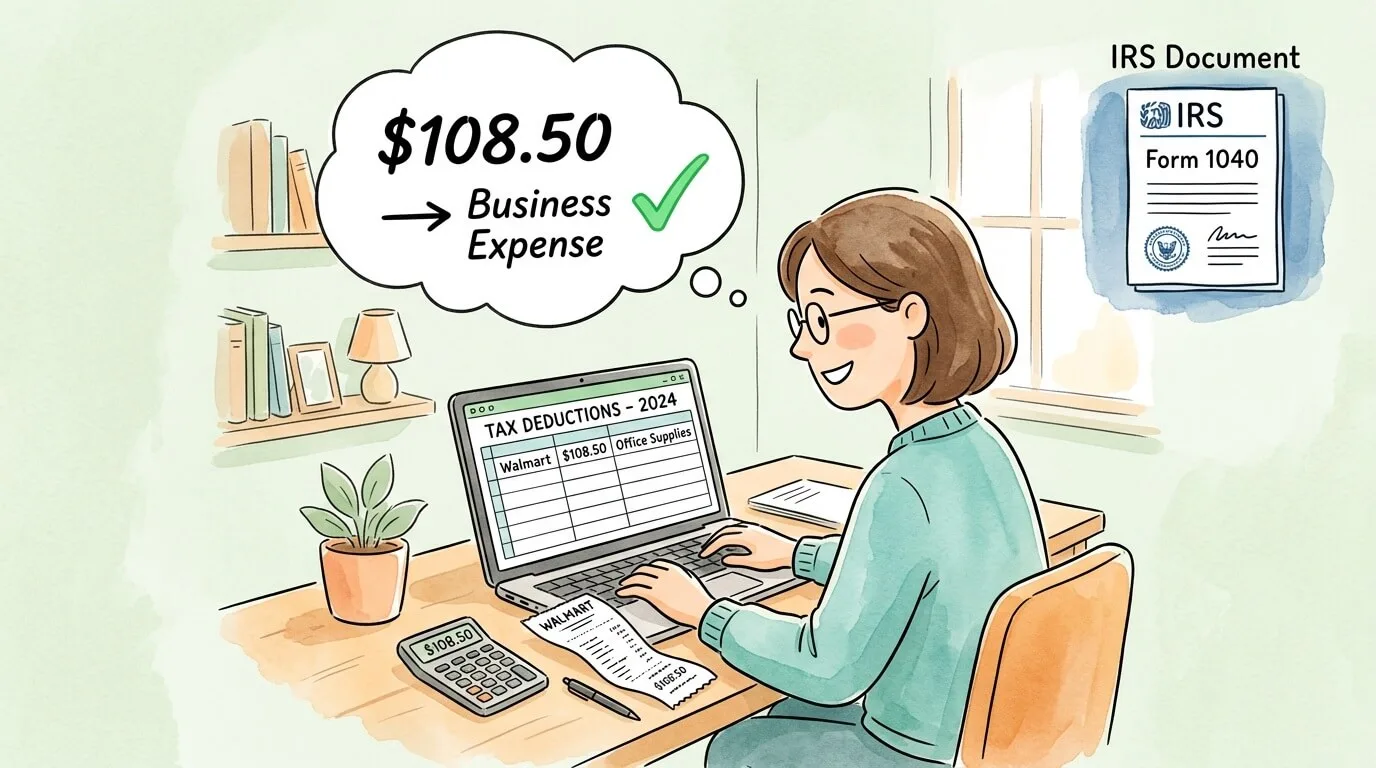
How it works: The IRS does not allow you to deduct sales tax as a separate line item on your business tax return. Instead, sales tax paid on a business purchase is treated as part of the cost of that item. You deduct the full amount you paid, including the tax, as the business expense.
Example: You buy $200 in office supplies at Walmart, and the sales tax is $17. Your deductible business expense is $217, not $200. You do not separately list the $17 as a "sales tax" deduction. It is simply embedded in your office supplies expense.
For equipment and assets: If you purchase equipment (a printer, desk, camera) at Walmart for business use, the sales tax is included in the asset's cost basis. You recover it through depreciation or Section 179 expensing.
What the IRS requires for documentation:
According to IRS Publication 463 and general business expense rules, a valid receipt for business expense purposes must include:
Vendor name (Walmart)
Date of purchase
Total amount paid
Description of items purchased
Proof of payment (payment method)
Walmart receipts satisfy all five requirements. The IRS $75 rule states that receipts are technically not required for expenses under $75, but best practice (and most accountants) recommend keeping receipts for all business purchases regardless of amount.
How long to keep Walmart receipts: The IRS recommends keeping business expense records for 3 years from the date you file the return on which the expense is claimed. For large capital purchases that affect depreciation, keep records for as long as you own the asset plus 3 years.
How to Find Your Sales Tax on Paper, Digital, and App Receipts?
On a Paper Receipt
Look toward the bottom, past all the line items. You will see:
SUBTOTAL (sum of all items before tax)
TAX 1 and/or TAX 2 (the sales tax lines)
TOTAL (final amount including tax)
The tax line is almost always labeled "TAX" or "SALES TAX" in all caps and appears directly between the subtotal and total.
On a Digital Email Receipt
Walmart's email receipts follow the same layout as paper receipts. Scroll past the itemized list to the bottom summary section. The tax amount appears as a separate line between subtotal and total, using identical labels.
If the receipt is long, use your browser or email client's Find function (Ctrl+F or Cmd+F) and search for "TAX" to jump directly to the relevant section.
In the Walmart App
The Walmart app stores your complete purchase history if you are signed into a Walmart account (or used Walmart Pay, your Walmart+ membership, or a registered credit card).
To retrieve a receipt:
Open the Walmart app and tap Account (the person icon)
Select Purchase History
Find the relevant purchase date and tap it
Your digital receipt displays with all fields including subtotal, tax breakdown, and total
The app also allows you to request a reprinted receipt for recent purchases. For transactions older than 6 months, contact Walmart customer service directly with your TC# if available.
Lost a Receipt Entirely?
If you have no record at all, contact Walmart customer service at 1-800-925-6278 or visit the customer service desk at your store. With your approximate purchase date, the store number, and the last four digits of the payment card used, they can usually locate the transaction. For business expense documentation, a Walmart transaction record retrieved this way is generally sufficient for IRS purposes.
Using Walmart Receipts for Business Expense Tracking
If you buy business supplies at Walmart regularly, managing those receipts manually creates unnecessary bookkeeping burden. Here is a practical system for handling Walmart receipts at scale:
Step 1: Separate personal and business purchases. Use a dedicated business credit or debit card for all business purchases. This creates an automatic record in your bank statement that corroborates your receipts, and it keeps personal and business spending cleanly separated for tax purposes.
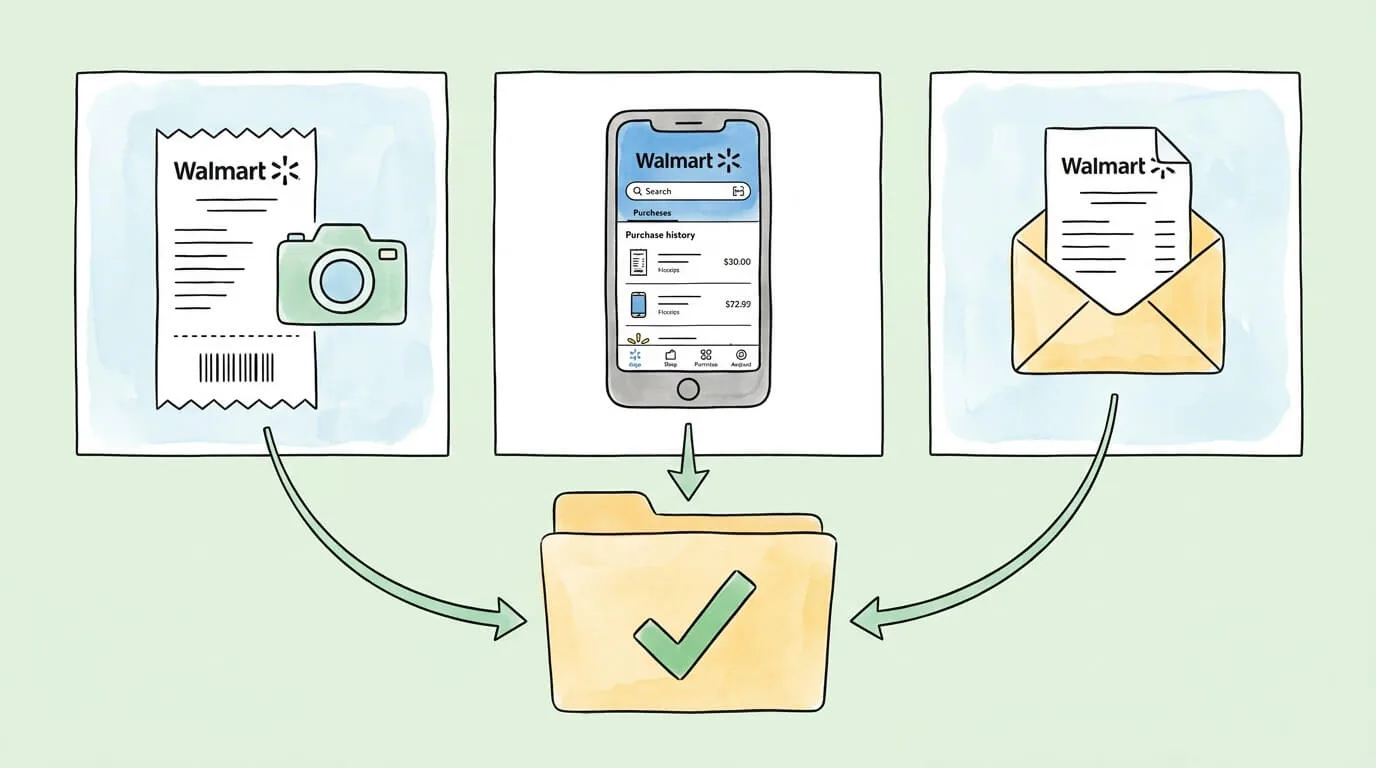
Step 2: Capture receipts at point of purchase. Do not leave the store with only a paper receipt. For a complete system covering all receipt types, see our guide on how to organize receipts for taxes. Either save the email receipt (ask for it at checkout or set up your Walmart account to receive digital receipts automatically) or photograph the paper receipt immediately. Paper receipts fade and become illegible within months due to thermal printing.
Step 3: Categorize the expense. Most business purchases at Walmart fall into: Office Supplies, Equipment, Cleaning/Janitorial, Business Meals (food for client meetings), or Other Business Expenses. Assign a category at the time you capture the receipt, not weeks later when you have forgotten what you bought.
Step 4: Archive with context. The file name or note attached to the receipt should include: vendor (Walmart), date, amount, and category. Example: Walmart_2026-04-10_Office-Supplies_$47.32.jpg
Step 5: Automate where possible. Tools like TallyScan can scan Walmart receipts (paper, photo, or email), extract the relevant fields automatically (vendor, date, items, subtotal, tax, total), categorize the expense, and sync it to your accounting software, eliminating the manual step entirely.
Frequently Asked Questions
What exactly is the tax number on a Walmart receipt?
The "tax number" most people are looking for is the sales tax dollar amount, the money charged on your eligible items by your state and local government. It appears near the bottom of the receipt, labeled "TAX," "SALES TAX," "TAX 1," or "TAX 2," positioned between the subtotal and the final total. It is not Walmart's corporate tax identification number (which is not printed on retail receipts).
Why are there two tax lines (Tax 1 and Tax 2) on my Walmart receipt?
Tax 1 and Tax 2 represent different tax rate categories that apply to different types of products under your state's tax law. Tax 1 is typically the standard merchandise rate applied to general items like electronics, clothing, and household goods. Tax 2 is typically a lower rate applied to food, grocery items, or certain other categories that your state taxes differently. If your receipt only shows one tax line, your state uses a single rate for all taxable items.
What do the letters X, N, O, and F mean next to prices on my receipt?
These codes let you see exactly how each individual item was categorized for tax purposes.
Why is my Walmart sales tax percentage different from the last time I shopped?
The most likely reason is that you shopped at a different store location. Sales tax rates are set by state, county, and city governments, so a Walmart in one city can have a noticeably different rate than one in another city, even within the same state. Rates can also change when local governments adjust their tax rates, which happens periodically. Walmart has no control over the rate; it is required by law to charge exactly what the local jurisdiction sets.
Is the sales tax on my Walmart receipt deductible for my business?
Yes, but it does not work as a separate deduction. IRS rules require you to include the sales tax as part of the total cost of the business item you purchased. If you bought $100 in office supplies and paid $8.50 in sales tax, your deductible business expense is $108.50 (not $100 with an additional $8.50 line). The same logic applies to equipment: the sales tax is included in the asset's cost basis and recovered through depreciation.
Can I get a refund of the sales tax if I return an item?
Yes. When you return an item to Walmart, you receive a full refund of the item price plus all sales tax paid on that item. The refund is calculated automatically by Walmart's system based on the original transaction. If you return only one item from a larger purchase, you receive back the price of that item plus its proportional sales tax, not the entire receipt's tax amount.
How do I find an old Walmart receipt I lost?
You have several options:
Walmart app: Go to Account > Purchase History to retrieve digital receipts for purchases made with a registered account, Walmart Pay, or a linked card.
Email: Search your inbox for emails from "Walmart" if you provided an email at checkout.
Bank statement: Your bank or card statement will show the transaction amount, which may be sufficient for expense purposes even without the itemized receipt.
In-store customer service: With your approximate date, store number, and payment card's last four digits, the customer service desk can often retrieve and reprint the transaction.
Does the sales tax on my Walmart receipt ever go to Walmart?
No. Walmart acts as a tax collector on behalf of state and local governments. Every dollar of sales tax collected at checkout is remitted directly to the appropriate tax authority. Walmart does not keep any portion of the sales tax. This is entirely separate from the corporate income taxes Walmart pays on its own business profits, which have nothing to do with your individual purchase.
If you are a business owner or freelancer who regularly collects Walmart receipts and other purchase records for expense tracking, manually capturing and categorizing receipts is one of the most time-consuming parts of bookkeeping. TallyScan automatically extracts the relevant data from any receipt including vendor, date, line items, tax amounts, and totals, then categorizes expenses and syncs them to your accounting software. It works with photos of paper receipts, email receipts, and digital documents, so nothing falls through the cracks at tax time.