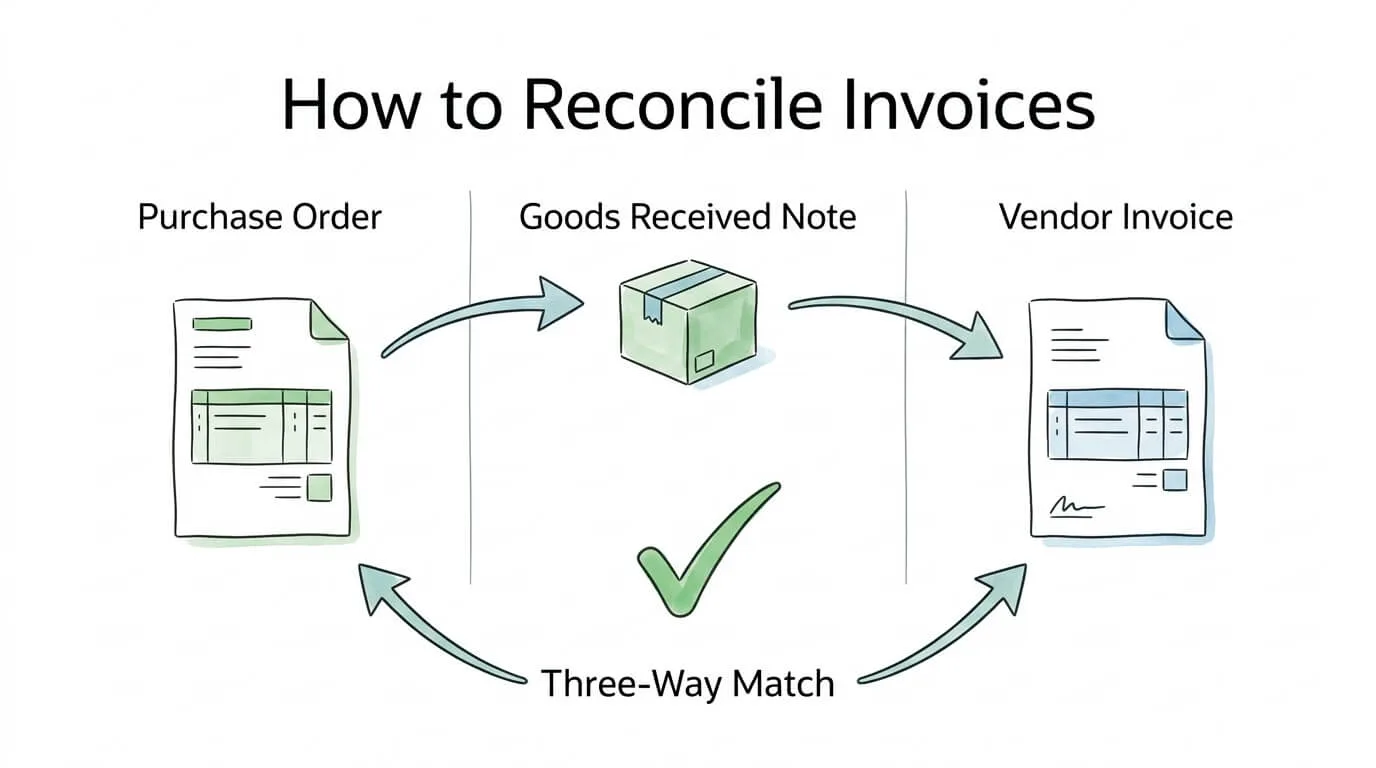
Every finance team has a version of the same horror story: a vendor calls about a late payment, someone pulls the invoice, and discovers it was already paid twice. Or a price discrepancy buried in line items that quietly inflated a payment by hundreds of dollars. Or a credit memo that was never applied, sitting unresolved in a spreadsheet for three months.
These are not edge cases. 39% of invoices contain errors, and 1 in 3 supplier statements contain discrepancies according to IOFM accounts payable research. In high-volume environments, up to 3% of all payments may be duplicates, which for a company processing $10 million in annual supplier payments represents $300,000 in misdirected working capital.
Knowing how to reconcile invoices correctly is one of the highest-leverage skills in accounts payable. It is the process that catches these errors before money leaves your account, maintains accurate financial records, and keeps vendor relationships free from billing disputes.
This guide gives you a complete, step-by-step invoice reconciliation process, covering the three-way match, vendor statement reconciliation, exception handling workflows, KPI measurement, and how automation transforms the entire operation.
What Is Invoice Reconciliation (And How It Differs from Bank Reconciliation)
Invoice reconciliation is the process of verifying that a vendor's invoice accurately reflects what was ordered, received, and agreed upon before approving payment. You are cross-referencing the invoice against internal records to confirm accuracy.
Bank reconciliation is a different process: it compares your internal accounting ledger against your bank statement to confirm that recorded transactions match actual cash movements. It catches errors that happen after payment.
|
Invoice Reconciliation |
Bank Reconciliation |
| When it happens |
Before payment approval |
After payment clears |
| What it compares |
Invoice vs. PO vs. goods receipt |
Ledger entries vs. bank statement |
| Primary goal |
Prevent incorrect payments |
Confirm payments were recorded correctly |
| Who does it |
AP team / accounts payable |
Accountant / controller |
| Frequency |
Per invoice (ongoing) |
Monthly (typically) |
Both are essential. Invoice reconciliation prevents errors from happening; bank reconciliation catches anything that slipped through. For guidance on the bank side of the process, see our bank reconciliation tips guide.
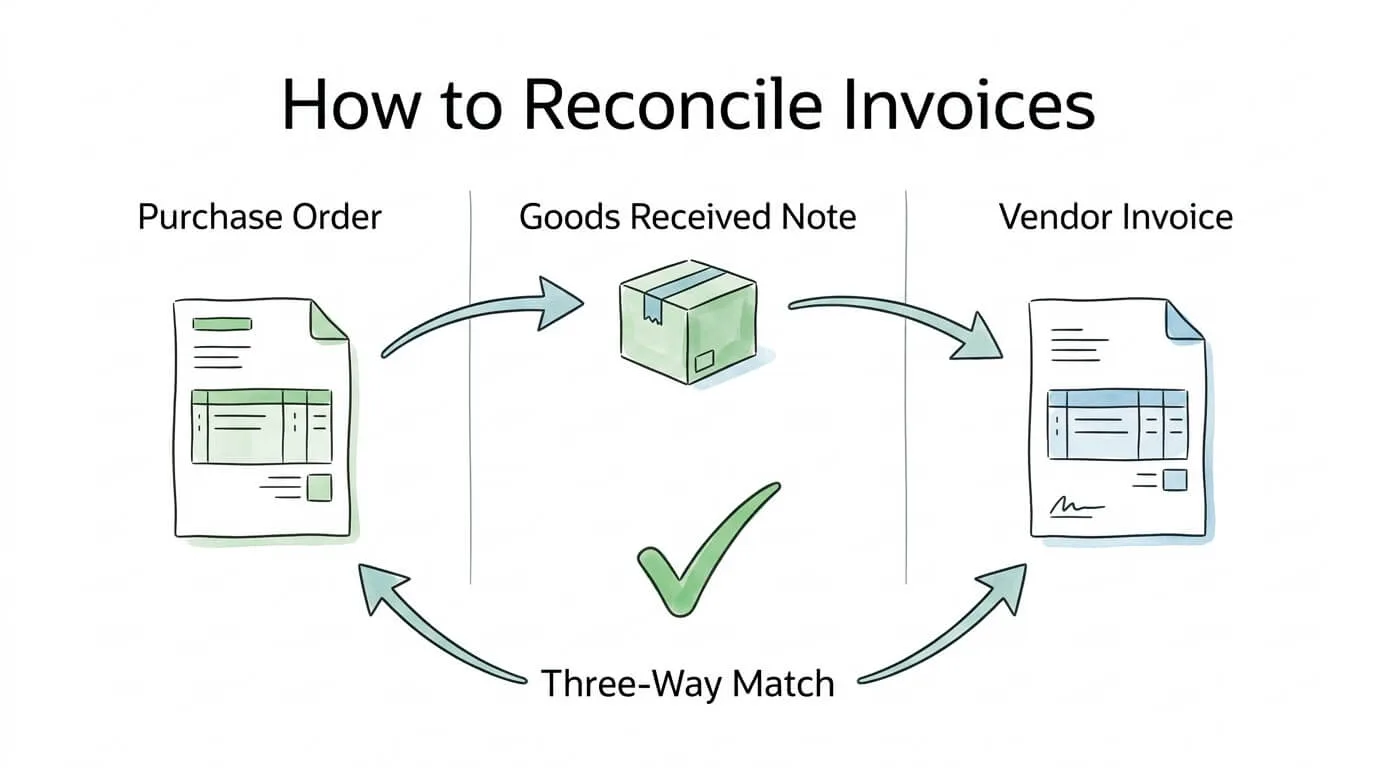
The Three Documents at the Heart of Every Invoice Reconciliation
Before any matching can happen, you need three source documents. Missing any one of them forces you to reconcile blind.
| Document |
What It Confirms |
Where It Comes From |
| Purchase Order (PO) |
What you agreed to buy: items, quantities, unit prices, payment terms |
Your procurement or purchasing team |
| Goods Received Note (GRN) / Receiving Report |
What was physically received: quantities, condition, delivery date |
Warehouse or receiving department |
| Vendor Invoice |
What the supplier is charging: items, quantities, prices, totals, payment terms |
Supplier, via email, postal mail, or vendor portal |
The reconciliation process is fundamentally a comparison between these three documents. When all three agree, the invoice is approved. When they diverge, an exception is raised before any payment is made.
Pro Tip: Require your PO number to appear on every vendor invoice as a mandatory field. This single policy eliminates the most common source of reconciliation delays, invoices that arrive with only the vendor's internal reference number, forcing your team to manually hunt for the matching PO.
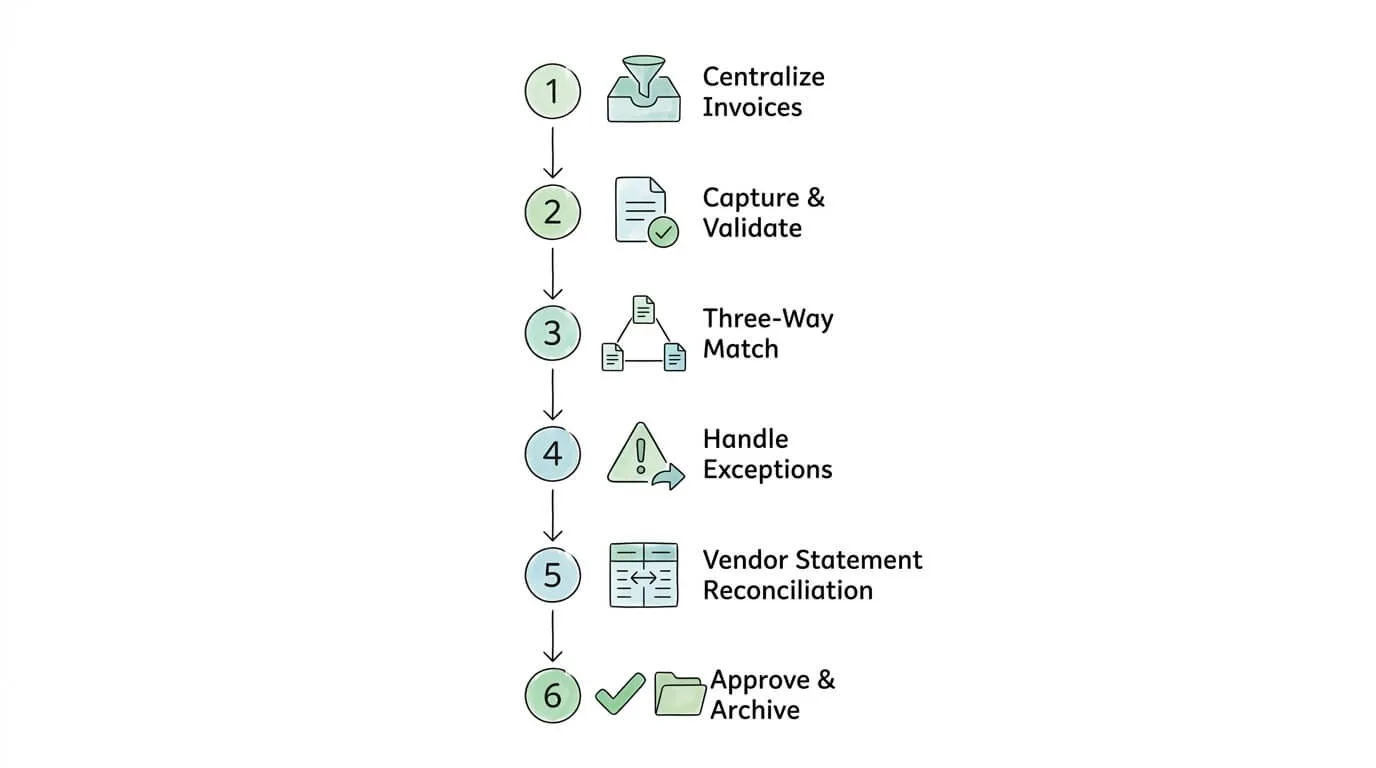
How to Reconcile Invoices: 6-Step Process
Step 1: Centralize All Incoming Invoices
Before you can reconcile anything, every invoice needs to arrive at one place. The most common reconciliation failure is invoices scattered across multiple email inboxes, a shared drive, and a stack of paper on someone's desk, each in a different state of processing.
Establish a single intake channel: a dedicated invoices@yourcompany.com email address, a vendor portal, or an AP automation platform that captures invoices regardless of how they arrive. Every supplier should know exactly where to send invoices.
66% of finance teams still manually key invoices into their ERP systems, meaning the majority of organizations are starting the reconciliation process with a data entry step that introduces error before matching even begins.
Step 2: Capture and Validate Invoice Data
Once an invoice arrives, extract and validate the key fields:
- Invoice number (must be unique; check against existing records to catch duplicates)
- Invoice date and payment due date
- Vendor name and vendor ID
- Line items: description, quantity, unit price, totals
- Tax amounts and payment terms
- PO reference number
At this step, validate that the invoice includes a valid PO number, that the vendor is an approved supplier in your system, and that the invoice is not a duplicate. 14% of invoices require manual exception handling due to errors or missing data, catching these issues here prevents them from stalling the approval workflow later.
Step 3: Perform the Three-Way Match
The three-way match is the core of invoice reconciliation. You are comparing the same transaction across three documents to verify it is accurate from every angle.
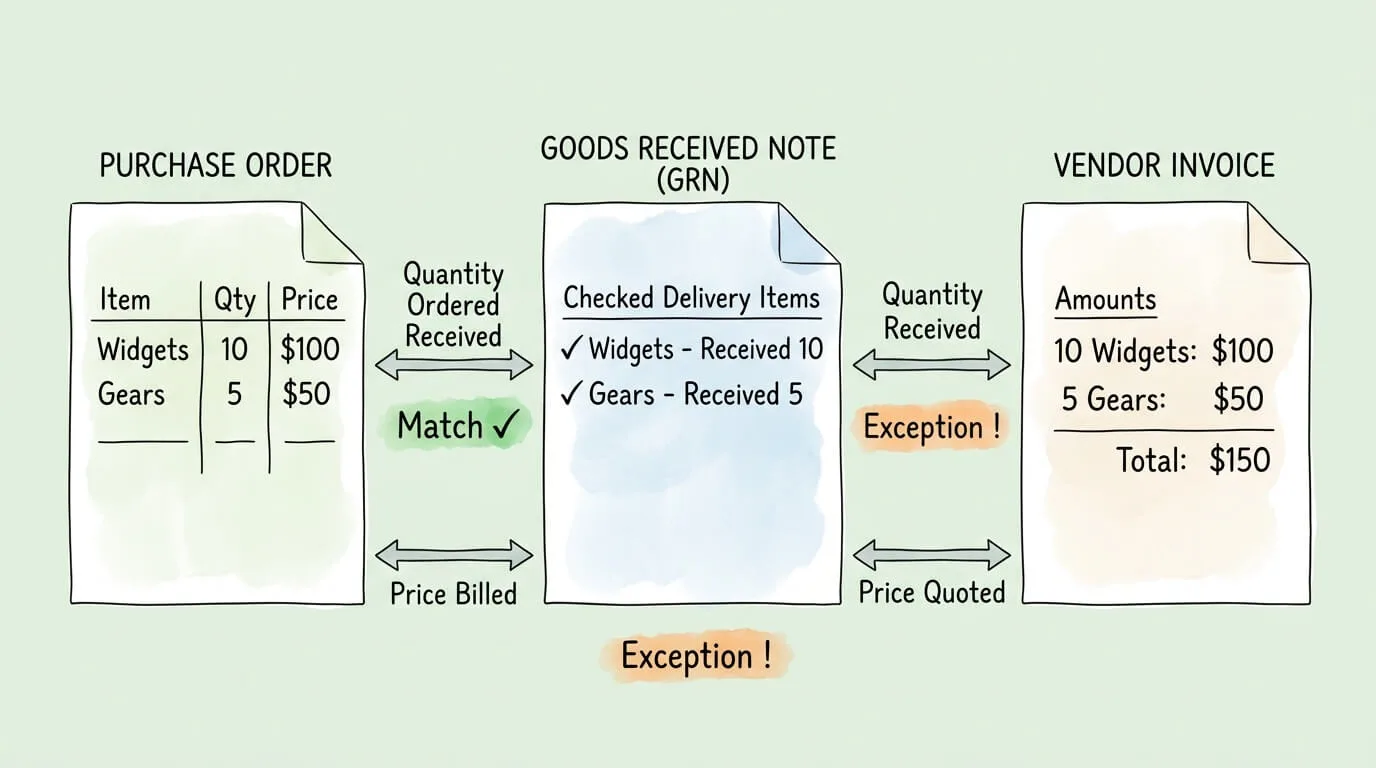
Match 1 — Invoice vs. Purchase Order:
Verify that every line item on the invoice corresponds to something on the PO. Check:
- Item descriptions match
- Quantities do not exceed what was ordered
- Unit prices match the PO (accounting for any approved price changes)
- Payment terms match the agreed terms
Match 2 — Invoice vs. Goods Received Note:
Verify that you are only being billed for what was actually received. Check:
- Quantities invoiced ≤ quantities received
- Items match what was received (correct product codes, descriptions)
- Delivery date on the GRN confirms goods arrived before the invoice date
Match 3 — Purchase Order vs. Goods Received Note:
Verify that the receiving team received what procurement ordered. Check:
- Quantities received match quantities ordered (or document partial fulfillment)
- No substitutions or unauthorized replacements
If all three documents align: approve the invoice for payment.
If any discrepancy is found: flag as an exception and move to Step 4.
Step 4: Handle Exceptions and Discrepancies
Exceptions are the part of invoice reconciliation that most processes handle poorly. A clear decision tree prevents exceptions from aging in an unresolved queue.
| Discrepancy Type |
Likely Cause |
Resolution Path |
| Price variance |
PO price ≠ invoice price |
Contact vendor; request corrected invoice or get price change approval from procurement |
| Quantity variance |
Invoiced qty > received qty |
Hold payment on undelivered units; request partial credit memo from vendor |
| Duplicate invoice |
Same invoice number or matching amount/date/vendor |
Block payment; confirm with vendor whether re-send was intentional |
| Missing PO |
Invoice arrived without PO reference |
Route to requesting department for PO creation or retroactive approval |
| Wrong vendor |
Invoice from unapproved or unknown vendor |
Escalate to procurement; do not approve until vendor is validated |
| Credit memo not applied |
Vendor issued credit but invoice does not reflect it |
Apply credit memo before calculating payment amount |
| Currency mismatch |
Invoice in different currency from PO |
Recalculate using agreed exchange rate; document conversion |
Pro Tip: Set aging thresholds for exceptions. Any exception unresolved after 5 business days should auto-escalate to a supervisor. Unaged exceptions are the primary cause of late payments, vendor disputes, and missed early-payment discounts.
Step 5: Reconcile Vendor Statements
Beyond individual invoice matching, AP teams should perform vendor statement reconciliation monthly for significant suppliers. This is a separate, higher-level check where you compare your AP ledger against the vendor's account statement to ensure both sides of the relationship agree on what is owed.
Vendor statement reconciliation catches:
- Invoices the vendor recorded but your team never received
- Payments your system recorded but the vendor did not credit
- Credits issued by the vendor that your team never applied
- Invoices in dispute that have not been formally escalated
AP industry audits find that 60% of cash recovery opportunities identified during supplier audits originate specifically from statement reconciliation findings—errors that never surface from individual invoice matching alone.
Vendor statement reconciliation process:
- Request a full statement from the vendor (typically monthly)
- Pull your AP ledger for the same vendor and period
- List all open items in both systems
- Match items that appear in both
- Investigate items that appear in one system but not the other
- Resolve discrepancies via credit memos, missing invoices, or payment confirmation
Step 6: Approve, Archive, and Document
Once an invoice is verified and all exceptions resolved:
- Record the approval with timestamp and approver name (audit trail)
- Schedule payment according to agreed terms
- Archive the invoice with linked PO and GRN in your document management system
- Update your AP ledger to reflect the approved payable
A complete audit trail for every invoice, showing when it was received, who matched it, what exceptions were raised, how they were resolved, and when payment was approved, is your protection in any vendor dispute, audit, or internal review. For building an audit-ready AP process, see our audit readiness checklist.
How to Reconcile Invoices in QuickBooks and Xero
Many small business teams perform invoice reconciliation directly within their accounting software. Here is how the process maps to the two most common platforms:
QuickBooks Online
- Go to Expenses → Vendors and select the vendor
- Review open bills against your PO records (QuickBooks calls these "Bills")
- Use the Match function in the Banking feed to link payments to bills
- For vendor statements: pull the Vendor Balance Detail report and compare against the vendor's statement
- Use Journal Entries to correct any discrepancies after confirmation with the vendor
Xero
- Go to Accounts → Purchases and review awaiting-payment invoices
- Use the Reconcile tab in the bank account view to match payments to bills
- For statement reconciliation: use Reports → Aged Payables and compare against the vendor's statement
- Apply credit notes directly to outstanding invoices via the invoice screen
Both platforms work well for low to moderate invoice volumes. For businesses processing more than 100 invoices per month, the manual matching steps in QuickBooks and Xero become a bottleneck, this is where dedicated AP automation significantly improves throughput.
Reconciliation Frequency: How Often Should You Reconcile?
There is no universal answer, but there is a clear decision framework:
| Business Type |
Recommended Frequency |
Rationale |
| High-volume e-commerce / retail |
Daily |
Invoice volumes and cash flow sensitivity require real-time control |
| Manufacturing with frequent vendor orders |
2–3 times per week |
High PO volume and goods receipts require regular matching |
| Professional services / consulting |
Weekly |
Moderate invoice volume; project-based billing requires timely review |
| Small business (< 50 invoices/month) |
Weekly or bi-weekly |
Manageable volume; weekly cadence prevents month-end pile-up |
| Freelancer / sole trader |
Monthly |
Low volume; monthly close aligns with accounting cycle |
The key principle: reconcile frequently enough that no single session involves more than you can process accurately in one sitting. Month-end reconciliation marathons have the highest error rates because fatigue and time pressure cause reviewers to rush the three-way match.
Measuring Invoice Reconciliation Performance: Key KPIs
If you cannot measure it, you cannot improve it. These four KPIs tell you whether your reconciliation process is performing well or accumulating hidden risk:
| KPI |
Definition |
Industry Average |
High-Performing Teams |
| First-Time Match Rate |
% of invoices that match automatically without exception |
~60% |
80–90% |
| Invoice Cycle Time |
Average days from invoice receipt to payment approval |
~14.6 days |
3–5 days |
| Exception Aging |
Average days exceptions remain unresolved |
> 7 days |
< 3 days |
| Duplicate Payment Rate |
% of invoices paid more than once |
0.1–3% |
< 0.05% |
| Cost Per Invoice |
Fully-loaded cost to process one invoice |
$10–$15 |
$2–$3 |
| Touchless Processing Rate |
% of invoices processed with zero manual intervention |
~30% |
60–80% |
Track these monthly. A declining first-time match rate signals vendor data quality issues or process drift. A rising exception aging rate signals staffing or workflow bottlenecks. For a broader view of AP performance measurement, see our accounts payable tracking guide.
Automate Invoice Reconciliation: What Changes
Manual reconciliation is viable at low volumes. At scale, it becomes the primary source of financial leakage in accounts payable. Automation addresses three specific failure points:
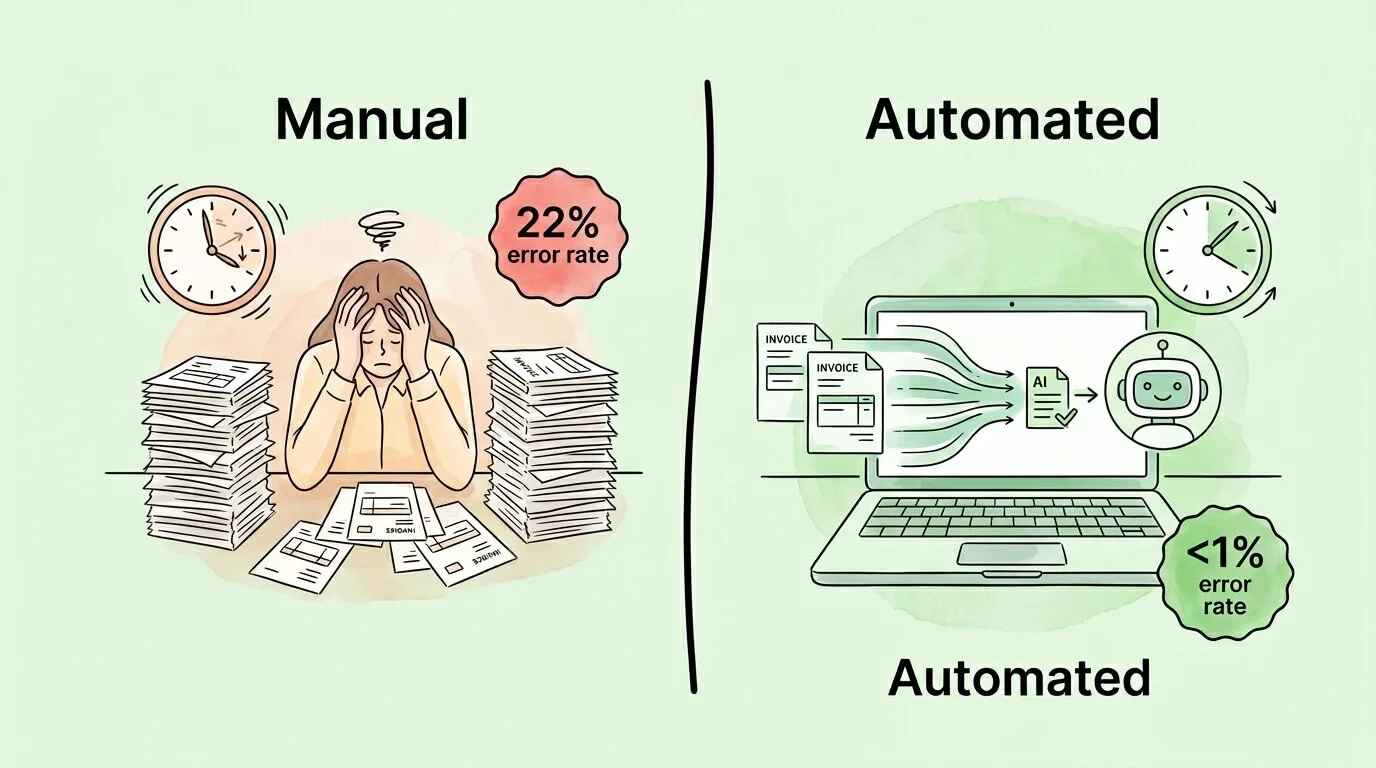
1. Data entry errors eliminated at source. OCR and AI extraction reads invoice fields directly, eliminating the 22% error rate associated with manual keying. Modern systems achieve 95–99% extraction accuracy with confidence scoring on uncertain fields.
2. Matching happens in seconds, not hours. Automated three-way matching compares PO, GRN, and invoice data across your ERP in real time. Invoices that match cleanly flow straight to payment approval. Only genuine exceptions reach a human reviewer, typically 10–20% of total volume.
3. Duplicate detection before payment. Automated systems flag duplicate invoice numbers, amounts, vendors, and dates before approval. Automated duplicate detection catches up to 95% of duplicates before payment, versus the much lower detection rate of manual review.
The financial impact: businesses using invoice reconciliation automation see processing costs drop by up to 60% and manual effort reduced by up to 80%, according to 2025 Ardent Partners research.
Platforms like TallyScan integrate directly with email and vendor portals to capture invoices automatically, extract all required fields, perform three-way matching against your PO data, and route exceptions to the right approver. For more on building an automated AP workflow, see our guides on invoice approval automation, invoice matching process, and how to streamline invoice processing.
Invoice Reconciliation Readiness Self-Assessment
Score your current process to identify the highest-priority improvements.
| Area |
Strong (3 pts) |
Needs Work (1 pt) |
Broken (0 pts) |
| Invoice intake |
Single centralized channel; all invoices arrive in one place |
Most invoices captured; some slip through informal channels |
Invoices arrive via multiple channels with no central tracking |
| Three-way matching |
Systematic PO-GRN-invoice comparison on every invoice |
Done inconsistently or only for large invoices |
No formal three-way match process |
| Exception handling |
Clear workflow; exceptions resolved within 3 days |
Exceptions handled ad hoc; no aging tracking |
Exceptions sit unresolved; no escalation path |
| Vendor statement reconciliation |
Monthly reconciliation for all significant suppliers |
Done occasionally for some vendors |
Never performed |
| Duplicate detection |
Automated system flags duplicates before approval |
Manual check performed but not systematic |
No duplicate checking process |
| Audit trail |
Complete documented record: received, matched, approved, paid |
Partial records; some steps undocumented |
No audit trail |
| KPI tracking |
Cycle time, match rate, exception aging tracked monthly |
Some metrics tracked inconsistently |
No performance measurement |
| Automation |
60%+ touchless processing; exceptions routed automatically |
Partial automation (e.g., OCR data entry only) |
Fully manual process |
Score Guide: 20–24 = High-performing AP process. 12–19 = Moderate risk; address exception handling and vendor statements first. Below 12 = High risk; prioritize centralized intake and three-way match implementation.
Frequently Asked Questions
What is the difference between invoice reconciliation and payment reconciliation?
Invoice reconciliation happens before payment: you verify that the invoice is accurate by comparing it against the PO and goods receipt before approving payment. Payment reconciliation happens after payment: you confirm that the payment was applied correctly in both your accounting system and the vendor's records, and that no balances remain incorrectly open. Both are needed for complete accounts payable accuracy.
What is three-way matching in invoice reconciliation?
Three-way matching is the process of simultaneously comparing three documents for the same transaction: the purchase order (what you agreed to buy), the goods received note or receiving report (what you actually received), and the vendor invoice (what you are being charged). All three must agree on items, quantities, and prices before payment is approved. It is the single most effective control against overpayments, duplicate payments, and invoice fraud.
How do I reconcile an invoice when the amounts don't match?
When invoice amounts do not match the PO or GRN, raise a formal exception rather than approving or rejecting the invoice outright. Identify the type of discrepancy (price variance, quantity variance, missing credit, etc.), contact the vendor with the specific discrepancy details, and request either a corrected invoice or a written explanation. Document the resolution in your audit trail. Do not process payment until the discrepancy is formally resolved.
How often should invoices be reconciled?
The frequency depends on transaction volume. High-volume businesses (e-commerce, manufacturing) should reconcile daily or multiple times per week. Most small and medium businesses achieve the right balance with weekly reconciliation. The guiding principle is to reconcile frequently enough that no single session involves more invoices than you can process accurately without rushing. Monthly reconciliation of large backlogs carries higher error rates than consistent weekly sessions.
Can I reconcile invoices in QuickBooks without a formal three-way match?
QuickBooks does not enforce a formal three-way match by default. You can match bills to purchase orders in QuickBooks Online, but it requires manual steps and does not automatically check against a receiving report unless you are using a third-party integration. For businesses that need systematic three-way matching, dedicated AP automation tools that integrate with QuickBooks provide automated matching and exception routing that QuickBooks alone does not offer.
What causes most invoice discrepancies?
The most common causes of invoice discrepancies are: price changes agreed verbally but not updated in the PO, goods partially delivered but fully invoiced, the vendor applying their own reference number instead of your PO number, credit memos issued but not applied against subsequent invoices, and currency conversion differences in international transactions. Establishing PO number as a mandatory field on all incoming invoices eliminates a significant share of these issues at source.
How does automation improve invoice reconciliation accuracy?
Automated invoice reconciliation replaces manual data entry with OCR and AI extraction (reducing data entry errors from ~22% to below 1%), performs three-way matching in seconds across your ERP data, and flags duplicates based on multiple matching criteria before any payment is processed. The result is a first-time match rate of 80–90% versus ~60% for manual processes, with exceptions automatically routed to the right approver rather than sitting in an email queue.
What records should I keep for reconciled invoices?
Keep the complete reconciliation record for each invoice: the original invoice, the matched PO, the goods received note, any exception correspondence and resolution documentation, the payment approval record with timestamp and approver, and the payment confirmation. IRS guidelines require business expense records to be kept for at least 3 years from the filing date of the return that claimed the deduction. For high-value assets and equipment, retain records for the life of the asset plus 3 years. For more on document retention, see our audit readiness checklist.
Build a Reconciliation Process That Scales
Invoice reconciliation at low volumes is a task. At high volumes, it is a system, and systems require design, measurement, and continuous improvement.
The businesses with the cleanest AP records are not necessarily the ones with the most sophisticated software. They are the ones that established a single intake channel, implemented consistent three-way matching, built a clear exception workflow with aging limits, and measure their performance monthly.
Start with your self-assessment score above. If you scored below 12, the two highest-priority fixes are:
- Centralize all invoice intake to a single channel immediately
- Implement formal three-way matching for every invoice above a defined threshold (start with invoices over $500)
These two changes address the highest-volume error sources and create the foundation every other improvement builds on.
When you are ready to remove manual effort from the process entirely, TallyScan captures invoices from email and vendor portals automatically, performs AI-powered three-way matching, routes exceptions to the right approvers, and syncs approved invoices directly to your accounting software. Combined with automated bookkeeping workflows, it creates a fully auditable AP process with dramatically less manual effort.
Ready to transform your invoice reconciliation process? Start your free trial of TallyScan today.