Audit Readiness Checklist: Don't Wait for the Auditor to Call
The TallyScan Team
25 min read
#audit readiness checklist#audit preparation checklist#audit preparation#financial audit#internal controls#compliance checklist#PBC list
The word "audit" should not trigger panic. Yet for most finance teams and business owners, it does exactly that. The frantic email chains, the late nights hunting for missing invoices, the dread of a document request list that seems designed to expose every gap in your process. Almost all of it is avoidable.
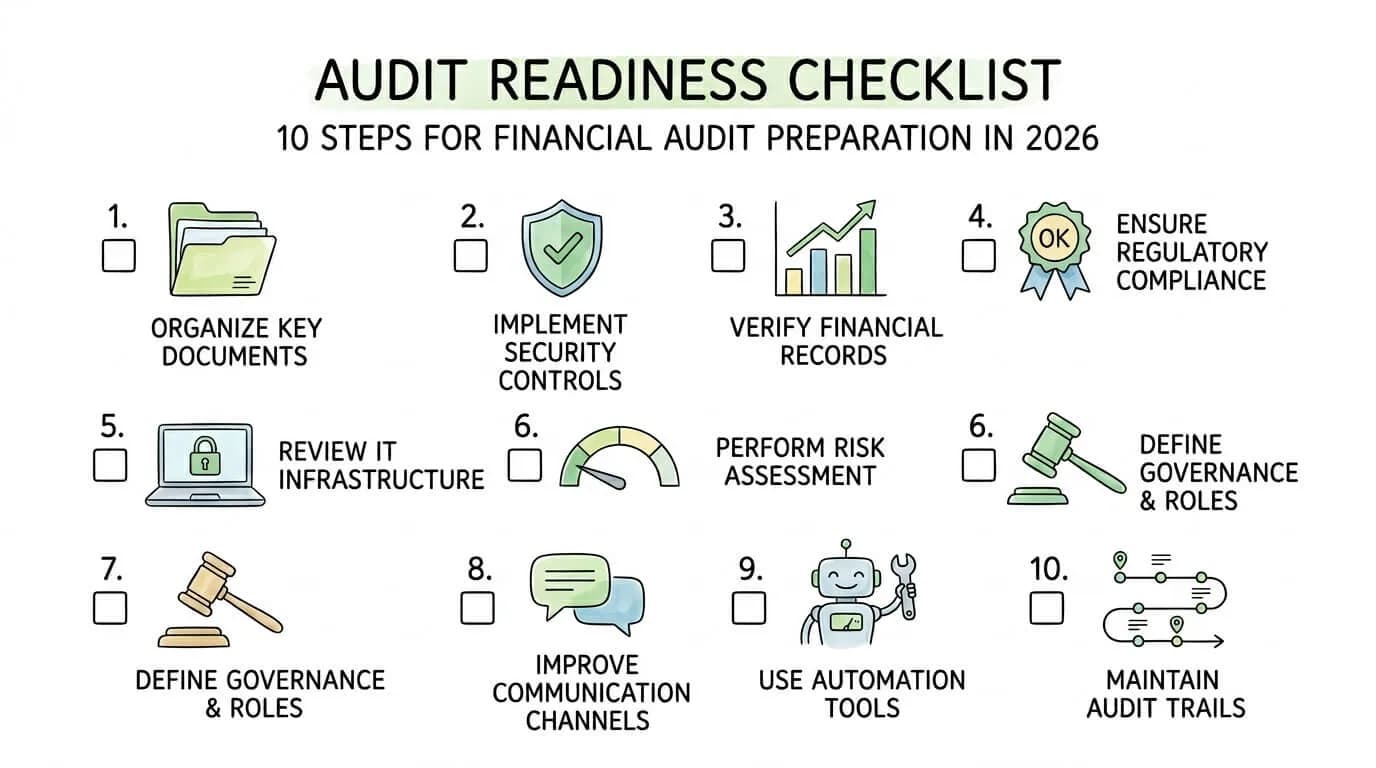
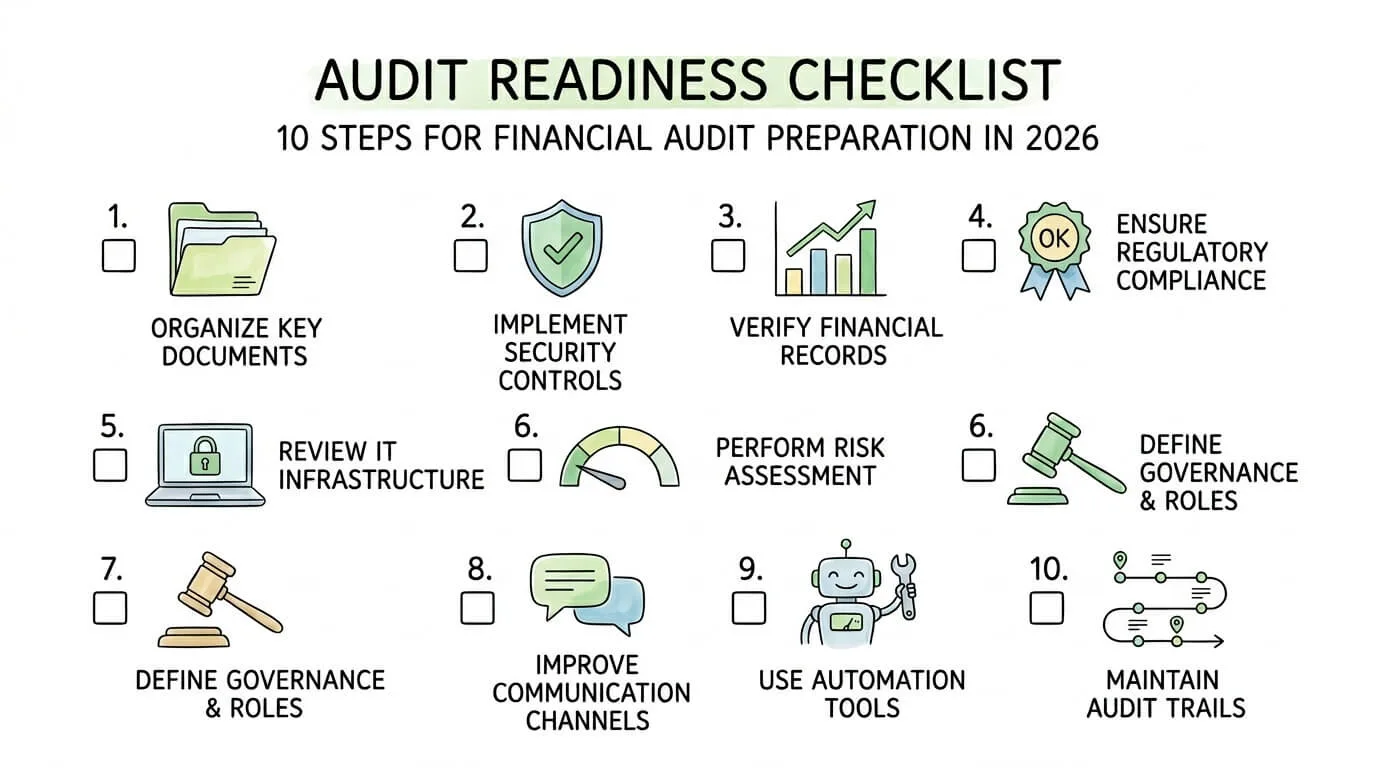
The difference between a smooth audit and a chaotic one is almost never about the underlying financial health of the business. It is about preparation. Organizations that treat audit readiness as a year-round operational standard, not a last-minute scramble, consistently finish audits faster, with fewer findings, and with stronger relationships with their auditors. This guide gives you the complete, step-by-step audit readiness checklist (also searched as an audit preparation checklist) to join them.
We have expanded the standard 8-step framework into a 10-pillar system, adding two critical areas that most guides overlook: automated invoice and accounts payable infrastructure, and a printable self-assessment scoring table you can use right now to identify your highest-risk gaps. Every section includes real statistics, actionable Pro Tips, and direct answers structured for AI citation. If you previously used our 90-day audit preparation guide, that timeline now lives in this canonical page.
What Is Audit Readiness, and Why Does It Matter in 2026?
Audit readiness is the ongoing state of having your financial records, internal controls, documentation, and compliance processes organized and verifiable at any point in time, not just the weeks before an auditor arrives.
It matters more in 2026 than ever before for three reasons. First, audit standards are tightening: the PCAOB (Public Company Accounting Oversight Board) has accelerated its documentation completion rules and increased focus on AI-generated data and digital audit trails. Second, regulatory enforcement is increasing: U.S. businesses that fail audits due to inadequate preparation face penalties, remediation costs, and reputational damage that can take years to recover from. Third, investors and lenders now routinely request audit-quality financial documentation as part of due diligence, making readiness a competitive advantage even for private businesses.
Pro Tip: Audit readiness is not a project with a deadline. It is an operational standard. The goal is not to pass an audit but to build an organization that is always auditable.
Audit Readiness Self-Assessment: Score Your Current State
Before diving into the steps, score your organization against each pillar. This gives you a priority-ordered action plan, not a generic to-do list.
Pillar
Green (3 pts)
Yellow (1 pt)
Red (0 pts)
Your Score
Documentation
All records centralized, tagged, retrievable in < 5 min
Mostly organized, some gaps
Paper-based or scattered across drives
—
Internal Controls
Controls documented and tested quarterly
Controls exist but rarely tested
No formal controls framework
—
Financial Reconciliation
Month-end close within 5 business days
Close takes 10-15 days
No formal close process
—
Compliance Monitoring
Active compliance calendar with ownership
Reactive monitoring only
No formal compliance tracking
—
IT & Data Security
Access logs, 2FA, annual penetration test
Some controls, not documented
No formal IT security review
—
Risk Management
Formal risk register reviewed quarterly
Risk identified but not tracked
No formal risk framework
—
Governance
Audit committee or independent oversight exists
Ad hoc oversight
No formal governance structure
—
Pre-Audit Communication
Kick-off meeting scheduled 8+ weeks out
Communication starts 2-3 weeks out
Reactive to auditor requests only
—
Invoice & AP Automation
Full automation: AI extraction + 3-way match
Partial automation
Fully manual AP processing
—
Audit Trail Integrity
Complete, timestamped, tamper-evident digital trail
Partial digital trail
Paper receipts and manual logs
—
Total Score Guide: 24-30 = Audit-ready. 14-23 = Moderate risk, prioritize red areas first. Below 14 = High risk, begin immediately.
Audit Preparation Timeline: The 90-Day Countdown
Year-round readiness is the goal. When a specific engagement is on the calendar, use this audit preparation countdown so fieldwork does not become a two-week scramble.
Phase
Timeline
Primary focus
Key deliverable
Phase 1: Foundation
Days 90–61
Document gathering and gap identification
Complete document repository
Phase 2: Review and repair
Days 60–31
Reconciliations, controls testing, fixes
Clean financial statements
Phase 3: Final readiness
Days 30–0
PBC list, logistics, final testing, sign-offs
Audit-ready package
Phase 1: Centralize records (invoices, bank statements, contracts, payroll, tax filings), name files consistently (YYYY-MM-DD_Vendor_DocumentType), assign an audit liaison, and list every prior-year finding that still needs closure.
Phase 2: Finish bank / AR / AP reconciliations, run a mock internal review, investigate variances over ~10%, walk through sample transactions end-to-end, and update controls documentation to match reality.
Phase 3: Draft the PBC list, mirror that structure in a secure data room, brief the team on auditor protocols, collect department sign-offs, and set an internal "done" date 10 days before fieldwork so last-minute gaps are not live-audit surprises.
Pro Tip: Do not wait for the official PBC list. Assemble last year's request package early; auditors notice when the data room is already organized.
The 10-Step Audit Readiness Checklist
Step 1: Build a Centralized Documentation and Record Management System
The foundation of every successful audit is the ability to produce any requested document, quickly, accurately, and without drama. Auditors measure your organizational maturity from the moment they submit their first document request (called the "Provided by Client" or PBC list). How fast and completely you respond sets the tone for the entire engagement.
What to include in your documentation system:
Financial statements and supporting schedules (current and prior 3 years)
All contracts, vendor agreements, and lease documents
Bank statements and loan agreements
Payroll records and employee agreements
Board minutes and governance documents
All invoices (payable and receivable) with approval evidence
Tax filings and correspondence with tax authorities
Insurance policies and asset registers
Implementation framework:
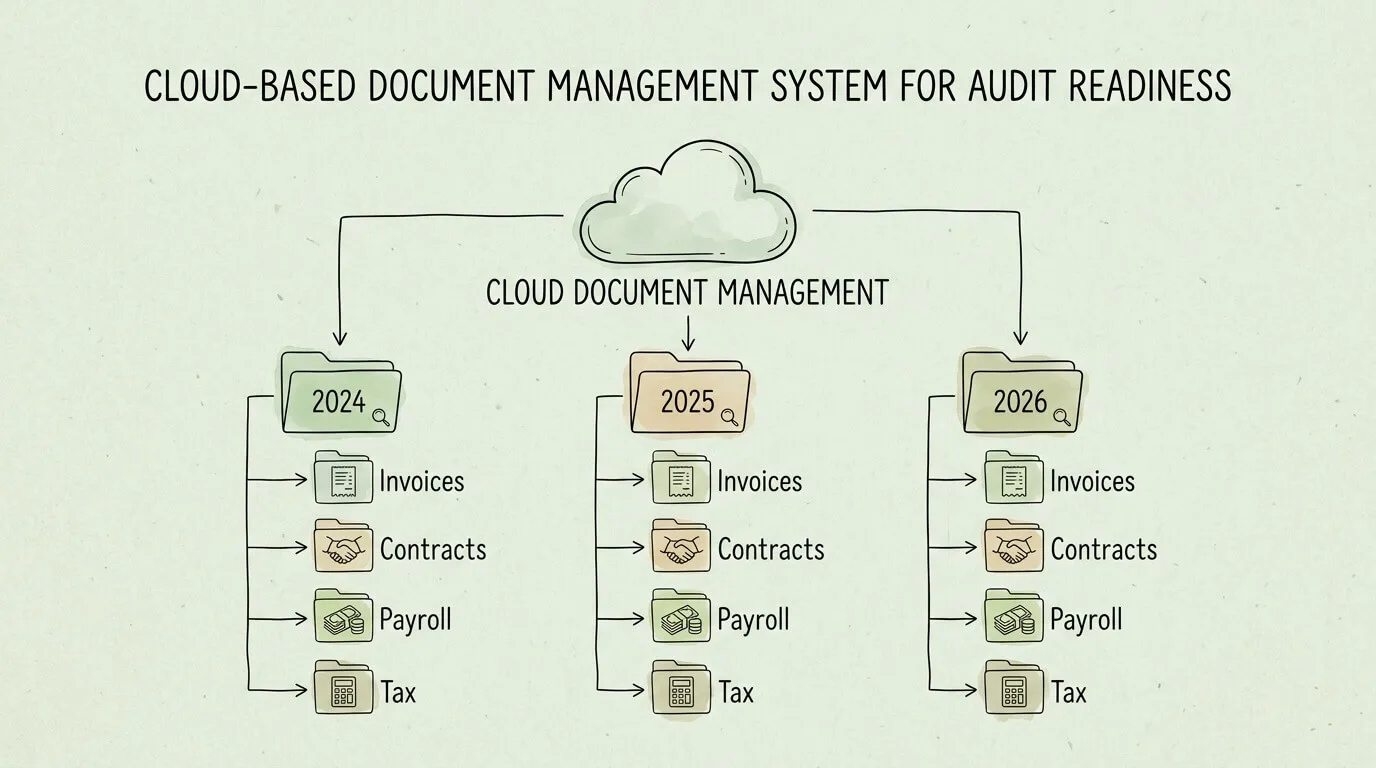
Choose a cloud-based document management platform (SharePoint, Google Drive with structured permissions, or a dedicated accounting DMS). Define a consistent folder hierarchy by year, entity, and document type.
Apply metadata tags to every document: vendor, date, department, document type, and amount. This makes keyword search instant.
Enforce naming conventions: YYYY-MM-DD_VendorName_InvoiceNumber_Amount.pdf is an auditor-friendly standard.
Set access controls: only staff with a legitimate need should have edit rights. Everyone else gets read-only.
Establish a retention schedule: most financial records require 7 years of retention under IRS record-keeping guidelines. Tax records for property and assets may require longer. For best practices on organizing and retaining business receipts throughout the year, see our guide on how to organize receipts for taxes.
Pro Tip: Microsoft's own finance team reduced audit preparation time by 40% after implementing structured document management with automated workflows. You do not need enterprise software to achieve similar results: a well-organized cloud folder with strict naming conventions and user permissions delivers most of the same benefit.
Step 2: Assess and Test Your Internal Controls
Internal controls are the policies and procedures that prevent errors, detect fraud, and ensure the accuracy of your financial reporting. They are guardrails. The problem most organizations face is not a lack of controls: it is a lack of evidence that those controls actually work.
Auditors do not just want to see your control documentation. Under frameworks like AICPA auditing standards and SOX Section 404, they need to verify that controls are operating effectively. That means you need to test them before the auditors do.
High-risk control areas to prioritize:
Control Area
What to Test
Acceptable Evidence
Revenue recognition
Is revenue recorded in the correct period?
Signed contracts with dates, delivery confirmation
Invoice approval workflow
Are invoices approved before payment?
System-generated approval logs
Segregation of duties
Is the person approving payments different from the person recording them?
Org chart + system access logs
Bank reconciliation
Are reconciling items resolved within the period?
Signed bank rec statements with explanations
Payroll authorization
Are payroll changes approved by HR before processing?
HR approval emails + payroll change logs
Inventory counts
Do physical counts reconcile to the system?
Count sheets signed by two staff members
Practical testing approach:
Sample 25 transactions per control area and document whether each followed the required process.
Rotate testers: the person who operates a control should not be the one testing it.
Document deficiencies immediately with a remediation plan and responsible owner.
Retest remediated controls at least once before the audit commences.
Pro Tip: A small tech startup can implement effective controls with minimal overhead. Three-way matching (purchase order + receiving report + invoice) for all vendor payments above $500 is a powerful control that prevents unauthorized payments and creates a clear audit trail automatically. For a detailed breakdown of how 2-way, 3-way, and 4-way matching work, see our invoice matching process guide.
Step 3: Prepare and Reconcile Your Financial Statements
Your financial statements are the primary subject of any financial audit. Every number on your balance sheet and income statement must be traceable to supporting evidence. Auditors follow a "tick and tie" process: every reported figure must reconcile back to a detailed schedule, which in turn reconciles to source documents.
Month-end close checklist:
Bank reconciliations: all accounts reconciled within 5 business days of month end, with all reconciling items explained and resolved.
Accounts receivable aging: reviewed and approved, with specific reserves established for receivables over 90 days.
Accounts payable completeness: all received goods and services with outstanding invoices accrued.
Fixed asset roll-forward: additions, disposals, and depreciation reconciled to the general ledger.
Prepaid expense schedule: all prepaid items amortized correctly with supporting documentation.
Accrued liabilities: all known obligations estimated and recorded in the correct period.
Intercompany eliminations: all transactions between related entities eliminated and reconciled.
Analytical review: compare current month to prior periods. Investigate variances over 10% or $10,000.
A mid-size retailer that implemented automated three-way matching and a standardized month-end close process reduced its average close time from 14 days to 6 days and significantly reduced audit adjustments. For practical guidance on reconciliation best practices, see our bank reconciliation tips guide and our step-by-step guide on how to reconcile invoices.
Pro Tip: Do not finalize your financial statements without running an analytical review. Auditors will run one. If you find an unexplainable fluctuation first, you can investigate and resolve it before it becomes an audit finding.
Step 4: Conduct a Full Compliance and Regulatory Review
Every business operates under a web of regulatory obligations: tax filings, industry-specific rules, employment law, data privacy regulations, and more. A compliance gap is not just an audit finding: it can become a regulatory penalty, a reputational crisis, or even a legal liability. The audit readiness checklist must include a proactive compliance review, not a reactive one.
Build a compliance obligation map:
For each applicable regulation, document:
The specific requirement (e.g., "File quarterly payroll tax returns by the last day of the month following the quarter")
The responsible team member
The deadline or frequency
The evidence required to prove compliance
The last date of verification
Common compliance areas by business type:
Business Type
Key Compliance Areas
All businesses
Federal and state tax filings, payroll taxes, business licenses
FinCEN AML requirements, state money transmission licenses
Manufacturing
EPA environmental reporting, OSHA safety records
E-commerce / SaaS
Sales tax nexus (post-Wayfair), GDPR / CCPA data privacy
Create a compliance calendar with every filing deadline, renewal date, and training requirement pre-populated for the full year. Assign a named owner to each item. Review this calendar monthly with your finance and legal team.
Step 5: Prepare Your IT Systems and Data Security Documentation
In 2026, virtually every audit includes an IT component. Auditors examine your IT general controls (ITGCs) to verify that the financial data produced by your systems is reliable. If your IT controls are weak, auditors cannot rely on your system-generated reports, which means they must perform significantly more manual testing. This extends the audit timeline and increases cost.
IT audit readiness checklist:
User access review: a complete list of all users with access to financial systems, with their access rights documented. Remove terminated employees and unnecessary access.
Change management logs: documentation of all changes made to financial applications (patches, configurations, new features) in the past 12 months.
System availability and uptime records: evidence that critical financial systems were available and operating throughout the period.
Data backup and recovery testing: documented proof that backups are performed on schedule and that a restore test was completed successfully.
Penetration test or vulnerability assessment report: completed within the past 12 months by a qualified security firm.
Multi-factor authentication (MFA): enabled for all financial system users and administrator accounts.
Data encryption: at rest and in transit for all sensitive financial and personal data.
Pro Tip: The principle of least privilege is your most powerful IT audit control. Every user should have access only to the data and functions required for their specific role. Implement this today and document it: auditors will ask.
For businesses using cloud-based accounting tools, see our guide on accounting software integration for best practices on access control and data governance across connected systems.
Step 6: Establish a Formal Risk Assessment and Management Framework
A formal risk assessment framework demonstrates to auditors that your organization understands its own vulnerabilities and is actively managing them. The industry-standard reference for this is the COSO Internal Control Framework, which most external auditors expect businesses to align with when evaluating control design and operating effectiveness. The absence of a risk framework is itself a red flag: it suggests that management may be operating without visibility into the factors most likely to cause a material misstatement.
Building a risk register (minimum viable version):
Risk
Likelihood (1-5)
Impact (1-5)
Risk Score
Owner
Mitigation
Revenue recorded in wrong period
3
5
15
Controller
Strict cut-off procedures; analytical review
Unauthorized vendor payment
2
5
10
AP Manager
3-way match; dual approval above $5,000
Payroll fraud
2
4
8
HR Director
Segregation of duties; payroll reconciliation
Data breach exposing financial records
3
5
15
IT Manager
MFA; encryption; annual pen test
Key-person dependency (single controller)
4
4
16
CFO
Cross-training; documented procedures
Review your risk register quarterly. High-scoring risks (above 12) should have specific controls mapped to them that are actively tested.
Step 7: Strengthen Audit Committee and Governance Structure
For any business preparing for an external audit, some form of independent oversight of financial reporting is essential. For public companies, this means a formal audit committee under SOX Section 301. For private companies and nonprofits, it means a finance committee, an independent board member with financial expertise, or at a minimum, a documented oversight process that keeps financial reporting honest.
What auditors look for in governance:
Independence: the people overseeing financial reporting are not the same people producing it.
Financial expertise: at least one oversight body member has formal accounting or finance credentials.
Meeting documentation: formal minutes exist for every board or committee meeting where financial matters were discussed.
Auditor access: the oversight body meets privately with external auditors (without management present) at least once per year.
Whistleblower mechanism: a confidential channel exists for employees to report financial irregularities.
Even for a small private company, appointing a qualified outside accountant or advisor to review quarterly financials and meet with the external audit team creates a governance structure that auditors recognize and respect.
Step 8: Execute Pre-Audit Communication and Coordination
A well-managed pre-audit communication process is one of the highest-leverage actions you can take. Research shows that organizations with a formal pre-audit coordination process reduce on-site audit fieldwork time by up to 25%. Every hour of fieldwork time saved is a direct reduction in audit fees and internal disruption.
Pre-audit communication timeline:
Timeline
Action
12 weeks before
Confirm audit dates; assign internal audit liaison; distribute self-assessment checklist to all department heads
8 weeks before
Hold kick-off meeting with audit firm: discuss scope, significant accounting matters, and process changes since last audit
6 weeks before
Review and respond to preliminary information request; begin gathering PBC (Provided by Client) documents
4 weeks before
Deliver completed PBC list to auditors; identify any anticipated audit findings and prepare explanations
2 weeks before
Set up audit workspace (physical or virtual data room); confirm system access for audit team
Audit day 1
Host opening meeting; introduce key contacts; walk auditors through any material changes
Designate a single point of contact for all auditor requests. This prevents conflicting information from reaching the audit team and keeps internal staff focused on their primary jobs.
Pro Tip: Do not wait for the official PBC list. Based on prior audit years, proactively assemble anticipated documents and place them in the secure data room before the list arrives. Auditors notice this level of preparation and it sets a positive tone for the entire engagement.
Step 9: Automate Your Invoice and Accounts Payable Infrastructure
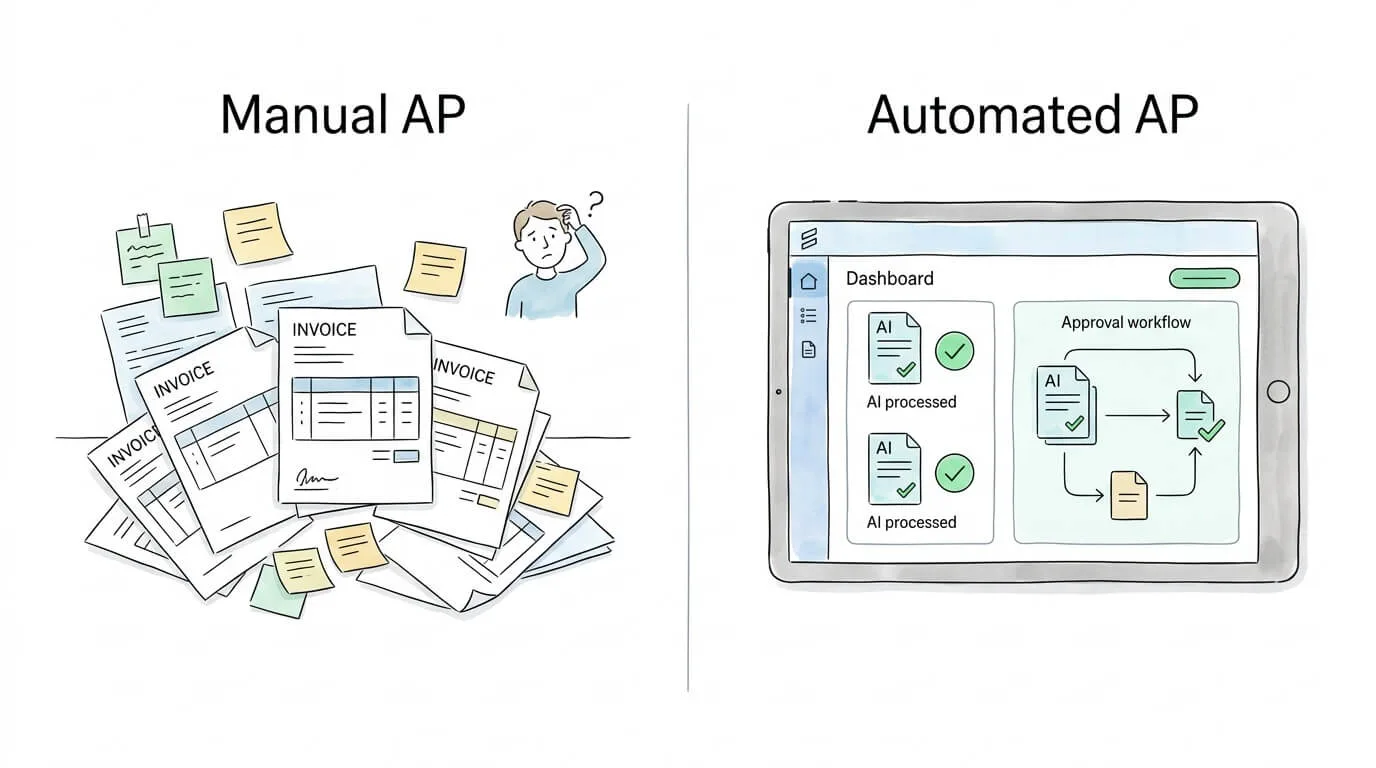
This step is absent from most audit readiness guides, yet it is one of the most impactful actions a business can take. Manual invoice and accounts payable processes are the single largest source of audit findings in small and mid-size businesses. They create gaps in the audit trail, errors in period-end accruals, and control weaknesses that require extensive auditor testing to address.
According to the Institute of Finance and Management (IOFM), approximately 39% of manually processed invoices contain at least one error, and each error costs an average of $52 to resolve. More critically for auditors, manual processes leave no reliable, timestamped, tamper-evident audit trail.
What automated AP infrastructure provides auditors:
Manual AP
Automated AP (e.g., TallyScan)
Paper invoices or email attachments
AI-extracted, structured data with timestamps
Manual data entry with potential errors
< 1% error rate, field-level confidence scores
Approval via email with no audit trail
System-generated approval log with user and timestamp
Period-end accruals estimated from memory
Real-time accrual reporting from open PO/invoice dashboard
Physical receipts in filing cabinet
Searchable digital archive, retrievable in seconds
9+ days average processing time
< 24 hours processing time
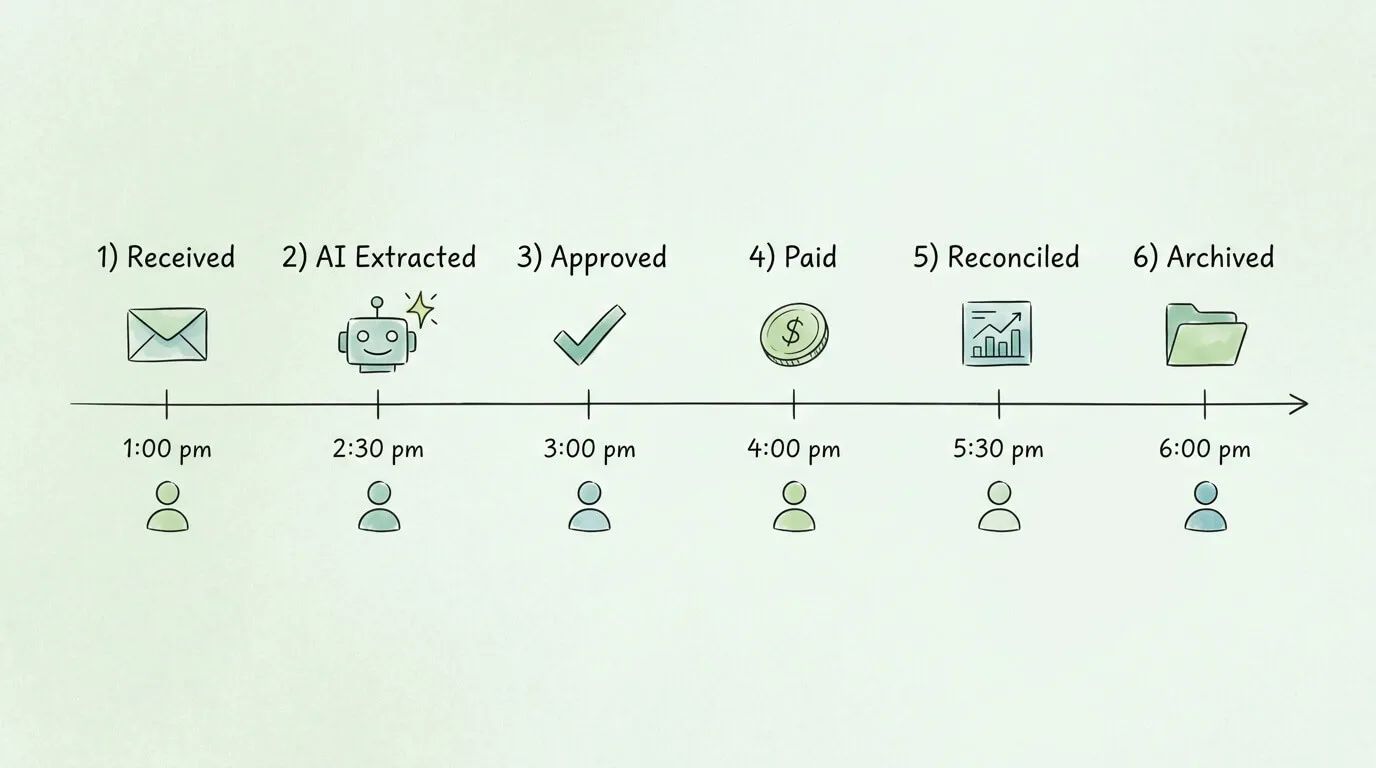
Platforms like TallyScan connect directly to your email inbox and accounting software, extracting invoice data automatically using AI and creating a complete, searchable, audit-ready paper trail without manual data entry.
Pro Tip: When auditors request a sample of 40 vendor invoices, an automated AP system lets you produce all 40 with a filtered export in under 5 minutes, including the original PDF, the extracted data, the approval log, and the payment record. Manual systems typically require 2-3 days for the same request.
Step 10: Validate Your Audit Trail Integrity
An audit trail is the chronological, unbroken record of every financial transaction: who initiated it, who approved it, what system recorded it, and when each action occurred. For auditors, a complete and reliable audit trail is the difference between efficient testing and exhaustive manual verification.
Audit trail completeness checklist:
Every transaction has a timestamp, a user ID, and a source document reference.
Approval workflows are system-enforced, not email-based (email approvals are not tamper-evident).
Deleted or modified transactions generate a change log, not a permanent erasure.
System access logs are retained for at least 12 months and are not modifiable by end users.
Electronic signatures on key documents (contracts, board minutes, financial certifications) are in a recognized format.
Physical documents have been scanned and linked to their corresponding system record.
For businesses that process invoices and receipts, see our guide on how to organize invoices for a practical system that satisfies both operational and audit trail requirements.
Audit Readiness Checklist: Full Comparison Table
Step
Complexity
Resources Required
Key Outcome
Priority
1. Documentation Management
High
Cloud storage + training
Instant document retrieval
Critical
2. Internal Controls Testing
High
Finance staff + time
Defensible control evidence
Critical
3. Financial Reconciliation
Medium-High
Accounting staff + software
Accurate, auditable financials
Critical
4. Compliance Review
High
Compliance owner + calendar
Zero regulatory penalties
High
5. IT & Data Security
High
IT staff + security tools
Trusted system-generated data
High
6. Risk Assessment
Medium
Cross-functional team
Proactive risk mitigation
High
7. Governance Structure
Medium
Independent oversight
Auditor confidence in reporting
High
8. Pre-Audit Communication
Medium
Audit liaison + planning
25% faster audit fieldwork
High
9. AP & Invoice Automation
Low-Medium
Automation platform
Tamper-evident digital trail
Critical
10. Audit Trail Validation
Medium
IT + Finance review
Complete, verifiable transaction history
Critical
Frequently Asked Questions
What is an audit readiness checklist?
An audit readiness checklist is a structured set of actions, controls, and documentation standards that an organization maintains year-round to ensure it can undergo a financial, compliance, or operational audit at any time without significant preparation scramble. It covers document management, internal controls, financial reconciliation, compliance monitoring, IT security, risk management, and governance. When properly implemented, it transforms an audit from a reactive crisis into a routine, manageable process. People also search for an audit preparation checklist; for most small businesses those queries mean the same job, with "preparation" emphasizing the pre-fieldwork sprint and "readiness" emphasizing the always-on standard.
What is a PBC list in auditing?
A Prepared-by-Client (PBC) list is the auditor's request for documents and schedules you must supply before and during fieldwork: trial balance, bank reconciliations, AP/AR aging, invoices, payroll registers, contracts, and controls evidence. Map your data room folders to the PBC list so every request has an owner and a completion status.
How far in advance should I start preparing for a financial audit?
Ideally, audit preparation is continuous: your systems and controls should always be in a state of readiness. However, for a specific audit engagement, begin formal coordination 12 weeks before the audit start date. Use the first 4 weeks for internal self-assessment and gap remediation. Use weeks 5-8 for pre-audit communication with your auditors and building the PBC document package. Reserve the final 4 weeks for document delivery and workspace setup.
What are the most common causes of audit findings for small businesses?
The most common audit findings for small businesses fall into five categories: missing or incomplete documentation for transactions; lack of segregation of duties (one person controls too many steps in a financial process); unreconciled accounts at period end; invoices or expenses recorded in the wrong accounting period (cut-off errors); and inadequate evidence that internal controls are actually operating. Most of these are directly preventable with the right systems and a consistent monthly close process.
How does invoice automation improve audit readiness?
Invoice automation improves audit readiness in three concrete ways. First, it creates a tamper-evident, timestamped digital record for every invoice, automatically, without relying on manual filing. Second, system-generated approval workflows produce an auditor-acceptable approval log that email-based approvals cannot match. Third, automated extraction eliminates the data entry errors that create reconciling items and audit adjustments. According to IOFM research, manual invoice processing has an error rate of approximately 39%, while automated systems achieve error rates below 1%.
What documents should I have ready for a financial audit?
You should have ready: financial statements for the audit period and the prior year; a full general ledger with supporting schedules; bank statements and bank reconciliations for all accounts; all vendor invoices and payment records; payroll records and related tax filings; accounts receivable aging and any reserves documentation; fixed asset register with depreciation schedules; all significant contracts and agreements; board or governance meeting minutes; and any prior-year audit reports and management letters with evidence of remediation.
What is the difference between an internal audit and an external audit?
An internal audit is performed by employees (or contracted staff) of the organization itself to evaluate the effectiveness of internal controls, risk management, and governance processes. It is a management tool for continuous improvement. An external audit is performed by an independent, third-party accounting firm and results in an auditor's opinion on whether the financial statements are presented fairly in accordance with GAAP or IFRS. Both require similar documentation, but only the external audit results in a formal opinion that stakeholders (lenders, investors, regulators) rely on.
How can I make my audit trail more reliable for auditors?
The most effective way to strengthen your audit trail is to move from email-based and paper-based approvals to system-enforced workflows. Every financial transaction should be initiated, approved, recorded, and archived within a connected system that logs each action with a user ID, timestamp, and immutable record. Automated AP platforms, accounting software with built-in approval routing, and digital document management systems all contribute to a reliable audit trail. Physical documents should be scanned and linked to their corresponding system transaction to close the gap between paper and digital records.
From Checklist to Confidence: Build an Always-Auditable Business
Audit readiness is not a seasonal project. It is the cumulative result of hundreds of small decisions made throughout the year: sending invoices immediately, reconciling accounts monthly, testing controls quarterly, and maintaining documentation in a consistently organized system.
The organizations that execute audits most smoothly are not necessarily the ones with the most sophisticated accounting teams. They are the ones that have made readiness a habit. Their documentation is organized because it is always organized. Their controls work because they are always tested. Their audit trail is complete because every transaction flows through an automated system that captures it automatically.
Use the self-assessment table at the top of this guide to identify your three lowest-scoring areas. Address those first, this week. Then build outward.
If your biggest gap is invoice and AP documentation, TallyScan can automate the entire workflow, from inbox capture to accounting sync, creating a complete, searchable, audit-proof paper trail without any manual work. Explore AI-powered invoice extraction and see how much audit preparation time you can eliminate before your next engagement.