AI
Accounting AI: What It Does, What It Doesn't, and Why Finance Teams Move Fast
A no-hype guide to accounting AI with 6 real use cases, verified ROI data, key limitations, a software selection framework, and practical FAQs.

TallyScan Team
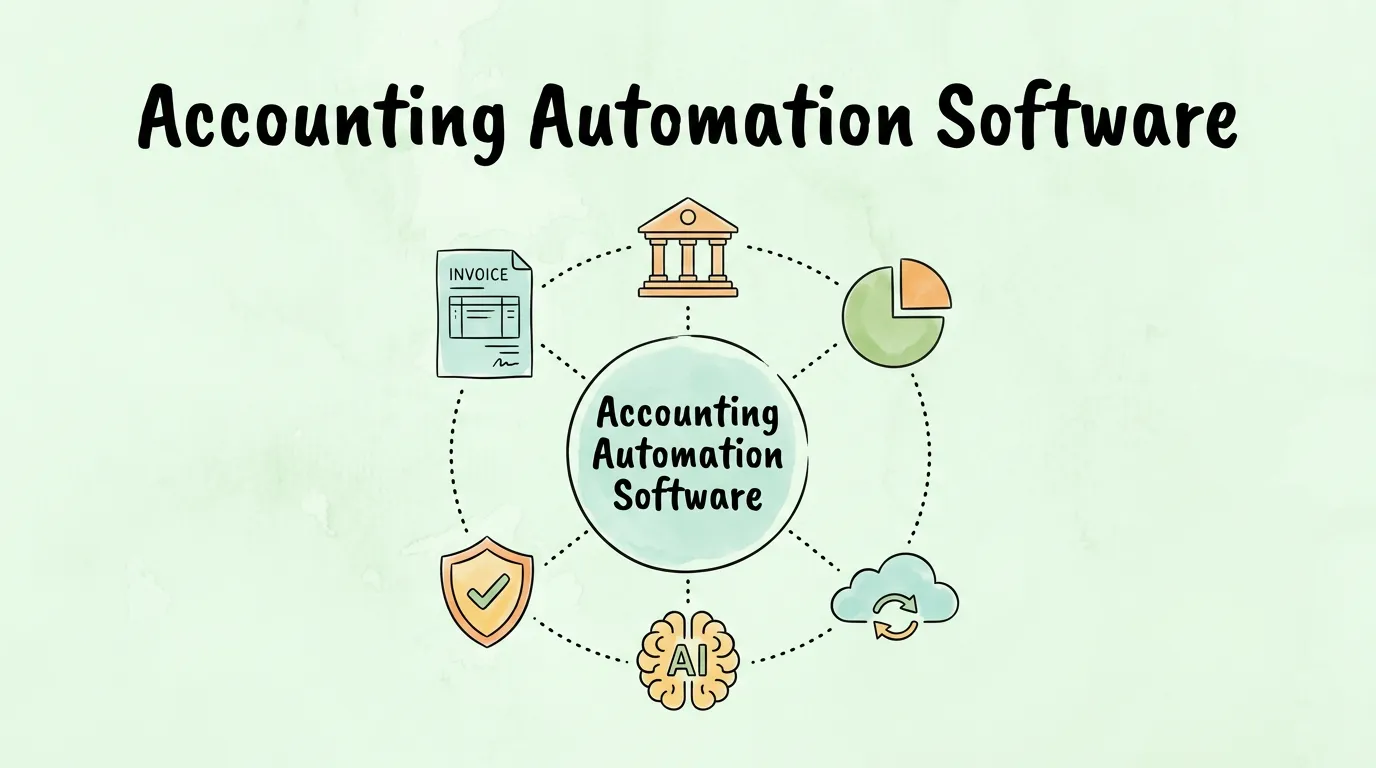
Every vendor selling accounting automation software will tell you it saves time, reduces errors, and gives you real-time visibility. That is true. It is also the same thing every vendor has been saying for fifteen years. What those pitches rarely explain is what the software actually does at a mechanical level, where it genuinely delivers, where it falls short, and how to tell apart tools that automate your accounting from tools that automate your data entry while still calling it accounting.
This guide is the honest version. It covers what accounting automation software is, the features that actually matter, how AI and cloud technology changed what is possible, and a practical framework for choosing the right platform for your specific business size and needs.
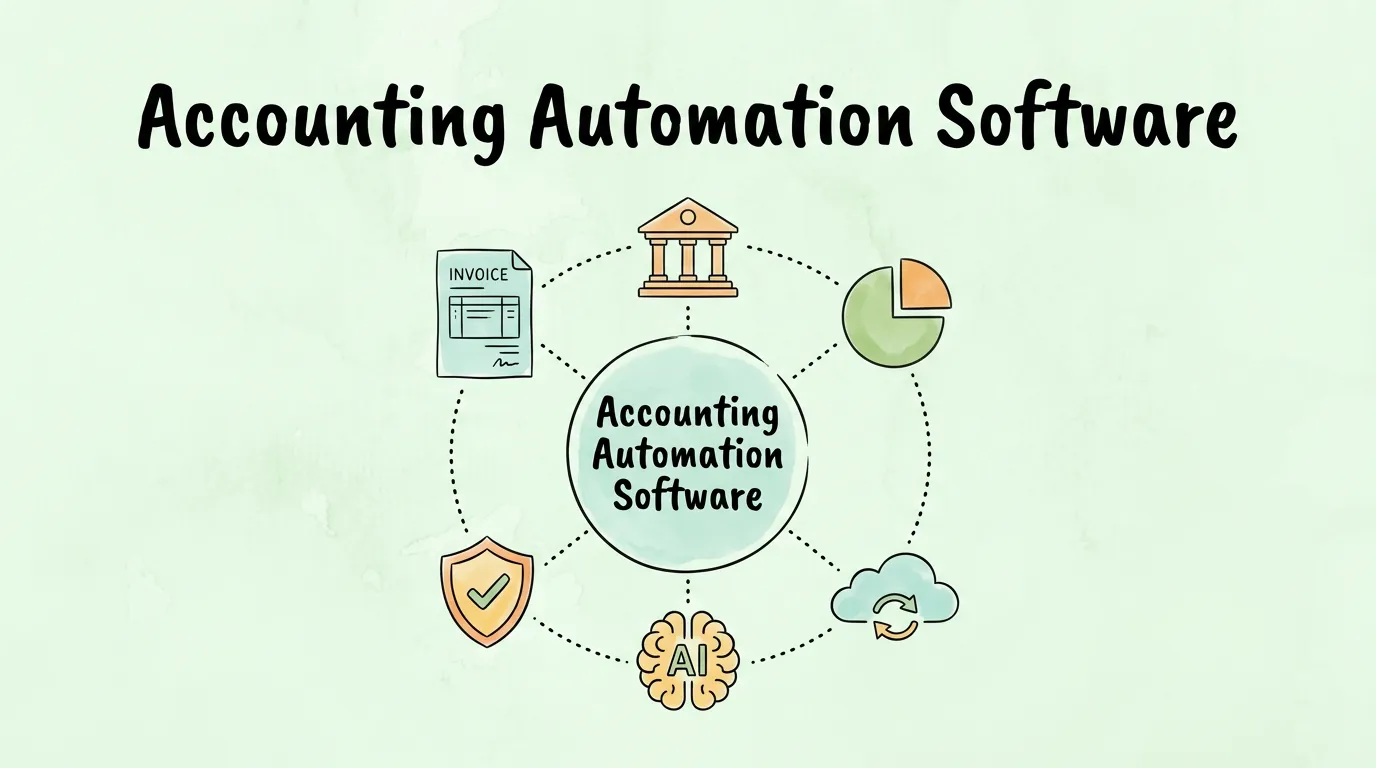
Accounting automation software is a category of financial tools that replaces manual, rule-based accounting tasks with automated workflows. It goes beyond a place to store financial records and actively executes the processes that move money and data through your organization: capturing invoices, coding transactions, routing approvals, reconciling bank statements, and generating reports, without requiring a human to initiate each step.
The key distinction from regular accounting software is autonomy. Traditional accounting platforms like a basic version of QuickBooks require a human to enter each transaction, assign categories, and manually reconcile accounts. Automation software connects to the sources of financial data (email inboxes, vendor portals, bank feeds, payment processors) and processes that data according to the rules you configure, running continuously in the background.
According to accounting software (Wikipedia), modern platforms have evolved significantly from ledger-based systems toward integrated, workflow-driven tools that handle the full lifecycle of financial transactions. The automation layer is what makes that evolution meaningful in practice.
The contrast is not just about speed. It is about how the work gets done and who (or what) does it.
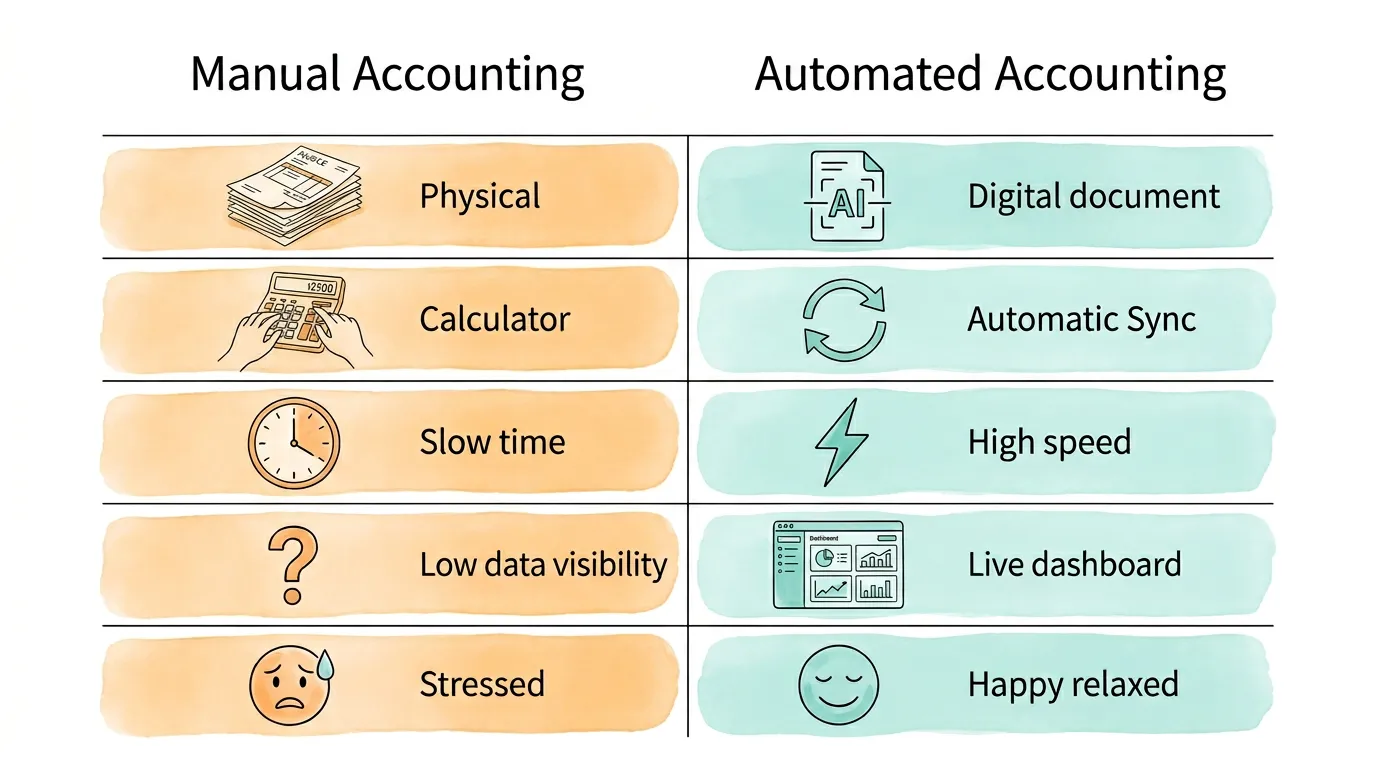
| Dimension | Manual Accounting | Automated Accounting |
|---|---|---|
| Invoice processing | Print, match to PO manually, type into ledger | AI captures from email, extracts data, routes for approval |
| Data entry | Human keying every transaction | System imports from bank feeds, receipt apps, vendor portals |
| Error rate | 3-5% average for manual data entry | Under 0.5% with validation and AI extraction |
| Reconciliation | Days of matching transactions line by line | Auto-matched via bank feed; human reviews exceptions only |
| Visibility | Historical reports, often days behind | Real-time dashboards, live transaction data |
| Fraud detection | Reactive, discovered after the fact | Proactive anomaly flagging before payment |
| Close cycle | Week-long month-end scramble | Continuous processing, close in hours |
| Team focus | 60-70% time on data entry and admin | 80%+ time on analysis and strategic work |
The global accounting software market was valued at approximately USD 19.38 billion in 2024, according to Gartner's research on accounting technology, with growth driven primarily by businesses moving from spreadsheet-based processes to integrated automation platforms. That growth reflects a fundamental change in how finance teams work, not just what tools they use.
The headline benefits (time savings, fewer errors) are real, but they understate the actual impact. Here is what changes in practice.
Manual data entry carries an inherent error rate. Research from the accounting industry consistently shows that manually keyed financial data produces errors in 3-5% of transactions. On 500 transactions per month, that is 15-25 errors. Some are caught during reconciliation. Others are not discovered until an audit, a vendor dispute, or a P&L that simply does not add up.
Accounting automation software removes the manual entry step. Data extracted directly from source documents by AI-powered OCR has error rates below 0.5%. The improvement is not incremental; it fundamentally changes the reliability of your financial data. According to industry benchmarks, companies with high automation levels spend approximately six times less to process an invoice than companies relying on manual processes, with 93% of CFOs reporting shorter invoice processing cycles after implementing automation.
Manual accounting produces financial pictures from the past. You see where money went after the period closes. Automation produces a live financial view, because transactions are processed as they occur, not in batches.
This changes how you manage cash flow. Instead of discovering a cash shortfall during the monthly review, you see it developing in the forecast three weeks out. Instead of noticing an expense category creeping up at quarter-end, you see it in a weekly dashboard. The decisions you make with real-time data are structurally better than decisions made with historical reports. For a deeper look at cash flow management, see our guide on accounts payable automation benefits.
When every transaction is processed through an automated system with configurable approval rules, the audit trail is complete by default. No manual documentation required. No reconstructing records from email chains. Every invoice, every approval, every GL code assignment is logged with a timestamp and a traceable rationale.
This matters when an auditor arrives or when a vendor disputes a payment. The evidence is immediately available, organized, and exportable. What used to require days of document retrieval takes minutes. For guidance on what auditors typically look for, see our audit readiness checklist.
The cost-benefit math is clear for most businesses once you work it through:
| Cost Factor | Manual Process | Automated Process | Annual Saving (100 invoices/month) |
|---|---|---|---|
| Cost per invoice | $12-15 | $2-4 | ~$10,800-$13,200/year |
| Error correction | 15-25 errors/month at 30 min each | 2-3 errors/month | ~160 hours reclaimed/year |
| Month-end close | 4-7 days of finance team time | 1-2 days | ~30-60 hours/year |
| Late payment penalties | Frequent (slow process misses dates) | Rare (auto-routing and reminders) | Variable, often $500-$2,000+/year |
| Early payment discounts missed | Most missed due to slow cycle | Most captured | 1-2% of AP spend |
Most businesses processing more than 50 invoices per month achieve positive ROI within six to twelve months. The larger the invoice volume and the more labor-intensive the current process, the faster the payback.
Not every feature in an accounting automation platform delivers equal value. These five are non-negotiable.
The highest-volume, highest-impact use case for most businesses. The software monitors your dedicated AP email inbox (or vendor portal), detects new invoices as they arrive regardless of format (PDF, image, XML, email body), and uses AI-powered OCR to extract every key field: vendor name, invoice number, date, due date, amounts, line items, and payment terms.
The extracted data then flows into your configured approval workflow automatically, routing to the right approver based on amount, department, or vendor type, without anyone manually forwarding an email. For a detailed walkthrough of how this process works end to end, see our guide on AI invoice extraction and automation.
Employee expense management is a persistent pain point in manual processes: paper receipts submitted weeks late, inconsistent categorization, approval delays, and slow reimbursement that erodes morale. A good automation platform eliminates all of this.
Employees snap a photo of a receipt. The app extracts vendor, date, and amount automatically. The expense is categorized based on your configured rules (or AI suggestions), submitted for approval with one tap, and routed through your policy workflow. By the time it reaches your finance team for review, the data is already clean, coded, and policy-checked.
Reconciling bank statements against your ledger manually can consume an entire working day at month-end. Automated bank feeds import every transaction into your accounting system daily. The system auto-matches payments to invoices and expenses using configurable matching rules. Your team reviews only the exceptions: unmatched transactions, amount discrepancies, or unfamiliar vendors.
What takes a full day manually takes 20-30 minutes with automation. And because the matching runs continuously rather than in one month-end batch, exceptions are caught in days rather than discovered weeks later. For practical guidance on improving your reconciliation process today, see our bank reconciliation tips.
Raw transaction data is only valuable if you can see patterns in it. Good accounting automation platforms make your key metrics visible at a glance: outstanding payables and receivables, cash position, top expenses by category and vendor, early payment discount capture rates, and P&L by period.
The best platforms let you build and save custom reports tied to your specific KPIs. You should be able to drill from a summary number down to the individual transactions that make it up in two clicks. This is what turns accounting from a record-keeping function into a decision-support function.
Accounting automation software does not exist in isolation. It needs to connect to your accounting platform (QuickBooks, Xero, NetSuite, Sage), your bank accounts, your payment processors, your CRM, and your ERP if you have one. The depth and reliability of these integrations determine whether the software genuinely saves work or just creates a new set of manual data transfers between systems.
When evaluating any platform, ask specifically: is the integration a native, maintained connector or a third-party Zapier bridge? Does data flow bidirectionally or only one way? Are there known sync delays or data loss issues? For a practical guide on connecting your tools, see our guide on accounting software integration.
Two technologies transformed accounting automation from workflow improvement to genuine intelligence: cloud computing and artificial intelligence. They work at different layers and solve different problems.
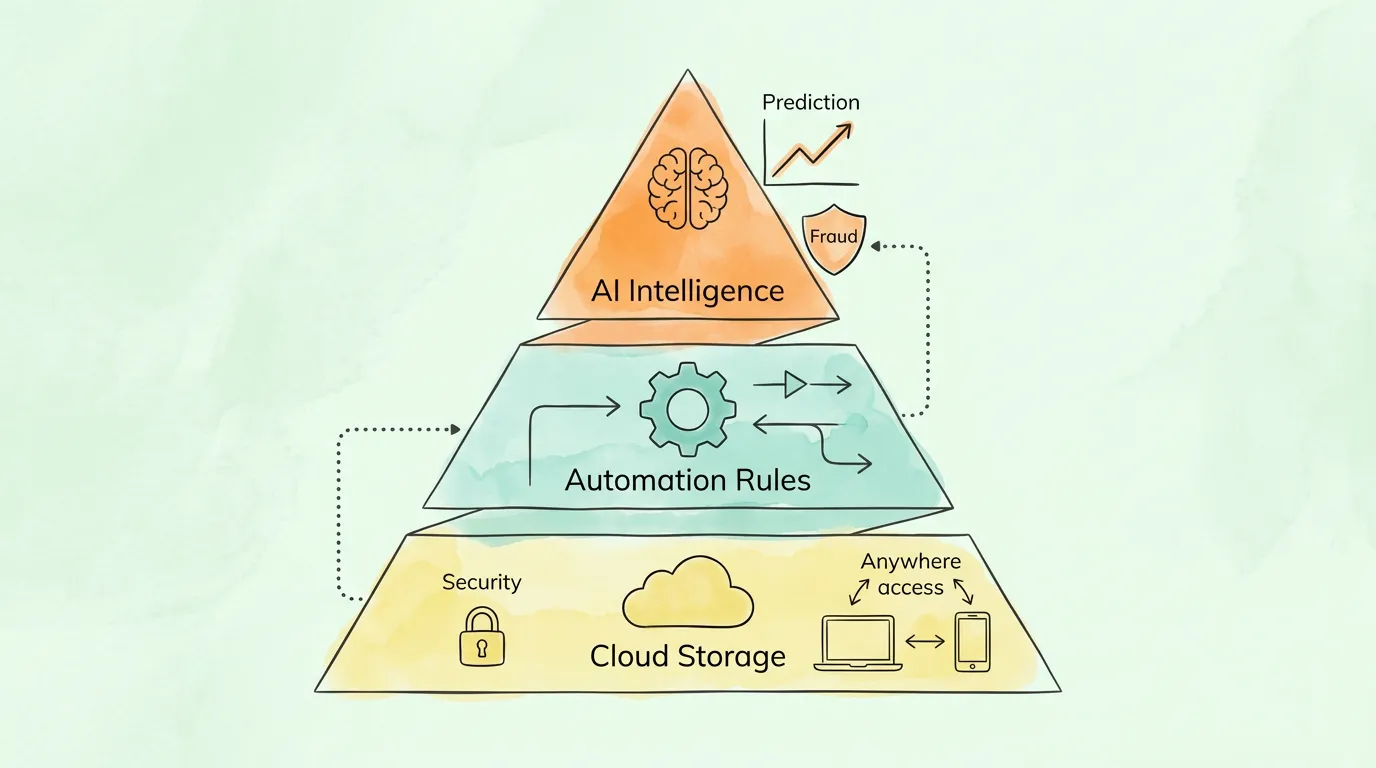
Cloud-based accounting software moves financial data from local servers and individual computers to a centrally hosted, professionally secured environment. The practical implications:
Around 67% of accounting professionals globally now rely on cloud-based solutions as their primary financial platform, according to industry adoption surveys. The shift has become the baseline expectation rather than a differentiating feature.
Traditional automation follows rules: if the invoice amount is under $500 and matches a PO, route to auto-approval. AI extends what automation can do by adding pattern recognition, context understanding, and continuous improvement.
The practical differences are significant:
Rules-based automation handles invoices from known vendors in standard formats. When an invoice arrives from a new vendor with an unusual layout, the system fails or routes to manual review.
AI-powered automation reads any invoice format, recognizes that "Amount Due," "Balance Owing," and "Total Payable" all refer to the same field, maps a new vendor to the appropriate GL account based on vendor category and past patterns, and flags the unusual layout for a quick human confirmation rather than a full manual rework.
The deeper benefit of AI is learning. Every correction a human makes feeds back into the model. An AI accounting system that has processed six months of your invoices knows your vendors, your GL codes, your approval patterns, and your expense categories better than a new employee would. And it applies that knowledge to every document, every time, without fatigue or inconsistency.
For a full look at how AI agents work in the accounting context, see our guide on AI agent for accounting.
The right platform depends on your transaction volume, team size, existing software stack, and the specific workflows that currently cost you the most time. Here is a practical framework by business size.
At this scale, a full-featured AP automation platform is overkill. What you need: receipt scanning with OCR, a clean expense categorization system, bank feed integration, and basic invoicing. Wave (free) or FreshBooks (entry-level paid) handle this well. The investment in time for setup should be under two hours.
This is where purpose-built accounting automation starts paying off clearly. You need: automated invoice capture from email, approval workflows, expense management with mobile receipt capture, bank reconciliation, and integration with your accounting platform. QuickBooks Online with an OCR add-on, or a dedicated invoice automation tool that syncs to your accounting system, is the typical solution. Budget $30-100/month for the platform plus any add-ons.
At this scale, integration depth and workflow configurability become critical. You likely need multi-entity support, department-level approval hierarchies, advanced reporting, and solid ERP integration. Platforms like Xero with strong AP automation integrations, or dedicated AP automation tools with deep ERP connectors, are appropriate. Expect $200-1,000+/month depending on volume and features.
Enterprise accounting automation requires dedicated AP automation platforms with full ERP integration (SAP, Oracle, NetSuite), multi-currency and multi-entity support, SOX compliance controls, and configurable audit trails. Implementation timelines are measured in months, not days, and selection should involve finance leadership, IT, and an external advisor.
Feature checklists are a poor way to evaluate accounting automation software, because most platforms list the same features. These questions reveal the real differences:
| Evaluation Question | What a Weak Answer Looks Like | What a Strong Answer Looks Like |
|---|---|---|
| How does it handle an invoice from a new vendor it has never seen? | Routes to manual review for full data entry | AI reads the layout, extracts data, asks for one confirmation |
| What happens when a bank feed fails to sync? | Silent failure; you notice the gap in reconciliation | Alerts the user immediately; queues for retry |
| How does the approval routing update when a team member leaves? | Manual update required in multiple places | Single admin change propagates to all affected workflows |
| What does the audit trail look like? | Shows approvals; misses intermediate actions | Every action timestamped, exportable, includes the logic applied |
| How long does implementation take for our invoice volume? | "It depends" with no reference point | Specific timeline with comparable customer examples |
| What happens to our data if we cancel? | Vague assurances | Specific export format, timeline, and data ownership terms |
Request a live demo using your own sample invoices, not a polished demo dataset. The way a system handles your actual documents is more informative than any feature walkthrough.
Choosing the software is not the end of the process. Implementation is where most organizations either succeed or get stuck.
Days 1-30 - Connect and Configure
Connect all data sources: AP email inbox, bank accounts, credit cards, and existing accounting platform. Set up your chart of accounts and GL mapping. Configure basic routing rules (who approves what, at what thresholds). Process a test batch of invoices and verify accuracy.
Days 31-60 - Calibrate and Train
Review the first month's processing data. Identify any vendors or invoice formats with low extraction accuracy. Correct and retrain the system. Run a parallel reconciliation (automated vs. manual) to verify accuracy. Train AP staff on the exception review workflow. Onboard department managers to the approval interface.
Days 61-90 - Optimize and Measure
Establish your baseline KPIs: cost per invoice processed, cycle time, exception rate, early payment discount capture. Identify the two or three workflows still requiring the most manual touches and optimize the rules. Schedule a 90-day review with your accountant to verify GL coding accuracy and compliance.
For a detailed guide on building a smooth AP process from the ground up, see our guide on automate accounts payable.
Use this scorecard to identify which capabilities you need most before starting your software search.
| Area | Current State | Automation Potential | Priority |
|---|---|---|---|
| Invoice capture | Manual download and entry from email | High: AI capture eliminates most manual work | High |
| PO matching | Manual cross-reference in ERP | High: automated two/three-way matching | High |
| Approval routing | Email chains, unpredictable timing | High: rule-based routing with escalation | High |
| Expense submission | Paper receipts, manual entry | High: mobile OCR, instant categorization | High |
| Bank reconciliation | Monthly manual matching session | High: daily auto-match via bank feed | Medium-High |
| Financial reporting | Static reports, exported to Excel | Medium: live dashboards, custom reports | Medium |
| Fraud detection | Reactive, discovered post-payment | High: proactive anomaly flagging | Medium-High |
| Vendor management | Spreadsheet or manual records | Medium: centralized vendor master with verification | Medium |
| Multi-entity consolidation | Manual aggregation across entities | High (if applicable): automated roll-up | Varies |
| ERP integration | Manual data transfer or CSV imports | High: native bidirectional API integration | High |
Score each area: how much manual work is involved today, how high the automation potential is, and how painful the current state is. The areas with high manual effort, high automation potential, and high pain are where you should focus your software selection criteria.
Regular accounting software (like basic versions of QuickBooks or Xero) is a system of record: it stores financial data, generates reports, and performs calculations, but it requires humans to input data and initiate most actions. Accounting automation software actively executes workflows: it captures invoices from email, extracts data using AI, routes documents for approval based on configured rules, reconciles bank transactions, and generates reports, without waiting for a human to trigger each step. The automation layer is what turns a record-keeping tool into a financial operations platform.
Pricing varies significantly by business size and feature set. For small businesses, cloud accounting platforms with automation features start at $15-50/month. Dedicated AP automation tools for mid-market businesses range from $200-$1,000+/month depending on volume. Enterprise platforms with full ERP integration and multi-entity support are typically priced on a custom contract basis. Most vendors offer tiered pricing based on users, transaction volume, or both. The most accurate way to assess cost is to calculate your current labor cost for the tasks the software would replace and compare that against the subscription fee.
For small businesses using a cloud accounting platform with built-in automation features, basic implementation (connecting bank feeds, setting up categories, enabling receipt scanning) takes two to four hours. For mid-market businesses implementing a dedicated AP automation tool with ERP integration and custom approval workflows, implementation typically takes four to eight weeks. Enterprise deployments with complex integrations and multi-entity configurations often run three to six months. The most time-consuming phase is always configuring routing rules and training the AI on your specific document patterns.
No. Accounting automation handles the execution layer of accounting: data capture, transaction coding, routing, matching, and reconciliation. These are the tasks that currently consume most of a bookkeeper's time. What automation cannot do is apply financial judgment, advise on tax strategy, interpret complex business situations, or ensure compliance with evolving regulations. What changes is the mix of work: accountants spend less time on data entry and more time on analysis, interpretation, and advisory. For most businesses, automation makes their accountant more valuable, not redundant. See our related guide on accounting process automation for more on this shift.
Reputable cloud accounting platforms use enterprise-grade security: AES-256 encryption for data at rest and in transit, SOC 2 Type II certification, role-based access controls, multi-factor authentication, and 24/7 threat monitoring. This level of security exceeds what most small and mid-market businesses could afford to implement on their own local infrastructure. The key questions to ask any vendor: Is your model privately hosted or does it train on shared customer data? What is your breach notification policy? Can you provide a copy of your SOC 2 report? Any reputable vendor will answer these questions specifically and in writing.
At minimum, your accounting automation platform needs native integration with your primary accounting software (QuickBooks, Xero, NetSuite, Sage, or equivalent). Beyond that, the most important integrations are: your business bank accounts (for real-time bank feeds), your payment processor (Stripe, PayPal, etc.), your expense card provider, and your email platform (Gmail, Outlook) for invoice capture. For larger businesses, ERP integration, CRM sync, and payroll system connection become important. Evaluate integrations by asking specifically about sync frequency, data flow direction (one-way vs. bidirectional), and whether the connection is a native-maintained API or a third-party bridge.
The clearest signals are: you are spending more than five hours per week on manual invoice processing or data entry, you have missed payment deadlines due to slow approval cycles, your books are consistently more than two weeks behind, you have experienced errors in financial reports that affected business decisions, or you are growing faster than your current bookkeeping process can scale. For businesses processing more than 50 invoices per month, the ROI case for automation is almost always positive within 12 months. For a complete guide to small business bookkeeping practices that complement automation, see small business bookkeeping tips.
The harder challenge is building the habits and configuration that make the software actually work. The best accounting automation platforms do not succeed because of their feature sets. They succeed because finance teams use them consistently, configure the rules thoughtfully, and treat the output as reliable enough to make real decisions on.
The businesses getting the most from accounting automation software are not the ones with the most sophisticated implementation. They are the ones who started with their highest-pain workflow, configured it properly, trusted the output, and expanded from there.
TallyScan captures invoices and receipts automatically from your email, extracts every key field with AI-powered OCR, and syncs approved data directly to QuickBooks, Xero, and your accounting platform of choice. No manual entry, no missed invoices, no reconciliation surprises.
Start your free trial and process your first invoice automatically in under two minutes.
Related reading: Accounting AI | AI Agent for Accounting | Invoice Automation Software | Automate Accounts Payable | Accounting Process Automation
A no-hype guide to accounting AI with 6 real use cases, verified ROI data, key limitations, a software selection framework, and practical FAQs.
10 practical small business bookkeeping tips to separate finances, capture expenses, reconcile accounts, forecast cash flow, prepare tax and automate the repetitive parts.
Learn what an AI agent for accounting does, how it works, and which use cases deliver the biggest ROI for your finance team.