According to the U.S. Small Business Administration, poor financial management is one of the leading reasons small businesses struggle to survive past their fifth year. The painful irony is that most of those businesses were not failing because they had a bad product or the wrong market. They were failing because nobody had a clear, current picture of where the money was going.
Good small business bookkeeping is not about being an accountant. It is about having accurate, current financial data so you can make decisions with confidence instead of guessing. The tips in this guide go beyond the basics. They are practical, sequenced in the order that matters, and designed for owners who have a business to run, not a bookkeeping course to complete.
Why Does Small Business Bookkeeping Break Down in the First Place?
Most small business owners start bookkeeping with good intentions. They open a spreadsheet, keep a folder for receipts, and plan to reconcile "at the end of the month." By month three, the spreadsheet has gaps, the receipt folder has three unrelated categories, and "end of the month" has become "end of the quarter, probably."
The problem is not lack of effort. It is lack of system. Bookkeeping done reactively, in bursts of catch-up work, produces unreliable data and immense stress. Bookkeeping done proactively, as a set of small, consistent habits, produces financial clarity that genuinely drives better business decisions. That distinction is what these tips are built around.
Tip 1: Why Should You Separate Business and Personal Finances First?
This is the non-negotiable foundation. If you are running any transactions through personal accounts, or using business funds for personal expenses, your books are already unreliable. Every other bookkeeping tip in this guide depends on this separation being in place first.
Open a dedicated business checking account and use it exclusively for business income and expenses. Get a business credit card for all business purchases. Pay yourself a regular, fixed transfer from the business account to your personal account rather than dipping into business funds irregularly.
Beyond the bookkeeping clarity, there is a legal dimension. If your business is structured as an LLC or corporation, commingling funds can "pierce the corporate veil," meaning a court could hold you personally liable for business debts. The protection the business structure provides exists only as long as the accounts remain genuinely separate.
Practical setup checklist:
- Open a business checking account at a bank that offers good small business features (low fees, good online banking, easy accounting software connection)
- Apply for a dedicated business credit card, even a basic one
- Set a fixed monthly "owner's pay" transfer amount and automate it
- Redirect all client payments and invoices to the business account immediately
Pro Tip: Use your business credit card for every business purchase you can, then pay it in full monthly. You get a clean monthly statement that serves as a secondary record of all purchases, which is invaluable during reconciliation and tax preparation.
Tip 2: Which Cloud Accounting Software Should a Small Business Actually Use?
A spreadsheet is not a bookkeeping system. It is a data entry tool without validation, automation, or integration. Cloud-based accounting software like QuickBooks Online, Xero, Wave, or FreshBooks is purpose-built for what small businesses actually need: bank feeds that import transactions automatically, invoicing, expense categorization, financial reports, and accountant access.
The most critical setup step is connecting your bank and credit card accounts as feeds. This pulls transactions into the software daily, eliminating manual entry and giving you a real-time view of your finances without opening a spreadsheet. For a detailed look at how these integrations work, see our guide on accounting software integration.
| Platform |
Best For |
Key Strength |
Starting Price |
| QuickBooks Online |
Most small businesses |
Widest ecosystem of integrations |
~$30/month |
| Xero |
Growing businesses, multiple users |
Clean UI, strong bank rules |
~$15/month |
| Wave |
Freelancers, very small businesses |
Free core features |
Free |
| FreshBooks |
Service businesses, freelancers |
Strong invoicing and time tracking |
~$19/month |
The specific platform matters less than actually using one. Whichever you choose, complete the setup fully: connect all bank accounts, set up your chart of accounts with categories that match your business, and link it to your receipt management tool.
Tip 3: How Do You Capture Every Business Expense Without Receipts Piling Up?
The single habit that separates businesses with clean books from businesses in perpetual catch-up mode is immediate expense capture. Not "at the end of the day." Not "this weekend." The moment you make a purchase.
For paper receipts, this means opening your phone app and taking a photo before you leave the counter. Thermal paper receipts begin degrading within weeks. A receipt you planned to scan "later" is often gone or illegible by the time "later" arrives.
For digital receipts delivered by email, forward them to your receipt system immediately or set up an auto-forwarding rule that catches all receipts from common vendors. For recurring subscriptions, most receipt apps can connect to your email and capture these automatically without any manual action.
The technology that makes this practical is Optical Character Recognition (OCR). Modern receipt scanning apps use AI-powered OCR to extract the vendor name, date, and amount from a photo automatically, with no manual typing required. This turns what used to be a 5-minute task into a 15-second tap-and-confirm.
For a complete system for handling receipts year-round, see our guide on organizing business receipts.
Tip 4: How Should You Categorize Business Expenses to Maximize Tax Deductions?
Capturing a receipt is step one. Assigning it to the right expense category is what actually makes it useful at tax time. The categories you use should align with standard IRS expense categories for your business type (Schedule C for sole proprietors, Form 1120-S for S-Corps, etc.), not made-up categories that feel logical but create confusion when your accountant tries to file.
Here are the core expense categories most small businesses need:
| Category |
Common Examples |
Tax Deductibility |
| Advertising & Marketing |
Google Ads, social media, business cards, website |
100% |
| Office Supplies |
Paper, ink, pens, desk accessories |
100% |
| Software & Subscriptions |
SaaS tools, cloud storage, domain hosting |
100% |
| Travel |
Flights, hotels, car rentals (business trips) |
100% |
| Meals (Business) |
Client lunches, team dinners |
50% |
| Vehicle / Mileage |
Gas, parking, tolls (business portion); 70¢/mile (2025 IRS rate) |
Proportional |
| Professional Services |
Accountant, lawyer, consultant fees |
100% |
| Utilities (Business %) |
Internet, phone (business-use portion) |
Proportional |
| Equipment |
Laptop, camera, specialized tools |
100% or depreciated |
| Home Office |
Rent/mortgage %, utilities % (dedicated workspace only) |
Proportional |
| Wages & Contractor Fees |
Employee salaries, 1099 contractor payments |
100% |
| Insurance |
Business liability, professional indemnity |
100% |
| Training & Education |
Courses, books, conferences (job-related) |
100% |
Set these categories up in your accounting software from day one. Most platforms let you create custom sub-categories if your business has specific needs beyond the defaults.
For mixed-use expenses (personal and business on the same receipt), calculate and record only the business portion. Add a note in your accounting software explaining the split. This is the clean way to handle it that survives an audit.
Tip 5: How Often Should You Reconcile Your Bank Accounts?
Monthly bank reconciliation is the bookkeeping equivalent of a medical check-up. It takes 20-30 minutes, it catches problems while they are still small, and skipping it is almost always regretted later.
Reconciliation means comparing every transaction in your accounting software against your actual bank and credit card statements. When they match, you know your books are accurate. When they do not, something needs investigation: a bank fee you missed, a payment recorded twice, or (less commonly but more seriously) an unauthorized transaction.
Most cloud accounting software makes this largely automatic through bank feeds, which import transactions daily. The reconciliation step becomes a review process: confirm that imported transactions are correctly categorized, clear any outstanding items, and verify the closing balances match.
When to investigate a discrepancy:
- Any unrecognized transaction over $25, regardless of size
- Any recurring charge that you cannot identify within 30 seconds
- Any payment that appears twice in the same month
- Any amount that is slightly different from what you expected (often indicates a bank fee)
For a step-by-step guide to making reconciliation efficient, see our bank reconciliation tips.
Tip 6: Which Financial Statements Should You Actually Review Every Month?
Your bank balance tells you how much cash you have today. Your financial statements tell you whether your business is actually profitable, whether it is solvent, and whether it is heading in a good direction. Most small business owners check one of these regularly and ignore the other three.
The three financial statements every small business owner should review monthly:
Profit and Loss Statement (P&L / Income Statement): Shows revenue, expenses, and net profit for a period. This is where you see whether the business is actually making money, which products or services are most profitable, and where costs are creeping up. A business with a healthy bank balance can still be running a loss if receivables from past periods are masking current unprofitability.
Balance Sheet: Shows what the business owns (assets), what it owes (liabilities), and the owner's equity at a point in time. This is the document lenders and investors look at first. It reveals whether the business is building long-term value or consuming it.
Cash Flow Statement: Shows the actual movement of cash into and out of the business, separated into operating, investing, and financing activities. A business can be profitable on the P&L but cash-flow negative (common when clients pay slowly or when growth requires upfront investment). The cash flow statement explains why.
You do not need to be a financial analyst to read these. You just need to look at them monthly and ask: is profit going up or down? Is cash increasing or decreasing? Are liabilities growing faster than assets? The trend over time is what matters. For help understanding and improving cash position, see our guide on how to improve cash flow.
Tip 7: How Do You Build a 13-Week Rolling Cash Flow Forecast?
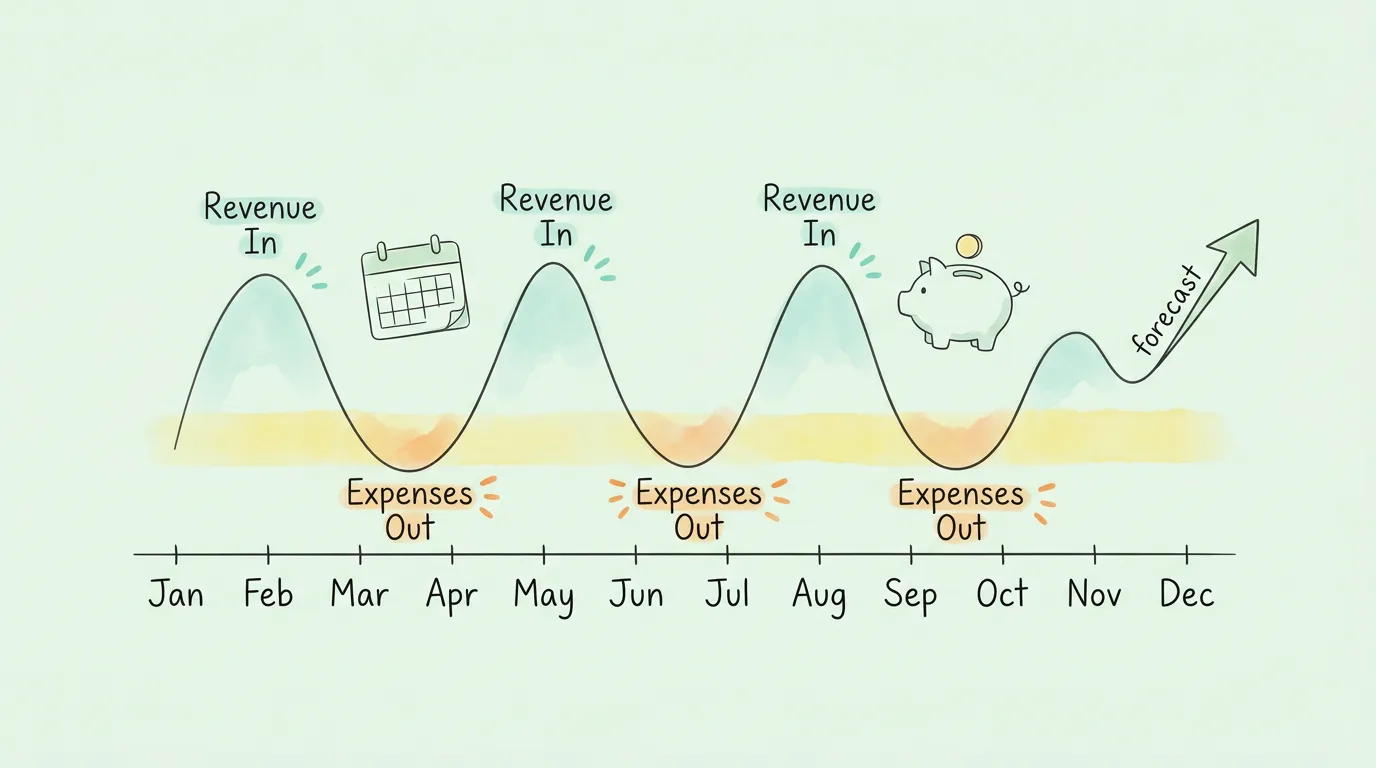
A profitable business can still fail. This happens when customers pay slowly, when a large expense arrives before revenue does, or when a growth phase requires more cash upfront than the business generates. A 13-week rolling cash flow forecast is the tool that prevents these situations from becoming crises.
A 13-week forecast is a rolling projection of cash coming in and cash going out, week by week, for the next quarter. It is short enough to be based on real data (you know what invoices are outstanding, what bills are due), but long enough to see problems coming before they arrive.
How to build a basic 13-week forecast:
- List all expected cash inflows week by week: client payments due, recurring revenue, any expected transfers or loans
- List all expected cash outflows: rent, payroll, supplier payments, subscriptions, estimated tax payments
- Calculate the net cash position for each week (inflows minus outflows)
- Identify any weeks where the projected balance goes below a safe minimum threshold
- Decide in advance what action to take in those weeks: accelerate a collection, delay a non-critical payment, draw on a credit line
Review and update the forecast every week. As actual transactions occur, replace projections with real numbers. The forecast that is updated consistently becomes genuinely predictive within a few months.
Tip 8: When and How Do You Make Quarterly Estimated Tax Payments?
Most small business owners pay taxes once a year and experience a cash shock in April. The IRS expects businesses and self-employed individuals to pay taxes as they earn income, through quarterly estimated payments. If you owe more than $1,000 in federal tax for the year and do not make quarterly payments, you will face an underpayment penalty on top of the tax bill itself.
The standard quarterly estimated tax due dates are:
- April 15: Q1 (January through March)
- June 16: Q2 (April through May)
- September 15: Q3 (June through August)
- January 15: Q4 (September through December)
A practical rule of thumb for most small businesses: set aside 25-30% of net profit in a separate savings account dedicated to taxes. When estimated payment dates arrive, the money is already there. This prevents the tax bill from disrupting operating cash flow.
For state taxes, check your specific state's requirements and deadlines. Many states follow a similar quarterly schedule, but the percentages and forms differ. The IRS estimated tax guidance is the authoritative resource for federal requirements.
Pro Tip: Use the "safe harbor" method to calculate quarterly payments if your income is variable. Pay at least 100% of last year's tax liability in quarterly installments (110% if your prior-year income exceeded $150,000), and you avoid underpayment penalties regardless of what you end up owing.
Tip 9: Which Bookkeeping Tasks Should You Automate First?
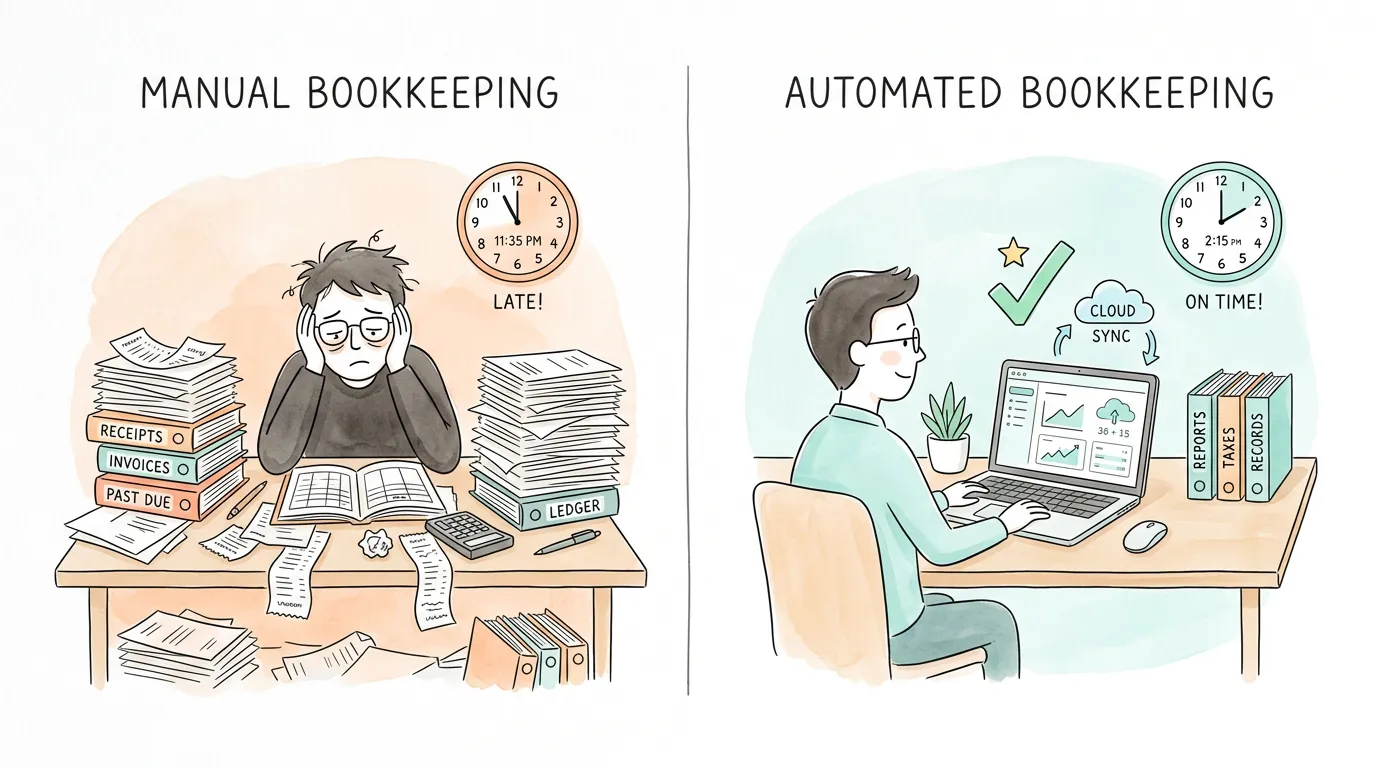
Manual bookkeeping is not just slow. It is error-prone in a way that accumulates over time: a transposed digit here, a missed categorization there, a receipt that never got entered. Small errors compound into unreliable financial statements that lead to poor decisions.
Automation eliminates the manual steps that create most of these errors:
Receipt and invoice capture: AI invoice extraction tools connect to your email, monitor for new receipts and invoices, and extract key data automatically using OCR. No downloading attachments, no manual typing, no missed receipts from vendors you forgot about.
Bank feed reconciliation: Cloud accounting software connected to your bank accounts imports transactions daily and suggests matches automatically. Reconciliation becomes a review process rather than a data entry marathon.
Recurring expense tracking: Subscription management tools and accounting software rules can auto-categorize recurring charges from known vendors. A monthly charge from your cloud provider always goes to "Software & Subscriptions" without any manual action.
Invoice reminders: Automated payment reminders sent to clients a few days before and after invoice due dates dramatically reduce late payments without requiring you to make awkward phone calls.
The goal is not to remove humans from bookkeeping entirely. Human judgment is still needed for exceptions, strategic decisions, and anything unusual. The goal is to remove humans from the repetitive, rule-based execution that can and should be automated. For a full look at what this looks like in practice, see our guide on automate bookkeeping.
Tip 10: When Is It Time to Stop DIYing and Hire a Bookkeeper or Accountant?
There is a point at which DIY bookkeeping costs more than it saves. The question is whether you have reached it yet.
Signs you need a professional bookkeeper:
- You are spending more than 5-6 hours per month on bookkeeping tasks
- Your books are more than 2 months behind
- You have employees (payroll bookkeeping has specific compliance requirements)
- You are not confident your accounts are correctly classified
- You have missed a bank reconciliation for 3+ months
Signs you need a CPA or tax advisor (not just a bookkeeper):
- You are making major investment decisions (equipment, hiring, expansion)
- You are considering changing your business structure (LLC to S-Corp, etc.)
- You have a complex situation (multiple income streams, significant assets, international clients)
- Your tax liability is growing significantly year over year
- You received an IRS notice or are concerned about an audit
According to the AICPA, small businesses that work with a professional accountant are more likely to stay compliant, plan strategically, and grow sustainably. The cost of a good bookkeeper or CPA is almost always offset by tax savings, error prevention, and time returned to running the business.
How Do You Know If Your Bookkeeping System Is Actually Working?
Use this scorecard to identify which areas of your bookkeeping need the most attention. Score each from 1 (not in place) to 5 (working well).
| Bookkeeping Area |
Score 1-2 Signs |
Score 4-5 Signs |
Your Score |
| Business/Personal Separation |
Transactions mixed between accounts |
Dedicated business account and card, no mixing |
__ / 5 |
| Accounting Software |
Spreadsheets or no system |
Cloud software connected with bank feeds |
__ / 5 |
| Expense Capture |
Receipts pile up, many are lost |
Every expense captured digitally same day |
__ / 5 |
| Expense Categorization |
Uncategorized or IRS-misaligned categories |
IRS-aligned categories assigned at capture |
__ / 5 |
| Monthly Reconciliation |
Reconciled rarely or never |
Bank accounts reconciled within first week of each month |
__ / 5 |
| Financial Statement Review |
Bank balance is the only metric checked |
P&L, Balance Sheet, and Cash Flow reviewed monthly |
__ / 5 |
| Cash Flow Forecasting |
No forecast; surprises are common |
13-week rolling forecast updated weekly |
__ / 5 |
| Estimated Tax Payments |
Large tax surprise every April |
25-30% of profit set aside; quarterly payments made on time |
__ / 5 |
| Automation |
Mostly manual data entry |
Receipt capture, bank feeds, and reminders automated |
__ / 5 |
| Professional Support |
No accountant; DIY only |
Regular check-ins with bookkeeper or CPA |
__ / 5 |
Scoring: 40-50 is a mature, well-run bookkeeping system. 25-39 has gaps worth closing before year-end. Below 25 suggests reactive bookkeeping that is likely creating hidden costs and risk.
What Does a Good Monthly Bookkeeping Routine Look Like?
Consistent small business bookkeeping is built on a repeatable monthly routine. This checklist covers the essentials:
| Timing |
Task |
Time Required |
| Daily |
Capture all receipts and expenses immediately |
2-5 minutes |
| Weekly |
Review expense queue, confirm categorizations, check outstanding invoices |
15-20 minutes |
| Monthly (Week 1) |
Reconcile all bank and credit card accounts |
20-30 minutes |
| Monthly (Week 1) |
Review P&L, Balance Sheet, and Cash Flow Statement |
20-30 minutes |
| Monthly (Week 2) |
Update 13-week cash flow forecast |
15-20 minutes |
| Monthly (Week 2) |
Follow up on any overdue client invoices |
10-15 minutes |
| Quarterly |
Make estimated federal (and state) tax payment |
30 minutes |
| Quarterly |
Review expense categories and chart of accounts for accuracy |
20-30 minutes |
| Annually |
Prepare year-end financial statements for accountant |
1-2 hours |
| Annually |
Review bookkeeping system: what is working, what needs updating |
1 hour |
For guidance on preparing for year-end review and any potential audits, see our audit preparation checklist.
Frequently Asked Questions
What is the difference between bookkeeping and accounting for small businesses?
Bookkeeping is the systematic recording of day-to-day financial transactions: categorizing expenses, reconciling bank accounts, tracking invoices, and maintaining the general ledger. Accounting is the interpretation and reporting of that data: preparing financial statements, filing taxes, financial planning, and strategic advice. Most small businesses need both: a bookkeeper to maintain accurate records, and an accountant or CPA to interpret those records and ensure tax compliance.
How often should a small business owner do bookkeeping?
The practical answer is: a little every day, more thoroughly once a week, and fully once a month. Expenses should be captured and categorized immediately (daily habit). Outstanding invoices and the expense queue should be reviewed weekly. Bank reconciliation and financial statement review should happen monthly. Doing bookkeeping in large, infrequent batches is what creates errors, stress, and unreliable data.
What is the best accounting software for a small business?
For most small businesses, QuickBooks Online or Xero are the leading options because of their deep bank feed integration, wide ecosystem of add-on tools, and strong accountant compatibility. Wave is a strong free option for freelancers and very small businesses with simple needs. FreshBooks works well for service businesses that prioritize invoicing. The best choice is whichever platform your accountant or bookkeeper is familiar with, since collaboration is easier when everyone uses the same system.
Do I really need to keep all business receipts?
Yes, for any expense you intend to deduct. The IRS requires documentation proving the amount, date, vendor, and business purpose of each deductible expense. Without a receipt (or an acceptable substitute like a bank statement plus a written record), the deduction can be disallowed in an audit. The IRS does not require receipts for expenses under $75 (except lodging), but keeping everything is the safer practice. Digital copies are fully accepted as long as they are clear, complete, and legible.
How do I handle bookkeeping if I have employees?
Employee payroll bookkeeping adds complexity: you must track gross wages, calculate withholding taxes (federal income tax, Social Security, Medicare), record employer payroll taxes, and remit withheld amounts to the IRS on a regular schedule. Most small businesses with employees use dedicated payroll software (Gusto, ADP, QuickBooks Payroll) that integrates with their accounting system and handles the compliance calculations automatically. If you have employees, this is one area where professional support pays for itself quickly.
What are the most common small business bookkeeping mistakes?
The six most common mistakes are: mixing personal and business finances, falling behind on receipt capture, not reconciling bank accounts monthly, using categories that do not align with tax forms, ignoring cash flow until there is a problem, and waiting until April to think about taxes. Each of these creates a compounding problem over time. Addressing any one of them with the tips in this guide will produce a measurable improvement.
How can I reduce the time I spend on bookkeeping?
The biggest time savings come from three changes: automating receipt and invoice capture with OCR-based tools, enabling bank feeds in your accounting software so transactions import automatically, and building a weekly 20-minute review habit instead of monthly catch-up sessions. Together these three changes can reduce total bookkeeping time from several hours per month to under two hours for most small businesses.
What Do Clean Books Actually Give You Beyond Tax Compliance?
The business owners who find bookkeeping genuinely useful rather than just necessary share one thing in common: they look at their financial statements every month, and they use what they see to make decisions. Which client is most profitable? Which product line is eating margin? Is cash trending in the right direction?
Those questions have answers when your small business bookkeeping is current and accurate. They do not have answers when your books are three months behind and your only metric is a bank balance.
Start with the first tip on this list that you have not implemented, do it this week, and move to the next. A complete system is built one habit at a time.
TallyScan automates the most time-consuming parts: capturing receipts and invoices from your email automatically, extracting data with AI-powered OCR, and syncing everything to QuickBooks, Xero, or your accounting platform of choice. No manual entry. Books that stay current without effort.
Start your free trial and process your first document in under two minutes.
Related reading: Automate Bookkeeping | Bank Reconciliation Tips | Organizing Business Receipts | How to Prepare for an Audit | Improve Cash Flow