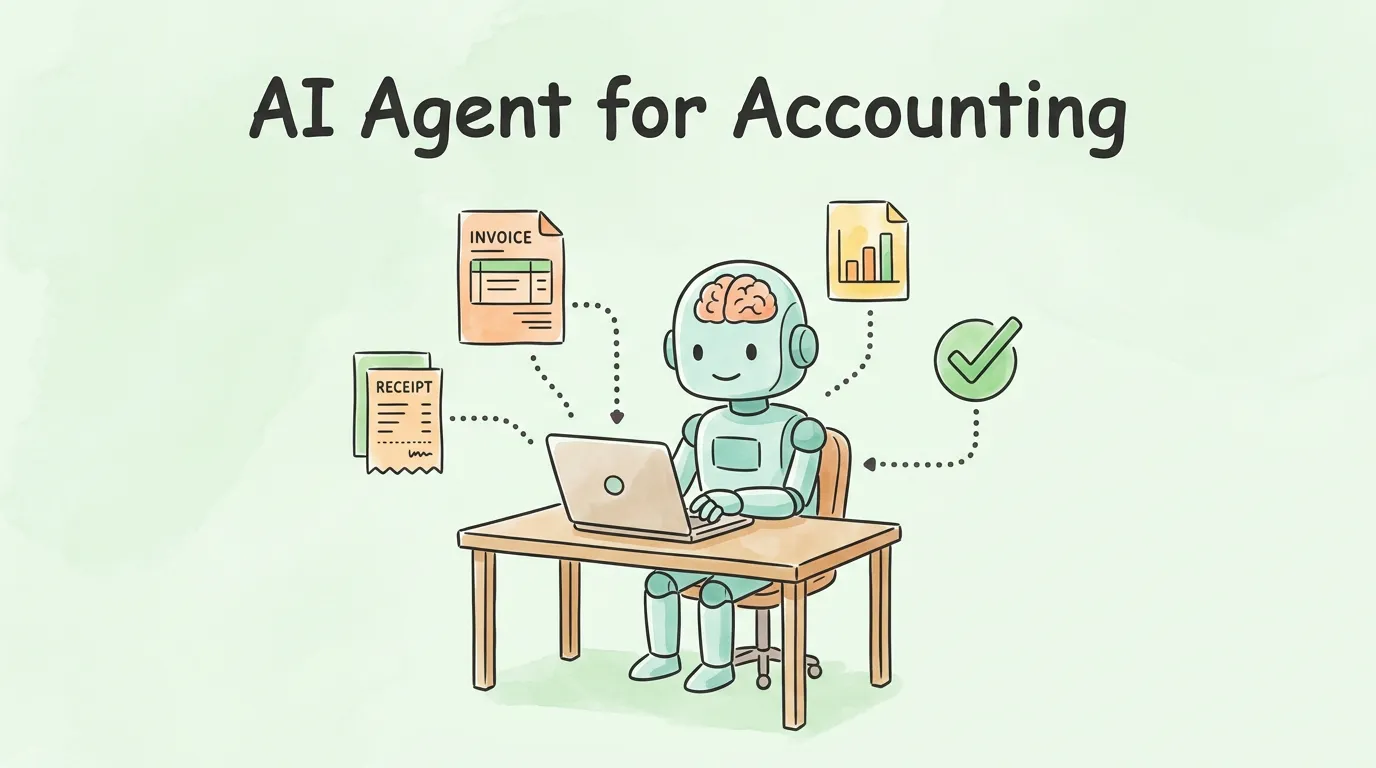
Most finance teams are not struggling with a lack of data. They are drowning in it. Invoices pile up in shared inboxes. Receipts get filed inconsistently, or not at all. Month-end close turns into a forensic exercise of hunting down discrepancies that should never have existed. The problem is rarely the people. It is the process.
An AI agent for accounting is built to fix exactly that. Not by replacing your accountants, but by absorbing the repetitive, low-judgment work that consumes their time so they can focus on what actually requires a human mind. This guide explains what these agents really are, how they work at a technical level, where they deliver the most value, and what to look for when choosing one.
What Is an AI Agent for Accounting?
An AI agent for accounting is an autonomous software system that perceives financial data, reasons about it, and takes actions to complete accounting tasks without step-by-step human instruction. Unlike a chatbot that responds to prompts, or a rules-based bot that follows a fixed script, an accounting AI agent can adapt: it handles edge cases, learns from corrections, and works across multiple systems simultaneously.
The distinction matters. Three technologies are often lumped together under "accounting automation," but they operate very differently:
| Technology |
How It Works |
Limitation |
| Rules-based RPA |
Follows rigid if-then logic |
Breaks on any exception or layout change |
| Generative AI (chatbots) |
Answers questions using language models |
Requires human prompting; does not act autonomously |
| AI Agent |
Perceives, reasons, decides, acts, and self-corrects |
Needs clean integrations and defined approval boundaries |
The accounting talent shortage makes the case for AI agents even more urgent. According to Karbon's State of AI in Accounting Report, 64% of accountants are already using AI tools in their workflow, and the pressure to do more with smaller teams is only increasing. Meanwhile, Gartner predicts that 33% of enterprise software will include natively embedded agentic AI by 2028, up from just 1% in 2024. The shift is not coming. It is already here.
The goal is not to replace accountants. It is to turn them from data preparers into data reviewers. A good AI agent handles the execution. A human provides the judgment.
How Does an AI Accounting Agent Work, Step by Step?
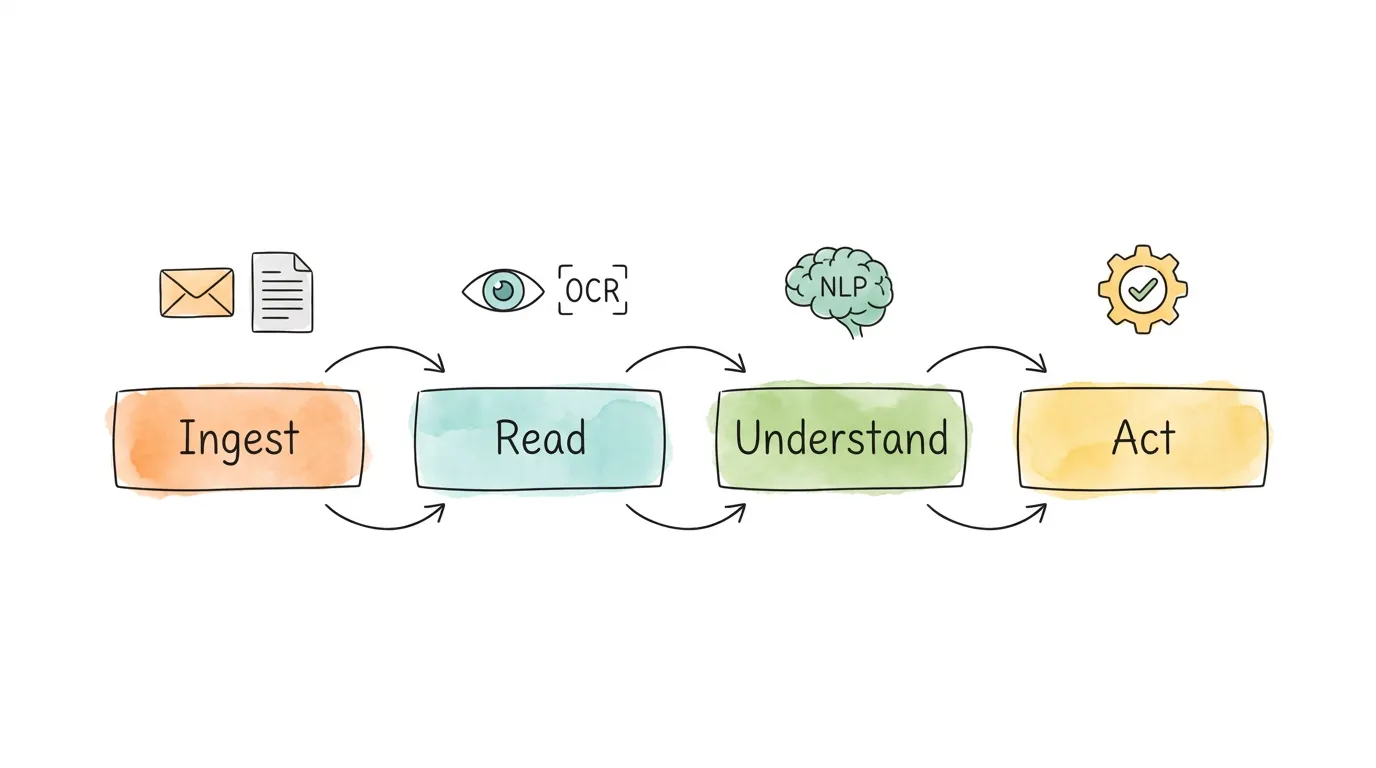
The inner workings of an accounting AI agent are less mysterious than they sound. Think of it as a four-stage assembly line that runs the moment a financial document enters your system.
Step 1: Document Ingestion
The agent monitors every entry point: a dedicated email inbox, a vendor portal, a cloud storage folder, or a direct API feed from your suppliers. The moment a new invoice, receipt, or financial statement arrives, regardless of format (PDF, image, XML, email body), the agent pulls it into the processing pipeline. Nothing waits in a personal inbox. Nothing gets lost.
Step 2: Reading with OCR
OCR technology converts the visual content of a document into machine-readable text. Modern AI-powered OCR goes far beyond the template-matching systems of a decade ago. It handles handwritten notes, skewed scans, multi-column layouts, and non-standard formats that older systems would simply fail on. This is the "seeing" layer: it turns pixels into structured data.
Step 3: Understanding with NLP and Machine Learning
Raw extracted text is not useful on its own. This is where Natural Language Processing (NLP) and machine learning give the agent genuine comprehension. The agent understands that "Amount Due," "Balance Owing," and "Total Payable" all refer to the same field, even when they appear in different positions on different vendor invoices. It recognizes vendor names, maps them to records in your system, and builds confidence scores for every extracted value.
Critically, the agent learns. Each correction a human makes, whether changing a GL code or flagging a misread amount, feeds back into the model. Over time, accuracy improves without any manual configuration. Most platforms reach over 95% automated coding accuracy within 60 days of use.
Step 4: Autonomous Action and Human-in-the-Loop Review
With clean, understood data in hand, the agent acts according to the rules you have configured. It codes the invoice to the correct GL account and cost center, routes it to the right approver based on your invoice approval process, flags any discrepancies for human review, and syncs the approved data directly to your accounting software.
Every action is logged with a timestamp, creating a complete, searchable audit trail. When something requires a human decision, the agent surfaces it in a review queue with full context, so the reviewer can act in seconds rather than hunting for context.
What Actually Changes After You Deploy an AI Accounting Agent?
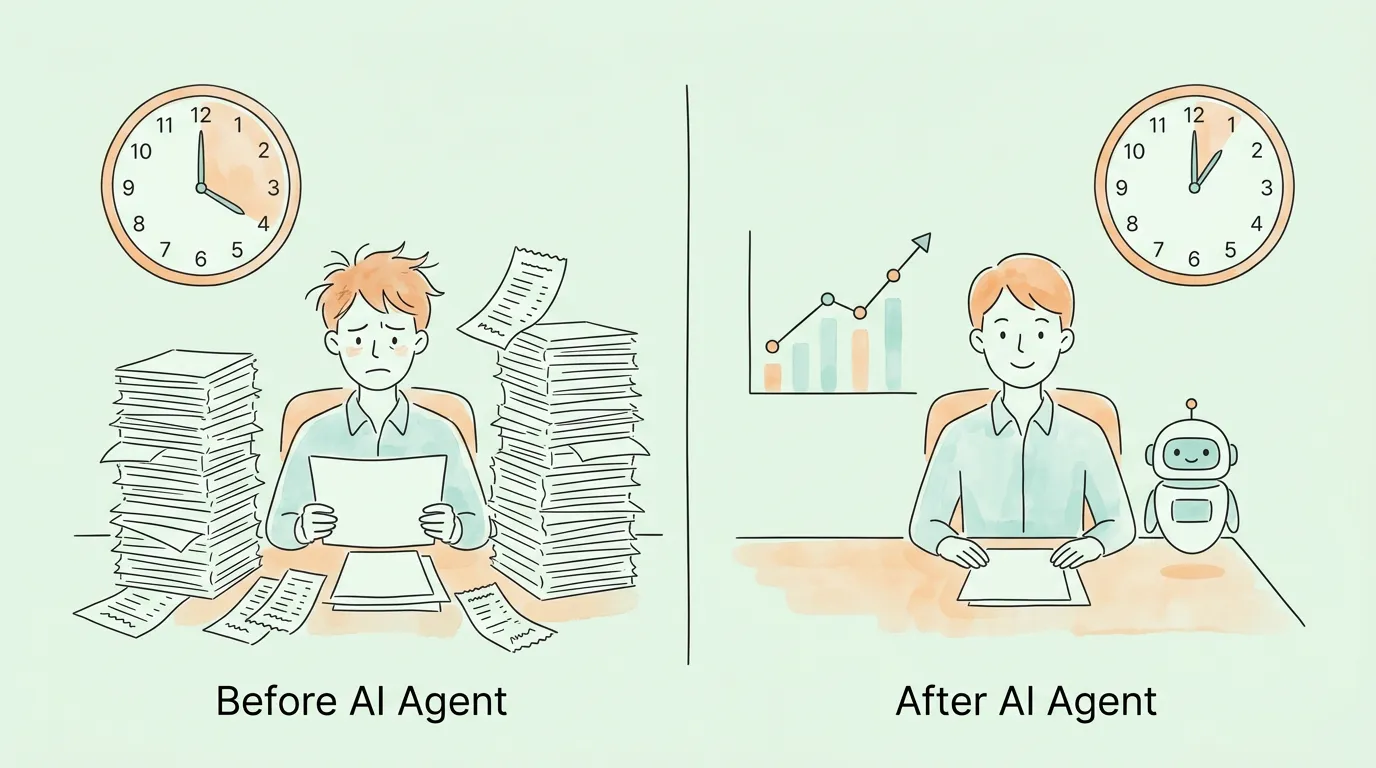
The efficiency gains are real, but the more interesting change is what your finance team can do with the time they get back.
From Hours to Seconds: Efficiency That Compounds
Manual invoice processing takes an AP clerk somewhere between 8 and 15 minutes per invoice, depending on complexity. An AI agent handles the same task in under 30 seconds, without the errors that come from reading a blurry PDF at the end of a long day. Multiply that across a typical month and the math becomes striking fast.
| Task |
Manual Time |
AI Agent Time |
Time Saved |
| Invoice data extraction |
8-15 min/invoice |
Under 30 sec |
~95% |
| Expense categorization |
3-5 min/transaction |
Automatic |
~97% |
| Bank reconciliation (monthly) |
4-8 hours |
15-30 min review |
~85% |
| Month-end close prep |
2-4 days |
Hours |
~60-70% |
| Duplicate invoice check |
Manual, often missed |
Instant, automatic |
100% |
| Audit trail assembly |
Hours per audit |
Instant export |
~98% |
This is not a one-time win. The efficiency compounds because the agent is always improving and the time savings persist every single month.
Near-Zero Error Rates That Hold Up in Audits
Human error in data entry is not a character flaw. It is an inevitable consequence of doing repetitive work at high volume under time pressure. A transposed digit in an invoice number, a misread decimal point, or a miscategorized expense all have downstream consequences that take far longer to fix than to prevent.
An AI agent eliminates the manual entry step entirely. The data in your books is a direct, verified extract from the source document. The underlying AI architecture validates each field against historical patterns and flags anomalies for human review before they become problems. Error rates that were running at 3-5% in manual processes routinely drop below 0.5% within the first month of deployment.
Strategic Insight Instead of Data Entry
This might be the most underrated benefit of all. When your accounting team is not buried in data entry, they can actually read the data. They can ask better questions: which vendors are we consistently overpaying? Where are costs accelerating that nobody has flagged yet? Are we capturing the early-pay discounts available to us? These questions drive real business decisions, but they require time and clean data to answer. An AI agent provides both.
According to PwC's research on AI agents in finance, organizations deploying autonomous AP agents are seeing procure-to-pay cycle time reductions of up to 80%, with finance teams reallocating that capacity toward analysis, vendor strategy, and financial planning. The accounting function stops being a cost center and starts contributing to decisions.
For a full breakdown of the efficiency and cost benefits, see our guide on accounts payable automation benefits.
Which AI Agent Use Cases Deliver the Highest Impact in Accounting?
The broadest value comes from applying an AI accounting agent across these six workflows, each of which traditionally consumes significant manual effort.
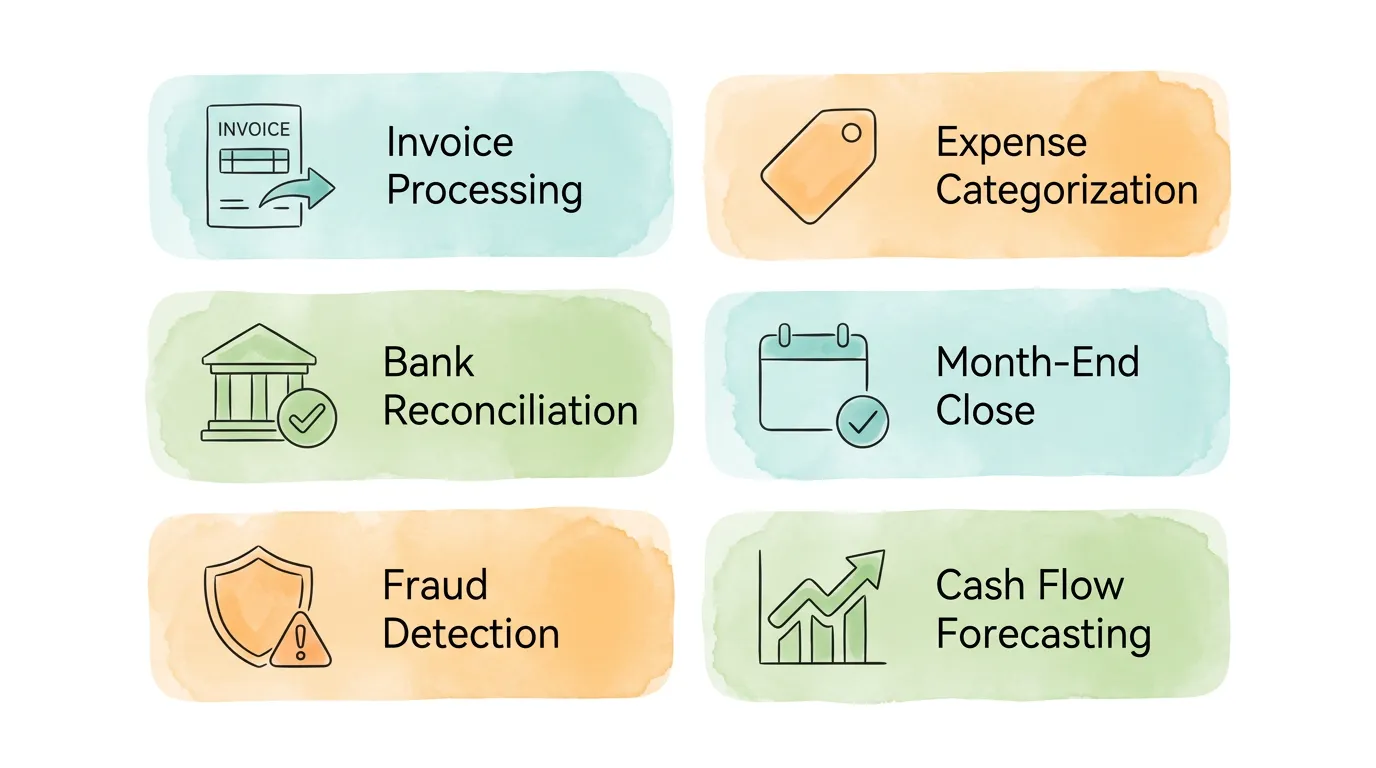
1. Automated Invoice and Receipt Processing
This is the highest-volume, highest-impact use case for most businesses. An agent monitors your inbox, detects new invoices as they arrive, extracts every key field (vendor, amount, due date, line items, tax), validates against purchase orders, and routes the document for approval or directly to your books. The entire process that used to take minutes per document happens in seconds, automatically, for every invoice.
For businesses handling dozens to hundreds of invoices per month, this alone justifies the investment. See how this works in practice in our guide to AI invoice extraction and automation.
2. Intelligent Expense Categorization
Consistent expense categorization is essential for clean financial reporting, yet it is one of the most inconsistently handled tasks in manual accounting. An AI agent learns your specific categorization patterns from the first day. When it sees a charge from a vendor it has processed before, it applies the same category automatically. When it encounters something new, it makes its best suggestion based on vendor type and amount context and flags it for a quick human confirmation.
Over time, the agent builds a custom rulebook for your business. The result is financial data that is not just organized, but organized consistently, which makes reporting and tax preparation dramatically simpler.
3. Bank and Credit Card Reconciliation
Month-end reconciliation is one of the most dreaded tasks in accounting for good reason. Matching every transaction in your ledger to the corresponding bank entry is methodical, error-prone work with zero upside. An AI agent connects to your bank feeds, runs the matching process continuously in the background, and by the time your team sits down to reconcile, most of the work is already done. They review a short exception list, not a full transaction log. What used to take half a day takes 20 minutes.
For tips on improving your reconciliation process in the meantime, see our bank reconciliation tips.
4. Month-End Close Acceleration
Month-end close is where all the manual accounting debt from the previous four weeks comes due at once. An AI agent prevents that accumulation. By processing documents and reconciling transactions continuously throughout the month, the agent ensures that by the time close arrives, most of the work is already done. Discrepancies that would surface under deadline pressure are caught the day they occur. Journal entries are prepared with full supporting documentation. Finance teams report completing close in a fraction of the usual time.
5. Anomaly Detection and Fraud Prevention
An AI accounting agent acts as a 24/7 financial watchdog. It builds a baseline of normal behavior for every vendor, spending category, and transaction type, and flags anything that deviates significantly from that baseline. This catches problems that manual review almost always misses:
- Duplicate invoices: same invoice number and amount submitted twice, sometimes months apart
- Unusual payment amounts: an invoice for 10x the vendor's typical billing
- Changed bank details: a familiar vendor's invoice arrives with new payment account information (a common business email compromise vector)
- Off-hours transactions: large purchases on company cards at unusual times
- Ghost vendors: payments to vendors who never appear in any purchase order system
Proactive detection matters because by the time fraud is discovered manually, the money is often gone. An AI agent catches these issues in real time, before payment is authorized.
6. Cash Flow Forecasting and Variance Analysis
The most sophisticated accounting AI agents do not just process documents. They analyze patterns. They monitor your AP and AR positions continuously, identify trends in spending by category and vendor, and surface variance explanations automatically. When operating expenses rise unexpectedly, a well-configured agent can connect that movement to specific vendor activity, new headcount, or contract changes, generating a draft narrative for your controller to review rather than a blank spreadsheet to fill in.
This elevates the accounting function from record-keeping to financial intelligence. For more on how automation transforms the broader finance function, see our guide on accounting process automation.
What Is the Difference Between Agentic AI, Traditional Automation, and Generative AI?
One of the most common sources of confusion in evaluating AI accounting tools is the difference between these three categories. Vendors often use the terms interchangeably, but they represent fundamentally different capabilities.
| Capability |
Rules-Based RPA |
Generative AI (Chatbot) |
AI Agent |
| Handles invoice layout changes |
No, breaks on new formats |
N/A |
Yes, adapts automatically |
| Acts without human prompting |
Yes, but only on scripted paths |
No, always requires a prompt |
Yes, monitors and acts autonomously |
| Learns from corrections |
No |
Limited |
Yes, improves continuously |
| Manages exceptions intelligently |
No, flags everything |
No, cannot act |
Yes, resolves or escalates appropriately |
| Works across multiple systems |
Brittle, script-specific |
No native system access |
Yes, via API integrations |
| Maintains audit trail |
Partial |
No |
Yes, every action logged |
| Understands financial context |
No |
Partially (general knowledge) |
Yes, trained on financial documents |
The practical implication: if you are evaluating a tool that requires you to maintain template libraries, manually configure rules for each vendor, or prompt it for every action, it is not an AI agent. It is automation with a marketing label. A genuine AI accounting agent handles variance, adapts to change, and operates with meaningful autonomy within the boundaries you set.
How Do You Choose the Right AI Agent for Your Accounting Team?
The market for AI accounting tools is crowded and the claims are often overstated. These four criteria help cut through the noise.
Integration with Your Existing Software Stack
An AI agent that cannot talk to your accounting software creates more work, not less. Before evaluating any tool, list your non-negotiables: your accounting system (QuickBooks, Xero, NetSuite, Sage), your email platform (Gmail, Outlook), your cloud storage (Google Drive, SharePoint), and any ERPs or payment platforms you use. Deep, native integration is the standard to hold tools to. An API connection that requires custom development or a middleware layer is a red flag for ongoing maintenance costs.
Ease of Setup and Time to First Value
If getting started requires a multi-week implementation project with external consultants, that complexity will recur every time you need to change a rule or add a new vendor. The best AI accounting agents are designed for fast onboarding: connect your email and accounting software, and the agent starts processing documents immediately. You should be able to see your first automated invoice extraction within minutes of setup, not weeks.
Security, Compliance, and Data Privacy
Your financial data is among your most sensitive business assets. Evaluate any AI accounting tool the same way you would evaluate a bank. Ask specifically:
- Is data encrypted in transit and at rest (AES-256 or equivalent)?
- Is the AI model privately hosted, or does your data train a shared public model?
- Does the platform comply with GDPR, SOC 2, or relevant regional data standards?
- Are role-based access controls available so different team members see only what they need to?
A provider that cannot answer these questions specifically and in writing is not ready for production use with financial data.
Human Oversight Controls and Audit Trail Quality
A good AI accounting agent never operates completely without a human in the loop. The best platforms let you configure exactly where human review is required: above a dollar threshold, for new vendors, for any discrepancy above a set tolerance, or for any transaction touching specific GL accounts. Below those thresholds, the agent operates autonomously with a full log of every action taken.
The audit trail is what makes this trustworthy. Every extraction, every match, every routing decision, every approval should be recorded with a timestamp and a traceable rationale. This is what turns "the AI did it" from a liability into a compliance asset.
Use this scorecard to evaluate any AI accounting agent before committing:
| Evaluation Criteria |
Questions to Ask |
Red Flag |
Green Flag |
| ERP/Accounting Integration |
Which systems does it natively support? |
Only via middleware or custom API |
Native connector to your stack |
| Document Format Handling |
Can it process any PDF, image, or email? |
Template-dependent |
Layout-agnostic AI extraction |
| Learning and Adaptation |
Does accuracy improve over time? |
Fixed rules, no feedback loop |
ML model that learns from corrections |
| Onboarding Speed |
Time from sign-up to first processed invoice? |
Weeks of setup |
Minutes to first result |
| Data Security |
Where is data hosted and trained? |
Shared public model |
Private, encrypted, SOC 2 compliant |
| Human Oversight |
Can you configure approval thresholds? |
All-or-nothing automation |
Granular controls by amount and type |
| Audit Trail |
Is every action logged and exportable? |
Email chains as "records" |
Timestamped, searchable log |
What Can AI Agents Not Do Yet, and Why Does That Matter?
Honest evaluation requires honesty about limitations. An AI accounting agent is not a financial advisor, a tax strategist, or a substitute for human judgment on complex decisions.
It cannot interpret ambiguous business intent. When a vendor sends an invoice that does not match the purchase order because the project scope changed, a human needs to decide whether to approve, dispute, or renegotiate. The agent can flag the discrepancy and surface the context, but the decision requires business judgment.
It cannot replace accountant expertise in tax and compliance. Tax law is interpreted, not computed. An AI agent can apply known rules consistently, but it cannot advise on tax strategy, navigate gray-area deductions, or represent you in a compliance dispute.
It is only as good as the data it connects to. If your vendor master file has duplicate records, outdated bank details, or inconsistent naming conventions, the agent will inherit those problems. Garbage in, garbage out applies to AI accounting agents just as much as to any other system. Data hygiene is a prerequisite, not an optional step.
Accuracy at launch is never 100%. The first weeks of deployment always require more human review than the steady state. Expect a ramp-up period where you review more exceptions, correct more suggestions, and train the model on your specific patterns. This is normal and necessary. The teams that see the best long-term results invest in that initial calibration period rather than expecting perfection from day one.
Understanding these limits is what allows you to configure the right human oversight controls and set realistic expectations for your team. For more on building a reliable automated bookkeeping foundation, start with your data hygiene before deploying any AI tool.
Frequently Asked Questions
What is an AI agent for accounting, and how is it different from regular accounting software?
Regular accounting software is a tool: it stores data, generates reports, and performs calculations, but it requires humans to enter data and initiate every action. An AI agent for accounting is autonomous: it monitors for new documents, extracts data without being prompted, routes transactions through your workflow, and flags issues for review, all without manual intervention. The key difference is that an agent acts independently toward a goal, while traditional software waits to be used.
Will an AI accounting agent replace my accountant?
No. AI agents automate the repetitive execution work in accounting: data entry, transaction matching, routing, and basic categorization. They do not replace the judgment, strategy, and advisory work that defines what a skilled accountant does. In practice, AI agents make accountants more valuable by removing the low-value tasks that consume most of their time, freeing them to focus on analysis, client relationships, and financial strategy.
Is my financial data safe when processed by an AI accounting agent?
With a reputable provider, yes. Look specifically for: data encrypted in transit and at rest, a privately hosted AI model (not a shared public model where your data could train others), SOC 2 Type II certification, and GDPR compliance. The specific security architecture matters more than general assurances. Any provider unwilling to answer these questions in writing is not ready for financial data.
How long does it take to set up an AI accounting agent?
This varies significantly by platform. The best modern tools are designed for rapid onboarding: connecting your email and accounting software typically takes under 30 minutes, and the agent can start processing documents immediately after. More complex enterprise deployments that involve ERP integrations, multi-entity configurations, and custom approval workflows may take a few weeks. The right question to ask any vendor is: "How long until we process our first real invoice?"
How does an AI accounting agent handle invoices it cannot read or understand?
Any document that falls below the agent's confidence threshold is flagged for human review rather than processed automatically. The agent surfaces the document with its best extraction attempt, highlights the fields it is uncertain about, and routes it to the appropriate reviewer with full context. This human-in-the-loop mechanism is what makes AI accounting agents trustworthy for real financial operations. The exception rate typically starts higher (10-20%) and decreases significantly as the model learns your specific document patterns.
Can an AI accounting agent integrate with QuickBooks and Xero?
Yes, the leading AI accounting agents offer native integrations with QuickBooks Online, QuickBooks Desktop, Xero, and most other major accounting platforms. Once connected, approved invoice data syncs directly to create bills in your accounting system with the correct vendor, amount, GL coding, and due date, with no manual re-entry required. For a detailed walkthrough of software integration, see our guide on accounting software integration.
What accounting tasks give the best ROI when automated with AI agents?
The highest-ROI starting points are typically: invoice and receipt processing (high volume, high repetition, high error rate), bank reconciliation (significant time drain at month-end), and anomaly detection (prevents costly errors and fraud that manual review consistently misses). These three use cases alone typically pay for an AI accounting agent within three to six months for businesses processing more than 100 documents per month.
How do AI accounting agents handle GAAP/IFRS compliance and audit requirements?
AI accounting agents do not interpret accounting standards on your behalf, but they do produce exactly the documentation those standards require. Every extraction, every GL coding decision, and every approval action is timestamped and logged with a traceable rationale. When an auditor asks why a specific invoice was coded to a particular account, the answer is one click away, not a two-day archive search.
For GAAP-specific rules like the three-way match requirement for purchase orders above a certain threshold, you configure those rules directly in the agent. It enforces them consistently, every time, without the human variability that creates audit findings. For IFRS environments with multi-currency transactions and complex lease accounting, the agent handles document extraction and categorization, while your accountant applies the interpretive judgment that compliance standards require. The split between what the agent does and what a human decides is clear, traceable, and defensible.
How Do You Build an Accounting Team That Works Smarter, Not Harder?
The accountants and finance professionals who will thrive in the next decade are not the ones who can manually process the most invoices. They are the ones who know how to configure, oversee, and extract insight from systems that handle the execution automatically.
An AI agent for accounting is not a replacement for financial expertise. It is the infrastructure that lets that expertise shine. The bookkeeping gets done. The errors get caught. The audit trail is always current. And the people on your finance team spend their time on work that actually requires a human: judgment, strategy, and decisions.
TallyScan extracts data from any invoice or receipt in seconds, codes it intelligently, and syncs directly to your accounting software. No templates. No manual entry. No missed discounts.
Start your free trial and process your first document in under two minutes.
Related reading: Accounting AI | Automate Accounts Payable | Invoice Approval Process | Automate Bookkeeping