AI
Invoice Process Automation for Smarter Payments
How invoice process automation works, real ROI calculations, a 6-point tool selection framework, 5 implementation phases, pitfalls to avoid, and 8 FAQs.

TallyScan Team
In 2026, the finance department is no longer just a back-office function—it's the strategic engine of the business. Yet many teams are still stuck in the past, bogged down by the same silent killers of productivity that existed a decade ago: manual data entry, chasing approvals over email, and fixing spreadsheet errors at month-end.
The companies that are winning in this environment aren't doing more of the same. They've made a different choice: they've stopped treating accounting as a manual, human-intensive operation and started treating it as an infrastructure problem. Accounting process automation is the fix—and it's now accessible to businesses of every size.
This guide explains what accounting process automation actually means in practice, how the underlying technology works, which processes deliver the fastest ROI, and how to build an implementation plan that sticks.
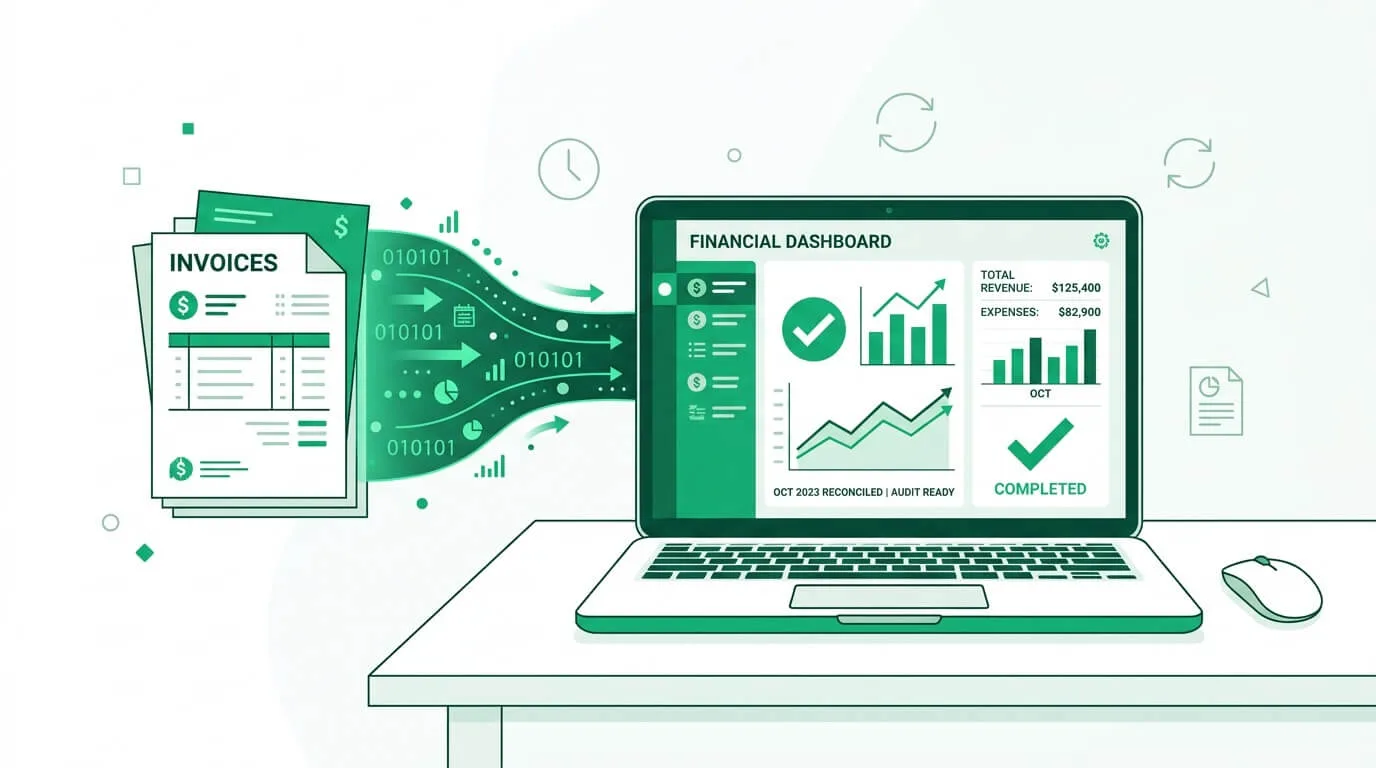
At its core, accounting process automation involves using software to handle the repetitive tasks that consume your finance team's day. Instead of a human manually typing an invoice number into QuickBooks or Xero, software captures, verifies, and enters that data automatically.
But in 2026, it goes well beyond simple data entry. Modern automation includes:
The market impact of this shift is substantial. The accounts payable automation market alone is projected to grow at a CAGR of 12.8% between 2024 and 2030, driven by businesses of all sizes recognizing that manual financial operations are no longer competitive. The broader business process automation market reached $14.87 billion in 2024 and is expected to grow to $16.46 billion in 2025—a signal that this shift is structural, not temporary.
Sticking to manual processes is expensive in ways that aren't always obvious on a P&L statement. Research shows that the average cost to process a single invoice manually ranges from $12 to $30 when all labor, paper, and delay costs are factored in. Automation drives this to under $5 and reduces processing time from days to minutes.
More importantly, the hidden costs compound. Missed early payment discounts (typically 2% off if paid within 10 days), vendor relationship damage from late payments, and the hours your CFO spends in month-end fire drills—these aren't line items anyone tracks, but they're real.
To make smart decisions in accounting process automation, it helps to understand what the tools actually do. While the terms Artificial Intelligence (AI), Machine Learning (ML), and Robotic Process Automation (RPA) can sound technical, their roles are distinct and complementary. Think of them as a specialized team working together on your financial processes.
Think of RPA as your tireless digital worker—perfect for handling high-volume, rule-based tasks with precision. It's the "doer" that mimics human actions: logging into systems, copying data between applications, and filling out forms.
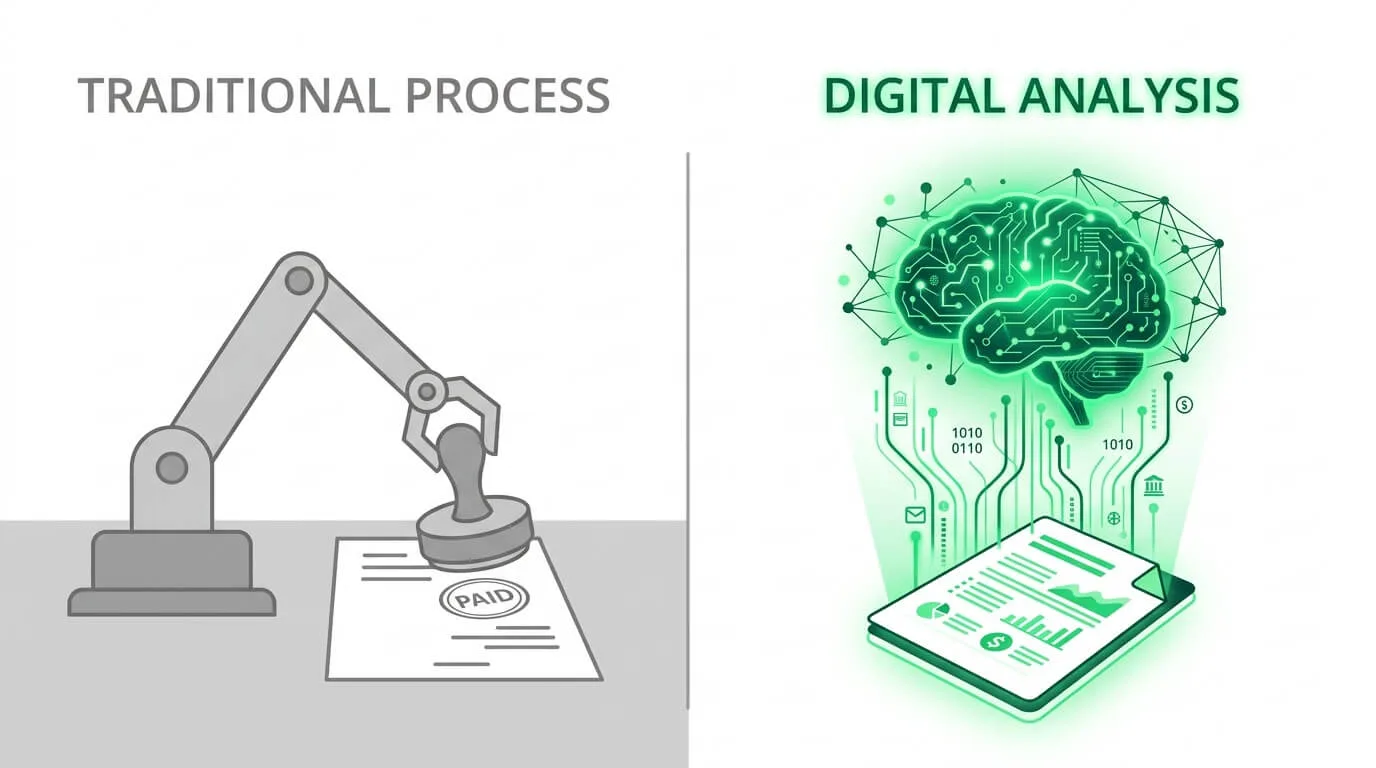
Utility_Bill_March_2026.pdf, and save it to a Dropbox folder.This is where tools like TallyScan operate. AI acts as the "thinker," making sense of unstructured data. Unlike RPA, it doesn't need a strict template to work from.
Machine Learning is the "memory" of the system—the component that gets smarter the more you use it.
Key Takeaway: Legacy tools rely heavily on RPA and basic OCR (Optical Character Recognition), which require constant template maintenance. Modern 2026 tools use Generative AI to reason about financial documents, achieving 99%+ accuracy out of the box—with no template setup required.
| Technology | Primary Function | Best Use Cases | Implementation Time | Cost Range |
|---|---|---|---|---|
| RPA | Task Execution: mimics human clicks and data entry | Data entry, form filling, report downloads, file transfers | Weeks to a few months | Low to Medium |
| AI | Data Interpretation: understands unstructured documents | Invoice processing, expense capture, fraud detection | Days to weeks (modern cloud tools) | Medium |
| ML | Pattern Recognition: learns from historical data and corrections | Cash flow forecasting, duplicate detection, spend categorization | Improves over time | Included in AI platforms |
RPA is the fastest starting point for simple, repetitive tasks. AI delivers the highest impact for document-heavy processes like invoices. ML compounds the value of AI over time—you don't manage it separately; it's built into good AI platforms.
While you could automate almost any repetitive accounting task, the fastest ROI comes from focusing on high-volume, error-prone workflows. Here are the four areas that consistently deliver the biggest return.
AP is usually the first—and most rewarding—area to automate. Manual AP is a slow, fragile chain of printed invoices, desk-to-desk approvals, and manual data entry that creates late fees, damaged vendor relationships, and poor cash flow visibility.
The automated workflow:
Result: Cycle time reduced from 10 days to under 24 hours. Early payment discount capture increases from near-zero to near-100% for eligible invoices.
For a deeper look at AP-specific ROI, see our guide on accounts payable automation benefits.
AR automation is often overlooked, but it has a direct impact on your cash position. Manual AR involves someone manually tracking overdue invoices, drafting follow-up emails, and calling clients—work that's time-consuming, inconsistent, and easy to deprioritize when the team is busy.
Automated AR handles this systematically:
This systematic approach shortens Days Sales Outstanding (DSO), reduces the volume of revenue written off as bad debt, and frees your AR team from the uncomfortable work of manually chasing payments.
Expense reports are universally hated—by employees who lose receipts and by finance teams who have to enforce policy compliance on a stack of wrinkled paper.
The automated workflow:
Result: Real-time spend visibility instead of waiting 30 days for credit card reconciliation. Policy violations get caught before the expense report is filed, not after.
Instead of a frantic, week-long scramble to close the books each month, automation enables a "continuous close"—where reconciliation happens daily rather than periodically.
How it works: Automated bank feeds pull transactions every morning. When a $5,000 bank withdrawal appears, the system suggests a match: "This matches the Dell Computers invoice we processed 3 days ago." You click confirm. If no match is found, it surfaces the discrepancy immediately rather than leaving it to be discovered at month-end.
Result: Books are audit-ready every single day. Month-end close goes from a two-week ordeal to a two-day review.
Theory aside, here's what accounting process automation looks like in practice across three different business types.
A fast-growing e-commerce business with a small finance team was drowning in vendor invoices. Their process was a textbook example of manual inefficiency: print the invoice, physically walk it to the manager for approval, scan it back in, type everything into their accounting software by hand.
The result was a persistent three-week invoice backlog—which meant late payment fees, strained supplier relationships, and no real-time view of what they owed.
After implementing automated AP with AI invoice capture and digital approval routing:
The fix wasn't more staff. It was better infrastructure.
A mid-sized manufacturer dreaded their monthly close cycle. It consumed the entire finance team for two full weeks—most of which was spent manually pulling data from disparate systems into spreadsheets, leaving almost no time for actual financial analysis.
They implemented an automation platform that connected their ERP, bank feeds, and AP system, handling reconciliations and report generation automatically.
The CFO's comment afterward: "We used to spend two weeks building the report. Now we spend two weeks actually using it."
A growing consulting firm had a chronic expense management problem. Their consultants were frequently traveling for client engagements, and the manual expense report process consumed roughly 20 hours per week of finance team time—collecting reports, verifying receipts, checking policy compliance, and processing reimbursements.
They rolled out a mobile-first expense automation system with AI receipt capture.
The finance team's most common reaction: "I can't believe we did it the old way for so long."
A critical topic often glossed over in accounting process automation discussions is data privacy. When you choose an automation tool, you typically face two approaches to document ingestion—and they have very different security implications.
Some tools ask you to "Connect with Google" or "Connect with Outlook" and grant them permission to read your entire inbox. The platform then scans every incoming email, looking for attachments that look like invoices.
Pros:
Cons:
This is the approach used by platforms like TallyScan. You receive a unique forwarding address (e.g., bills@fwd.tallyscan.com). You forward invoices to it—either manually or via automated routing rules.
Pros:
Cons:
For most businesses, the slight friction of setting up forwarding rules is a worthwhile trade-off for keeping your financial data secure. The OAuth approach trades privacy for convenience. For businesses handling sensitive contracts or personal financial data, that trade-off is rarely worth it.
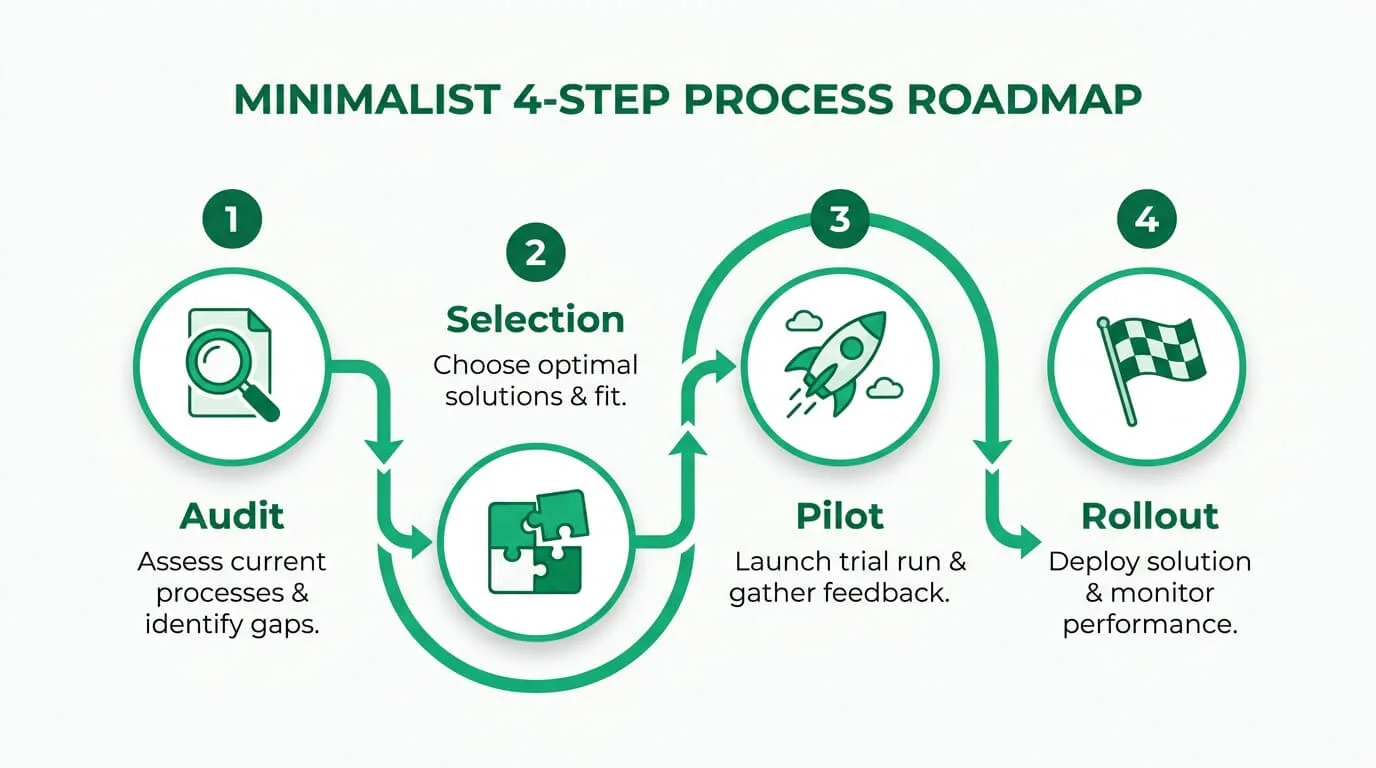
Successfully implementing accounting process automation requires a phased approach. Trying to automate everything at once is a common mistake—it creates confusion, erodes staff trust, and often results in reverting to manual processes when problems arise.
The table below maps a realistic implementation timeline:
| Phase | Duration | Key Activities | Success Metrics | Common Challenges |
|---|---|---|---|---|
| 1. Audit & Cleanup | Weeks 1–2 | Map invoice workflows end-to-end. Identify bottlenecks. Clean vendor master list (remove duplicates). Document approval authority matrix. | Clearly defined bottlenecks; a clean, standardized vendor list. | Underestimating how long a thorough audit takes; difficulty getting stakeholder agreement on process changes. |
| 2. Vendor Selection & Setup | Weeks 3–4 | Evaluate 2–3 tools based on integration fit, privacy model, and AI quality. Run the "messy invoice" test during trials. Negotiate contract. | Signed contract with a tool that passes integration and quality tests. | Choosing based on demo rather than real-world performance; overlooking privacy and security requirements. |
| 3. Pilot | Weeks 5–8 | Automate one document type (e.g., utility bills) or one department. Run manual and automated processes in parallel to verify accuracy. Refine approval thresholds. | Processing time reduction for pilot scope; ≥95% extraction accuracy on test documents. | Employee resistance; unexpected edge cases in real invoices not tested during trial. |
| 4. Full Rollout & Optimization | Week 9+ (ongoing) | Expand to all document types and departments. Train staff. Notify vendors to use new submission channel. Configure auto-forwarding rules. Track KPIs monthly. | ≥90% touchless ratio for recurring vendors; cost per invoice under $3. | Not adapting rules as business processes evolve; failing to review anomaly logs for fraud signals. |
Putting accounting process automation in place isn't the finish line—it's the starting block. Tracking the right metrics ensures you're capturing the full value of your investment, not just assuming it worked.
Establish your baseline before you automate. Document current values for each metric below, then track improvement monthly.
Calculation: (Total AP Staff Salaries + Software Costs) ÷ Number of Invoices Processed per Month.
Goal: Drive this from the industry average of $12–$25 down to under $3. This single metric often makes the ROI case entirely on its own.
How long does it take from invoice receipt to "ready for payment"?
Faster cycle time unlocks early payment discounts ("2/10 Net 30"), which at scale can generate enough savings to pay for the entire automation platform.
For a detailed guide on measuring AP processing performance, see our article on invoice processing automation.
This is the gold standard of automation performance. It measures the percentage of invoices that travel from "received" to "posted to ledger" with zero human editing.
Goal: Top-tier AI platforms enable a >90% touchless ratio for recurring digital invoices within 60–90 days of use, as the ML layer learns your preferences.
How many days on average does it take to pay vendors after receiving an invoice?
Tracking DPO lets you optimize strategically: pay early when it captures a discount, hold when maximizing available cash is the priority. Manual AP processes almost never allow for this kind of deliberate working capital management.
How long does it take to retrieve a specific invoice from 2 years ago?
While harder to quantify in dollars, audit readiness eliminates a significant source of organizational risk—and saves finance teams days of preparation every tax season.
To build a complete ROI picture, account for both direct and indirect benefits:
Direct (easy to measure):
Indirect (harder to measure, but real):
For a mid-size business processing 200+ invoices per month, direct savings alone typically deliver full payback within 60–90 days.
Before committing to a subscription, evaluate your candidates against this 5-point checklist:
No. Automation replaces data entry, not accounting judgment. It frees your accountant to focus on higher-value work: cash flow analysis, tax strategy, financial planning, and the insights that drive business decisions. Most accountants who've made the transition describe it as a career upgrade, not a threat.
Yes, if you choose the right tool and understand its data model. Look for platforms that use bank-level encryption (256-bit SSL), offer privacy-first features like dedicated forwarding addresses rather than full inbox scanning, and maintain SOC 2 compliance for their data handling practices.
Yes—and the ROI is often highest for smaller teams. While legacy enterprise tools cost thousands per month, modern AI platforms make automation accessible at price points that work for freelancers and startups. A small team that eliminates 10 hours per week of manual data entry typically achieves full payback within the first month.
Most top-tier AI tools automatically detect currency symbols (€, £, ¥, etc.) and extract the correct amounts, often allowing sync to your ledger with the appropriate exchange rate. Multi-entity handling—where the same platform manages AP across separate legal entities—is available in mid-market and enterprise tiers of most platforms.
Purpose-built automation tools are designed to layer on top of your existing accounting platform, not replace it. TallyScan, for example, syncs extracted invoice data directly into QuickBooks and Xero as draft bills—preserving your existing chart of accounts and approval workflows while removing the manual data entry step.
This is exactly where modern AI has the biggest advantage over legacy OCR. Because AI reasons about document content rather than matching fixed templates, it handles varying layouts, languages, and formats reliably. Vendors who use PDF, scanned paper, email body text, or even photographed paper invoices are all supported by a well-built AI extraction engine.
Accounting process automation is the single most effective lever for modernizing your finance operations in 2026. It doesn't require a multi-year enterprise software rollout or a large IT team. Modern cloud-native platforms can be connected to your accounting software, tested with real invoices, and generating measurable ROI within a week.
The businesses getting ahead aren't working harder at manual processes—they've changed the infrastructure. They've turned their AP and AR functions from sources of friction into sources of strategic intelligence.
Ready to experience the difference? Start your free TallyScan trial today and process your first invoices with AI in minutes—no template setup required.
How invoice process automation works, real ROI calculations, a 6-point tool selection framework, 5 implementation phases, pitfalls to avoid, and 8 FAQs.
Learn how the invoice matching process works, when to use 2-way, 3-way, and 4-way matching, how to handle exceptions, set tolerance thresholds, and automate the entire workflow.
Learn how invoice approval automation eliminates manual bottlenecks, cuts processing costs by 70%, and builds an audit-proof workflow. Step-by-step guide with real ROI numbers.