AI
Invoice Process Automation for Smarter Payments
How invoice process automation works, real ROI calculations, a 6-point tool selection framework, 5 implementation phases, pitfalls to avoid, and 8 FAQs.

TallyScan Team
Here's a scene most finance managers know all too well: it's the last Friday of the month, someone just forwarded you an invoice from three weeks ago that never got approved, and your accounts payable clerk is manually re-entering line items into QuickBooks for the fourth time this week because the original entry had a typo.
This isn't a skills problem. It's a process problem, and it's expensive.
Invoice processing automation is the answer most firms eventually come to, but getting there takes more than just buying software. Done right, it turns your accounts payable function from a reactive scramble into a quiet, reliable engine. Done wrong, you end up with a tool that nobody uses and a team that's frustrated. This guide is about doing it right.
We'll cover what the technology actually does under the hood, what it costs in the real world, what the failure modes look like, and how to roll it out without derailing your team. If you're already wrestling with manual workflows, read on. This is for you.
Let's start with a concrete example, because the term "automation" gets stretched to cover a lot of different things.
A traditional manual invoice workflow looks something like this: a PDF arrives in someone's email, gets printed out (or forwarded three times before anyone does anything), a manager physically signs off on it, someone types the vendor name, amount, and GL code into your accounting system, and eventually a check gets issued or a bank transfer happens. If anything goes wrong at any point (wrong email recipient, manager on vacation, typo in the amount), the whole chain breaks down.
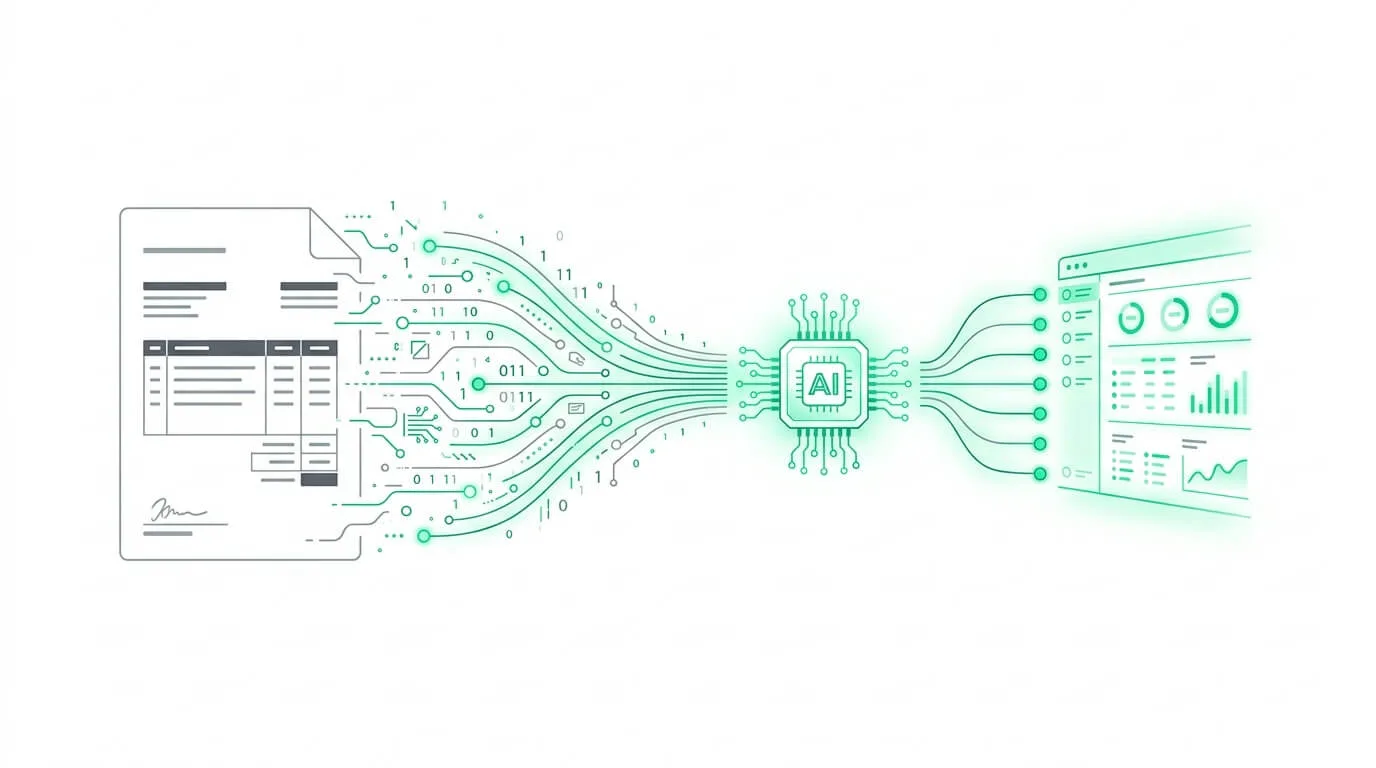
Automated invoice processing replaces that entire chain with software. The invoice arrives, gets read by AI, has its data extracted automatically, gets routed to the right approver via a rule you configured, and syncs directly into your accounting ledger once approved. No printing. No typing. No chasing people down.
These two terms get used interchangeably, but they describe different scopes of work:
If you're just starting out, invoice automation is typically the right first step. Once that foundation is solid, layering in the broader accounting process automation capabilities makes the whole picture come together.
Most people assume "invoice automation" just means scanning documents. It's actually a three-layer system where each component plays a distinct role:
OCR (Optical Character Recognition) is the foundation. Think of it as a very fast, tireless data entry clerk. It scans the document image and converts pixels into readable text. It works reliably on clean, structured documents. But it's essentially "blind" to context: it can read the number on the page but doesn't know if it's an invoice total or a phone number.
AI (Artificial Intelligence) is where the real intelligence lives. Modern AI systems,especially those built on Large Language Models (LLMs),can actually reason about the document. They understand that a vendor from Germany formats VAT differently than one from Canada. They can handle non-standard invoice layouts, extract meaning from ambiguous fields, and flag anomalies that a basic OCR system would simply pass through undetected.
Machine Learning (ML) is the layer that makes the system smarter over time. Every time you correct a GL code, update a vendor mapping, or override a categorization, the ML engine records that correction and learns from it. Over weeks and months, the system adapts to your specific chart of accounts, your vendor naming conventions, and your business rules,eventually reaching accuracy rates of 95%+ on auto-categorization.
Together, these three layers form a system that doesn't just replicate your manual process. It improves it.
Walk into a traditional finance department on the last Friday of the month and you'll feel the tension before you see it. Month-end close is a sprint: stacks of paper, unanswered approval emails, a reconciliation that still doesn't balance at 6pm. This is why the global AP automation market is projected to surpass $10 billion by 2030. The pressure to modernize is real and it's coming from every direction: rising labor costs, remote work, audit complexity, and competitive pressure to close the books faster.
The most common reason firms delay automation is the belief that it doesn't cost anything to keep doing what they're doing. After all, the staff is already salaried.
But that logic doesn't hold up when you look closely. Industry benchmarks consistently show that processing a single invoice manually costs a company between $15 and $25 when you factor in all the invisible labor: the time spent keying in data, the back-and-forth to resolve ambiguities, the corrections made when someone types an account code wrong, and the late fees that pile up when invoices get stuck in an approval queue.
Then there's the "double payment" problem. Without automated duplicate detection, a tired AP clerk can easily pay the same invoice twice,especially when vendors resubmit invoices they think were lost. These mistakes are costly, embarrassing to reverse, and far more common than most finance leaders want to admit.
When you add it all up, a firm processing 500 invoices per month at $20 each is spending $10,000 a month ($120,000 a year) on a process that automation can handle for a fraction of the cost.
This is usually the first question CFOs ask. The honest answer is: much less than it used to.
Legacy enterprise systems from the early 2010s (think large SAP modules or on-premise ABBYY deployments) required six-figure implementation budgets and months of IT work. They were built for Fortune 500 companies, and the pricing reflected that.
Modern cloud-native platforms are a completely different animal. Most operate on a simple subscription model: a flat monthly fee plus a small per-invoice processing charge (often just a few cents). A company processing 500 invoices per month might pay $100–$200/month total. Compared to the $10,000/month cost of doing it manually, the ROI conversation is almost too easy.
The gap between where businesses are and where they need to be is striking. According to IOFM research, 68% of businesses still enter invoice data by hand, and 37% still rely on paper invoices as their primary format. Only 32% have implemented any form of automated processing. Yet 41% plan to automate within the next year, signaling that the tipping point is close.
If you are in the 68%, you are not alone. But you are paying a premium for it every single month.
| Processing Aspect | Manual Processing | Automated Processing | Improvement |
|---|---|---|---|
| Processing Time | Days to weeks per invoice | Hours or less | 70-90% reduction |
| Accuracy Rate | Error-prone: typos, duplicates, missed fields | 95%+ extraction accuracy with AI | Dramatically improved |
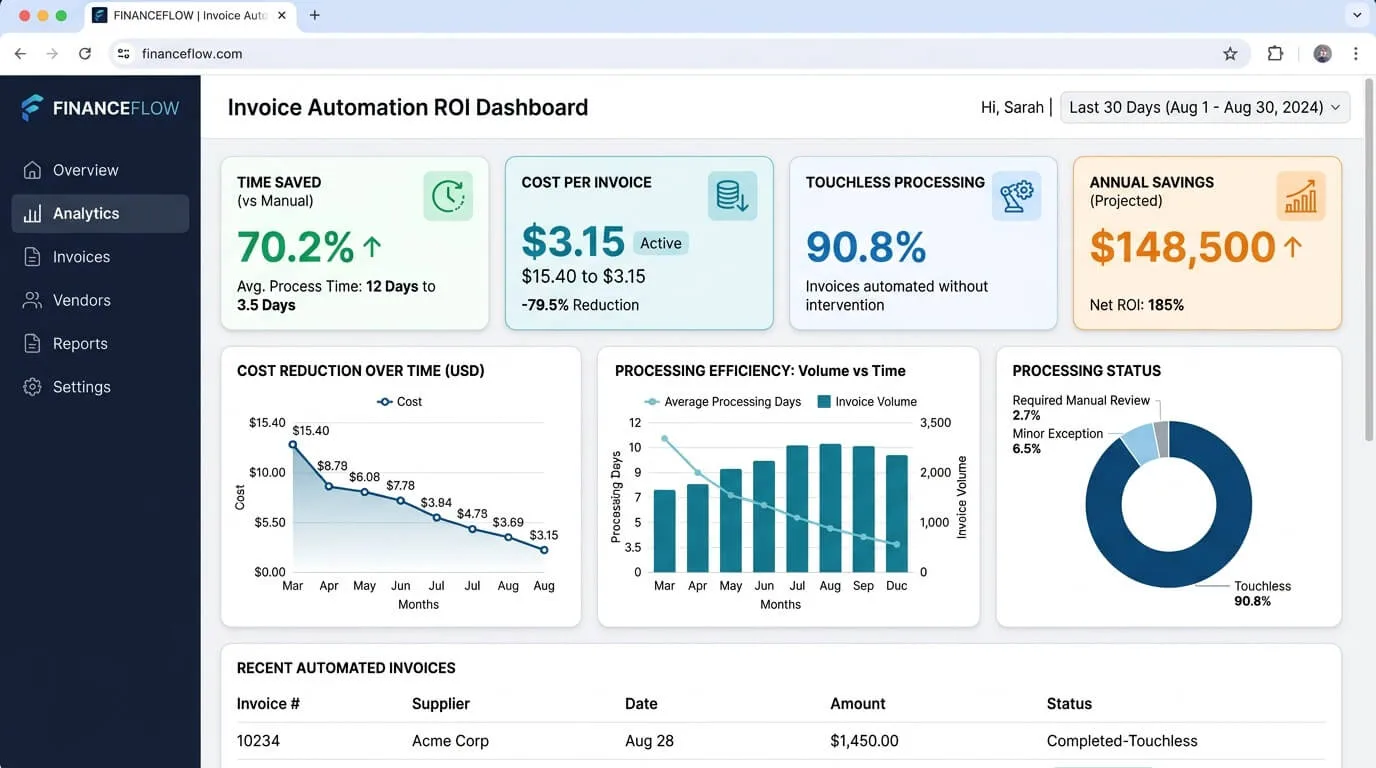
| Cost Per Invoice | $15-$25 fully loaded | Under $3 | 80%+ cost reduction |
| Compliance | Difficult to maintain; audit prep takes weeks | Automated audit trails; prep takes hours | Near-complete improvement |
| Visibility | Delayed; finance sees liabilities after the fact | Real-time view of all outstanding invoices | Full transparency |
It's easy to make automation sound like a magic wand. The reality is that the results are impressive,but they don't happen automatically. The firms that get the most out of these tools share a few things in common.
The Bravedo Group is a holding company managing the finances of 92 separate entities. Before automation, their AP team was processing over 120,000 invoices a year,and only 20% of those went from receipt to ledger without someone touching them manually. The other 80% required intervention: fixing extraction errors, rerouting to the right entity, correcting GL codes.
The turning point wasn't just the technology. It was how the team deployed it. Rather than trying to automate everything at once, they started with their highest-volume vendors and built clean routing rules for each entity. The AI was trained on their specific data over a 60-day period. By the end of that period, their touchless rate had climbed to 90%, and automatic routing accuracy hit 80%. The AP team stopped spending their days fixing data entry errors and started spending them on exception management and vendor relationship work.
The numbers were significant. The company estimated it had recovered the equivalent of two full-time employees' worth of productive capacity, without laying anyone off.
The single most consistent failure mode in automation projects isn't the software. It's the people. Finance teams that are told "we're switching to this new system next month" without being involved in the process will find ways to work around it, avoid it, or sabotage it, even if they don't mean to.
The teams that succeed do the opposite. They involve AP clerks and procurement staff in the tool selection. They run demos using real invoices from their actual vendors. They celebrate small wins,like the first week where the system processed 200 invoices without a single manual correction. When people feel like they helped build the process, they defend it.
Every automation project runs into resistance. Here are the two most common objections, with honest answers for each.
This is the fear that sits behind a lot of the resistance to automation projects in accounting, and it deserves a direct, honest answer rather than a corporate non-answer.
The short answer is: no, not if your firm deploys it thoughtfully. What automation actually does is eliminate the lowest-value work from your team's day. The data entry. The email chasing. The error-correction loop. These are the tasks that make people feel like expensive robots.
What it opens up instead is time for work that genuinely requires judgment: reviewing exception reports, managing vendor relationships, analyzing spending patterns, flagging anomalies that the system flagged but needs a human call on. In firms that have implemented AP automation well, the AP function typically doesn't shrink. It evolves. Clerks who used to key in data full-time are now doing meaningful analysis work that they find much more satisfying.
The firms that do reduce headcount through automation usually had other problems first: overstaffing that was a symptom of manual inefficiency, not a feature. Automation just made that visible.
Five years ago, the answer to this was yes, absolutely. Enterprise AP systems required server configurations, custom API work, database schemas, and weeks of professional services time. Small and mid-market firms couldn't realistically deploy them without significant technical resources.
That's genuinely not true anymore. Modern cloud-native platforms are designed for non-technical users. The integrations with QuickBooks, Xero, and NetSuite are pre-built and OAuth-based,meaning you authorize the connection with a few clicks, map your chart of accounts in an afternoon, and start processing invoices that day. No IT ticket, no custom code, no servers.
TallyScan, for example, lets a finance manager connect to QuickBooks or Xero in minutes and have their first batch of invoices processed within the hour. The hardest part of setup is usually deciding which approval rules you want to configure, not the technology itself.
An AP clerk will tell you the system is working because they finally get to leave the office on time. A CFO needs something more concrete. Here are the metrics worth tracking from day one:
| KPI Category | Metric to Track | Target You Should Hit | Why It Matters in Practice |
|---|---|---|---|
| Efficiency | Average processing time per invoice | Reduce by 70–90% | Faster processing means you can capture early payment discounts,typically 1–2% of invoice value,which adds up quickly at volume. |
| Accuracy | Error and exception rate | Reduce by 80%+ | Fewer errors means fewer duplicate payments, fewer vendor disputes, and fewer late fees. Each of these has a direct dollar value. |
| Cost | Fully-loaded cost per invoice | Drop from ~$15 to under $3 | This is the number your CFO will want to track. It's direct, measurable, and makes the ROI case obvious. |
| Compliance | Time to prepare audit documentation | From weeks to hours | When every document is already tagged, timestamped, and linked to its transaction, audit prep becomes a search query rather than a file room expedition. |
| Team Capacity | % of invoices processed touchlessly | Target 70–90% | This is the headline metric. It tells you what fraction of your volume your team never has to touch at all. |
Set a baseline on all five of these metrics before you go live. Review them monthly for the first quarter. If you're not hitting at least partial improvement on all five by month three, something in your configuration needs attention.
The most common mistake teams make when rolling out automation is trying to do everything at once. They want to automate every vendor, every entity, every approval scenario on day one. It almost never works. The best implementations are staged, deliberate, and built around quick wins.
Here's the four-step approach that consistently delivers results:
Step 1: Map Your Inputs and Clean the Mess Before you configure anything, spend a week figuring out where your invoices actually come from. How many vendors send PDFs via email? How many use paper? Are they going to one shared inbox or a dozen personal ones? The goal is to identify your top 20 vendors by volume. These will be your pilot group. Set up a single, dedicated invoice receipt email address and notify those vendors to start using it. Getting your inputs into one clean channel is the unsexy prerequisite that makes everything else work.
Step 2: Run a "Demo Day" with Real Documents Before you ask your team to change their workflow, show them what the system can actually do. Pull 50 real invoices from the last month,a variety of vendors, formats, and amounts,and run them through the AI extraction in front of the team. Let them watch the vendor name, invoice number, total, and line items populate automatically. For most people, seeing it work on documents they recognize is more convincing than any sales presentation.
Step 3: The Crumple Test Now find your worst invoices. The one that came in as a sideways scan. The handwritten receipt. The 40-page PDF from an IT vendor with nested line items and three different tax rates. Run all of them through the system during your pilot period. If the AI handles your edge cases cleanly, you know it's ready for production. If it struggles with specific formats, now is the time to figure out workarounds or manual review rules for that category.
Step 4: Go Live and Set a Hard Cutoff Date Pick a date when the old process stops. Not "we'll gradually transition," a hard date. From that date forward, every invoice goes through the system. This is important because gradual transitions tend to become permanent parallel processes, which is the worst possible outcome. Set the date, communicate it to your vendors, and hold the line.
After go-live, the system will improve on its own as the ML engine learns from any corrections you make. Check your KPIs monthly and adjust rules as needed. Most teams find the system has largely "settled in" after about 90 days.
The most common root cause is what data engineers call "Garbage In, Garbage Out." If your vendor master data is messy before you automate,duplicate entries, inconsistent naming, outdated GL codes,you'll process incorrect data faster, not better. The fix is simple but unglamorous: clean your data before you go live. A one-week data hygiene exercise before launch will pay dividends for years.
Yes, in most cases. Modern AP automation platforms are built with API-first architectures that can connect to almost any system. If a pre-built native connector doesn't exist for your specific ERP, secure SFTP file exports or custom webhooks provide workable alternatives. Ask your vendor specifically about your system during the evaluation process,don't assume the integration exists without confirming it.
For most businesses, yes, decisively. Basic OCR eliminates typing, which is valuable. But AI eliminates exception handling, which is where most of the real labor cost lives. When an OCR system misreads a field, a human has to catch it and fix it. When an AI system misreads a field, it typically flags it for review rather than silently passing bad data through. The difference in accuracy,and the downstream reduction in correction time,is significant.
Invoice automation is the narrower capability: extracting structured data from an invoice document and routing it for approval. AP automation is the full workflow: invoice capture, three-way PO matching, multi-tier approval routing, and payment execution. If you're just starting out, invoice automation is the right entry point. Once that's running smoothly, expanding into broader accounting document management and full AP automation makes sense.
Most companies see meaningful ROI within 60–90 days of going live, sometimes faster. The biggest factors are your current manual processing cost per invoice and your invoice volume. A firm processing 300+ invoices per month at $15–20 each should expect to recover the cost of the software within the first month or two, with ongoing savings compounding from there.
If your accounts payable process feels like it's running on willpower rather than infrastructure, that's a solvable problem. The technology to fix it is more accessible, more affordable, and more reliable than it's ever been.
Start a free TallyScan trial and run your first batch of invoices through the AI in under ten minutes. No IT support required.
How invoice process automation works, real ROI calculations, a 6-point tool selection framework, 5 implementation phases, pitfalls to avoid, and 8 FAQs.
Learn how the invoice matching process works, when to use 2-way, 3-way, and 4-way matching, how to handle exceptions, set tolerance thresholds, and automate the entire workflow.
Learn how invoice approval automation eliminates manual bottlenecks, cuts processing costs by 70%, and builds an audit-proof workflow. Step-by-step guide with real ROI numbers.