Competitor comparison
The best Dext alternative in 2026
An honest comparison of TallyScan and Dext (formerly Receipt Bank): where each tool wins, how pricing scales, and when a simpler Hubdoc-style rival is the wrong bet.
Last updated: September 2026 · Pricing verified against public Dext and TallyScan plans
Who should choose which?
Choose TallyScan if you are a freelancer or small business that wants AI extraction with line items, a dedicated invoice forward address (no full-inbox OAuth), and hand-off to Google Sheets, Notion, Google Drive, or OneDrive, plus QuickBooks and Xero sync (Beta) on higher plans, without paying practice-style per-client fees.
Choose Dext if you run an accounting or bookkeeping practice and need a multi-client capture dashboard, client mobile apps, supplier rules at scale, and mature publish into Xero, QuickBooks, Sage, or FreeAgent.
What is Dext?
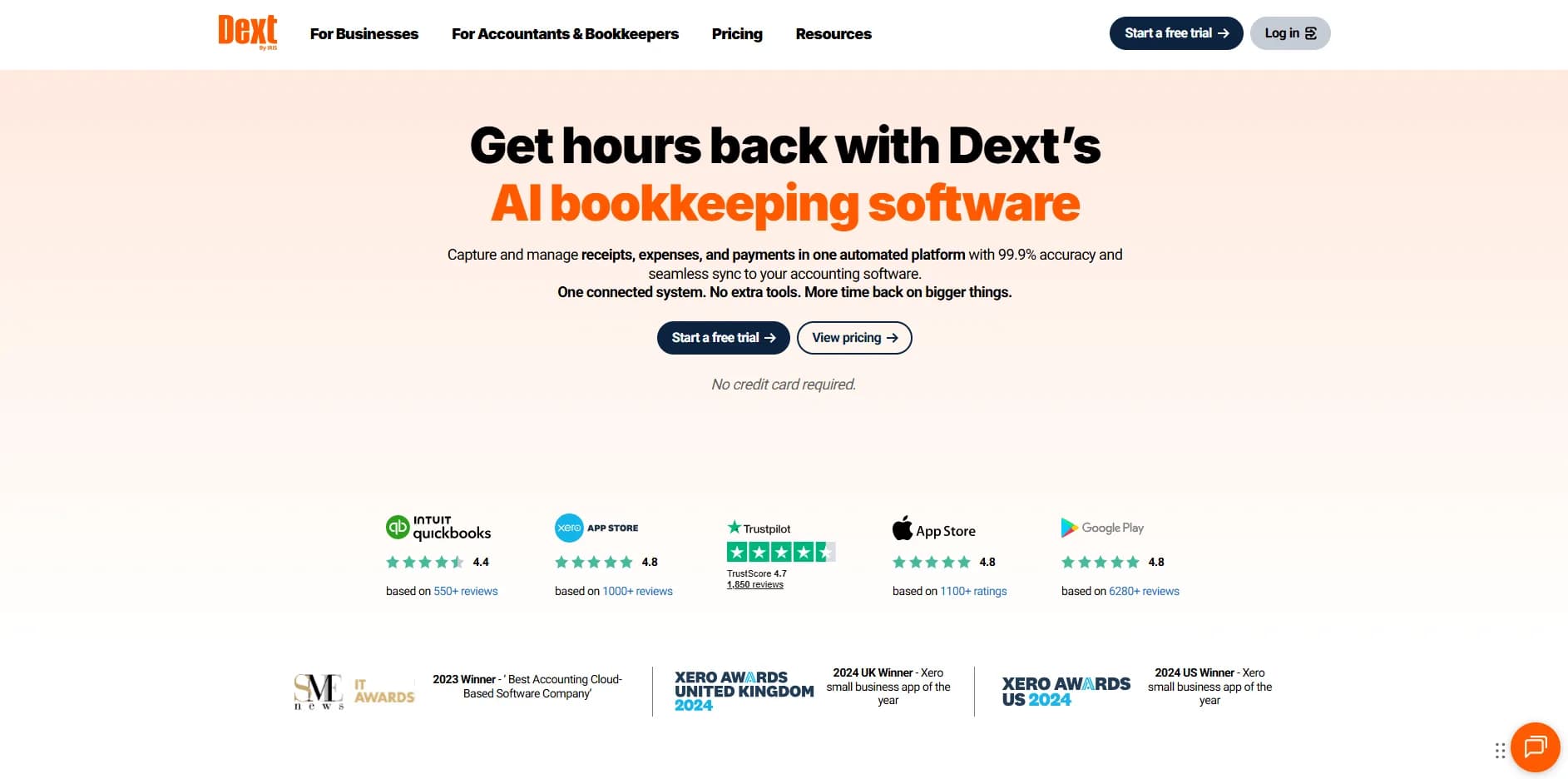
Dext (formerly Receipt Bank) is a document capture platform built for bookkeepers and businesses. Clients and teams submit invoices and receipts by mobile app, email forward, or upload. Dext extracts data and pushes bills into accounting products such as Xero, QuickBooks, Sage, and FreeAgent.
For many firms, Dext is the default "get client paperwork in" layer. The product is stronger as practice infrastructure than as a lightweight tool for one founder who only needs email invoices into a spreadsheet.
Where Dext has the edge
A fair Dext alternative page starts with what Dext still does better than a lean SMB tool.
Multi-client practice dashboard
Accountants can see many clients, upload status, and exception queues in one place. That practice layer is why bookkeeping firms stick with Dext even when a cheaper extractor exists. TallyScan is not trying to be a firm OS.
Client mobile capture habits
Dext's mobile app is designed so clients photograph till receipts and submit them into the firm's pipeline. If your bottleneck is chasing clients for paper and phone photos, that app-led collect model is a real advantage.
Mature ledger publish for practices
Dext has spent years wiring into Xero, QuickBooks, Sage, and FreeAgent workflows that bookkeepers already trust. For firms that live inside those ledgers every day, that depth still matters more than a Sheets-first export.
Supplier rules and practice tooling
Larger practices often need supplier rules, bank statement extract credits, and related bookkeeping add-ons. Dext packages more of that world. Solo operators rarely need the full stack.
Where TallyScan wins
Built for one business, not a 40-client firm
If you are the owner, not the practice, Dext can feel like buying an accounting firm's toolkit. TallyScan is sized for freelancers and small teams: dedicated forward address, AI extraction, review, export. See our invoice capture software shortlist for Hubdoc vs Dext vs TallyScan by fit.
Privacy-forward email capture
Dext can collect via client upload and email forward. Some "Dext alternatives" instead ask for full Gmail or Outlook access. TallyScan gives you a dedicated address. You forward only what you choose. No full-inbox OAuth.
Predictable volume pricing (no per-client ladder)
Practice Dext pricing often scales with client count and can layer credits for bank statements or heavy line-item jobs. TallyScan charges by monthly invoice volume on one account. Free stays free for 10 invoices. Starter is $39/month for 400 invoices with Sheets and Drive sync.
Line items without practice overhead
Buyers often leave Hubdoc for line items and leave Dext when they want line items without practice pricing. TallyScan extracts vendor, dates, totals, and line items so you are not rebuilding every SaaS bill by hand in a spreadsheet.
Sheets and Drive first, ledger sync as Beta
TallyScan syncs to Google Sheets, Notion, Google Drive, and OneDrive on Starter and higher. QuickBooks Online and Xero bills sync are available on Pro and Enterprise as Beta. That order matches how many SMBs actually close the month: sheet first, ledger second.
Pricing compared (as of September 2026)
Dext figures change by region and plan family. Treat the table as a model comparison and confirm on dext.com. TallyScan numbers match tallyscan.com/pricing.
| Pricing detail | Dext | TallyScan |
|---|---|---|
| Entry price | Business plans often from ~$30+/mo; Practice quoted per client | Free forever (10 invoices/mo) |
| Billing model | Business document tiers; Practice often per client + credits | By monthly invoice volume on one account |
| Free tier | Trial-led; no lasting free plan for most buyers | Permanent Free plan |
| Best cost fit | Firms billing many clients through one practice | One business (or one operator) with steady volume |
| Annual discount | Check Dext Business / Practice quotes | About 2 months free on annual plans |
TallyScan plans at a glance
| Plan | Monthly price | Invoices / mo | Notable sync |
|---|---|---|---|
| Free | $0 | 10 | Forward address + uploads |
| Starter | $39 | 400 | Sheets, Notion, Drive, OneDrive |
| Pro | $99 | 1200 | + QuickBooks & Xero (Beta) |
| Enterprise | $199 | 3000 | Higher volume + full sync |
A worked example
A 25-client bookkeeping firm that needs one dashboard and client apps will usually stay on Dext (or another practice suite). A two-person agency processing ~80 SaaS invoices a month, wanting Sheets plus Drive PDFs and a private forward address, usually lands on TallyScan Starter or Pro without buying a per-client practice seat.
Feature comparison
| Feature | Dext | TallyScan |
|---|---|---|
| Primary buyer | Accounting practices + mid-market businesses | Freelancers and small businesses |
| Pricing | Business tiers; Practice often per client + credits | Free 10/mo; then $39+ by volume |
| Multi-client firm dashboard | Core strength | Not a practice suite |
| Email collection | Client forward / upload / mobile app | Dedicated TallyScan forward address |
| Full-inbox OAuth required? | No (client submit model) | No (forward / upload only) |
| Line-item extraction | Available (often credit-sensitive on heavy use) | Included in AI extraction workflow |
| Accounting hand-off | Xero, QuickBooks, Sage, FreeAgent (practice-grade) | Sheets, Notion, Drive, OneDrive; QuickBooks & Xero (Beta) |
| Best fit | Firms collecting from many clients | One business wanting private email capture + flexible export |
Choose Dext if you…
- Run an accounting or bookkeeping practice with many clients
- Need client mobile apps and a firm-wide exception queue
- Publish daily into Xero, QuickBooks, Sage, or FreeAgent as a practice
- Want supplier rules and practice tooling more than a simple forward address
Choose TallyScan if you…
- Are a freelancer or SMB, not a multi-client practice
- Want email capture without granting full-inbox access
- Prefer volume pricing over per-client practice seats
- Need Sheets, Notion, Drive, or OneDrive hand-off first (QuickBooks or Xero sync is Beta on higher plans)
- Want a permanent free tier to test real invoices before you pay
How to switch from Dext to TallyScan
- Export what you need from Dext. Keep PDFs and any CSV or ledger exports your accountant still relies on.
- Create a TallyScan account and copy your dedicated forward address.
- Forward new invoices (or set a mail filter). Upload leftover PDFs for older bills.
- Connect destinations (Sheets, Notion, Drive, or OneDrive; QuickBooks or Xero on Pro when you need ledger sync).
- Run both for one billing cycle. Cancel Dext only when the new flow is stable. Firms that still need multi-client collect should keep Dext for that job.
Related: Hubdoc alternative, Expensify alternative, extract invoices from email, best invoice OCR software, and TallyScan case studies.
Frequently asked questions
How much does Dext cost in 2026?
Dext sells Business plans for companies and Practice plans for accounting firms. Published Business tiers often start in the low-to-mid tens of dollars per month with a document allowance. Practice pricing is commonly quoted per client (sometimes with a client minimum) and can add credits for bank statements or heavy line-item work. Confirm current numbers on dext.com.
Is Dext the same as Receipt Bank?
Yes. Dext was formerly Receipt Bank. The product still covers receipt and invoice capture for bookkeepers and businesses, now under the Dext brand (including Dext Prepare for document capture).
Why look for a Dext alternative?
Common reasons: practice pricing that scales per client, credit metering on some extraction features, a workflow that depends on clients remembering to upload or forward, and more product than a solo business needs. TallyScan is built for freelancers and small teams that want a dedicated forward address, AI extraction with line items, and export to Google Sheets, Notion, Google Drive, or OneDrive, plus QuickBooks and Xero sync (Beta) on higher plans.
Is there a free Dext alternative?
TallyScan's Free plan includes 10 invoice extractions per month, a dedicated forwarding address, and PDF or image uploads. No practice seat and no per-client minimum. Dext typically offers a short trial rather than a permanent free tier.
Does TallyScan replace Dext for accounting firms?
Not as a full practice suite. If you need a multi-client firm dashboard, client onboarding apps, and practice-wide exception queues, Dext usually stays the better fit. TallyScan fits a single business (or a bookkeeper helping one client at a time) that wants private email capture and flexible file or sheet exports.
Does TallyScan sync to Google Sheets, Drive, QuickBooks, or Xero?
Yes. Starter and higher sync to Google Sheets, Notion, Google Drive, and OneDrive. Pro and Enterprise also add QuickBooks Online and Xero bills sync (Beta). Dext is stronger when you need mature push into Xero, QuickBooks, Sage, or FreeAgent inside a bookkeeping practice workflow.
Can I use TallyScan alongside Dext?
Yes. Some practices keep Dext for client collect and ledger publish, while an owner-operator client uses TallyScan for their own SaaS inbox and Sheets archive. Run both for one cycle before you cancel anything.
Will I lose old invoices if I switch from Dext?
Export or download what you need from Dext first. Then forward new invoices to your TallyScan address or upload PDFs. TallyScan does not require full-inbox OAuth, so it will not rebuild years of Gmail history by itself.