Competitor comparison
The best Expensify alternative in 2026 (for invoices)
An honest comparison of TallyScan and Expensify: employee expense reports versus vendor invoice capture, where each tool wins, and when you should keep both.
Last updated: September 2026 · Pricing verified against public Expensify and TallyScan plans
Who should choose which?
Choose TallyScan if your problem is supplier and SaaS invoices in email: you want a dedicated forward address (no full-inbox OAuth), AI extraction with line items, and hand-off to Google Sheets, Notion, Google Drive, or OneDrive, plus QuickBooks and Xero sync (Beta) on higher plans.
Choose Expensify if your problem is employee spend: mobile receipt capture, expense reports, approvals, reimbursements, or Expensify Card reconciliation. That is a different job than AP invoice intake.
What is Expensify?
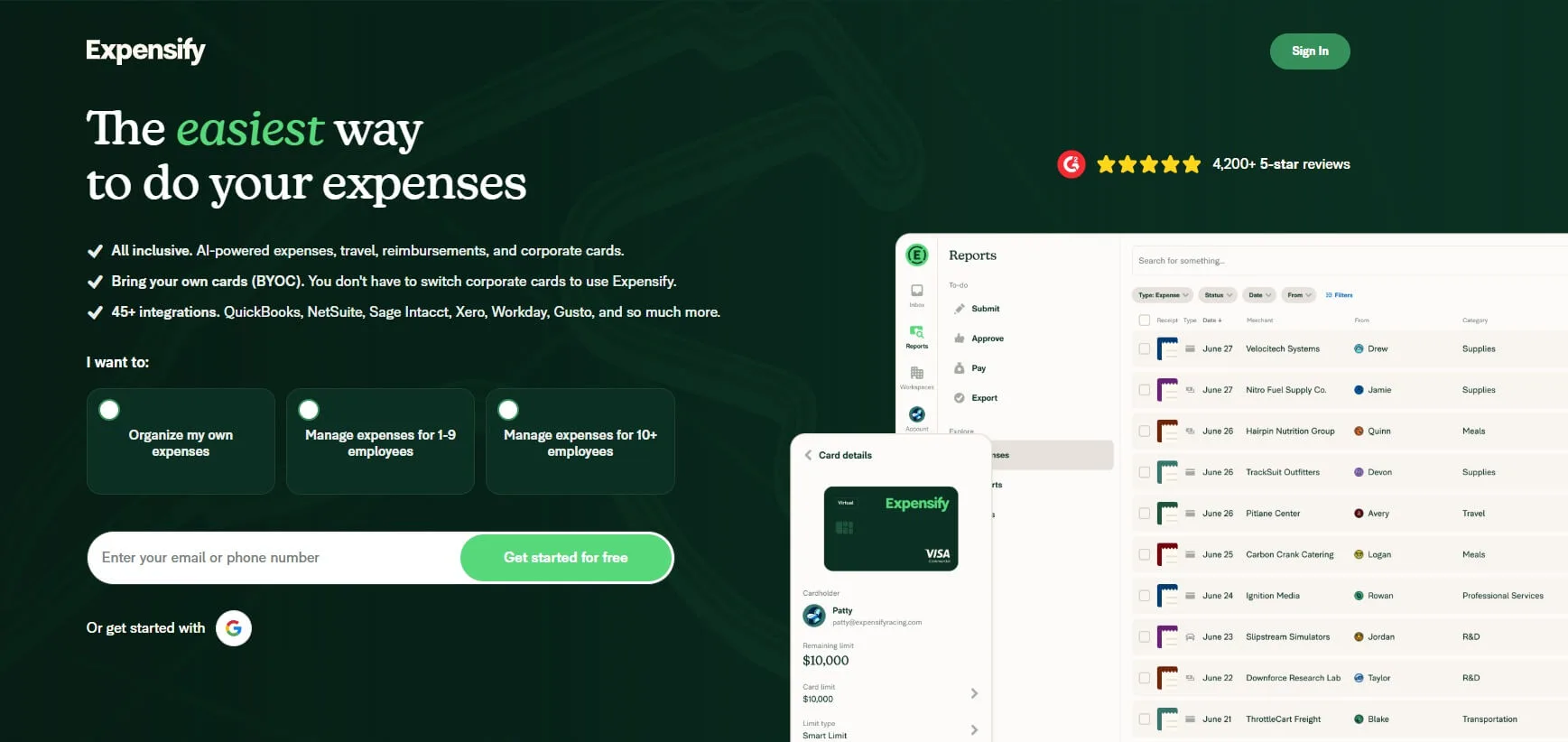
Expensify is expense management software. Employees photograph receipts with SmartScan, build expense reports, route them for approval, and get reimbursed. Companies can also use the Expensify Card so card spend lands in the same workflow.
Buyers often search "Expensify alternative" when they really need invoice capture: vendor bills and SaaS receipts into bookkeeping. Expensify can scan a receipt photo, but it is optimised for T&E reports, not for a shared AP inbox.
Where Expensify has the edge
If you are comparing tools for the wrong job, you will pick the wrong winner. Here is where Expensify is still the better choice.
Employee expense reports and reimbursements
Sales trips, client dinners, taxi rides: people submit reports, managers approve, finance reimburses. TallyScan does not replace that reimbursement loop.
Mobile SmartScan for people on the road
Expensify is built around phone photos of till receipts. For field teams, that mobile habit is the product. TallyScan is built around email forwards and PDF or image uploads for business invoices.
Policy, approvals, and card spend
Policy rules, approval chains, and Expensify Card reconciliation are spend-control features. Teams that need corporate card + expense policy in one place should stay in the Expensify (or Ramp / Brex) category, not force that into an invoice extractor.
Per-user pricing that matches headcount
When every traveler is a seat, per-member pricing can be rational. When your volume is 200 vendor PDFs and two bookkeepers, per-user expense seats are usually the wrong meter.
Where TallyScan wins
Vendor invoices, not expense reports
Stripe, AWS, landlord, and supplier PDFs that land in email are AP documents. TallyScan gives you a dedicated address, extracts the fields (including line items), and files the result. You are not asking employees to open an expense app for every software bill.
Privacy-forward email capture
Forward only the messages you choose to your TallyScan address. No full-inbox OAuth. That fits founders who want automation without scanning every personal thread.
Volume pricing instead of seat sprawl
Expensify scales with members. TallyScan scales with monthly invoice extractions: Free for 10/month, Starter at $39/month for 400 invoices with Sheets and Drive sync. One operator can process the whole AP pile without buying a seat for every teammate who never submits an expense.
Sheets and Drive first for bookkeeping hand-off
Sync to Google Sheets, Notion, Google Drive, and OneDrive on Starter and higher. QuickBooks Online and Xero bills sync are Beta on Pro and Enterprise. Many SMBs close the month in a sheet long before they need a full expense platform.
Clearer category fit than "receipt app" shopping
Searching Expensify alternatives often mixes T&E tools with AP capture tools. If your shortlist also includes Hubdoc or Dext, you are probably shopping invoice capture. Compare those paths on our Hubdoc and Dext pages too.
Pricing compared (as of September 2026)
Expensify billing varies by Collect vs Control, annual vs pay-per-use, and whether you use the Expensify Card. Confirm on expensify.com. TallyScan numbers match tallyscan.com/pricing.
| Pricing detail | Expensify | TallyScan |
|---|---|---|
| Entry price | Collect ~$5/member/mo; Control higher (card discounts apply) | Free forever (10 invoices/mo) |
| Billing model | Per member / active user | By monthly invoice volume |
| What you pay for | People who submit or manage expenses | Invoices and receipts you extract |
| Best cost fit | Teams with many traveling employees | Few operators, many vendor documents |
| Annual discount | Common on Control; card usage can lower rates | About 2 months free on annual plans |
TallyScan plans at a glance
| Plan | Monthly price | Invoices / mo | Notable sync |
|---|---|---|---|
| Free | $0 | 10 | Forward address + uploads |
| Starter | $39 | 400 | Sheets, Notion, Drive, OneDrive |
| Pro | $99 | 1200 | + QuickBooks & Xero (Beta) |
| Enterprise | $199 | 3000 | Higher volume + full sync |
A worked example
A 15-person sales team filing weekly travel reports should stay on Expensify (or another T&E suite). A 3-person agency with ~100 vendor and SaaS invoices a month, almost no reimbursements, and a bookkeeper who wants Sheets plus Drive PDFs, usually saves money and friction on TallyScan Starter or Pro instead of buying expense seats for everyone.
Feature comparison
| Feature | Expensify | TallyScan |
|---|---|---|
| Primary job | Employee expenses, approvals, reimbursements | Vendor invoice and receipt capture |
| Pricing | Per member / active user | Free 10/mo; then $39+ by volume |
| Mobile T&E reports | Core strength (SmartScan) | Not an expense-report product |
| Email vendor invoices | Not the main workflow | Dedicated forward address |
| Full-inbox OAuth required? | No (app / card / submit model) | No (forward / upload only) |
| Corporate card product | Expensify Card available | No card product |
| Accounting hand-off | Expense reports into accounting tools | Sheets, Notion, Drive, OneDrive; QuickBooks & Xero (Beta) |
| Best fit | Teams with traveling employees | SMBs drowning in supplier and SaaS invoices |
Choose Expensify if you…
- Need employee expense reports and reimbursements
- Rely on mobile receipt photos from people on the road
- Want policy rules, approvals, or an Expensify Card workflow
- Bill costs by headcount of spenders, not by vendor invoice count
Choose TallyScan if you…
- Need to capture vendor and SaaS invoices from email
- Want a dedicated forward address without full-inbox access
- Prefer volume pricing over per-user expense seats
- Need Sheets, Notion, Drive, or OneDrive hand-off first (QuickBooks or Xero sync is Beta on higher plans)
- Do not need reimbursement workflows for traveling employees
How to move invoice capture off Expensify
- Keep Expensify for true T&E if employees still need reimbursements. Do not force travel receipts into an AP tool.
- Create a TallyScan account and copy your dedicated forward address.
- Forward vendor and SaaS invoices (or set a mail filter). Upload PDFs you already downloaded.
- Connect destinations (Sheets, Notion, Drive, or OneDrive; QuickBooks or Xero on Pro when you need ledger sync).
- Run the split for one month. Measure whether AP documents stopped clogging expense reports. Then decide what to cancel.
Related: Hubdoc alternative, Dext alternative, extract invoices from email, and best invoice OCR software.
Frequently asked questions
How much does Expensify cost in 2026?
Expensify prices per member. Collect is commonly listed around $5 per unique member per month. Control is higher (often from about $18 per included member on annual terms before card discounts, with pay-per-use and Expensify Card options changing the bill). Confirm current numbers on expensify.com. Costs scale with headcount, not with how many supplier invoices you receive.
Is Expensify for invoices or for employee expenses?
Expensify is built for employee expense reports: people photograph receipts, submit reports, get approvals, and get reimbursed (or reconcile card spend). It can capture receipt images, but it is not primarily an accounts-payable invoice intake tool for vendor bills that arrive by email.
Why look for an Expensify alternative for invoices?
If your pain is supplier and SaaS invoices in email, not employee T&E, Expensify is the wrong category. You end up paying per user for reimbursement workflows you may not need. TallyScan is built for forwarding vendor invoices to a dedicated address, extracting line items with AI, and exporting to Google Sheets, Notion, Google Drive, or OneDrive, plus QuickBooks and Xero sync (Beta) on higher plans.
Is there a free Expensify alternative for invoice capture?
TallyScan's Free plan includes 10 invoice extractions per month with a dedicated forwarding address and uploads. Expensify has limited free SmartScan capacity on some plans, but the product remains expense-report oriented.
Does TallyScan replace Expensify for employee reimbursements?
No. If you need mobile expense reports, manager approvals, reimbursements, or an Expensify Card workflow, keep Expensify (or another T&E tool). TallyScan does not try to be a spend or reimbursement platform.
Does TallyScan sync to Google Sheets, Drive, QuickBooks, or Xero?
Yes. Starter and higher sync to Google Sheets, Notion, Google Drive, and OneDrive. Pro and Enterprise also add QuickBooks Online and Xero bills sync (Beta). Expensify connects to accounting tools in the context of expense reports and card spend, not as a dedicated AP invoice pipeline.
Can I use TallyScan alongside Expensify?
Yes. A common split: Expensify for employee travel and out-of-pocket spend, TallyScan for vendor and SaaS invoices that hit a shared inbox. That avoids forcing AP documents through an expense-report product.
Will I lose old receipts if I switch from Expensify?
Export or download what you need from Expensify first. Historical employee reports usually stay in Expensify. For supplier invoices going forward, use your TallyScan forward address or upload PDFs. TallyScan does not require full-inbox OAuth.