Guide
Why Your Invoice Approval Process Is Costing You More Than You Think?
Design a faster invoice approval workflow: define roles, set smart thresholds, automate routing, track KPIs, and cut processing costs by up to 75%.

TallyScan Team
It's the 15th of the month. You know you sent an invoice three weeks ago. You think it was for $2,400. You're pretty sure it's past due. But you have to dig through four folders, a dozen email threads, and your sent items just to confirm the basics, and then draft an awkward follow-up email that you'll rewrite three times before sending.
This is the real cost of not having an invoice tracking system. It's not just the late payment. It's the time you lose, the mental bandwidth you waste, and the professional impression you leave when you can't answer basic questions about your own billing.
How to keep track of invoices is one of the most practical skills any freelancer or small business owner can develop. This guide gives you a complete, step-by-step system, from writing the invoice itself to automated follow-up to year-end tax records, so you're never chasing money you've already earned.
Most business owners think of invoice tracking as a paperwork task. It isn't. It's a cash flow management discipline, and poor cash flow is the leading cause of small business failure, even for profitable companies.
Consider the math: if you invoice $20,000 per month but half your invoices are consistently 2xx weeks late, you're operating with a permanent $10,000 cash flow gap. That gap forces you to cover expenses from reserves, delay your own payments to vendors, and make financial decisions based on uncertainty rather than fact.
The research underscores the scale of this problem:
The solution to most of these problems isn't aggressive collection tactics. It's a better system. When your invoices are clear, your records are centralized, and your follow-up is consistent, late payments become the exception rather than the rule.
According to Investopedia's definition of Accounts Receivable, outstanding invoices represent a current asset on your balance sheet, meaning how well you track and collect them directly affects your business's reported financial health, not just your cash position.
You cannot track an invoice effectively if the invoice itself is unclear, inconsistent, or missing critical information. Before building any tracking system, make sure every invoice you send is airtight.
A consistent invoice numbering system is the bedrock of any tracking method. Without unique, sequential numbers, you cannot search, reference, or discuss specific invoices efficiently, and duplicates are impossible to catch.
Two reliable formats:
| Format | Example | Best For |
|---|---|---|
| Sequential | INV-001, INV-002, INV-003 | Freelancers with a single client list |
| Year-Client | 2026-SMITH-001, 2026-JONES-002 | Businesses with multiple clients and high volume |
Pick one format and use it for every invoice, without exception. The specific format matters far less than absolute consistency.
Vague payment terms are a silent cause of late payments. "Net 30" is industry shorthand, not every client reads it the same way. Use plain language instead:
Include the exact due date on every invoice, not just the terms. When a client can see "Payment due: April 14, 2026" without doing mental math, it reduces the most common excuse for delays: "I wasn't sure when it was due."
| Element | Why It Matters |
|---|---|
| Unique invoice number | Reference for tracking, disputes, and tax records |
| Issue date | Establishes when the payment clock starts |
| Explicit due date | Removes ambiguity; critical for follow-up scheduling |
| Itemized service/product breakdown | Prevents disputes about what was billed |
| Payment methods accepted | Reduces friction at the payment moment |
| Your tax ID or EIN | Required for clients filing 1099s |
| Late payment terms | Sets expectations; often prompts faster payment |
Pro Tip: Adding "Late payments subject to 1.5% monthly interest" to your invoice terms often accelerates payment more effectively than any follow-up email. Most clients will pay on time simply to avoid the fee, even if you rarely enforce it.
The most common invoice tracking failure is scattered records: some invoices in email, some in Downloads, some in a Google Drive folder that hasn't been opened since 2024. When your records have no single home, tracking becomes a search operation every time.
For freelancers and small businesses sending fewer than 50 invoices per month, a well-structured cloud folder is a free, effective starting point.
Recommended structure:
Invoices/
├── 2026/
│   ├── [Client A]/
│   │   ├── Sent/
│   │   └── Paid/
│   ├── [Client B]/
│   │   ├── Sent/
│   │   └── Paid/
│   └── Overdue/
└── 2025/
    └── ...
The workflow is simple: when you send an invoice, save the PDF to the client's Sent folder. When payment arrives, move it to Paid. Anything sitting in Sent that's past the due date moves to Overdue during your weekly review.
This two-second filing habit gives you an instant visual answer to "what's outstanding?" without opening a single spreadsheet.
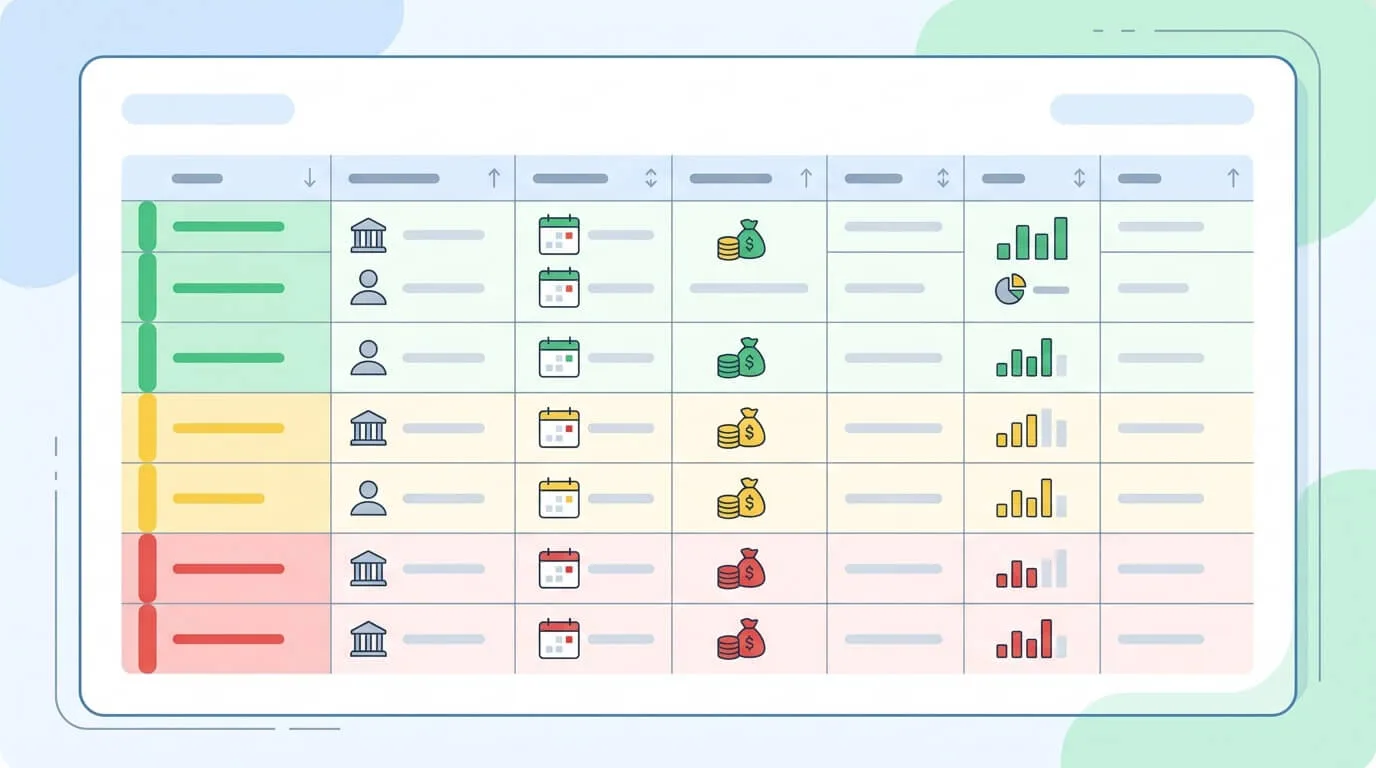
An Accounts Receivable (AR) aging tracker is a simple report, whether a spreadsheet tab or a built-in software feature, that shows you every outstanding invoice organized by how long it's been unpaid.
| Invoice # | Client | Amount | Issue Date | Due Date | Days Outstanding | Status |
|---|---|---|---|---|---|---|
| INV-2026-024 | Acme Corp | $3,200 | Mar 1 | Mar 31 | 19 days | Current |
| INV-2026-019 | Blue Media | $850 | Feb 15 | Mar 17 | 33 days | Overdue |
| INV-2026-015 | Smith LLC | $5,500 | Feb 1 | Mar 3 | 47 days | Urgent |
Review this tracker every Friday. Anything in the "Overdue" column gets a follow-up. Anything over 45 days gets escalated. This weekly habit prevents invoices from aging unnoticed into uncollectible territory.
The right tool depends entirely on where your business is today and where it's headed. Using a complex accounting platform when you send 8 invoices a month is overkill. Using a spreadsheet when you're sending 80 is a constant source of errors and lost time.
| Method | Best For | Pros | Cons |
|---|---|---|---|
| Manual Spreadsheet | Freelancers with <20 invoices/month | Free; fully customizable; no learning curve | No automation; error-prone; no reminders |
| Dedicated Invoicing Software (e.g., FreshBooks, Wave) | Growing freelancers; small service businesses | Professional templates; auto-reminders; online payment links | Monthly fee; limited accounting features |
| Accounting Platform (e.g., QuickBooks, Xero) | Established small businesses | All-in-one: invoicing, bookkeeping, payroll, reporting | Higher cost; steeper learning curve |
| AI-Powered AP/AR Automation (e.g., TallyScan) | Businesses with high invoice volume | Automated extraction, categorization, and sync; near-zero manual input | Requires initial setup and integration |
Regardless of which category you choose, evaluate any tool on these five criteria:
The most important thing to understand about late payments: the majority are not caused by clients who won't pay. They're caused by invoices that got lost, misrouted, or simply deprioritized. Research consistently shows that 70% of payment reminders are needed because of process failures, not bad-faith clients.
This means the most effective follow-up strategy is proactive communication, not aggressive collection. Get your invoice in front of the right person, at the right time, with minimal friction to pay.
| Timing | Action | Purpose |
|---|---|---|
| Day 0 | Send invoice immediately after work is delivered | Strike while value is freshest in client's mind |
| Day 1-2 | Confirmation email ("Just checking this arrived") | Catches spam filters, wrong recipients, and routing issues |
| 3-5 days before due date | Friendly reminder with invoice attached | Keeps you on their payment run; not yet overdue |
| Due date (if unpaid) | Firm notice that payment is now due | Sets tone; includes invoice + payment link |
| 7 days overdue | Escalation follow-up with policy reminder | References late fee terms; clear next steps |
Confirmation (Day 1-2):
Hi [Name], just wanted to make sure Invoice #INV-2026-024 for $3,200 (due March 31) landed in your inbox okay. Let me know if you need anything else from me to process it. Happy to resend in a different format if helpful.
Pre-Due Reminder (3-5 days before):
Hi [Name], a quick note that Invoice #INV-2026-024 is due on March 31. I've attached a copy for easy reference. Payment can be made via [method]. Let me know if any questions.
Overdue Notice (Day 1 past due):
Hi [Name], Invoice #INV-2026-024 for $3,200 was due yesterday. I've re-attached it here. If there's any issue with the invoice or the payment process, I'm happy to help resolve it quickly.
Keep every follow-up professional and easy to respond to. The goal is frictionless payment, not confrontation.
For invoices 30+ days overdue after multiple follow-ups, escalate progressively:
Key Takeaway: Most invoice disputes resolve themselves when the right person in the client's organization becomes aware of the outstanding balance. Before escalating tone, try escalating who receives the follow-up.
Invoice tracking isn't only about getting paid - it's also about having clean records for tax time. For freelancers and small business owners, your invoices are the primary documentation of your business income.
The IRS requires businesses to keep records that support income and expense items on your tax return. For invoices, this means:
Keep these records for at least 3 years from the date you filed the return. For bad debt deductions on uncollectible invoices, retain records for 7 years.
If you're self-employed and making quarterly estimated tax payments, your invoice tracking system feeds directly into your tax planning. Track cumulative invoiced revenue by quarter so you can calculate estimated tax obligations before they're due:
| Quarter | Invoiced Revenue | Estimated Tax (at ~25%) | Payment Due |
|---|---|---|---|
| Q1 (Jan - Mar) | $18,500 | ~$4,625 | April 15 |
| Q2 (Apr - Jun) | $22,000 | ~$5,500 | June 15 |
| Q3 (Jul - Sep) | $19,800 | ~$4,950 | September 15 |
| Q4 (Oct - Dec) | $24,200 | ~$6,050 | January 15 |
An invoice tracking system that shows you real-time year-to-date revenue isn't just helpful for collections. It's how you avoid an April 15 surprise.
For a broader guide to keeping all your financial documents organized and audit-ready, see our article on accounting document management software.
Even businesses with good intentions make these errors consistently. Recognizing them is the first step to fixing them.
Inconsistent numbering creates duplicates, confusion in client accounting departments, and chaos at tax time. Pick a sequential system and never reuse a number - even for a corrected invoice (use a new number and reference the original).
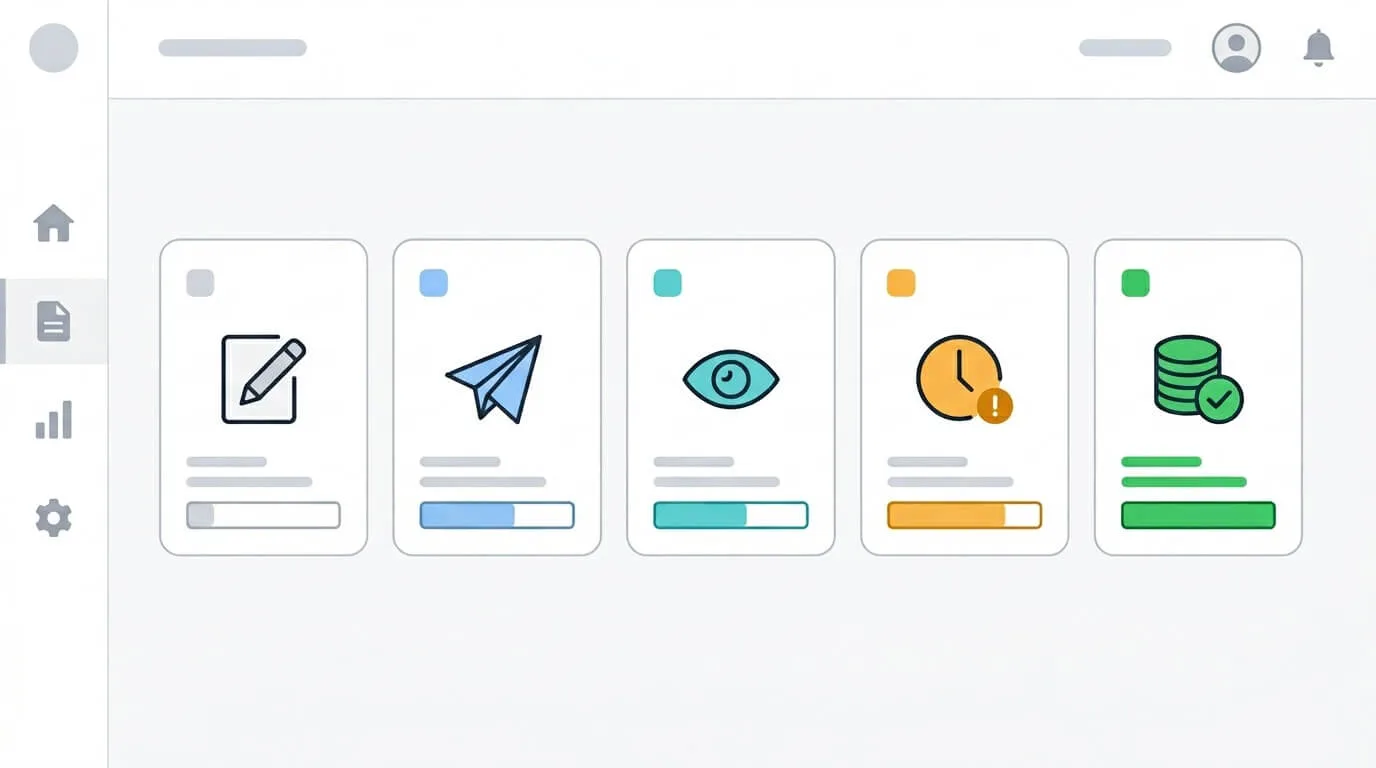
If your tracking system only shows "sent" and "paid" with nothing in between, you lose visibility during the critical payment window. Log every touchpoint: sent, confirmed receipt, viewed, reminder sent, overdue, disputed, paid. This history is invaluable when a client claims they "never received it."
This creates accounting errors, complicates tax reporting, and looks unprofessional if a client ever requests documentation. Business invoices belong in a dedicated system entirely separate from personal finances.
Waiting a week or two after a missed due date to follow up signals that the deadline wasn't serious. A same-day or next-day follow-up maintains professional clarity about your payment expectations.
A client who pays 70% of an invoice didn't pay the invoice - they created a new receivable for the remaining 30%. Track partial payments explicitly so the balance doesn't get lost as "mostly paid."
Manual tracking is scalable up to a point. Once you're sending more than 30-40 invoices per month across multiple clients, manual methods start consuming more time than they save.
AI-powered invoice automation changes the economics of tracking fundamentally:
The practical result is that your "invoice tracking system" becomes largely self-managing. Instead of spending Friday afternoon updating a spreadsheet, you spend 10 minutes reviewing what the system surfaced.
This shift is happening globally. Electronic invoicing (e-invoicing) is now mandated or strongly incentivized in over 60 countries, and the global e-invoicing market is projected to reach $68.7 billion by 2033 - driven by governments and enterprises demanding real-time, auditable invoice data. Businesses that automate their invoice tracking now are building the infrastructure that compliance will eventually require of everyone.
For a deeper look at how AI handles invoice data extraction and processing, see our guide on AI invoice extraction and automation. And for a detailed walkthrough of the invoice processing automation workflow from receipt to reconciliation, that guide covers the full picture.
The most reliable system combines three elements: a consistent invoice numbering system, a centralized document hub (cloud folder or accounting software), and a proactive follow-up workflow with scheduled reminders. For businesses sending fewer than 30 invoices per month, a well-structured cloud folder and AR aging spreadsheet work well. Above that volume, dedicated invoicing software or an accounting platform with automated reminders is more practical and less error-prone.
Keep a copy of every invoice issued (PDF format), the corresponding payment confirmation, and any related contracts. Organize by year and client. The IRS requires these records for at least 3 years from the filing date?? years for bad debt deductions on uncollectible invoices. Digital copies are fully accepted as long as they're legible and complete. Your invoice tracking system is also your primary documentation of business income for quarterly estimated tax payments.
Use an AR aging tracker - a simple table or built-in software report showing every outstanding invoice and how many days it's been unpaid. Review this weekly. Any invoice past its due date should trigger an immediate follow-up. Organize invoices into status categories: Current (not yet due), 1-30 Days Overdue, 31-60 Days Overdue, 60+ Days Overdue. Invoices in the 60+ category need escalated handling, as collection rates drop significantly after 90 days.
An outstanding invoice is any invoice that has been sent but not yet paid - including those still within their payment terms. An overdue invoice is an outstanding invoice that has passed its due date without payment. All overdue invoices are outstanding, but not all outstanding invoices are overdue. Your AR aging tracker should display both clearly so you can distinguish routine receivables from collection priorities.
Frame follow-ups as helpful check-ins, not accusations. Confirm the invoice was received before assuming non-payment is intentional?spam filters and internal routing issues cause the majority of delays. Send your first reminder before the due date (3-5 days early), follow up the day after if unpaid, then weekly thereafter. Only escalate tone after 3+ unanswered follow-ups. Include the invoice and a payment link in every message to minimize friction.
Use a client-based folder structure (one folder per client, with "Sent" and "Paid" subfolders) combined with a single AR aging tracker that shows all clients in one view. Number invoices with a client code (e.g., 2026-SMITH-004) so you can identify them at a glance. If you're using accounting software, most platforms offer a client dashboard that shows open balances by client automatically. The most important habit: update your tracking system the moment an invoice is sent, not at the end of the week.
Getting paid consistently and on time isn't a matter of luck or having the right clients. It's a matter of process. Businesses that track invoices systematically get paid faster, because their clients experience clear billing, professional follow-up, and easy payment options rather than confusion and friction.
Here's the system in brief:
The freelancers and business owners who do this consistently don't spend their time chasing money. They spend it doing the work that earned it.
Ready to stop tracking invoices manually? Start your free TallyScan trial and let AI handle extraction, categorization, and accounting sync, so your invoice tracking becomes something your system does, not something you do.
Design a faster invoice approval workflow: define roles, set smart thresholds, automate routing, track KPIs, and cut processing costs by up to 75%.
Learn what electronic invoicing is, how it works, the difference from PDF invoices, global compliance mandates by country, e-invoicing formats, and how to implement it for your business.
Learn how to reconcile invoices with a proven step-by-step process. Covers three-way matching, vendor statement reconciliation, exception handling, KPIs, and automation—for small businesses and AP teams.