Guide
Why Your Invoice Approval Process Is Costing You More Than You Think?
Design a faster invoice approval workflow: define roles, set smart thresholds, automate routing, track KPIs, and cut processing costs by up to 75%.

TallyScan Team
You have been emailing PDF invoices for years. It works, more or less. But increasingly, your enterprise customers are asking for something called an "e-invoice," government mandates are appearing in markets where you operate, and your accountant keeps mentioning that your invoicing process is slower than it should be.
So what exactly is electronic invoicing, and is it really that different from what you are already doing?
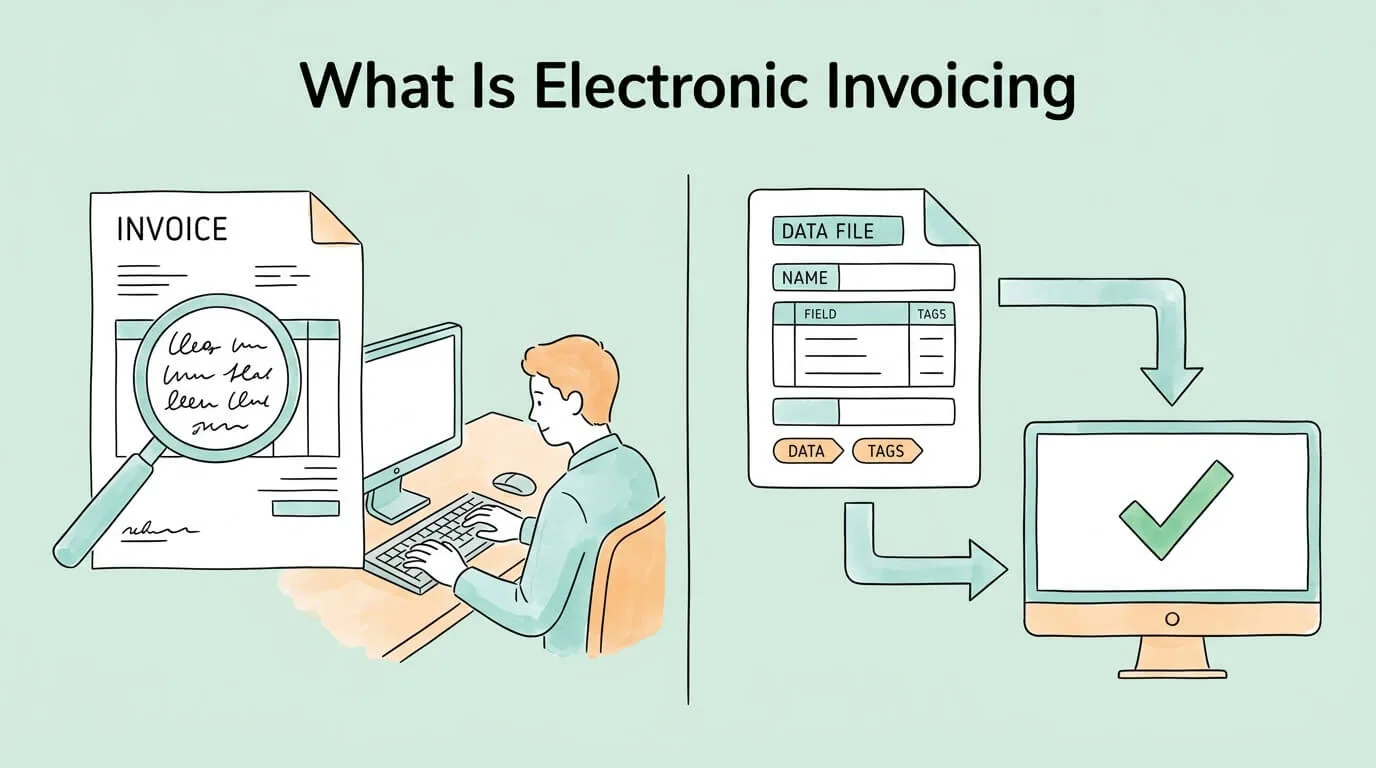
The short answer: yes, fundamentally different. A PDF invoice is a digital picture of a document. A true e-invoice is structured machine-readable data that flows directly into your customer's accounting system and is processed without any human touching a keyboard. The difference in processing speed, accuracy, and cost is not incremental. It is transformational.
This guide explains exactly what electronic invoicing is, how it works, which formats and networks are involved, what the global compliance picture looks like in 2026, and how to evaluate whether you are ready to make the switch.
Electronic invoicing (also called e-invoicing) is the exchange of invoice information between a seller and a buyer in a structured, machine-readable digital format that enables automated processing from end to end, without manual data entry at either end.
The key word is "structured." An e-invoice is not a PDF, not a Word document, and not a scanned image. It is a data file (typically XML or a similar format) in which every field, including invoice number, line items, amounts, tax codes, and payment terms, is tagged and readable by software. When your customer's accounts payable system receives it, it does not need a person to open the file and type the numbers in. The system reads the data directly.
This distinction matters enormously in practice:
| Traditional Invoicing (Paper / PDF) | Electronic Invoicing | |
|---|---|---|
| Data format | Unstructured; requires human reading | Structured; machine-readable |
| Processing | Manual data entry | Automated, system-to-system |
| Delivery speed | Hours to days (email / post) | Seconds |
| Error rate | ~22% (manual data entry) | Less than 1% |
| Cost per invoice | $9.40 to $15.00 | $2.00 to $3.00 |
| Audit trail | Paper / email threads | Immutable digital record |
| Government compliance | Not accepted in mandate countries | Required in 90+ countries |
This is the most common source of confusion, and it matters for compliance reasons.
A PDF invoice sent by email is digital, but it is not structured data. The PDF contains a visual representation of your invoice. To process it, your customer's AP team must open the file, read it, and manually type the information into their accounting system. That is identical in labor terms to receiving a paper invoice, just without the postal delay.
A true e-invoice contains no visual element at all at the transmission stage. It is a data file in which every field is identified by a standardized tag. A computer reads it the way a barcode reader reads a product label: instantly and without ambiguity.
This is why governments mandating e-invoicing specifically require structured formats. A PDF mandate would not achieve the tax transparency and fraud reduction goals that drive most e-invoicing legislation. Authorities want to ingest, validate, and analyze the data directly, which is only possible with structured files.
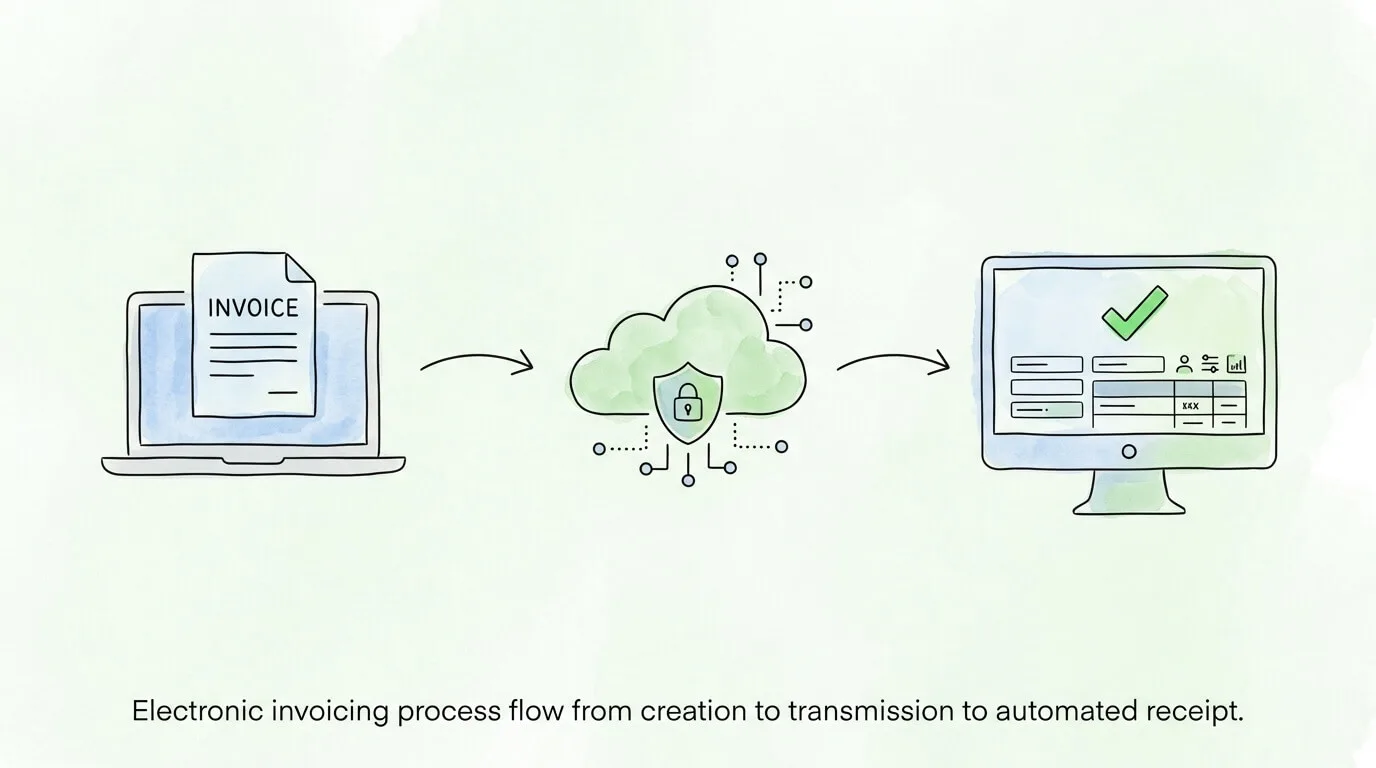
A true e-invoicing workflow runs like this:
Step 1: Invoice creation. The seller creates an invoice in their accounting or ERP system. Instead of generating a PDF, the system produces a structured data file in the required format (XML, UBL, or a country-specific variant).
Step 2: Transmission. The file is sent through one of three pathways:
Step 3: Validation. On the network, the invoice is validated against format specifications and business rules. Invalid invoices are rejected immediately with an error code, allowing the sender to correct and resend rather than waiting weeks for a dispute to surface.
Step 4: Delivery to buyer's system. The validated invoice data arrives in the buyer's accounts payable platform. The data populates the relevant fields automatically with no manual entry.
Step 5: Automated AP processing. The buyer's system can immediately:
What used to take an AP team days of email follow-up and data entry happens in minutes.
If you are evaluating e-invoicing solutions or responding to a customer's format requirement, you will encounter technical format names. Here is what they mean:
| Format | Description | Used By |
|---|---|---|
| XML (generic) | The base language. Most e-invoice formats are XML files with different schemas. | Foundation for all structured e-invoice formats |
| UBL (Universal Business Language) | An ISO standard XML schema for business documents including invoices. | OASIS standard; widely used internationally |
| Peppol BIS Billing 3.0 | The standard format for invoices transmitted on the Peppol network. Based on UBL. | Europe, Australia, Singapore, New Zealand, and growing |
| Factur-X / ZUGFeRD | A hybrid format embedding machine-readable XML inside a human-readable PDF. | France (Factur-X), Germany (ZUGFeRD), EU cross-border |
| FatturaPA / SDI | Italy's mandatory XML format submitted through the government SDI clearance platform. | Italy (all B2B and B2G invoices) |
| CFDI | Mexico's clearance-model XML format submitted through authorized providers (PAC). | Mexico |
| NF-e / NFS-e | Brazil's electronic invoice formats, among the world's most mature systems. | Brazil |
The format your business needs depends on where you operate and who your customers are. For most European B2B invoicing, Peppol BIS Billing 3.0 via the Peppol network is the emerging standard. For country-specific compliance (France, Italy, Germany, Spain), local format requirements apply.
Peppol (Pan-European Public Procurement Online) is the most important infrastructure development in global e-invoicing. Originally built for EU public procurement, it has expanded to become a universal interoperability network for B2B and B2G invoicing.
Think of Peppol as the internet for invoices. Just as the internet lets a Gmail user email someone on Outlook without either party knowing what infrastructure the other uses, Peppol lets a business using software A send a compliant e-invoice to a buyer using software B, through their respective Peppol Access Points, with no direct integration required.
The key components:
Peppol is now used or being adopted in: all EU member states (for public procurement and increasingly B2B), Australia, New Zealand, Singapore, Japan, and several countries in Asia-Pacific and Latin America.
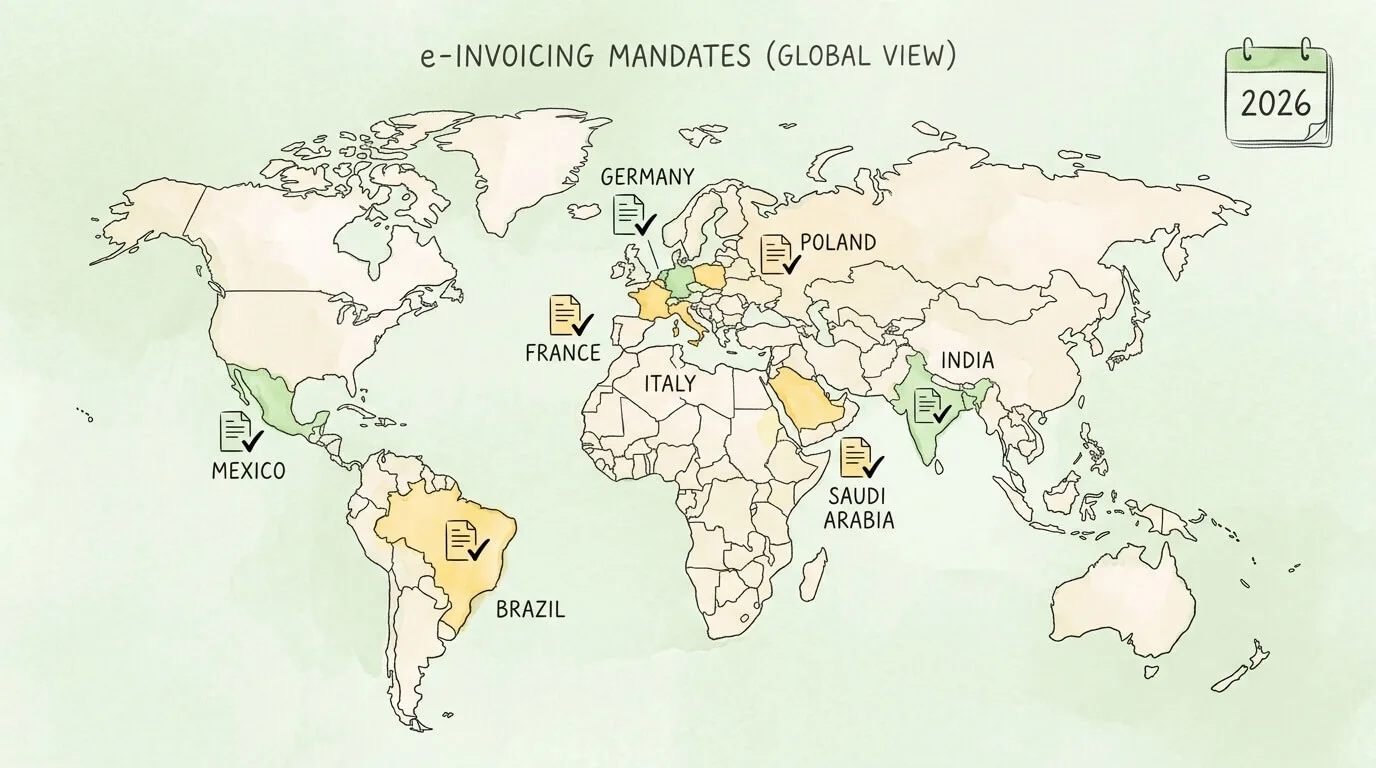
Over 90 countries have implemented or announced e-invoicing mandates. This is no longer a niche regulatory question for multinational corporations. It is rapidly becoming a requirement for any business with customers or suppliers in major economies. The European Commission's e-invoicing policy overview tracks EU-wide adoption.
Full adoption across major markets could unlock $616 billion in annual global economic gains, according to Avalara's e-invoicing research, including faster payment cycles (average 1.4 days shorter), fraud and fine reductions (~30%), and 39 minutes saved per invoice.
Clearance Model (Government-First) Before the invoice can be sent to the buyer, it must be submitted to and approved by the government tax authority. Only after receiving a digital approval token does the invoice become legally valid. This model gives authorities real-time transaction visibility.
Countries using clearance: Mexico (CFDI), Italy (SDI), Brazil (NF-e), Saudi Arabia (ZATCA), Turkey, India (IRP system).
Decentralized / Interoperability Model (Network-Based) Businesses exchange invoices through certified networks (like Peppol). The government receives the data through the network rather than requiring pre-clearance. This model is generally less disruptive for businesses already using accounting software.
Countries using this model: Most EU member states for B2B (in varying stages), Australia, New Zealand, Singapore.
| Country | Mandate Details | Timeline |
|---|---|---|
| Belgium | B2B e-invoicing mandatory for most VAT-registered businesses | January 2026 |
| France | B2B e-invoicing and e-reporting for medium and large businesses | September 2026 |
| Poland | B2B mandate extended to small and medium enterprises | April 2026 |
| Greece | Phase 1: businesses over €1M revenue | February 2026 |
| Saudi Arabia | Phased rollout by revenue threshold | March / June 2026 |
| Malaysia | Phases 4 and 5 of phased national rollout | January / July 2026 |
| Germany | B2B e-invoicing receiving obligation for all businesses | January 2025 (already active) |
| India | Mandatory for all B2B businesses over 5 crore INR (~$600K) | Ongoing; threshold progressively lowered |
US businesses: The United States has no federal e-invoicing mandate for private-sector B2B transactions as of 2026. However, the federal government requires e-invoicing for government suppliers through the PEPPOL-compatible network. Industry pressure and global customer requirements are driving voluntary adoption, and analysts expect regulatory movement in the coming years.
The efficiency argument for e-invoicing is backed by concrete numbers:
| Metric | Manual / PDF Process | E-Invoicing |
|---|---|---|
| Cost per invoice | $9.40 to $15.00 | $2.00 to $3.00 |
| Processing time | 14.6 days average | 2 to 3 days |
| Data entry error rate | ~22% | Less than 1% |
| Time saved per invoice | Baseline | ~39 minutes |
| Early payment discount capture | Less than 20% | 60 to 80% |
| Invoice exception / dispute rate | 20 to 30% | 5 to 10% |
For a business sending 500 invoices per month, moving from $12 per invoice to $2.50 per invoice delivers $57,000 per year in direct processing cost savings. For the full breakdown of how to streamline the AP side once inbound e-invoices are flowing, see our guide on how to streamline invoice processing. That calculation excludes the value of captured early-payment discounts (often equivalent to 36% annualized return on deployed cash), reduced fraud exposure, and the strategic value of real-time cash flow visibility.
The cash flow impact is often the most immediately felt benefit. An e-invoice delivered and processed in two to three days versus a PDF that sits in an AP queue for two weeks means faster payment, better working capital management, and fewer uncomfortable conversations with suppliers about payment status.
Before choosing a solution, assess your current state across these dimensions:
| Area | Ready | Partially Ready | Not Ready |
|---|---|---|---|
| Accounting software | Supports XML or Peppol-format export | Supports PDF only; XML via plugin | Spreadsheet-based invoicing |
| Customer requirements | Know which customers require e-invoices | Have received some requests; not systematic | No visibility into customer requirements |
| Compliance awareness | Know mandate status for all operating countries | Aware of mandates; details unclear | No compliance monitoring |
| Supplier data quality | Clean vendor master with tax IDs and bank data | Mostly clean; some gaps | Poor data quality; frequent errors |
| AP system | Supports structured invoice ingestion | Accepts PDFs; manual entry | Manual processing only |
| Integration | ERP integrated with invoicing platform | Partial integration | No integration |
If you scored mostly "Not Ready," start with your accounting software. Most modern platforms (QuickBooks, Xero, NetSuite, SAP) either natively support e-invoice formats or offer certified integrations. That step unlocks everything else.
The right solution depends on your invoice volume, operating countries, and existing tech stack. Use this framework:
For small businesses (under 200 invoices/month): A plugin or add-on for your existing accounting software is usually sufficient. Look for Peppol Access Point certification if you have EU customers, and check whether the provider handles format conversion so you do not need to understand XML.
For mid-market businesses (200 to 2,000 invoices/month): A dedicated AP automation platform that handles both outbound e-invoicing (sending) and inbound e-invoice receipt (capturing supplier invoices and automating matching) delivers the most ROI. Look for: multi-country compliance support, ERP integration, approval workflow configuration, and a real-time dashboard.
For businesses with international operations: Country-specific compliance requirements make this complex. Look for a provider with a compliance monitoring team that tracks mandate changes, supports multiple formats and networks, and can route invoices through country-specific clearance platforms where required.
Key evaluation criteria for any solution:
For guidance on automating the full AP workflow once inbound e-invoices are being received, see our guides on invoice approval automation, invoice capture software, and accounts payable automation best practices.
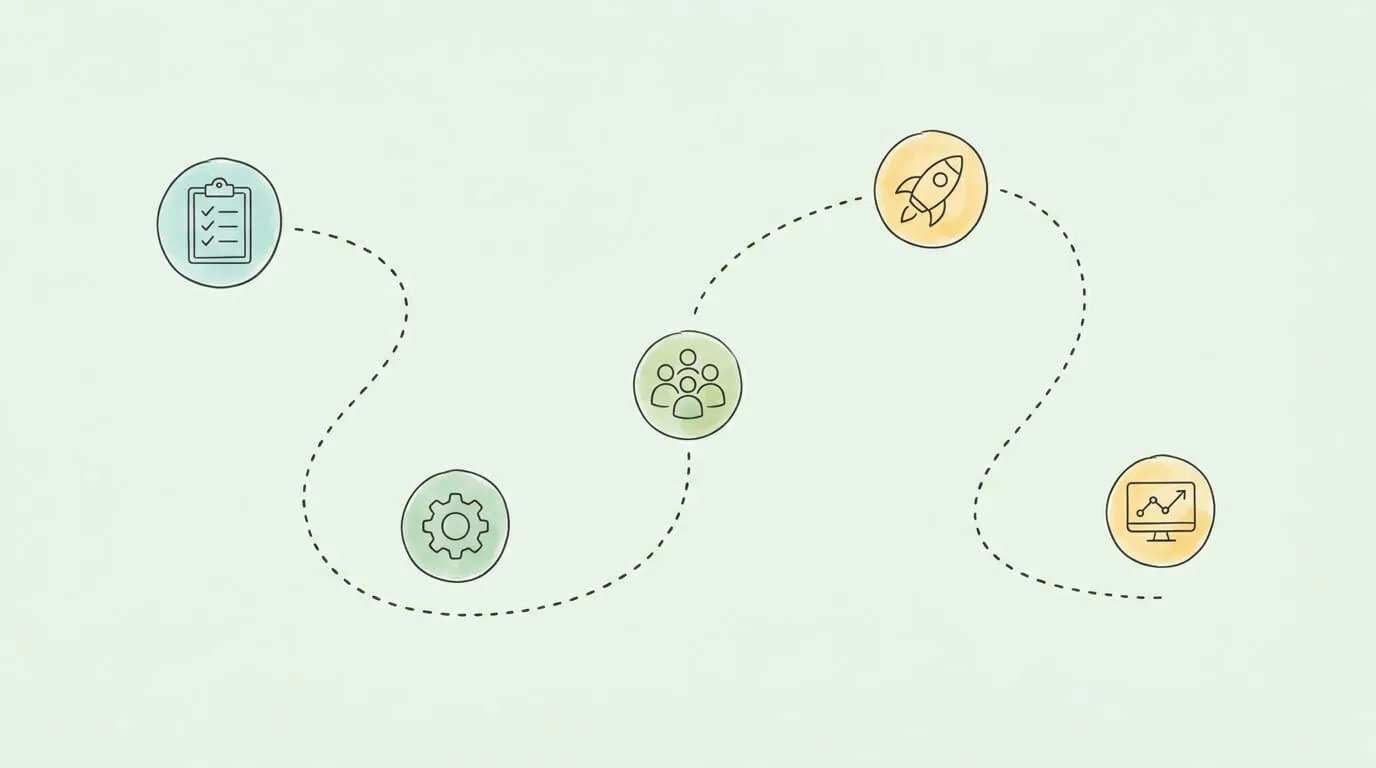
Phase 1: Audit and prepare (Weeks 1 to 2)
Map your current invoicing process: how many invoices you send per month, to which countries, in which formats, and through which channels. Identify which customers have already requested e-invoices and which markets require compliance. Check whether your accounting software supports structured invoice output.
Phase 2: Choose and configure your solution (Weeks 3 to 4)
Select a provider based on the criteria above. Configure your company information, tax IDs, and business rules. Test sending and receiving invoices in a sandbox environment. Ensure your Peppol Access Point connection is active if you have EU customers.
Phase 3: Pilot with a small group (Weeks 5 to 6)
Go live with two to three trusted customers and suppliers. Process real invoices through the new system. Gather feedback on delivery confirmation, format acceptance, and processing speed. Resolve any configuration issues before full rollout.
Phase 4: Full rollout and training (Weeks 7 to 8)
Migrate all invoicing to the new system. Train your finance team on the new workflow. Notify all customers and suppliers of the new format and any new submission address or portal requirements.
Phase 5: Monitor and optimize (Ongoing)
Track your first-time delivery success rate, processing time, and exception rate. Review mandate updates quarterly. Expand automation to cover inbound supplier invoices if not already implemented.
A PDF invoice is an unstructured digital document that requires a human to read and manually enter the data into an accounting system. Electronic invoicing uses structured, machine-readable data formats (typically XML-based) that flow directly into the recipient's accounting system for automated processing. The practical difference: a PDF invoice still requires manual handling on both sides; a true e-invoice eliminates human intervention entirely. Most government e-invoicing mandates specifically require structured formats and do not accept PDF submissions.
No. EDI (Electronic Data Interchange) is a broader, older technology for exchanging all types of business documents electronically, including purchase orders, shipping notices, and invoices. E-invoicing is a more modern, focused application dealing specifically with invoices and designed around open, accessible networks like Peppol rather than the proprietary bilateral connections typical of EDI. E-invoicing is generally more accessible for small and mid-sized businesses because it does not require the complex bilateral integration setup that EDI demands.
No. Networks like Peppol are built on interoperability principles: different software systems communicate through standardized formats and certified Access Points. As long as both parties are connected to the same network (through their respective software providers), they can exchange invoices regardless of which platforms they use. It works similarly to email: you do not need the same provider as your recipient, just a common protocol.
Over 90 countries have implemented or announced e-invoicing mandates. In 2026, notable additions include Belgium (January), France (September, for medium and large businesses), Poland (April, for SMEs), Greece (February, for large businesses), and Saudi Arabia (March/June, phased rollout). Germany's B2B receiving obligation is already active since January 2025. The US has no federal B2B mandate yet, but government supplier requirements and industry pressure are driving voluntary adoption.
Peppol (Pan-European Public Procurement Online) is an international interoperability network that enables businesses to exchange electronic invoices and other business documents across different software systems and countries. It operates through certified Access Points that connect your accounting software to the network. Peppol uses a standardized format (Peppol BIS Billing 3.0) and is the dominant e-invoicing infrastructure in Europe, Australia, New Zealand, Singapore, and several other markets. Being on the Peppol network makes you reachable by any other Peppol participant globally.
The most common formats include: UBL XML (the international standard), Peppol BIS Billing 3.0 (for Peppol network transmission), Factur-X/ZUGFeRD (a hybrid format embedding XML in a PDF, used in France and Germany), FatturaPA (Italy's mandatory XML format), CFDI (Mexico), and NF-e (Brazil). The format required depends on the country of the transaction and the requirements of the receiving party. Most modern e-invoicing solutions handle format conversion automatically so you do not need to manage the technical specifications directly.
Implementation costs vary widely based on solution type and business size. Cloud-based e-invoicing add-ons for existing accounting software typically cost $30 to $150 per month for small businesses. Dedicated AP automation platforms for mid-market businesses range from $200 to $2,000 per month depending on volume and features. Enterprise solutions with multi-country compliance support are priced individually. In most cases, the cost savings from reduced processing time ($9 to $12 per invoice saved), captured early-payment discounts, and reduced error handling deliver full payback within three to six months.
The consequences vary by country but typically include: financial penalties (in Italy, for example, fines for non-compliance start at €250 per invoice), invoices being legally invalid and therefore unpayable by customers, delayed payments, and risk of audit triggers from tax authorities. In clearance-model countries like Mexico and Brazil, non-compliant invoices simply cannot be sent at all since they require government approval before delivery. The safest approach is to treat compliance as a minimum baseline and select an e-invoicing solution that monitors mandate updates automatically.
The trajectory is clear. Over 90 countries have already mandated or announced structured e-invoicing. The global e-invoicing market is forecast to reach $15.5 billion by 2026. Full adoption could unlock $616 billion in annual economic gains. Businesses that treat e-invoicing as a future problem are already behind in several major markets.
For most small and mid-sized businesses, the practical path is to start with your accounting software. Most modern platforms already support e-invoice output or have certified integrations. Getting compliant does not require a complex IT project. It requires selecting the right provider and configuring your process correctly.
If you are ready to automate not just outbound e-invoicing but the full cycle including inbound supplier invoice capture, three-way matching, and accounting sync, TallyScan processes invoices from any channel automatically and syncs them directly to your accounting software. Combined with automated bookkeeping workflows, it creates an end-to-end digital AP process ready for the mandate wave.
Ready to get your invoicing process compliant and efficient? Start your free trial of TallyScan today.
Design a faster invoice approval workflow: define roles, set smart thresholds, automate routing, track KPIs, and cut processing costs by up to 75%.
Learn how to reconcile invoices with a proven step-by-step process. Covers three-way matching, vendor statement reconciliation, exception handling, KPIs, and automation—for small businesses and AP teams.
Learn exactly how to organize receipts for taxes: IRS retention rules, business expense categories, digital scanning systems, and AI automation, everything small businesses and freelancers need to stay audit-ready.