Here is a number worth sitting with: according to the Atradius Payment Practices Barometer, late and failed invoice payments cost the average small business $30,000 or more each year in lost revenue and wasted follow-up time. Not from fraud, not from bad products — the culprit is disorganized tracking, missed reminders, and payments that slip through the cracks because nobody has a clear picture of what is outstanding.
The best way to track invoices is not a specific app or a particular spreadsheet template. It is whichever system gives you reliable, real-time answers to four questions without anyone having to manually dig through email threads:
- Which invoices have I sent and not yet been paid for?
- Which supplier invoices have I received and not yet processed?
- Which payments are overdue, and by how many days?
- What is my total cash exposure across all pending receivables and payables?
This guide compares seven distinct methods, from zero-cost spreadsheets to enterprise-grade AP automation, with real pricing, clear decision criteria, and a head-to-head comparison table. Whether you are a freelancer sending 10 invoices a month or a finance team processing 500 supplier invoices weekly, you will find your answer here.
The Two Sides of Invoice Tracking Most Guides Ignore
Most articles about invoice tracking focus exclusively on one direction of money flow. Before choosing a method, you need to know which problem you are primarily solving.
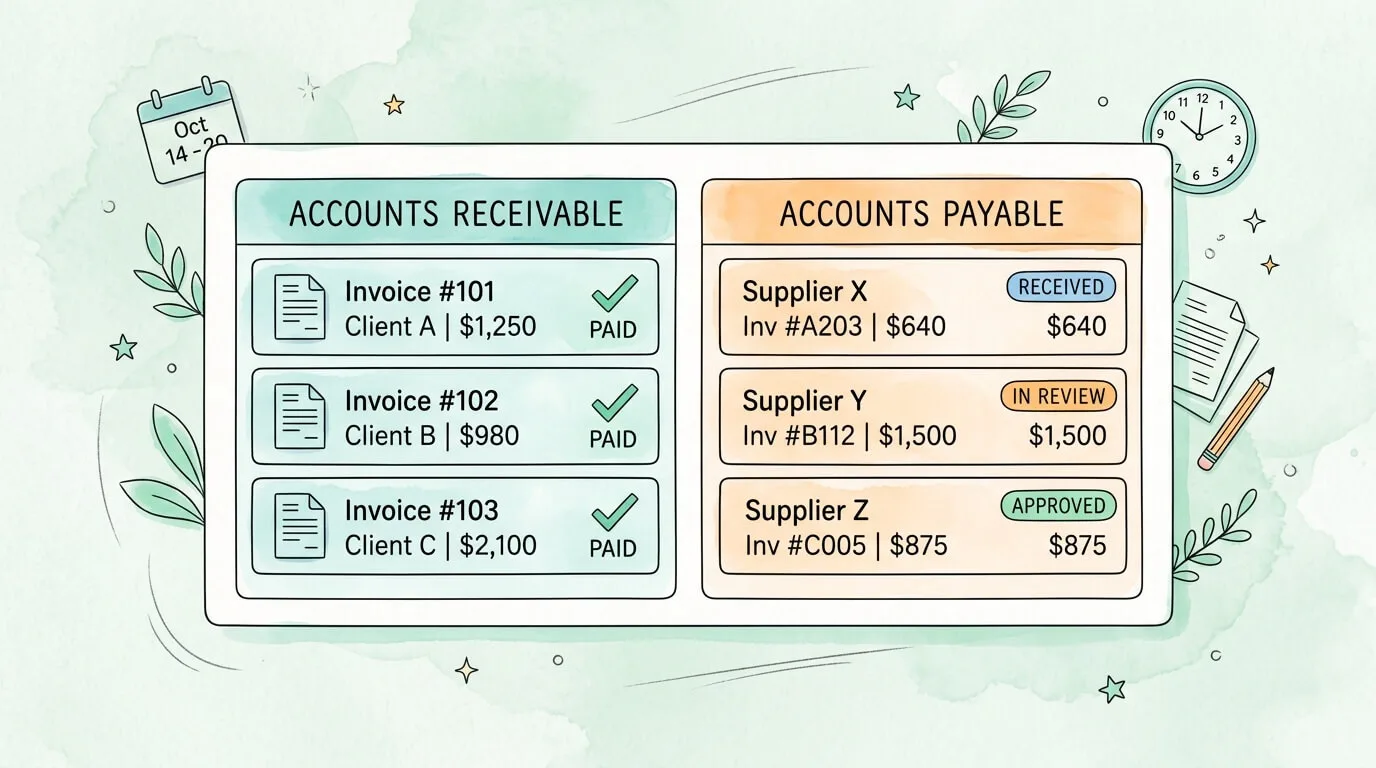
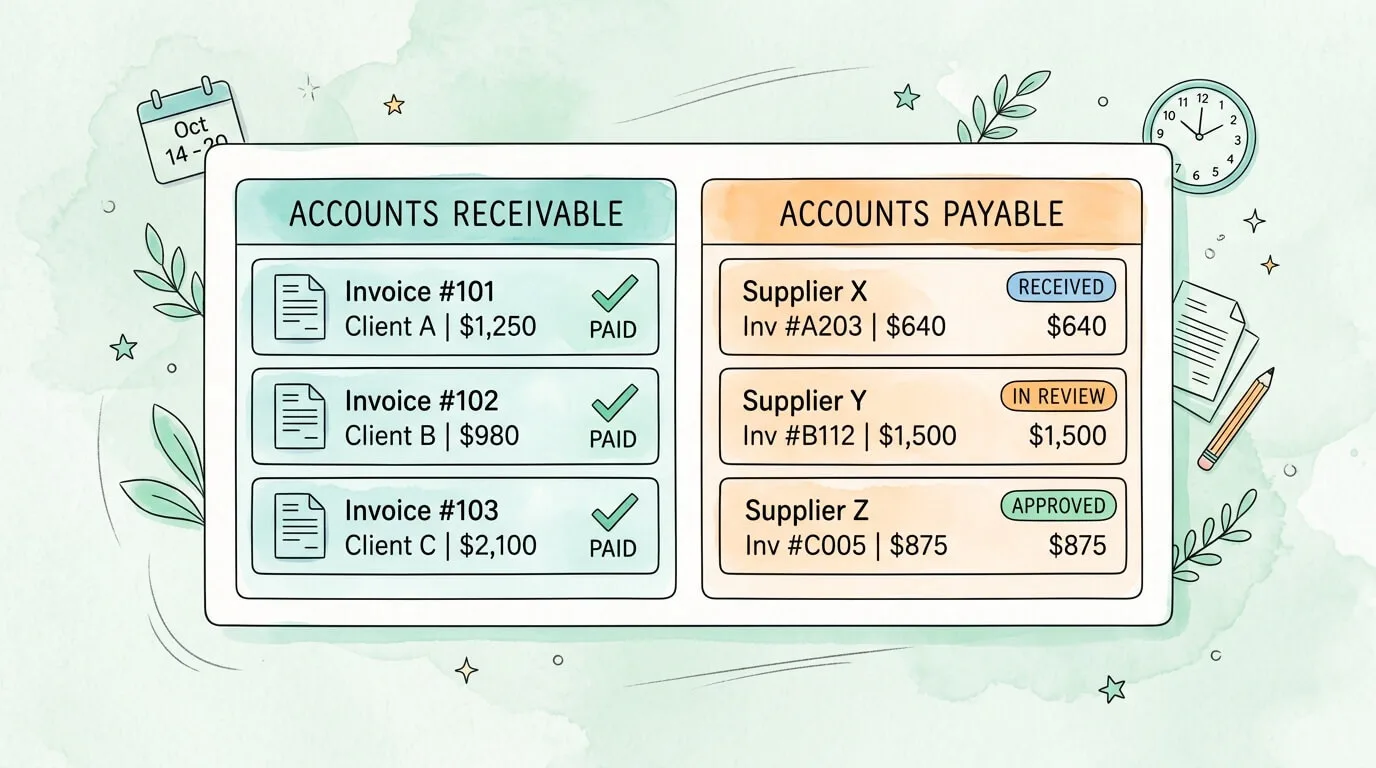
Accounts Receivable (AR) invoice tracking means monitoring invoices you send to clients. The primary concern is getting paid on time, following up on overdue items, and maintaining healthy cash flow. The tools here are primarily invoicing and accounting platforms.
Accounts Payable (AP) invoice tracking means monitoring invoices you receive from suppliers and vendors. The primary concerns are capturing every invoice that arrives (from multiple channels), validating it against purchase orders, routing it for approval, and posting it to your accounting system accurately. The tools here are AP automation platforms, not standard invoicing apps.
Conflating these two problems is the single most common reason businesses choose the wrong tool. A freelancer using QuickBooks to send client invoices has a fundamentally different need than a 50-person company processing 300 supplier invoices per month. For a deeper breakdown of the AP side specifically, see our guide on accounts payable tracking.
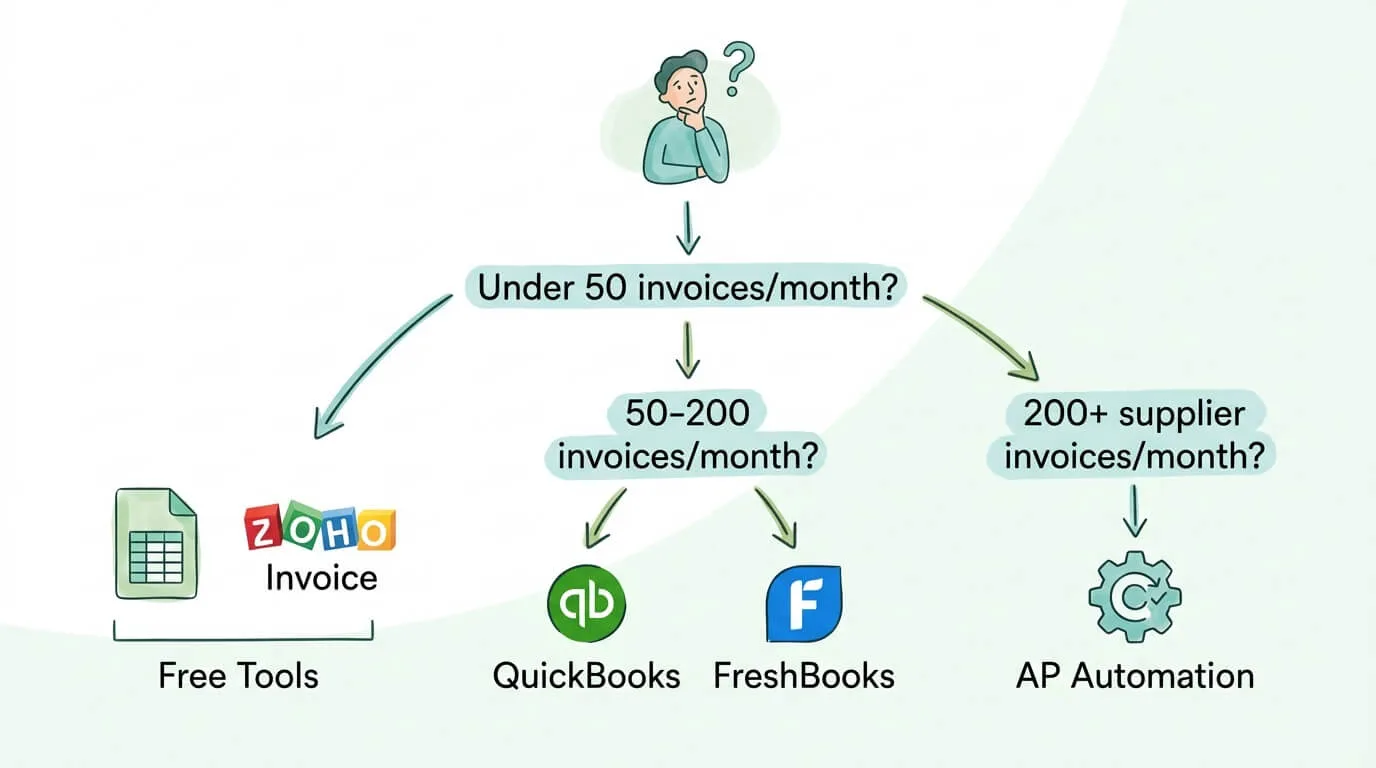
Pro Tip: Start by counting your invoice volume on each side. If you process more than 50 incoming supplier invoices per month, the AP challenge is likely your biggest bottleneck and it requires a different category of tool than AR invoicing software.
What Every Invoice Tracking System Must Capture
Regardless of the method you choose, every entry in your tracking system should record these fields. Missing any of them creates blind spots that compound into errors over time.
| Field |
AR (Outgoing to Clients) |
AP (Incoming from Suppliers) |
| Invoice number |
Your reference |
Vendor's reference |
| Invoice/issue date |
Date you sent it |
Date vendor issued it |
| Due date |
When payment is expected |
When you must pay |
| Client / Vendor name |
Who owes you |
Who you owe |
| Amount |
Total billed |
Total owed |
| Payment terms |
Net 30, 2/10 Net 30, etc. |
Same |
| Status |
Draft / Sent / Viewed / Paid / Overdue |
Received / In Review / Approved / Scheduled / Paid |
| Payment date |
When cash arrived |
When you paid |
| Notes |
Dispute flags, contact log |
PO number, approval chain |
The difference between a reliable and an unreliable system is almost never the software. It is whether every invoice gets entered on the same day it is sent or received, and whether statuses are updated immediately when anything changes.
7 Methods for Tracking Invoices: From Free to Fully Automated
Method 1: Manual Spreadsheet (Excel or Google Sheets)
A well-built invoice tracking spreadsheet is a legitimate system for businesses handling fewer than 50 invoices per month. The advantages are zero cost, complete customization, and no learning curve.
Sample AR tracking columns:
Invoice # | Client | Date Sent | Due Date | Amount | Status | Follow-up Date | Notes
Sample AP tracking columns:
Invoice # | Vendor | Date Received | Due Date | Amount | PO # | Approved By | Status | Payment Date
Use conditional formatting to highlight any row where today's date exceeds the due date and status is not "Paid." Sort by due date every Monday and follow up on all flagged rows before anything else.
Best for: Freelancers and micro-businesses with under 50 invoices per month, primarily AR-side.
Breaks down when: Volume exceeds 50 to 100 invoices, multiple people need to update it simultaneously, or you start receiving supplier invoices that require PO matching and approval routing.
Biggest weakness: No automatic reminders, no duplicate detection, and no live bank connection. Every update requires manual input.
Method 2: Free Dedicated Invoicing Tools
For freelancers and small businesses who want more than a spreadsheet but are not ready for a full accounting suite, two standout free platforms cover the core needs.
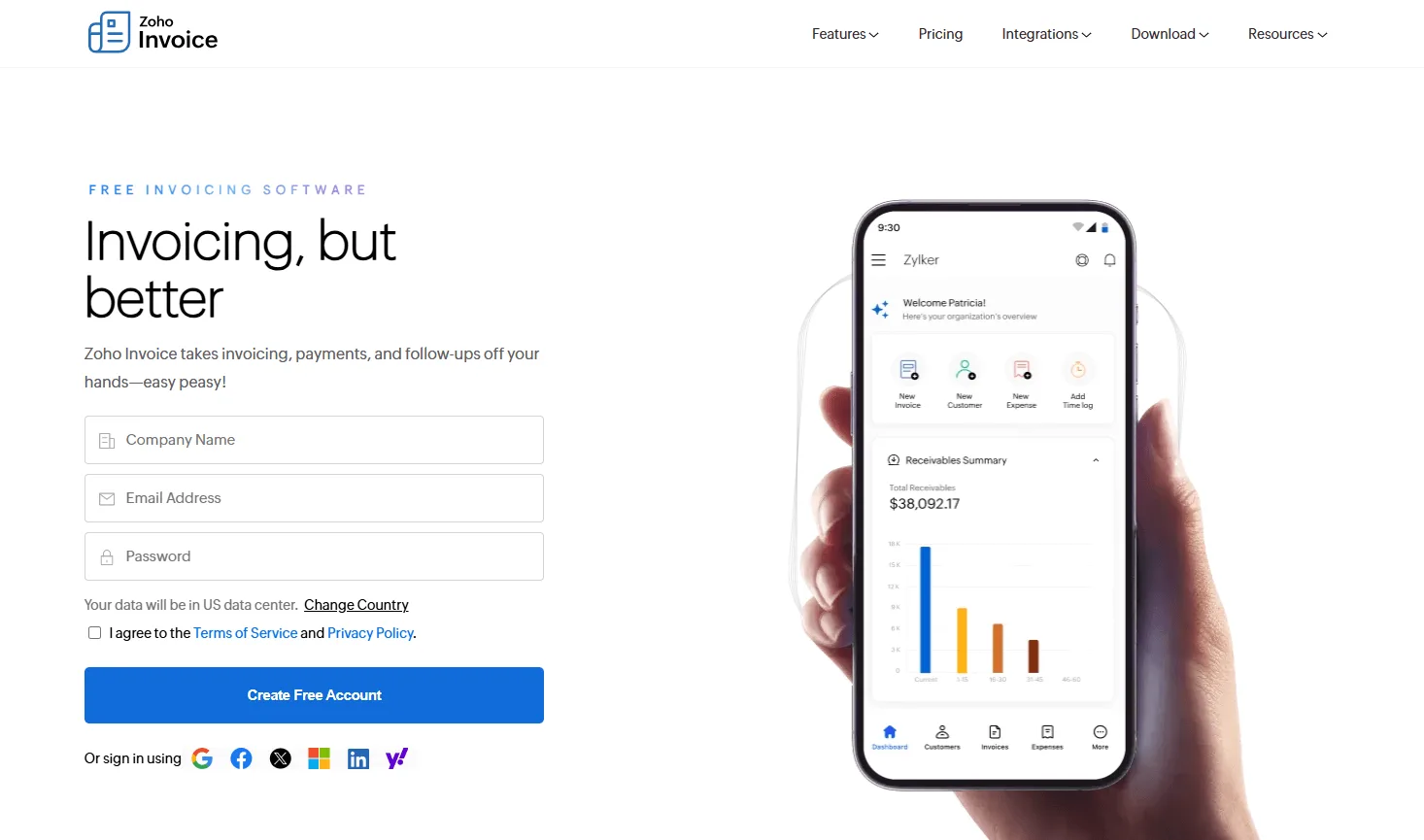
Zoho Invoice is completely free, with support for up to 1,000 invoices per year, no limit on billable clients, and no hidden tiers. It supports multiple currencies and languages, offers a client self-service portal where clients can view and pay invoices directly, includes automated payment reminders, and integrates with the broader Zoho ecosystem (Zoho Books, CRM, Inventory) as your business scales. For businesses that want a professional invoicing system at zero monthly cost, Zoho Invoice is the benchmark.
Wave offers unlimited free invoicing and core accounting functionality. It earns revenue through optional payment processing (2.9% + 30¢ per card transaction) and payroll services, keeping the invoicing platform free indefinitely. The interface is clean and accessible for non-accountants, and Wave's bank connection automatically imports transactions, making it easy to spot when invoice payments have landed without manual cross-checking.
Best for: Freelancers and very small businesses focused entirely on AR, who want professional-looking invoices, automated reminders, and a client payment portal at zero monthly cost.
Method 3: In-Person and Online Payment Integration
Square Invoices is the best choice for businesses that accept both physical and digital payments. Its free plan allows unlimited invoices with standard payment processing fees (2.9% + 30¢ online). Its core differentiator is combining point-of-sale transactions and online invoice payments in a single dashboard, giving retailers, contractors, and service businesses with physical locations one unified revenue view.
For businesses where a client might pay in person one day and via an online invoice the next, unifying those two payment streams eliminates double-entry and reconciliation confusion. The Square "Plus" plan ($20/month) adds project tracking, custom fields, and multi-package estimates.
Best for: Businesses with both walk-in and invoice-based clients, especially in retail, construction, hospitality, and personal services.
Method 4: Accounting Software with Built-In Invoice Tracking
Cloud accounting platforms embed invoice tracking directly into your general ledger. When you create and send an invoice, it automatically enters your accounts receivable ledger. When payment is matched, it reconciles automatically. This is the most widely used method for growing small businesses because invoicing and accounting share the same data.
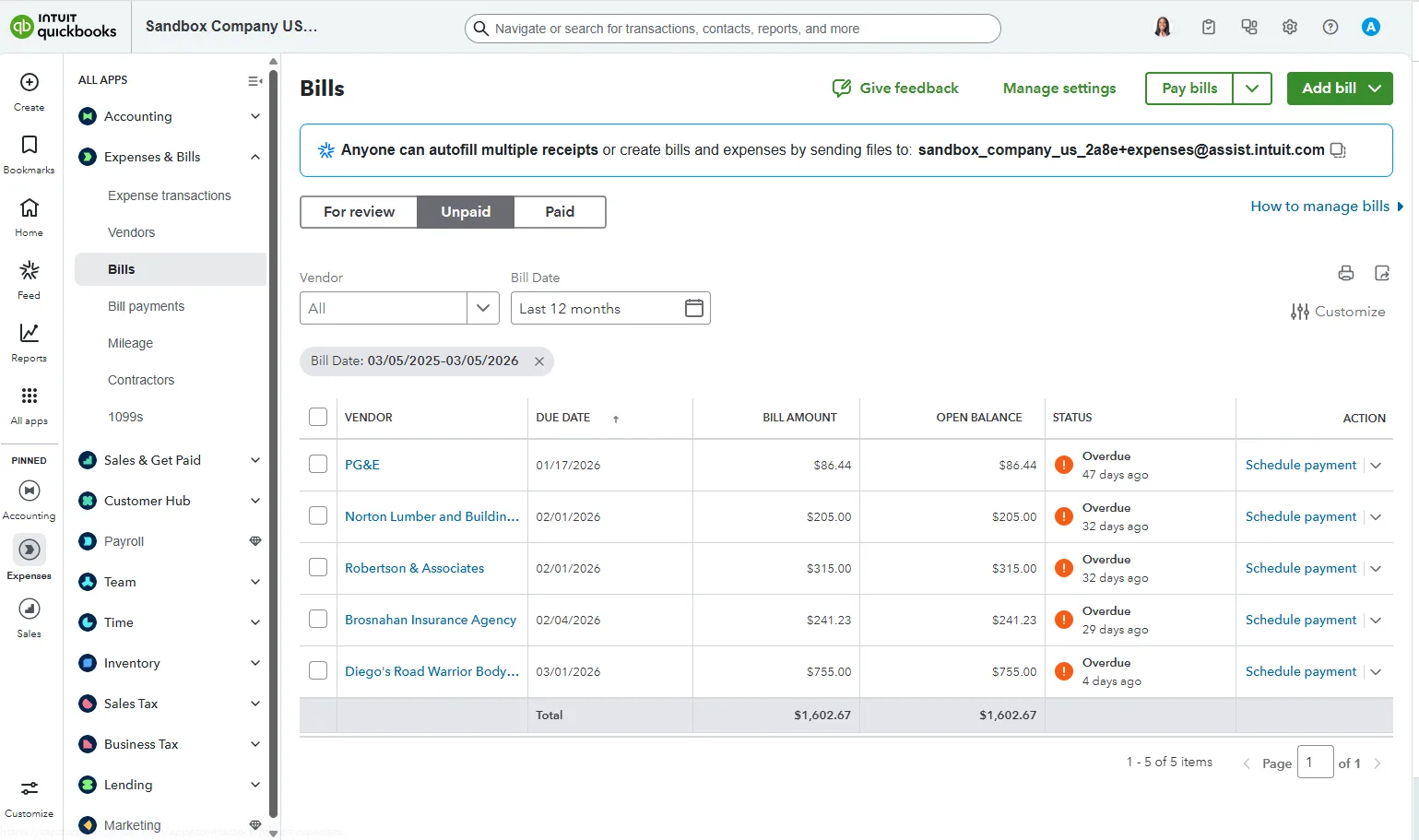
QuickBooks Online is the US market leader for small and mid-market businesses. Its Accounts Receivable Aging report groups all outstanding invoices by client and by days outstanding (0-30, 31-60, 61-90, 90+), making prioritization straightforward. For businesses also managing payroll, inventory, or multi-state sales tax, QuickBooks provides a genuine all-in-one system. Pricing runs from $30/month (Simple Start) to $200/month (Advanced).
Xero is particularly strong for businesses with international clients or multi-entity structures. It supports over 160 currencies with automatic exchange rate updates and connects to over 800 third-party applications. It is the preferred choice of many accounting firms for its flexibility and API depth. Plans run from $15/month (Early, with invoice limits) to $78/month (Established, with full features and multi-currency).
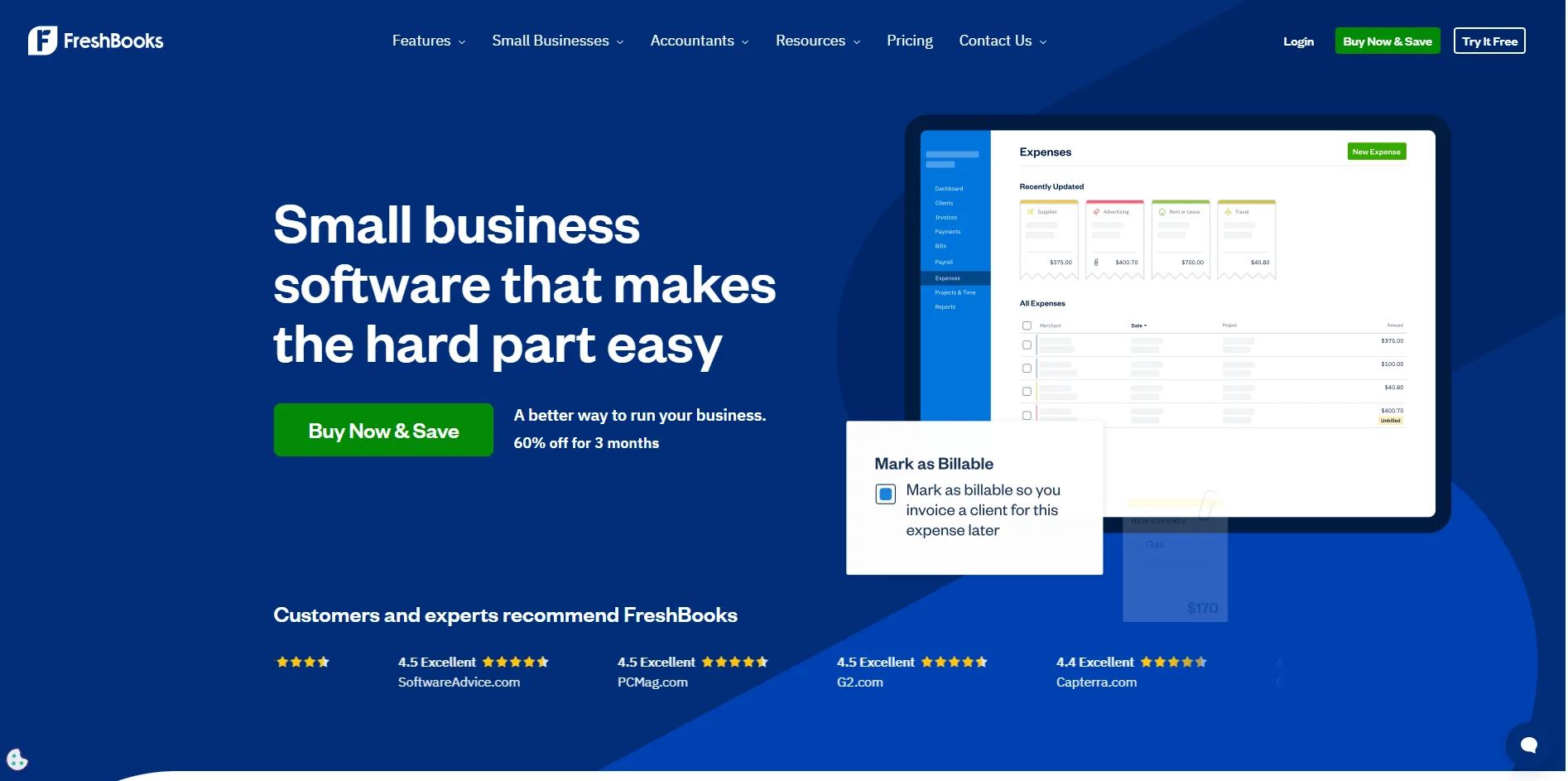
FreshBooks is purpose-built for service businesses and freelancers. It is genuinely the easiest of the three to learn, with strong time tracking, project billing, and a clean client portal. If all your invoicing is AR-side and you bill by the hour or by project, FreshBooks is typically more intuitive than the fuller accounting platforms. Plans start at $19/month for up to 5 billable clients.
Best for: Small to mid-size businesses primarily sending invoices to clients who also need connected accounting (P&L, expense tracking, payroll, tax reporting) in the same platform.
Method 5: AP Automation Platforms (Supplier Invoice Tracking)
If your primary challenge is tracking invoices you receive from suppliers rather than invoices you send to clients, dedicated AP automation tools solve a fundamentally different problem. According to IOFM benchmarking research, manually processing a single supplier invoice costs between $9.40 and $15.00. AP automation platforms reduce that to $2.00 to $3.00 per invoice, while cutting error rates from approximately 20% to under 0.5%.
The complete workflow a capable AP automation platform handles:
- Supplier invoices arrive from multiple channels: email, postal mail, supplier portals, EDI
- The platform automatically captures and extracts invoice data using OCR and AI
- Extracted data is validated against purchase orders and vendor master records
- Invoices are routed to the correct approver based on amount, department, and cost center
- Approved invoices are posted to your accounting system with correct GL coding
- Payment is scheduled and executed
- The invoice is archived with a timestamped, tamper-evident audit trail
For a detailed breakdown of the technology behind this workflow, see our guide on invoice capture software. For a detailed look at what data gets extracted at each stage, see our guide on invoice data capture software.
Best for: Businesses receiving 100 or more supplier invoices per month, organizations struggling with lost or late-processed invoices, and any company that needs a complete AP audit trail for compliance.
Method 6: Dedicated Invoice Management Platforms
Between general accounting software and full enterprise AP automation, a middle tier of dedicated invoice management platforms serves growing businesses that have outgrown QuickBooks or Xero's native AP capabilities but are not yet at enterprise scale.
Platforms in this category typically offer:
- Bidirectional sync with QuickBooks, Xero, and NetSuite
- Custom approval workflows by department, amount threshold, and vendor type
- Vendor self-service portal for invoice submission and status checking
- Early payment discount capture automation (capturing discounts for paying within 10 days)
- Real-time AP dashboard showing aging, DPO (Days Payable Outstanding), and exception queues
For a complete evaluation guide for this category, see our article on invoice data capture software and our comparison of invoice capture software platforms.
Best for: Mid-market businesses (50 to 500 employees) that need workflow automation and approval routing beyond what basic accounting software provides.
Method 7: Integrated AR and AP Tracking
The most complete picture of your invoice position comes from tracking both sides simultaneously. Growing businesses typically achieve this by pairing their accounting platform (QuickBooks Online, Xero, or NetSuite) with an AP automation layer that feeds captured, validated supplier invoice data into the same general ledger that records outgoing client invoices.
What integrated tracking makes possible:
- Every invoice sent to a client and every invoice received from a supplier is visible in one system
- Cash flow forecasting is accurate because both AR and AP data feed the same report
- Month-end close is faster because both sides reconcile against the same bank data
- Audit readiness is complete because both AR and AP have full, searchable digital trails
According to Ardent Partners' State of ePayables research, best-in-class AP organizations process invoices in an average of 3.4 days, compared to 16.3 days for typical organizations. That gap closes when AR and AP tracking are integrated into a single, automated workflow. For practical guidance on connecting these workflows, see our guide on how to streamline invoice processing.
Best for: Growing businesses (20+ employees) with significant invoice volume on both the AR and AP sides who need a unified, real-time financial picture.
Invoice Tracking Methods: Full Comparison Table
| Method / Tool |
Best For |
AR or AP |
Free Option |
Starts At |
Key Strength |
| Google Sheets |
Freelancers, very low volume |
Both |
Yes |
Free |
Zero cost, complete customization |
| Zoho Invoice |
Small business, no-cost invoicing |
AR |
Yes (1,000/yr) |
Free |
Client portal + multi-currency, free forever |
| Wave |
Freelancers, unlimited free |
AR |
Yes |
Free |
Unlimited invoicing + connected accounting |
| Square Invoices |
In-person + online payment businesses |
AR |
Yes |
Free + fees |
Unified POS and invoice payments |
| FreshBooks |
Service businesses, time billing |
AR |
No |
$19/month |
Easiest UI, strong project and time billing |
| QuickBooks Online |
Small-mid business, full accounting |
AR + light AP |
No |
$30/month |
US market leader, payroll + tax integration |
| Xero |
Growing, international, multi-entity |
AR + light AP |
No |
$15/month |
Multi-currency, 800+ app ecosystem |
| TallyScan |
AP automation, supplier invoice capture |
AP |
Yes (trial) |
Contact us |
AI-powered capture, 3-way match, audit trail |
How to Choose the Right Invoice Tracking Method
Use this decision framework to find your starting point based on your actual situation, not a generic recommendation.
Freelancers and solo contractors:
- Under 20 invoices/month → Google Sheets or Zoho Invoice (free)
- 20 to 50 invoices/month → FreshBooks or Wave
- International clients → Xero or FreshBooks with multi-currency
- Need time tracking + project billing → FreshBooks
Small businesses (2 to 20 employees):
- Primarily sending invoices to clients → QuickBooks Simple Start or FreshBooks
- In-person + online payments → Square Invoices with Square POS
- Receiving 50 to 100 supplier invoices/month → QuickBooks + manual AP workflow or AP automation starter
Growing businesses (20 to 100 employees):
- Full accounting + invoicing → QuickBooks Plus/Advanced or Xero Growing/Established
- Supplier invoice volume 100+/month → Dedicated AP automation platform
- Multi-currency, multi-entity → Xero Established or NetSuite
Accountants and bookkeepers managing multiple clients:
- AP automation with multi-client support and direct accounting integration
- Key features to prioritize: retroactive scanning, multi-entity separation, and export flexibility
Pro Tip: The tool you choose today should support your invoice volume 18 months from now, not just today. If you are at 40 invoices per month growing 25% per year, you will cross the manual-to-automation break-even within one year. Build that runway into your selection criteria.
Setting Up Your Invoice Tracking System in 5 Steps
Regardless of which method you choose, the setup follows the same core logic.
Step 1: Audit where invoices currently live. List every channel invoices arrive from (email inboxes, postal address, supplier portals, WhatsApp, messaging apps). List every place your team currently records invoice information (accounting software, spreadsheets, filing cabinets). Count your monthly volume split between AR and AP.
Step 2: Define your status vocabulary. Every invoice must have a clear, consistent status that your entire team uses the same way. For AR: Draft, Sent, Viewed, Partial Payment, Paid, Overdue, Disputed. For AP: Received, In Review, Approved, Scheduled, Paid, On Hold. Agree on these definitions before launch and apply them retroactively to open invoices.
Step 3: Set your invoice numbering convention. Consistent numbering prevents duplicates and enables audit trails. A standard format: YYYY-SEQUENCE (2026-0047) or CLIENT-YYYY-SEQUENCE for businesses with multiple entities.
Step 4: Configure automated reminders. For AR: set reminders at 7 days before due, on the due date, and at 7, 14, and 30 days overdue. For AP: set internal alerts for invoices within 5 business days of their due date to avoid late payment fees. Most accounting and invoicing platforms support this with minimal configuration.
Step 5: Connect your bank account. Reconciliation closes the loop. When a payment appears in your bank, your invoicing system should match it automatically to the corresponding open invoice and mark it paid. Without this connection, you end up manually cross-checking statements, which is exactly the manual work a good tracking system eliminates. For a step-by-step guide to this process, see our guide on how to reconcile invoices. For broader tips on maintaining accurate financials, our bank reconciliation tips guide covers the full month-end process.
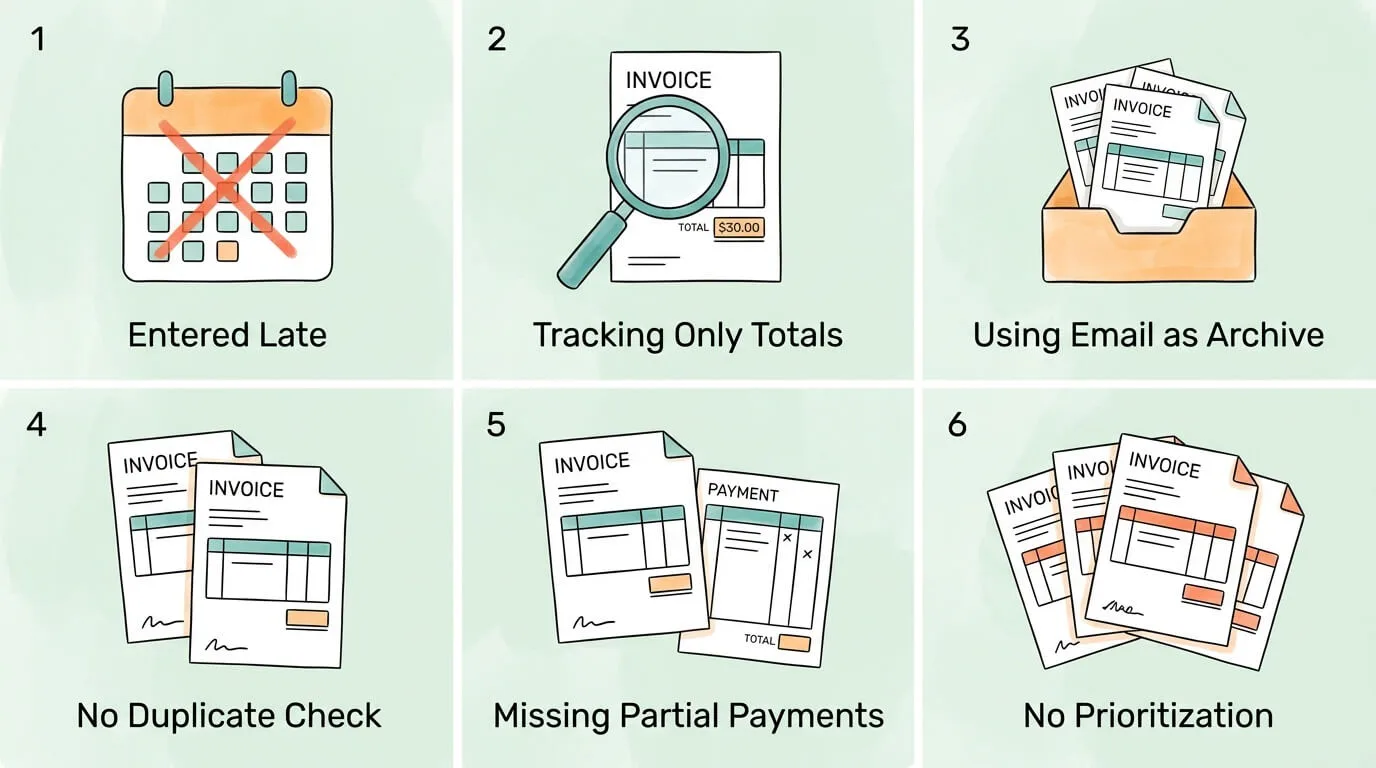
6 Invoice Tracking Mistakes That Derail Even Good Systems
1. Entering invoices late. Invoices logged weekly instead of daily accumulate into a backlog where statuses are unclear and follow-up timing is off. Enter every invoice the moment it is sent or received, without exception.
2. Tracking only the total amount. For AP tracking, recording only the invoice total makes it impossible to verify against purchase orders or allocate costs to the correct cost centers. Capture line items from day one.
3. Using email as your invoice archive. Emails get deleted, are inaccessible to colleagues, and cannot generate aging reports. Your tracking system, not your inbox, is the authoritative record. For guidance on building a sustainable receipt and invoice retention system, see our guide on how to organize receipts for taxes.
4. No duplicate detection process. Vendors occasionally re-send invoices. Without a duplicate check (same vendor plus same invoice number), you risk paying the same invoice twice. Search for the invoice number before processing any payment.
5. Not recording partial payments. A partially paid invoice is neither paid nor unpaid. Record the partial amount and recalculate the outstanding balance, or you will follow up on invoices that have already been partially resolved.
6. Chasing every overdue invoice the same way. A $50 invoice 5 days late and a $5,000 invoice 45 days late require very different responses. Good tracking systems let you prioritize by amount and aging so your follow-up effort goes where it generates the most return.
7 KPIs That Tell You Your Invoice Tracking Is Working
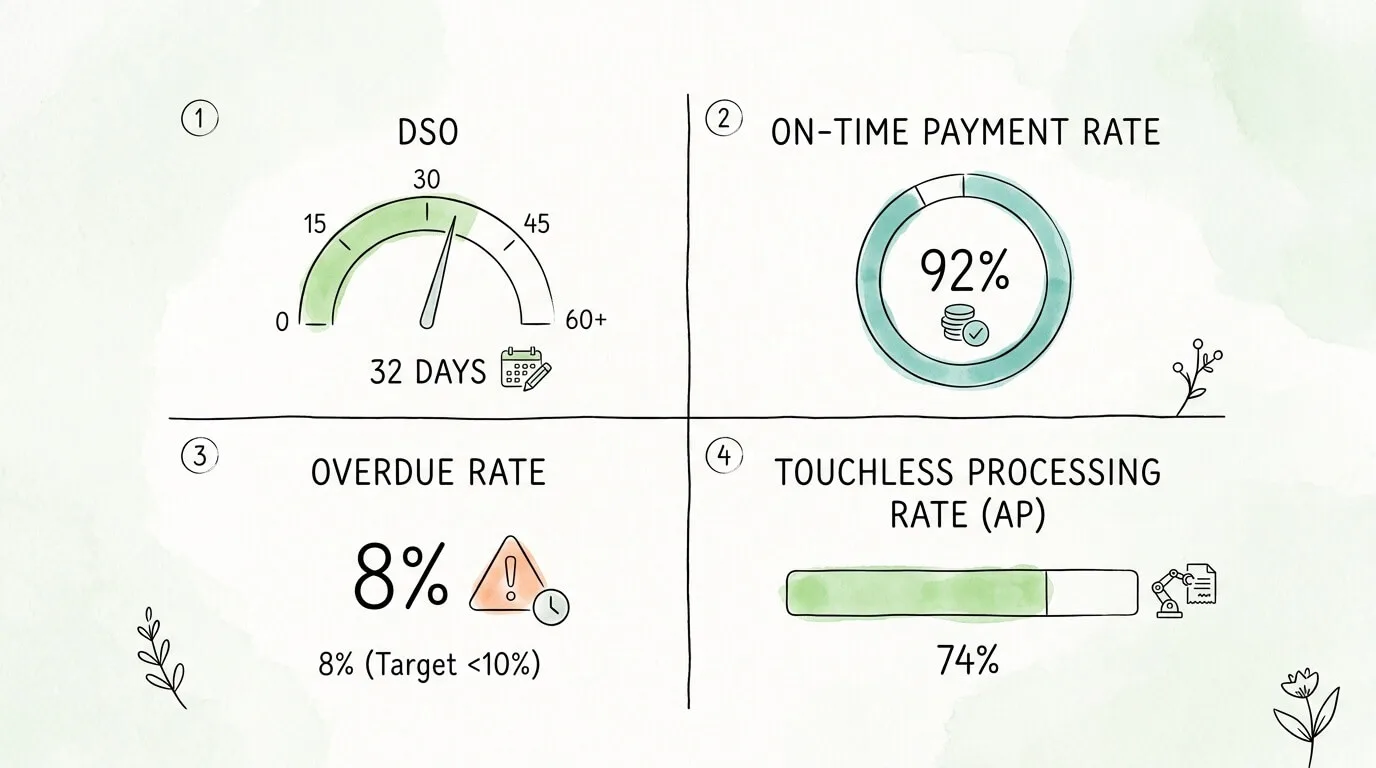
The right metrics turn your invoice system from a record-keeper into a performance dashboard. Review these monthly, not annually.
| KPI |
What It Measures |
Target |
| Days Sales Outstanding (DSO) |
Average days from invoice sent to payment received |
At or below your industry average |
| Invoice-to-Payment Cycle Time (AP) |
Days from invoice receipt to payment execution |
Under 5 business days |
| Overdue Invoice Rate |
Percentage of invoices past their due date |
Under 10% |
| First-Pass Match Rate (AP) |
AP invoices matched to PO without exceptions on first attempt |
80% or above |
| On-Time Payment Rate |
Percentage of invoices paid by due date |
Above 90% |
| Duplicate Invoice Rate |
Duplicate invoices caught before payment vs. paid in error |
99%+ caught |
| Touchless Processing Rate (AP) |
AP invoices processed without manual data entry |
Target 70%+ |
A rising DSO signals that follow-up cadence is slipping. A rising duplicate rate means your detection process has a gap. A high disputed invoice rate often points to an upstream purchasing process problem rather than an invoicing problem. For a deeper reference on AP-specific performance metrics, see our guide on accounts payable tracking KPIs and dashboards.
Frequently Asked Questions
What is the best free way to track invoices?
For freelancers and small businesses sending invoices to clients, Zoho Invoice is the strongest free option. It supports up to 1,000 invoices per year at no cost, with a client self-service payment portal, automated reminders, and multi-currency support. Wave is a close second with unlimited invoicing and connected accounting at zero monthly cost. For businesses that also process in-person payments, Square Invoices' free plan covers unlimited invoicing with standard processing fees applied only when clients pay.
How do I track invoices in Excel or Google Sheets?
Create columns for Invoice Number, Client or Vendor Name, Invoice Date, Due Date, Amount, Status, Payment Date, and Notes. Enter every invoice on the day it is sent or received. Apply conditional formatting to flag any row where today's date exceeds the due date and status is not "Paid." Sort by due date every Monday and follow up on all flagged rows first. For AP tracking, add PO Number and Approved By columns. A Google Sheets setup like this is a practical system for up to about 50 invoices per month before manual maintenance becomes a meaningful time burden.
What is the difference between invoice tracking and invoice processing?
Invoice tracking means knowing the status of invoices: what has been sent, what has been received, what is outstanding, and what is overdue. Invoice processing means the operational workflow for handling incoming supplier invoices: capturing the data, validating it against purchase orders, routing it for approval, and posting it to the accounting system for payment. Tracking is visibility. Processing is the work. Good tracking gives you visibility into how efficiently your processing is working and where bottlenecks are creating delays or errors.
How many invoices per month before I need dedicated invoice tracking software?
For outgoing AR invoices, most businesses manage comfortably up to about 50 invoices per month on a maintained spreadsheet. Above 50, the labor cost of manual tracking and follow-up typically exceeds the subscription cost of a paid invoicing tool within the first month. For incoming AP invoices, the automation break-even is lower, around 75 to 100 invoices per month, because the manual processing cost per invoice ($9 to $25) is higher than the cost of AR follow-up. At 100 AP invoices per month at a $12 average manual cost, that is $1,200 per month in processing cost that automation reduces by 60 to 80%.
Can I track invoices in multiple currencies?
Yes. Xero, QuickBooks Online (Plus plan and above), FreshBooks, and Zoho Invoice all support multi-currency invoicing. Xero is generally considered the strongest for international businesses, with automatic exchange rate updates and support for over 160 currencies. For AP-side tracking of international supplier invoices, ensure your platform normalizes amounts to your base currency and handles international date format variations. For a guide to global e-invoicing formats and compliance requirements, see our article on what is electronic invoicing.
How do I reduce Days Sales Outstanding (DSO) with better invoice tracking?
Most accounting platforms include an AR Aging report that groups outstanding invoices by days past due (0-30, 31-60, 61-90, 90+). Review it every Monday morning. Configure automated reminders to go out at 7 days before due, on the due date, and every 7 to 14 days after. For invoices over 60 days with no response, escalate from automated email to a direct phone call. According to the Atradius Payment Practices Barometer, businesses combining automated reminders with personal follow-up on high-value overdue invoices collect 40% faster than those relying on automation alone. For a deeper cash flow framework, see our guide on how to improve cash flow.
What is the best way to track supplier invoices specifically?
For tracking supplier invoices, dedicated AP automation platforms outperform general accounting software because they solve the capture problem (getting every invoice into the system automatically) rather than just the recording problem (tracking what has already been manually entered). A capable AP platform captures invoices from all incoming channels (email, portal, EDI), extracts data using AI-powered OCR, validates against purchase orders, routes for approval, and posts to your accounting system automatically. For a complete evaluation guide, see our article on invoice capture software and our detailed look at invoice matching process for 2-way vs. 3-way matching.
How long should I keep invoice records?
The IRS requires businesses to retain records supporting income and deductions for a minimum of 3 years from the filing date, or 2 years from the date the tax was paid, whichever is later. Employment tax records require 4 years. Many states have longer requirements. A conservative 7-year digital retention policy satisfies IRS requirements and protects against most audit scenarios. Digitally archived invoices with consistent naming conventions and searchable metadata are fully IRS-compliant as electronic records.
What invoice tracking KPIs should I measure?
The four most impactful metrics to start with are Days Sales Outstanding (DSO) for AR performance, Invoice-to-Payment Cycle Time for AP performance, Overdue Invoice Rate as a leading indicator of follow-up health, and First-Pass Match Rate as an indicator of data quality in your AP process. Review these monthly. If DSO is rising, your reminder cadence or payment method options need attention. If First-Pass Match Rate is falling, your PO data or vendor data quality has degraded. For a full list of 12 AP and AR KPIs worth tracking, see our guide on accounts payable tracking.
The best invoice tracking system is the one that gives you accurate, up-to-date visibility into every invoice affecting your cash position, without someone having to manually compile that information. Whether that means a well-maintained spreadsheet, an accounting platform's built-in AR aging, or a fully automated AP capture-to-approval workflow depends entirely on your invoice volume, your AR/AP split, and how much your current system is costing you in time and errors.
If your biggest gap is on the AP side, with supplier invoices arriving from multiple sources and processed manually at $10 or more per invoice, TallyScan automates the entire workflow: inbox scanning, AI data extraction, 3-way matching, and direct accounting sync. Explore our guide on accounts payable automation benefits to see what a fully automated AP function looks like in practice.
Ready to stop chasing invoices and start running your finances with confidence? Start your free trial of TallyScan today and have your first invoices processing automatically within the hour.